Community Risk Reduction (CRR)
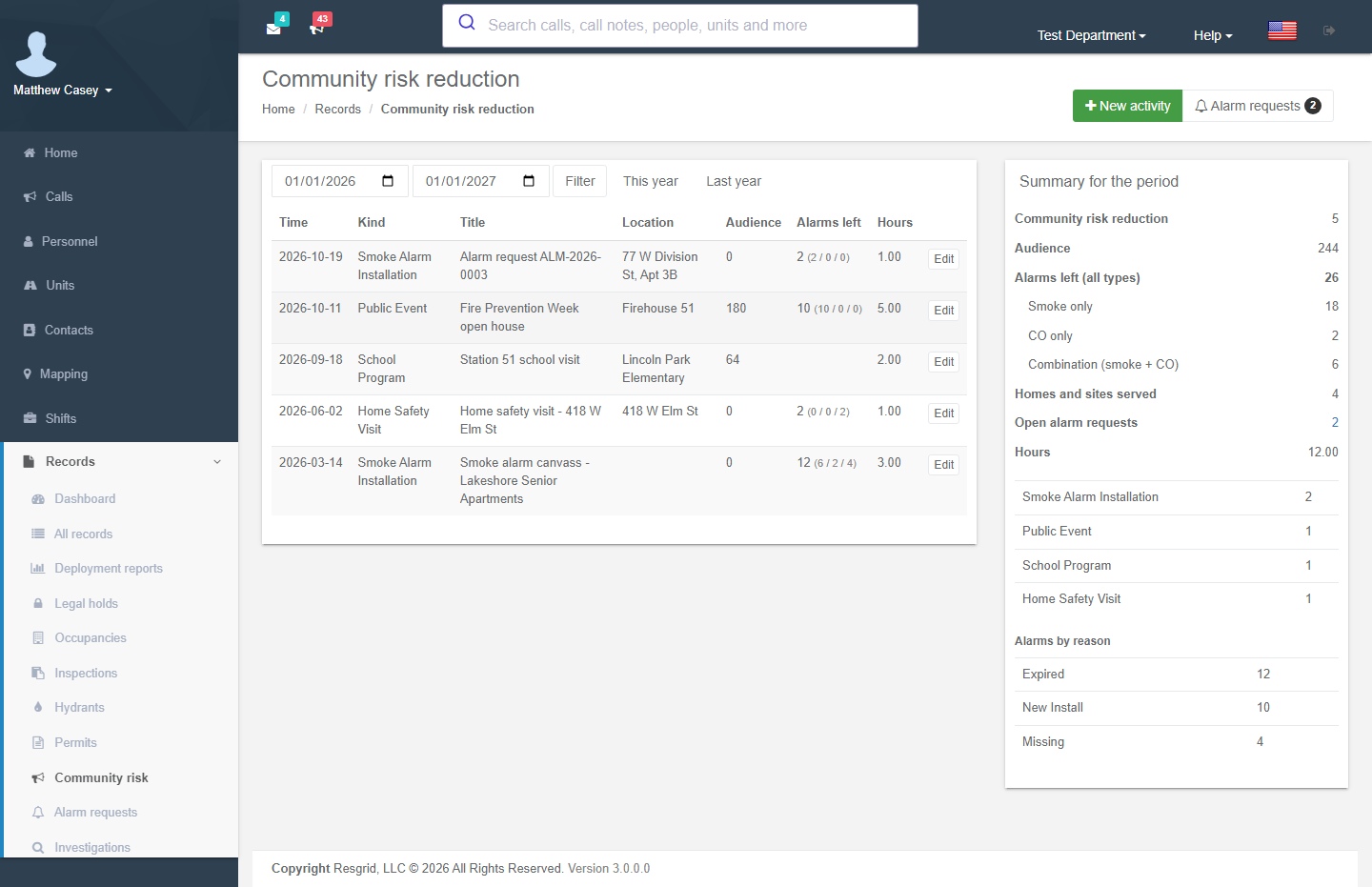
Record the outreach and prevention work your department does — smoke and CO alarm installs, school visits, station tours, public education, car-seat checks, senior fall-prevention visits — so it counts toward accreditation, grant reporting and the community-risk dashboard.
Feature flag: Records.Prevention.Crr. Menu: Records → Community risk and Records → Alarm requests.
Recording an activity
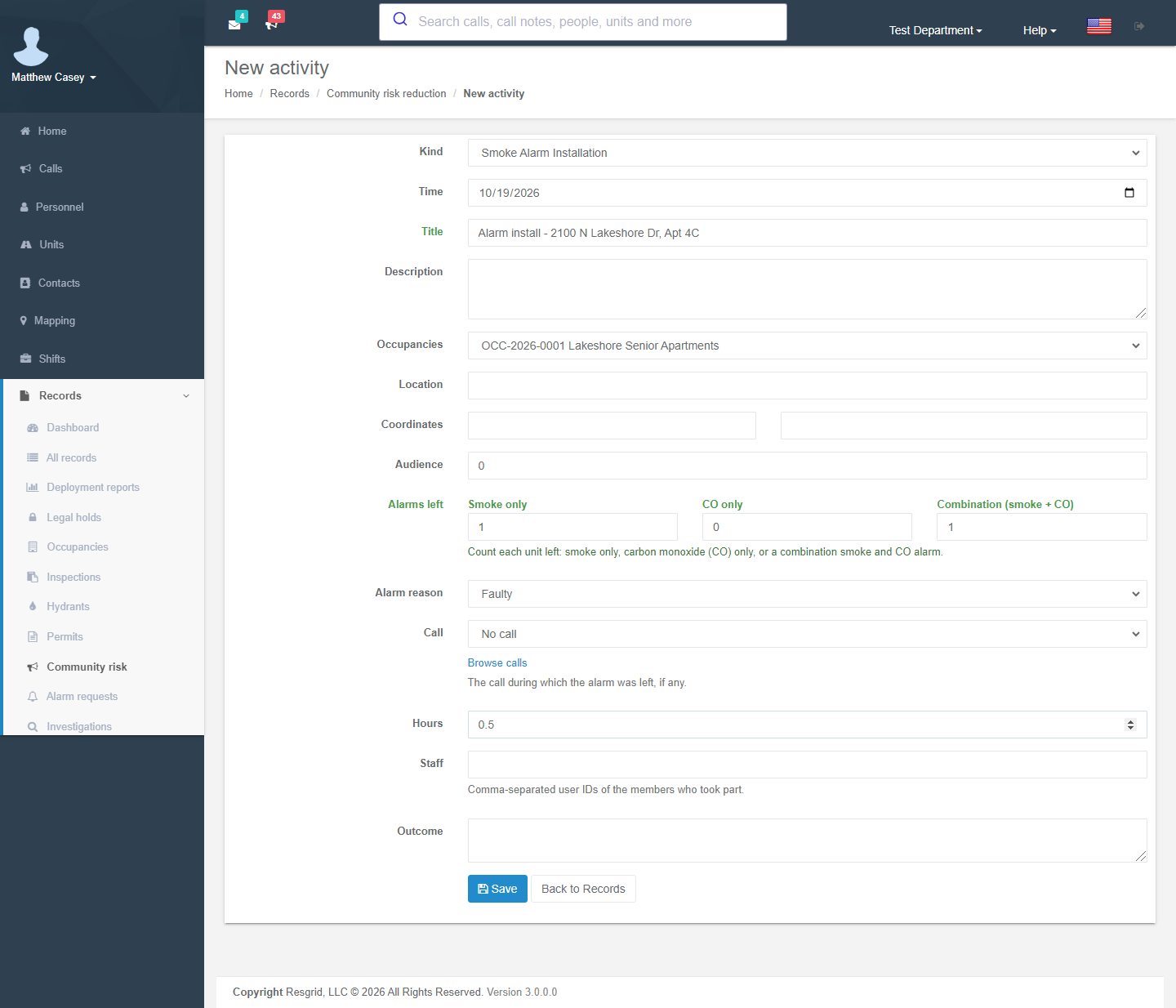
New activity:
| Field | Notes |
|---|---|
| Title / Kind | Smoke alarm installation, public education, station tour, home safety visit, school program, media, other. |
| Occurred on / Location / Coordinates / Occupancy | Where and when; link to an occupancy when it was at a tracked property. |
| Audience | Number of people reached. |
| Alarms left | Three counts: Smoke only, CO only and Combination (smoke + CO). Count each unit you leave. |
| Alarm reason | Why the alarms were left: faulty, missing, expired, low battery, new install, other. |
| Call | The call the crew was on when they left the alarm, if any (pick it with the call picker). |
| Hours | Staff hours spent. |
| Staff | Members who took part. |
| Outcome | Free text. |
You can also start an activity from:
- an occupancy page (Record alarm left), which links the activity to that occupancy;
- a call (Reports → Record alarm left on the call page), which links the call and fills in its address.
Counting alarms for the year
The list shows a summary for the period: activities, audience reached, hours, alarms left (all types) with the smoke / CO / combination split, the number of homes and sites served, alarms by reason, and how many alarm requests are still open. Use This year or Last year next to the date filter to get a calendar-year total. You can also set any date range, for example a grant period.
The same figures, plus alarms by type, by reason and by month, appear on the Community risk analytics dashboard.
Alarm requests
Use Records → Alarm requests to track requests that are not handled on the spot, for example when a resident calls about a chirping, faulty or missing smoke or CO alarm.
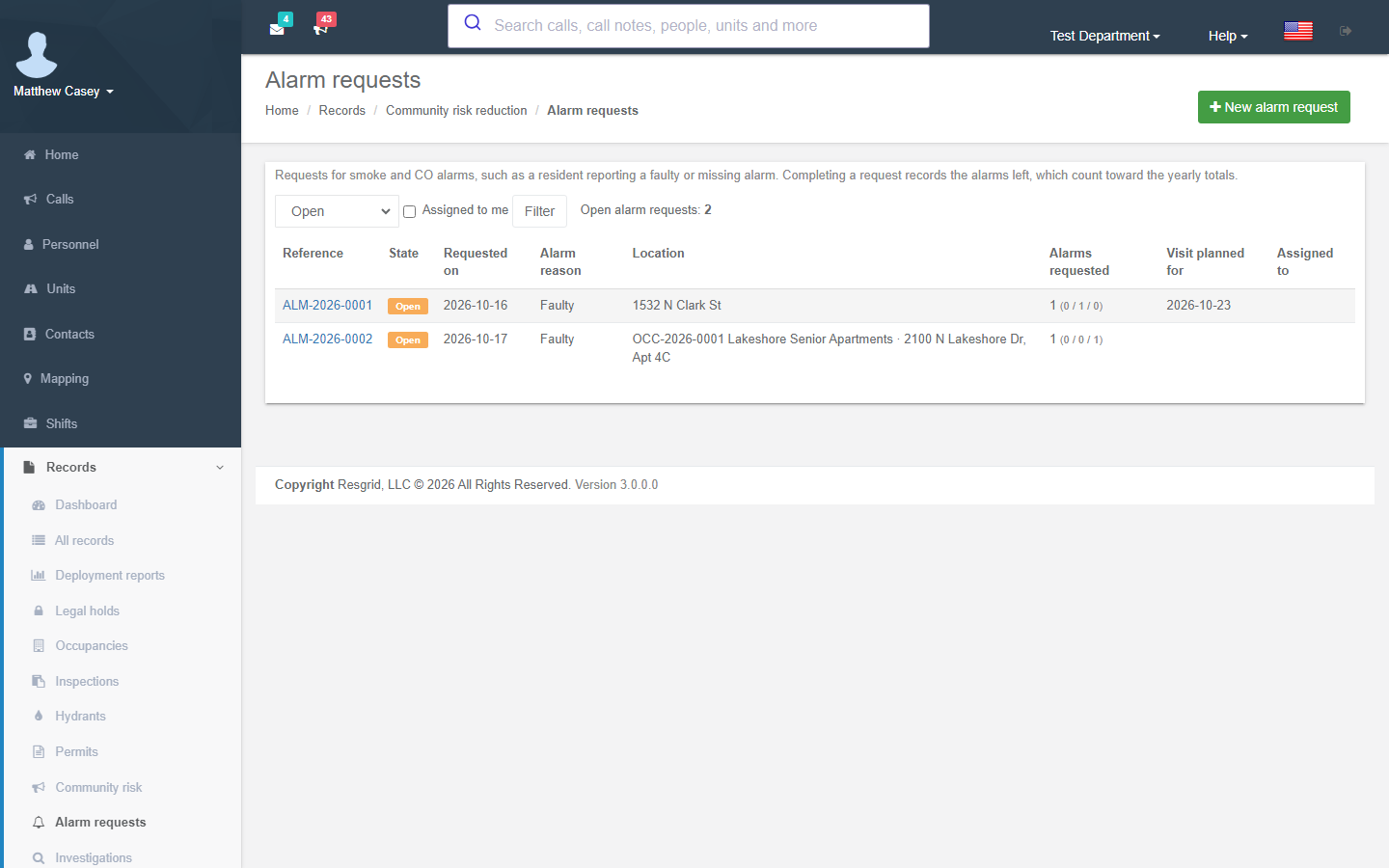
- New alarm request: the date, how it came in (phone, walk-in, during a call, online, referral), the reason, how many smoke / CO / combination units are needed (if known), and the occupancy or address. You can also pick the resident from Contacts, the call it came from, a planned visit date and who is assigned. The request gets a number such as
ALM-2026-0001. - The request stays Open in the queue, oldest first. You can filter it by status or to requests assigned to you.
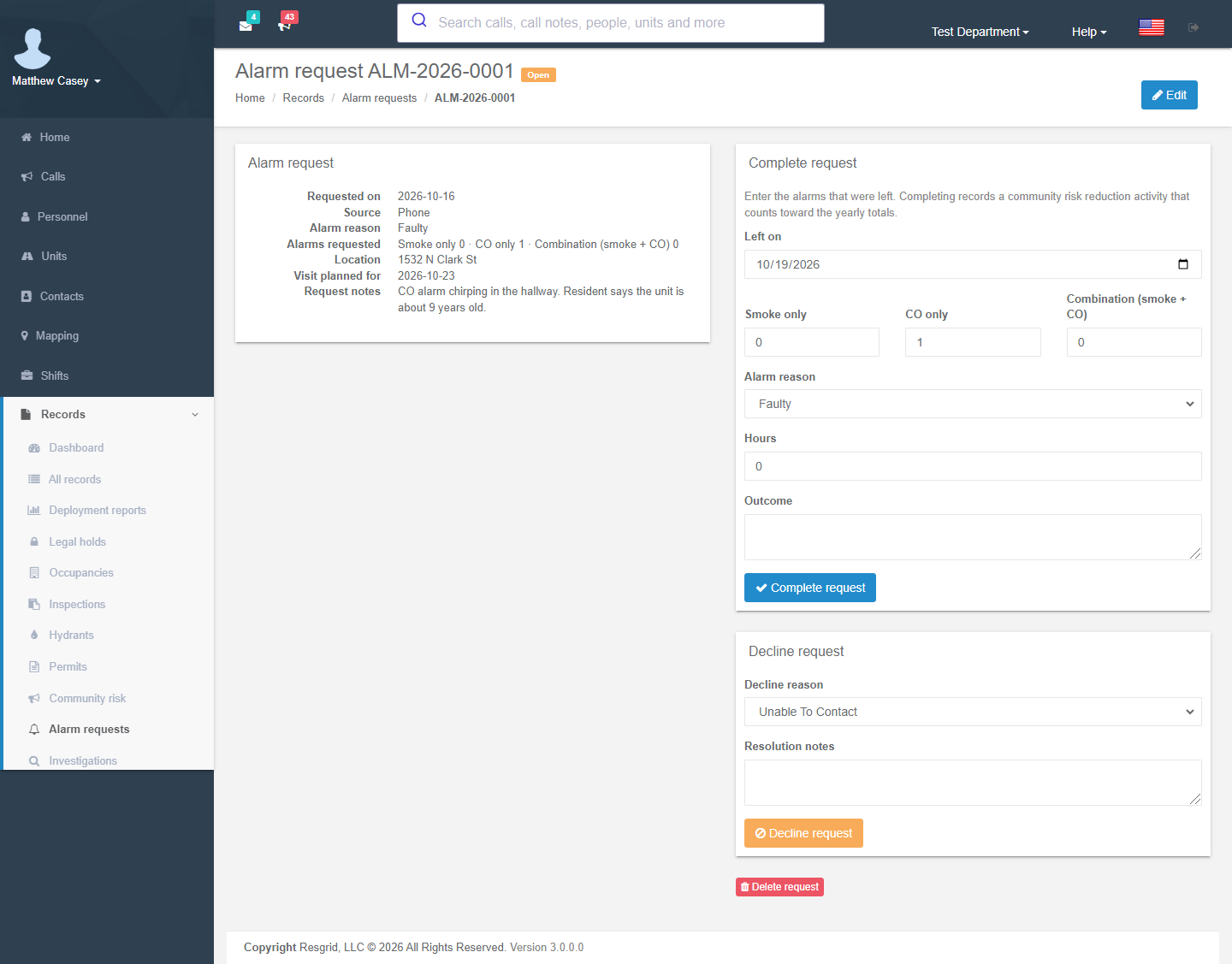
- After the visit, Complete request with the units actually left. This records a CRR activity (kind Smoke alarm installation) linked to the request, so the alarms count toward the yearly totals.
- If no alarm is left, Decline request with a reason: unable to contact, resident declined, not eligible, duplicate, other. A declined request can be reopened.
Notes:
- To change what was left, edit the recorded activity.
- Deleting the activity reopens its request.
- A completed request cannot be deleted.
- If two people complete the same request at once, the second one is refused, so the alarms are not counted twice.
Requests are also started from an occupancy page (New alarm request) or a call page (Reports → New alarm request).
A request stores no resident name or phone number. Pick the resident as a Contact instead: their details stay in Contacts, where the department's protection settings apply. Keep the request notes operational (where the alarm is, access, what to bring).
Occupancy page
An occupancy's details page has a Smoke and CO alarms panel. It shows:
- alarms left per year by type;
- open requests;
- recent CRR activity at that site.
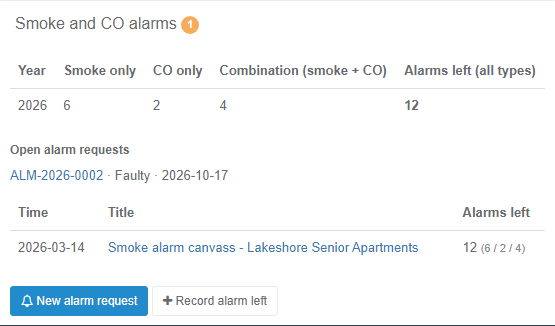
When occupancies are merged, their alarm activity and requests move to the occupancy that is kept.
Setup examples
| Department | Use |
|---|---|
| Fire / accreditation (CFAI) | Log every public-education contact; export the period summary for the CRR standard of cover. |
| Fire / smoke alarm program | Take resident calls as alarm requests; crews complete them after the visit. A crew that finds a faulty alarm on a call records it from the call page. Report yearly smoke, CO and combination counts from the This year summary. |
| EMS | Community paramedicine visits and CPR classes as Public education. |
| CERT / emergency management | Preparedness fairs, neighbourhood training, sandbag distribution events. |
Technical reference
| Item | Value |
|---|---|
| Routes | /User/RecordCrr/{Index,Edit}, /User/RecordAlarmRequests/{Index,Details,Edit} |
| API | api/v4/RecordCrr/{List,ForOccupancy,Get,Save,Delete,Summary}, api/v4/RecordAlarmRequests/{List,Get,Save,Complete,Decline,Reopen,Delete} |
| Model | RmsCrrActivity (SmokeAlarmsInstalled = smoke only, CoAlarmsInstalled, ComboAlarmsInstalled, AlarmReason, CallId), RmsCrrAlarmRequest |
| Migration | M0284 |
| Flag / permission | Records.Prevention.Crr; RecordsPreventionAdmin to create, edit, complete or decline |