Department Settings
Everything about how your department works lives under the Department menu (your department's name, top-right). This page covers the Department Settings pages themselves; other menu items have their own pages (Groups, Types, Custom Statuses, Templates, Protocols, Workflows, Security …).
Only department administrators see these pages. Every change is audited.
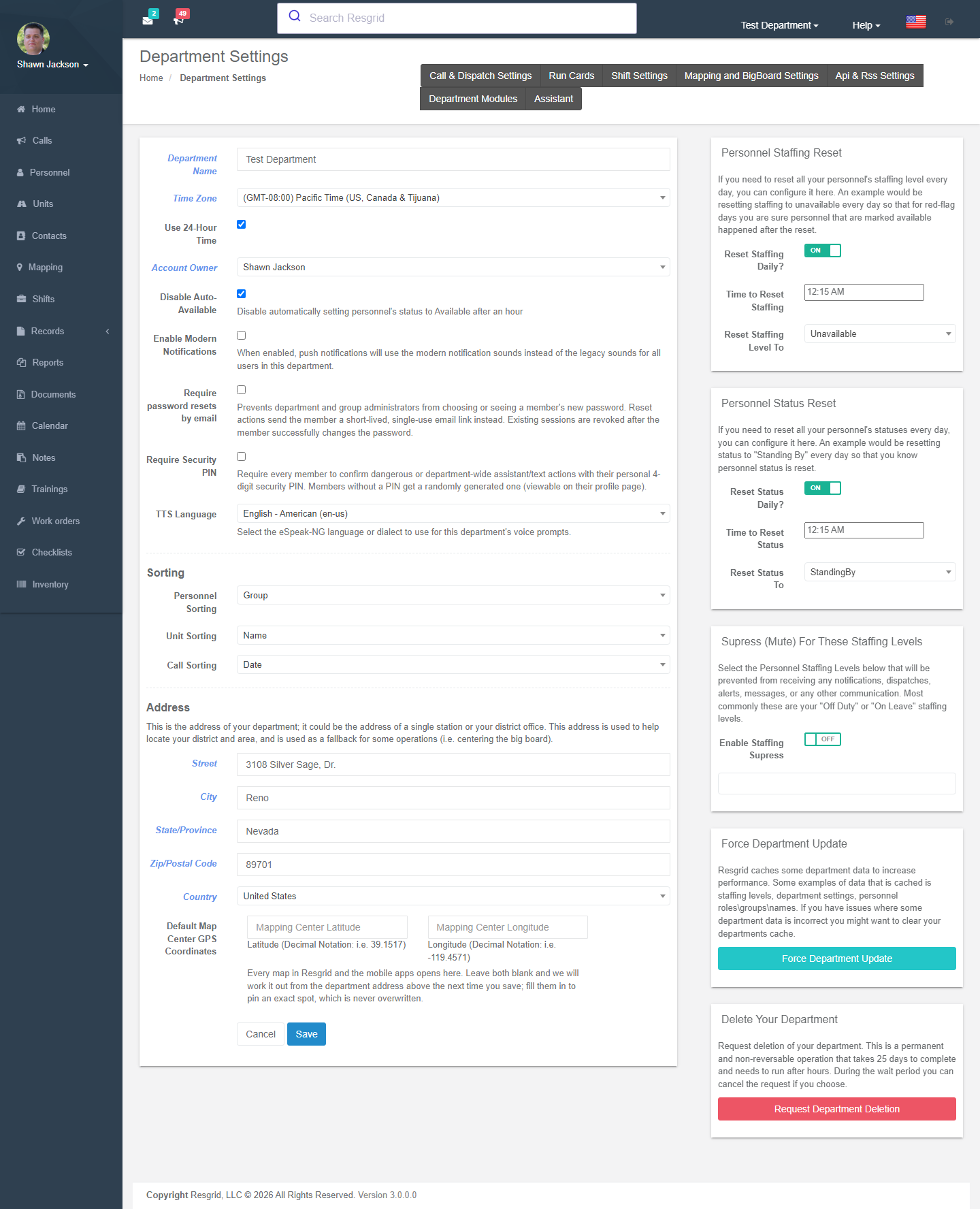
General settings
/User/Department/Settings
| Setting | What it does |
|---|---|
| Department name | Shown everywhere, including notifications and prints. |
| Time zone | All times in the web site, apps, reports and schedules are shown in this zone. |
| Use 24-hour time | Clock format. |
| Managing user | The account owner — the only person who can change billing, purchase add-ons, enrol in data protection or delete the department. |
| Disable auto-available | By default a member's status returns to Available an hour after they set something else; tick to stop that. |
| Personnel / unit / call sorting | Default, first name, last name or group ordering on lists and the dashboard. |
| Suppress (mute) for these staffing levels | Members in the ticked staffing levels (e.g. Unavailable, Off duty) receive no dispatch notifications. |
| Enable modern notification sounds | Use the newer alert tones in the apps for everyone. |
| Require security PIN | Force every member to confirm dangerous assistant / text actions with their 4-digit PIN. |
| Require password reset via email | Administrators can no longer set a member's password; reset sends the member a single-use link. |
| TTS language | Voice / dialect for voice dispatch prompts. |
Personnel staffing reset / status reset
Automatically reset everyone's staffing (e.g. to Available) or status (e.g. to Standing By) at a time of day on chosen weekdays — typical for volunteer departments where people forget to clear Unavailable.
Department address and map centre
The department's own address (a station or district office) is used to locate the district and as a fallback map centre. Default map centre GPS coordinates pin where every map opens; leave blank to derive it from the address.
Department profile
/User/Department/Profile — description, short name, logo (PNG/JPEG ≤ 2 MB, re-encoded with metadata removed), public profile settings for Connect, and Use branding in emails (call, message, report and workflow emails carry your logo and name; account and billing emails stay Resgrid-branded). The logo also heads record prints.
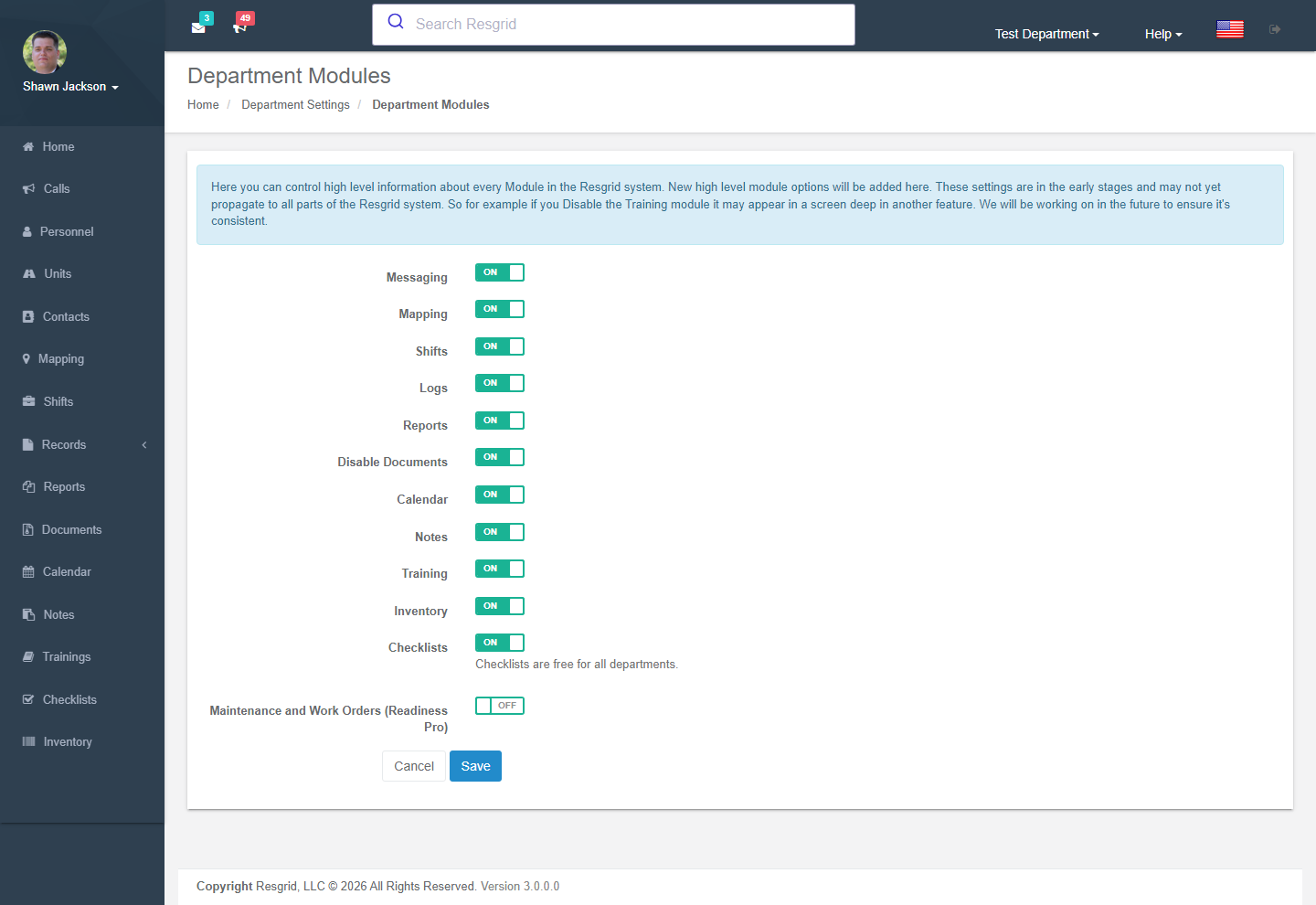
Module settings
/User/Department/ModuleSettings — switch modules on or off for the whole department: Messaging, Mapping, Shifts, Logs / Records, Reports, Documents, Calendar, Notes, Training, Inventory, Checklists, Maintenance (work orders), Business Operations (invoicing, contractor billing, Cal OES MARS, workforce — the pages also need the Business Ops add-on). Switching a module off hides it from the menu and the apps; data is kept.
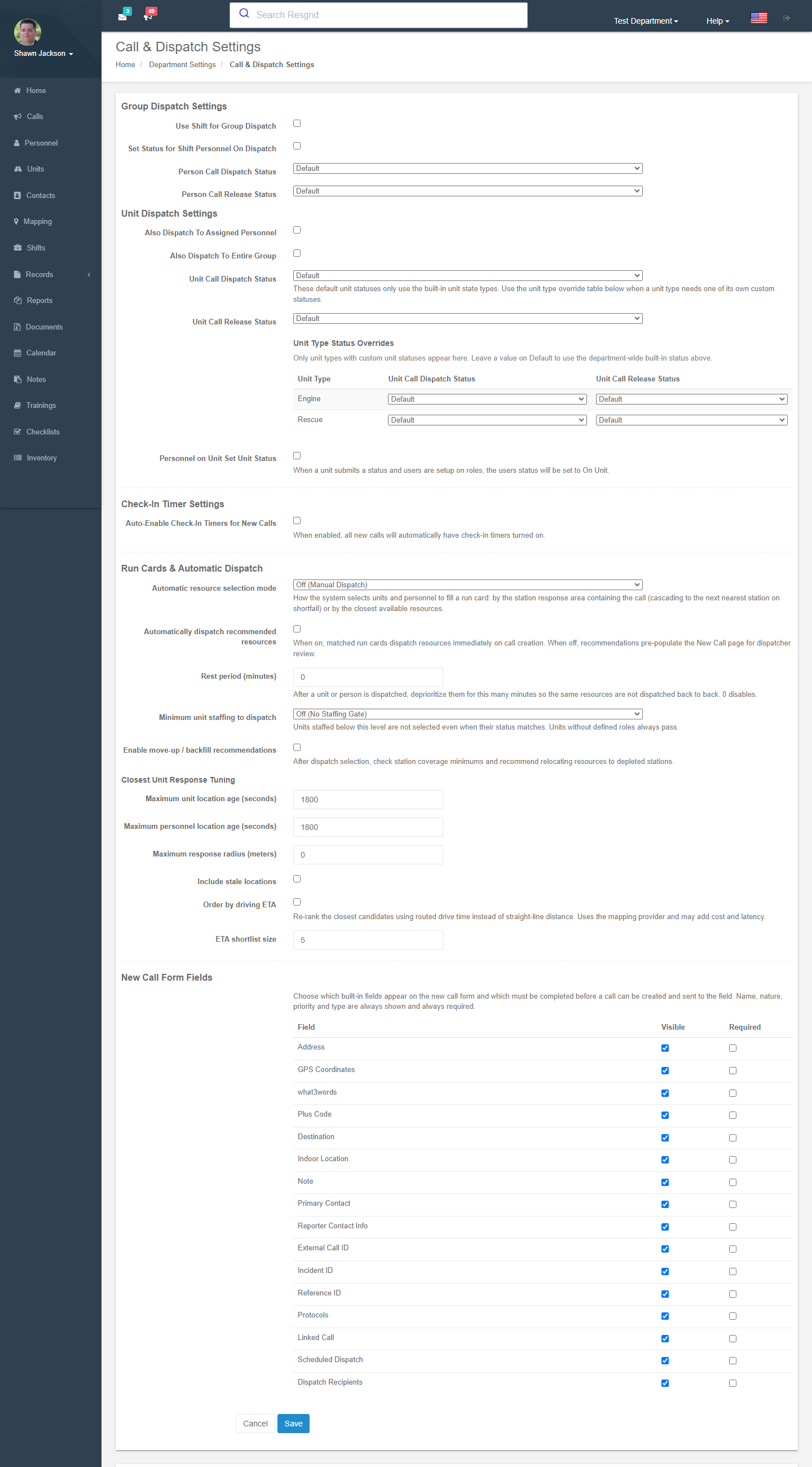
Call & dispatch settings
/User/Department/DispatchSettings
| Section | Settings |
|---|---|
| Group dispatch | Use shift for group dispatch — dispatching a group sends only to the people signed up for today's shift. Set status for shift personnel on dispatch — automatically set them to a chosen status (default Responding to scene). |
| Unit dispatch | Also dispatch to assigned personnel (the crew staffed on the unit) and/or Also dispatch to entire group (the unit's station). Personnel on unit set unit status — when a unit reports a status, its crew are set to On unit. |
| Default call statuses | The status personnel / units are set to when dispatched and when released from a call; per-unit-type overrides for types with custom statuses. |
| Rest period | Deprioritise a unit or person for N minutes after a dispatch so the same resources are not sent back-to-back. |
| New call form fields | Which built-in fields appear on the New Call form and which are required (name, nature, priority and type are always shown and required). |
| Unit status timers | Highlight a unit on the Big Board when it has sat in a status too long (e.g. dispatched > 4 min without departing). |
| Run cards & automatic dispatch | Selection mode, auto-dispatch, minimum staffing, move-ups, closest-unit tuning (maximum location age, radius, include stale, order by driving ETA, shortlist size), station coverage minimums — see Run Cards. |
| Check-in timers | Auto-enable on new calls, default timer configs and per-type/priority overrides — see Call Check-in Timers. |
Call import settings
/User/Department/CallSettings
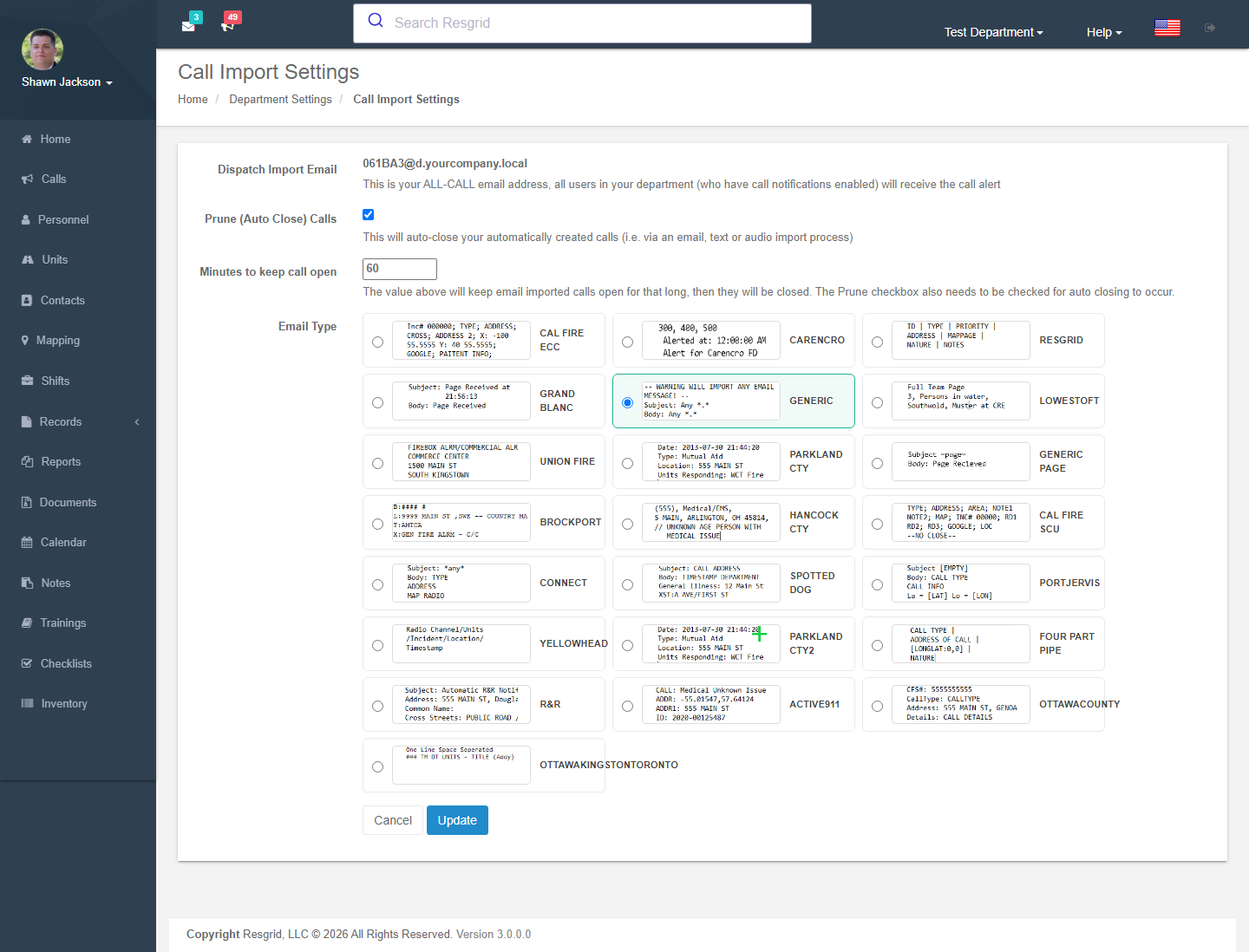
| Setting | What it does |
|---|---|
| Dispatch import email | Your department's all-call address (xxxx@dispatch.resgrid.com on the hosted service). Anything mailed to it becomes a call dispatched to everyone with call notifications on. Forward your CAD pages here. |
| Email format type | The parser for your CAD's page format: Generic, Active911, IAmResponding, CalFire, Caliber, Dispatch Pro, Frontier Page, Hilton Head, IaFCDS, Oshkosh, Parkland County, Yellowhead County, Coast Guard, Brann Norge, Facility, Four Rivers, Ranch Kiowa, SpottedDog, County Fire, Carl EMS … Generic parses subject and body into name and nature. |
| Prune calls / minutes to keep open | Auto-close email/text/audio-imported calls after N minutes. |
| Mail server (self-hosted) | Hostname, port, SSL, username and password of a mailbox to poll. |
Text messaging
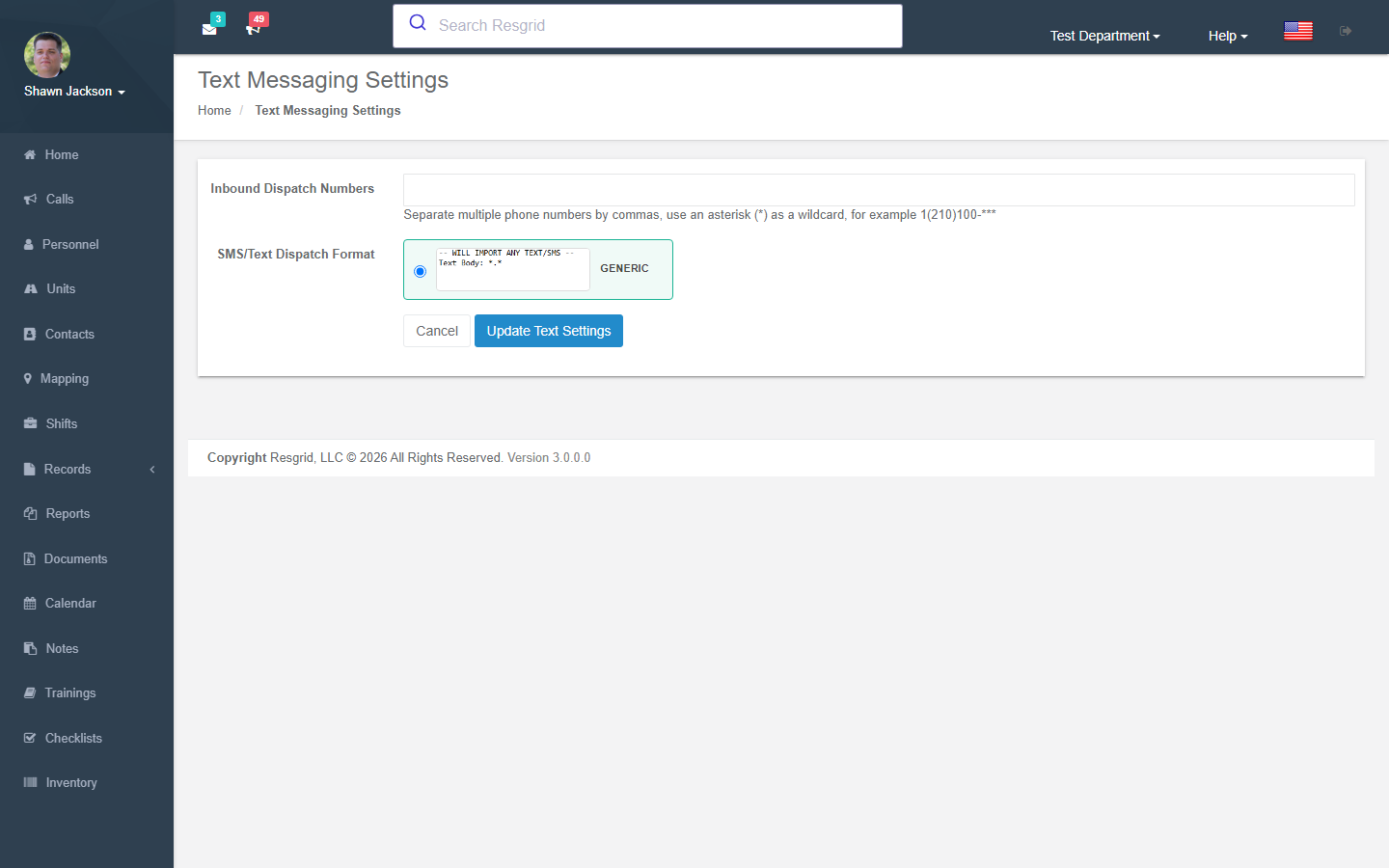
/User/Department/TextSettings — the department's SMS number (provision one by country and area code, plan permitting), text-to-call (inbound texts create calls) with its format parser, text commands (members text responding, available …), source numbers for outbound SMS. See Text messaging configuration.
Unit settings
/User/Department/UnitSettings — unit-level behaviour such as location TTL and status defaults per unit type.
Shift settings
/User/Department/ShiftSettings — Allow signups for multiple groups (members can sign up for shifts at stations other than their own).
Mapping & Big Board settings
/User/Department/MappingSettings — for personnel and units: TTL in minutes for locations shown on maps (0 = show forever) and allow a status with no location to hide the previous location. See Mapping.
API settings
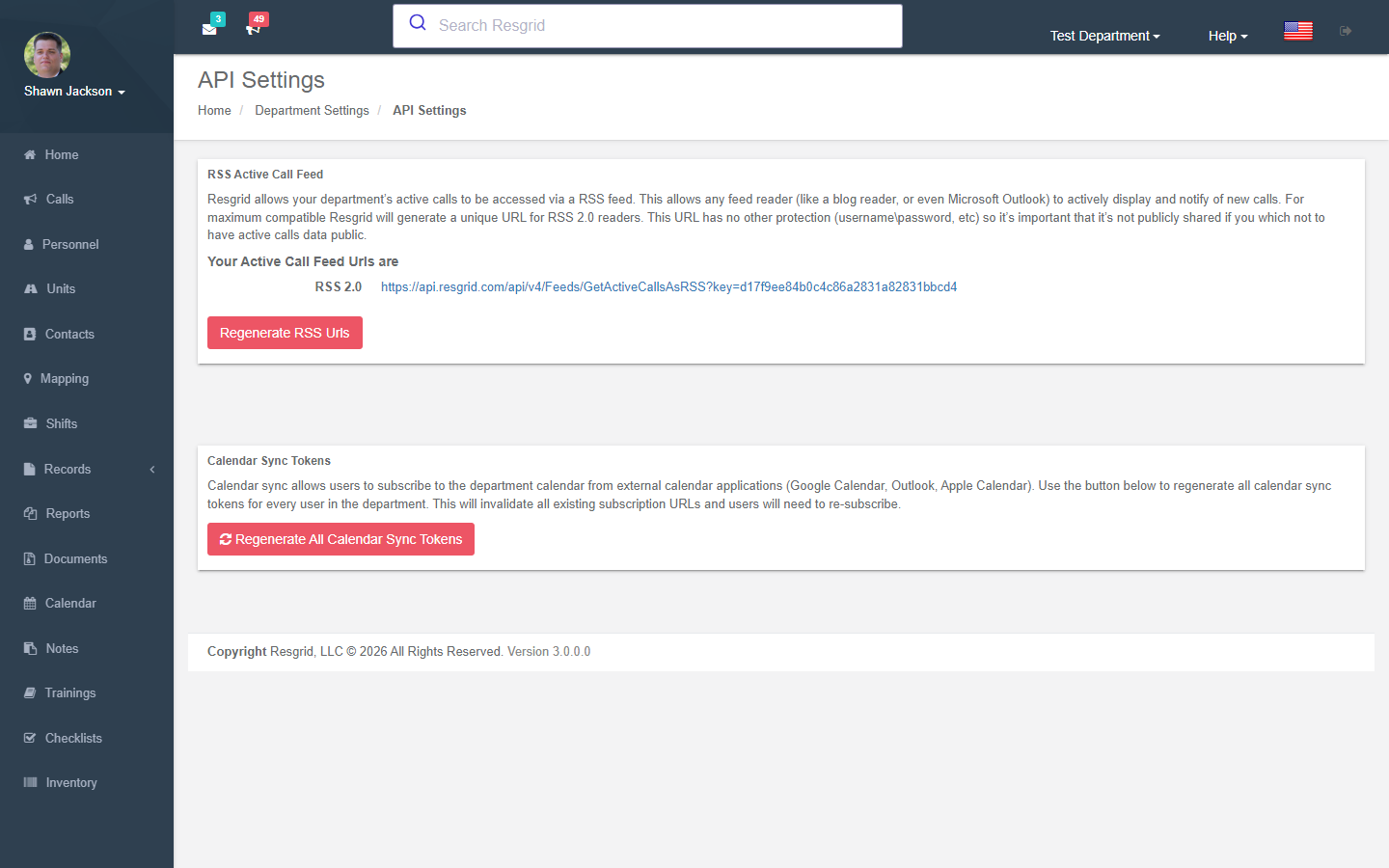
/User/Department/Api — view or provision the department API key (used by integrations and the apps' department login), and the RSS active-call feed key. Regenerating a key invalidates the old one immediately.
Invites
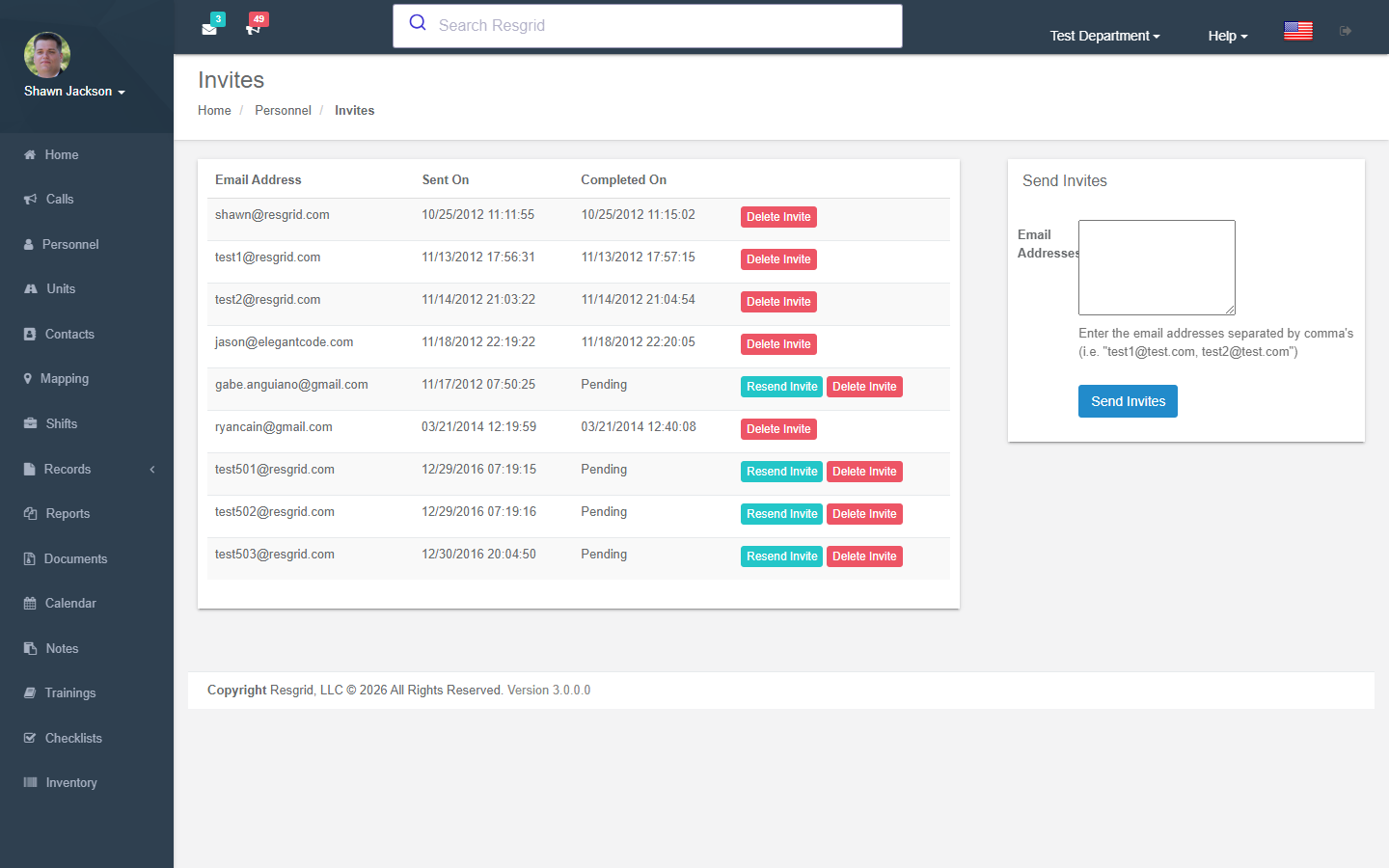
/User/Department/Invites — send email invitations (comma-separated addresses); pending invites can be resent or deleted. Invitees create their own account and land in your department.
Setup wizard
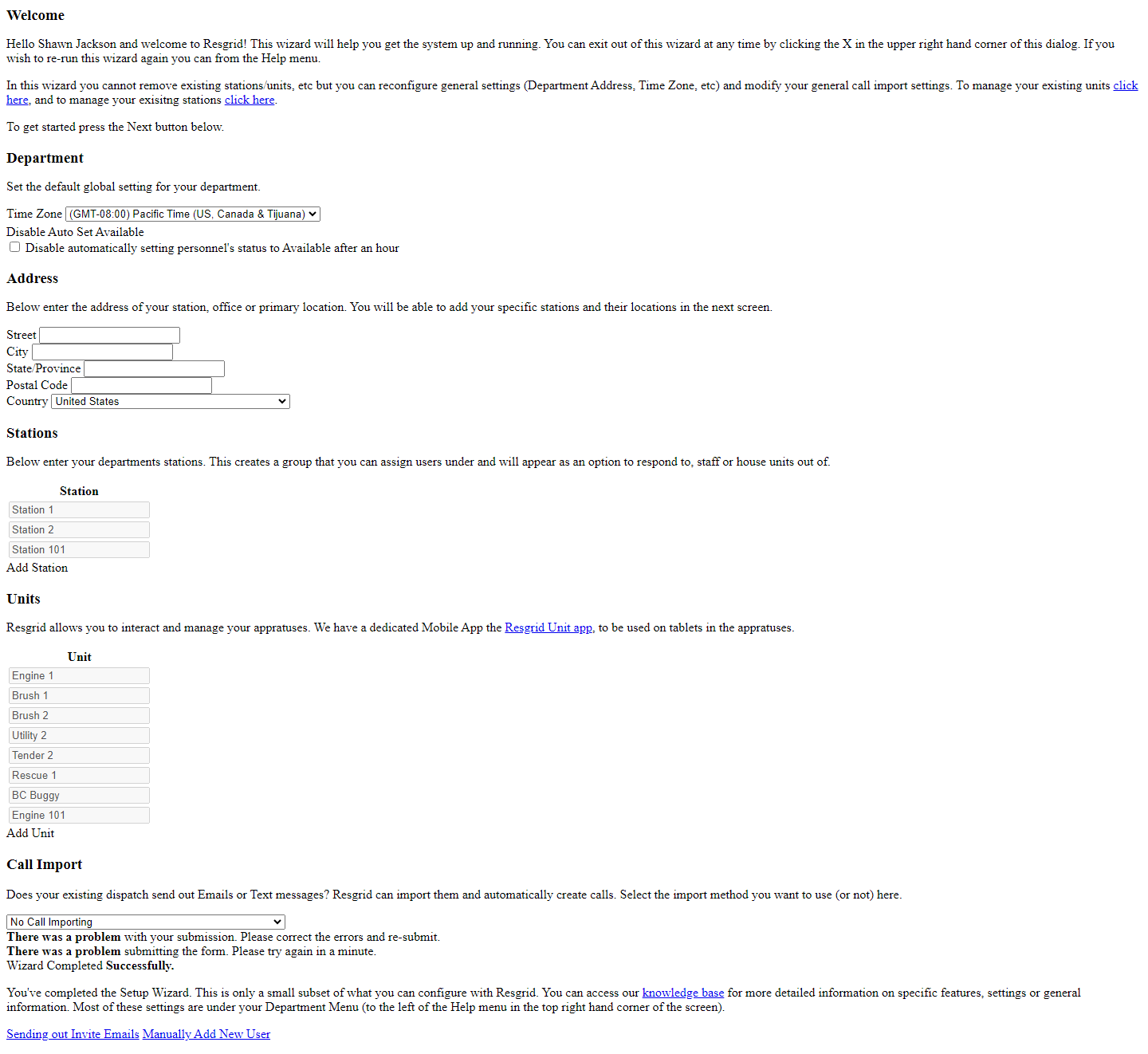
/User/Department/SetupWizard — for new departments: time zone → address → stations → units → email import → text messaging, saved in one step. Also reachable from the dashboard on first login.
Delete department
/User/Department/DeleteDepartment — the managing user can schedule deletion; it cancels subscriptions, marks the department for deletion and can be cancelled until processed.
Setup examples
| Department | Settings worth changing from the defaults |
|---|---|
| Volunteer fire | Staffing reset daily 06:00 → Available; email import from county CAD (pick the matching format); Also dispatch to entire group on unit dispatch; modern sounds on. |
| Career fire | Use shift for group dispatch; set status on shift dispatch; unit status timers 4/8 minutes; run cards auto-dispatch. |
| EMS | Default call statuses: dispatched → Responding, released → Available; rest period 10 min; require password reset via email. |
| SAR | Disable auto-available; New Call form: make what3words / coordinates visible; longer location TTL (240 min). |
| Emergency management | Modules: turn off Shifts and Inventory if unused; 24-hour time; text commands off. |
| Security / business | Branding in emails; text-to-call from client alarm centres; suppress notifications for Off duty. |
Technical reference
| Item | Value |
|---|---|
| Controller | DepartmentController |
| Routes | /User/Department/{Settings,Profile,ModuleSettings,DispatchSettings,CallSettings,TextSettings,UnitSettings,ShiftSettings,MappingSettings,Api,Invites,SetupWizard,DeleteDepartment,ClearDepartmentCache} |
| Policy | Department_Update (administrators); managing-user checks for billing, ADP and deletion |
| Storage | Department row + DepartmentSettings rows keyed by DepartmentSettingTypes (e.g. 32 = ModuleSettings, 58–60 = run-card dispatch, 70–77 = Records settings) |
| Cache | Settings cached up to a day; Clear department cache enqueues a cache-clear event |
| Data endpoints | GetStationsForGrid, GetRecipientsForGrid, GetDepartmentTypes, GetCallEmailTypes, GetCallTextTypes, GetAvailableNumbers?country=&areaCode=, ProvisionNumber, GetSubscriptionLimitWarning, GetPrinterNetPrinters?key= |