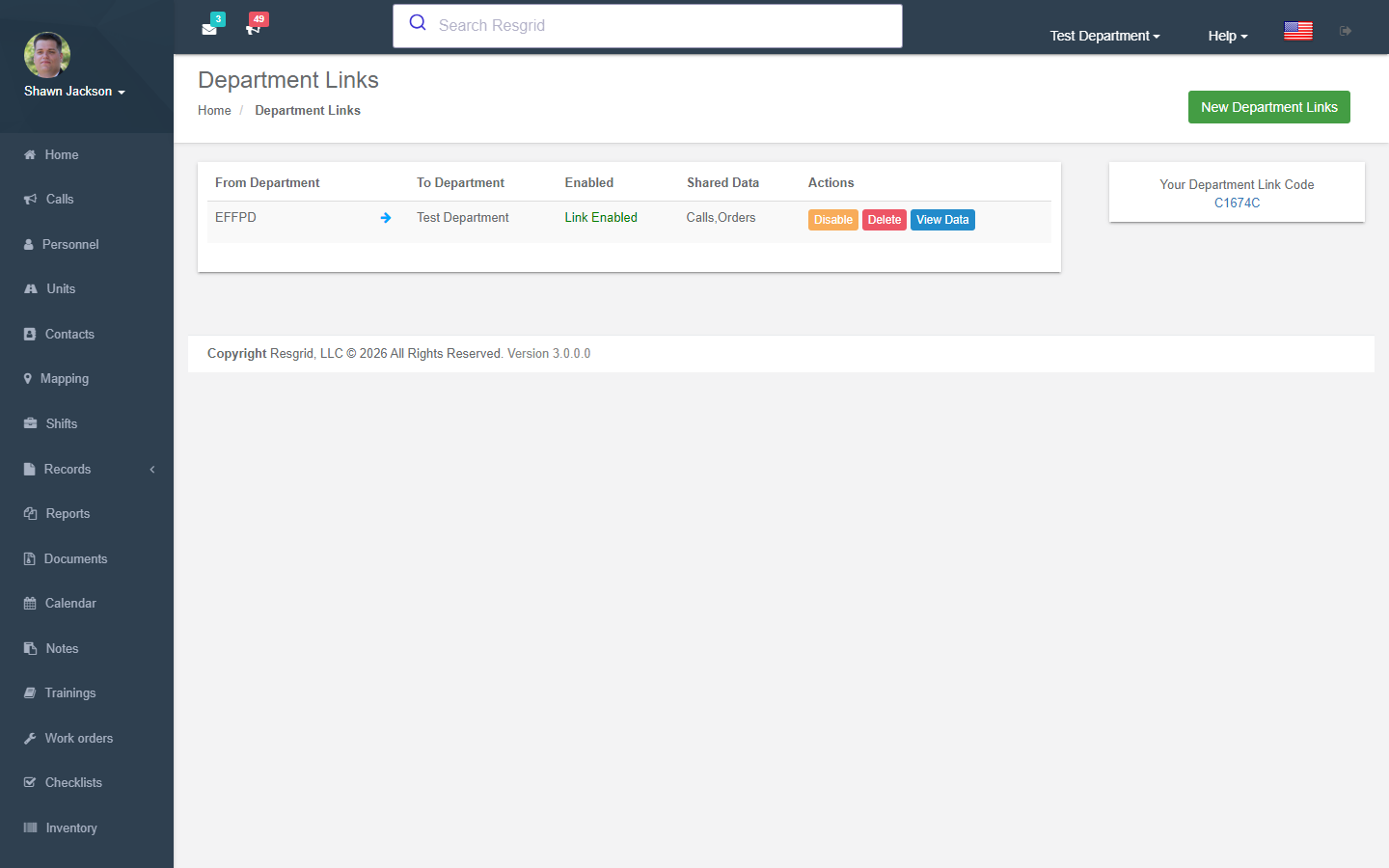
Department Links
Department Links enable inter-department data sharing, allowing linked departments to view each other's calls, units, and personnel. The module is managed by the LinksController.
Overview
Department linking is a plan-gated feature — departments on the Free Plan cannot use links.
Each department has a unique Link Code that other departments use to initiate a link request.
Link Lifecycle
Request Link → Target Enables → Data Sharing Active → Disable/Delete
Bidirectional Consent
- Requesting department creates the link using the target's link code
- Target department reviews and enables the link
- Both departments can then view shared data
Creating Links
Validation
- The link code must resolve to a valid department
- Departments cannot link to themselves
- Both departments' plans must support links
Process
- Link created with
LinkEnabled = false - Email notification sent to the target department
- Target department can view and accept the link
Enabling Links
Only the target (linked) department can enable a link:
- Set a
DepartmentColorfor visual identification LinkEnabledset totrueLinkAcceptedtimestamp recorded
Disabling Links
Only the target department can disable:
LinkEnabledset tofalseLinkAcceptedcleared
Shared Data
When a link is enabled and the linked department has sharing configured, the following data is available:
Active Calls
Returns active calls from the linked department:
- Call name and nature
- State and priority with colors
- Timestamps
- Location data
Units
Returns all units from the linked department:
- Unit name, type, and station
- Current state (with custom state resolution)
- State colors and timestamps
Personnel
Comprehensive personnel view from the linked department:
- User name and group assignment
- Current action status (with responding-to-call info)
- Staffing level
- Role assignments
- Sorted by action weight then name
Setup examples
| Department type | How to set it up |
|---|---|
| Mutual aid | Link neighbouring departments to share active calls and unit statuses both ways. |
| Central dispatch centre | A dispatch department links to every agency it dispatches for; agencies share personnel/unit status back. |
| County EM | Links to every fire/EMS agency for the EOC map. |
Technical reference
Data Endpoints
| Endpoint | Purpose |
|---|---|
GetActiveCallsList | Active calls from linked department |
GetUnitsList | Units from linked department |
GetPersonnelList | Personnel from linked department |
Interactions with Other Modules
| Module | Interaction |
|---|---|
| Subscription | Plan limits control link availability |
| Calls | Shared call data from linked departments |
| Units | Shared unit data from linked departments |
| Personnel | Shared personnel data from linked departments |
| Custom Statuses | Status resolution for linked department data |
| Groups | Group data included in personnel view |
| Resource Orders | Links can be used for resource order visibility |