Subscription & Billing
Subscription & Billing shows the department's plan (Free, Standard, Premium, Ultimate, Enterprise), what it includes and its limits (personnel, units, features), lets the managing user upgrade, change billing details, buy add-ons (Push-to-Talk, Advanced Data Protection, Readiness Pro, Business Ops) and download invoices. Self-hosted installations show the plan they are licensed for.
Department menu → Subscription and Billing. Only the managing user can purchase or cancel.
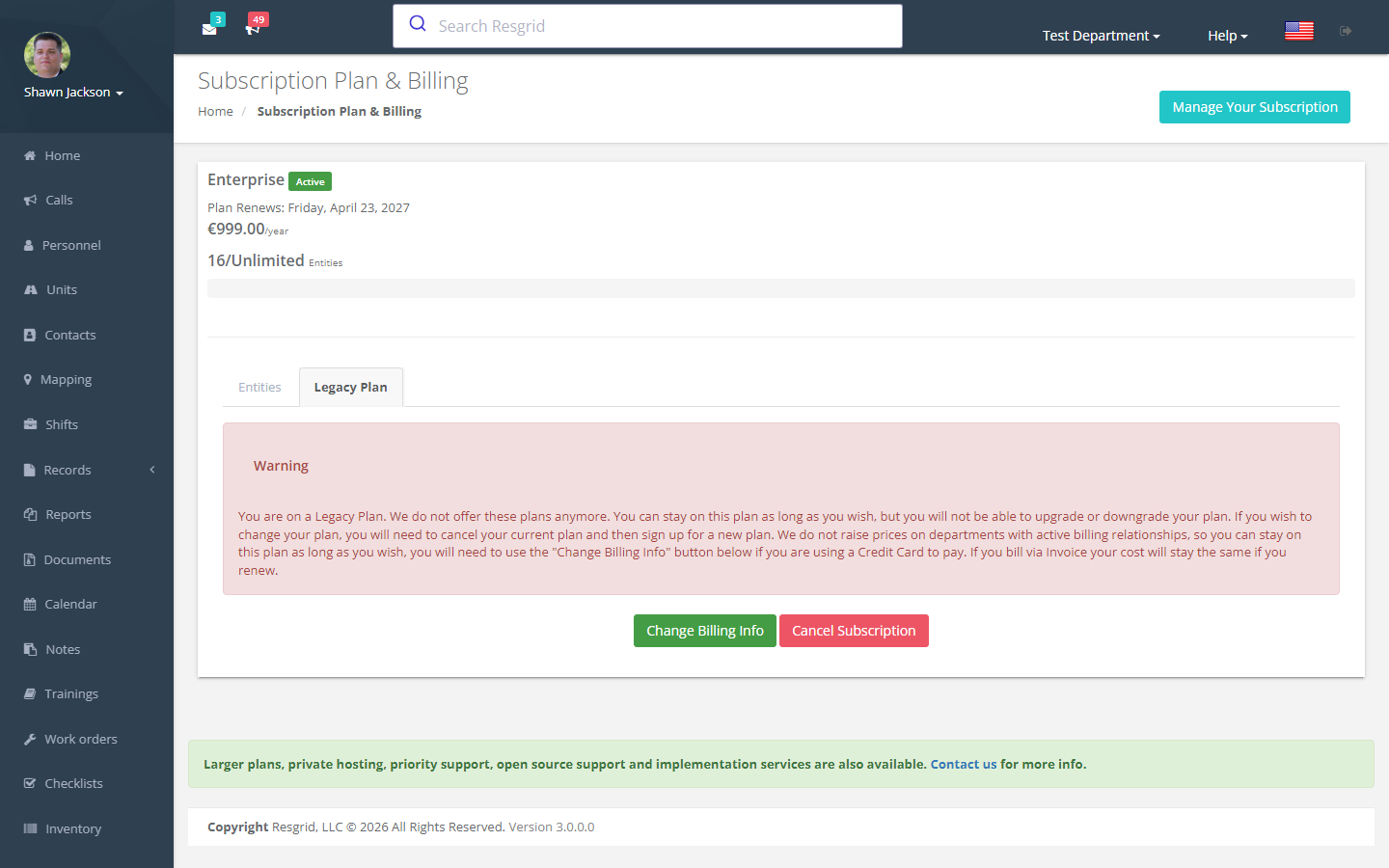
Subscription Dashboard
Authorization: Department_Update + CanUserManageSubscription runtime check
The dashboard displays:
- Current plan name and details
- Personnel count vs. plan limit
- Unit count vs. plan limit
- Progress bars (info < 75%, warning 75-99%, danger ≥ 100%)
- PTT (Push-to-Talk) addon status
- Stripe customer portal link
Plan Types
Plans are divided into two categories:
| Plan Range | Limit Calculation |
|---|---|
| Plans < 36 | Personnel-based limits |
| Plans ≥ 36 | Entity-based limits (personnel + units combined) |
Billing Information
Viewing
Displays current Stripe card information and provides the Stripe client key for card updates.
Updating
Process:
- Client-side collects card via Stripe.js
- Token submitted to server
- Creates new card on Stripe customer
- Sets as default source
- Audit event logged
Stripe Response Logging
The LogStripeResponse endpoint records Stripe card token responses as PaymentProviderEvent entries.
Plan Purchase
Stripe Checkout
The GetStripeSession endpoint creates a Stripe checkout session:
- Returns
SessionIdandHasActiveSubflag - Redirects to Stripe-hosted checkout page
- Completion redirects to processing page
Processing
After purchase:
Processingpage shown while payment is confirmedCheckProcessingStatuspolls until payment matches the plan- Redirects to completion or failure pages
Subscription Update
Stripe Update Session
The GetStripeUpdate endpoint creates a Stripe session for modifying an existing subscription.
Subscription Cancellation
Authorization: Department_Update + CanUserManageSubscription
Cancellation Process
- View cancellation confirmation page
- Must check the confirmation checkbox
- Cancels via Stripe API
- Audit event logged
- Redirects to success or failure page
Coupon Validation
The ValidateCoupon endpoint checks a Stripe coupon code and returns "Valid" or "Invalid."
Plan Addons
PTT (Push-to-Talk) Addon
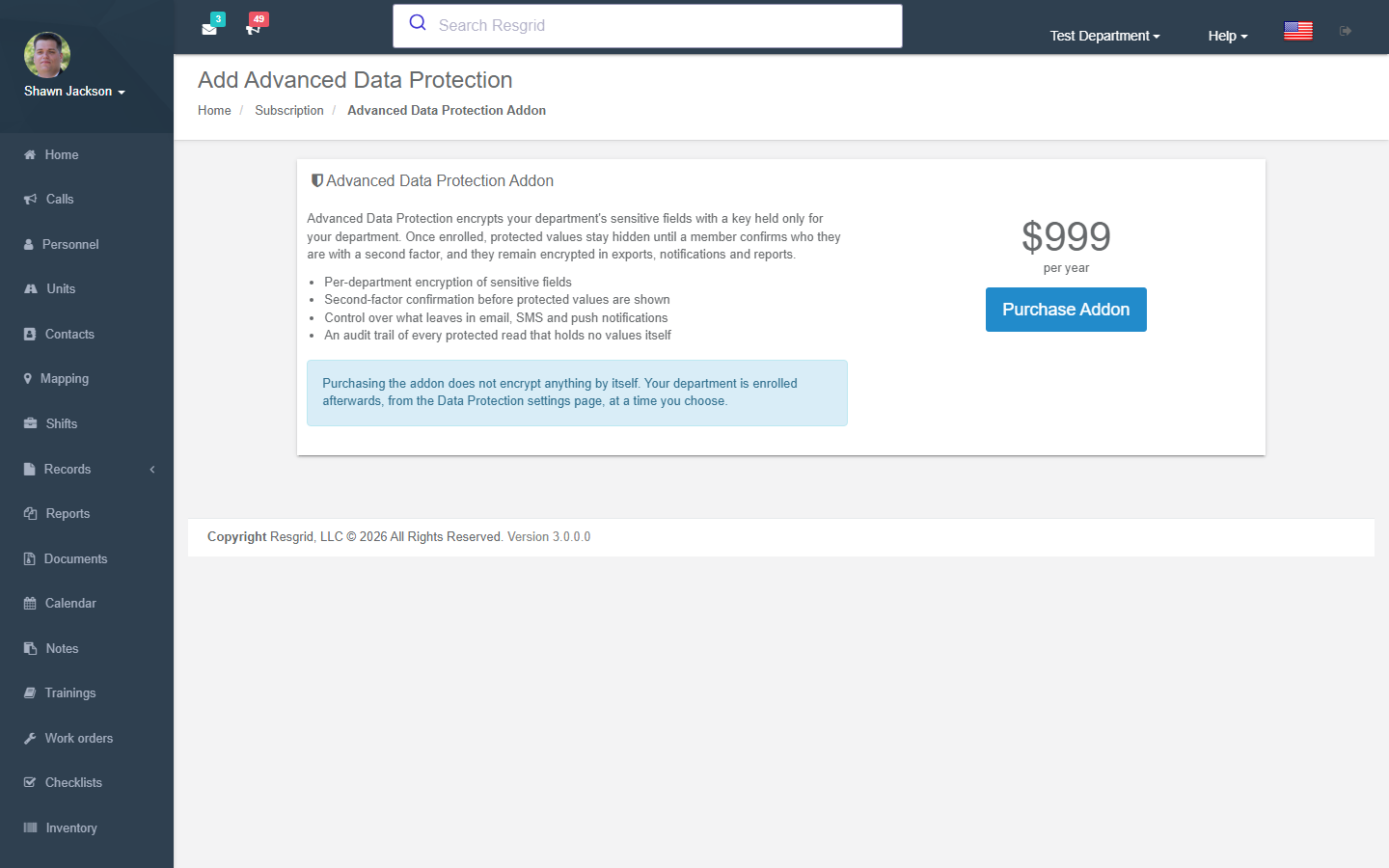
Manage the PTT addon subscription:
- View current PTT quantity from active Stripe subscription
- Add PTT addon (modifies subscription quantity)
- Cancel PTT addon by type
Business Ops add-on
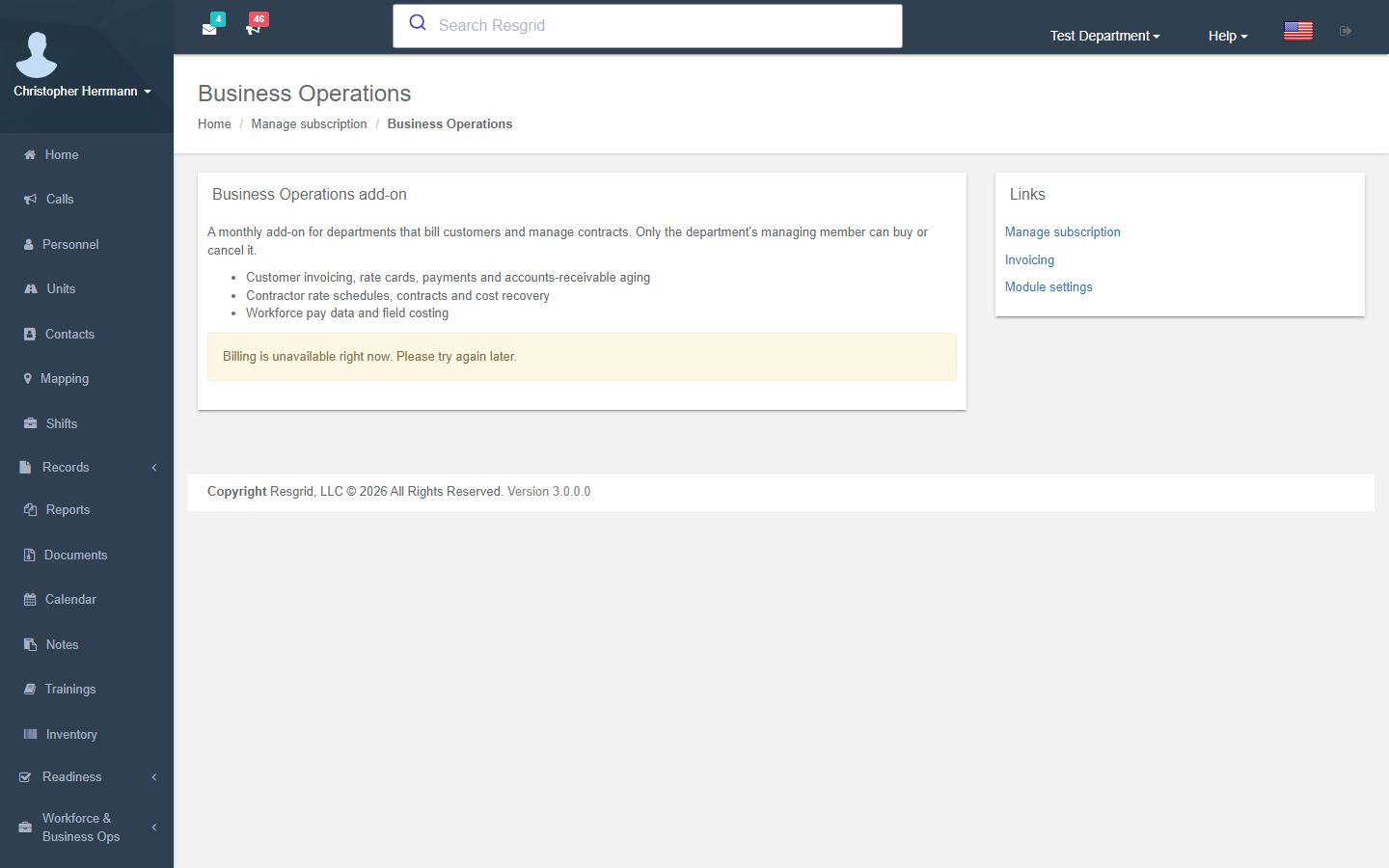
Subscription and Billing → Business Operations opens the add-on page for the Workforce & Business Ops modules: customer invoicing, rate cards, payments and AR aging; contractor rate schedules, contracts and cost recovery (Cal OES MARS); workforce pay data and field costing. It is a monthly add-on (USD 250 on Stripe / EUR 295 on Paddle at the time of writing), and only the department's managing member can Buy or Cancel subscription. The page shows the price, whether the add-on is active, the paid-through date and a cancelled flag; checkout runs on Stripe Checkout or Paddle and never on this page.
When the add-on lapses nothing is deleted: every Business Ops page stays readable and every change is refused until it is bought again. Certifications and Deployment Finance are free and unaffected. Turn the whole area off for the department without cancelling under Department Settings → Module Settings → Business Operations.
Other Addons
The BuyAddon action supports purchasing plan addons:
- View addon plan details
- Current addon payment info
- Frequency information
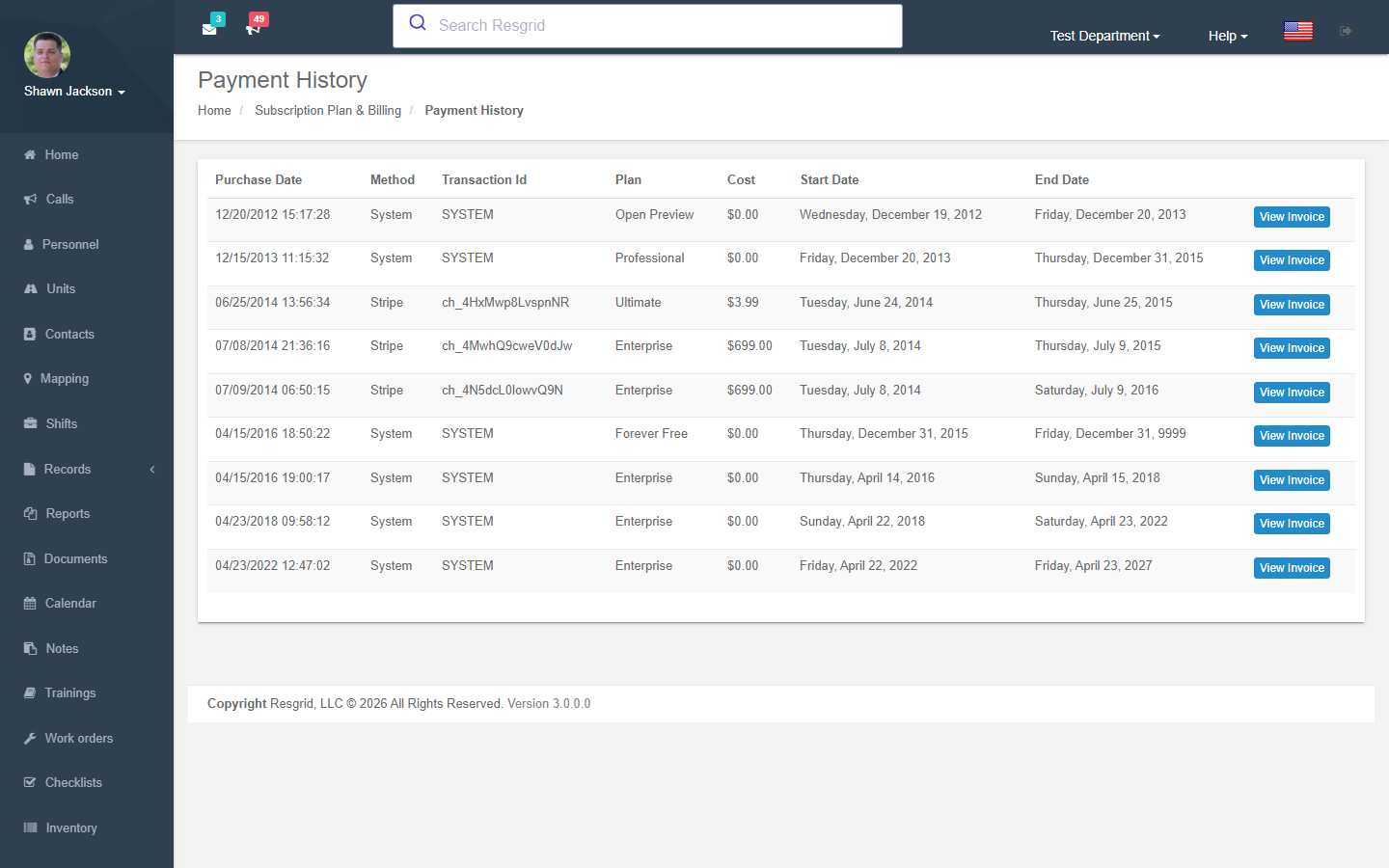
Payment History
View all historical payments for the department.
Invoice Viewing
Authorization: CanUserViewPayment runtime check
Displays invoice details with deserialized Stripe Charge data.
Setup examples
| Department type | How to set it up |
|---|---|
| Small volunteer department | Free or Standard covers dispatch, personnel and units; add PTT if you use the apps as radios. |
| Career fire / EMS | Premium/Ultimate for voice alerting, shifts and records; Readiness Pro for work orders; ADP if patient data is stored; Business Ops for cost recovery, Cal OES MARS and invoicing. |
| Multi-agency / government | Enterprise for SSO/SCIM and security policy; department links for shared dispatch. |
| Business / industrial | Standard plus Readiness Pro (maintenance) and PTT; Business Ops for invoicing, contracts, bids and workforce costing. |
Technical reference
SubscriptionController, ReadinessProBillingController, BusinessOperationsBillingController (/User/BusinessOperationsBilling/{Index,Checkout,CancelRenewal}, Billing API api/BusinessOperationsBilling/{Status,Checkout,CancelRenewal}, PlanAddonTypes.BusinessOperations = 4); routes /User/Subscription/{Index,UpdateBillingInfo,Cancel,BuyAddon,ManagePTTAddon,BuyAdpAddon,ManageAdpAddon,PaymentHistory,ViewInvoice,SelectRegistrationPlan}; payments through Stripe or Paddle; plan limits cached 14 days (SubscriptionsService, LimitsService); addon entitlements checked live (ReadinessAccessService, BusinessOperationsAccessService).
Interactions with Other Modules
| Module | Interaction |
|---|---|
| Dashboard | Plan limit warnings displayed |
| Department | Personnel/unit counts checked against limits |
| Personnel | Personnel count affects plan usage |
| Units | Unit count affects plan usage |
| Voice | PTT addon enables voice features |
| Department Links | Plan determines link availability |