Communication Tests
The Communication Tests module allows department administrators to verify that communication channels (SMS, Email, Voice, and Push Notifications) are working correctly for all members of their department. It answers the question: "If we needed to reach everyone right now, could we?"
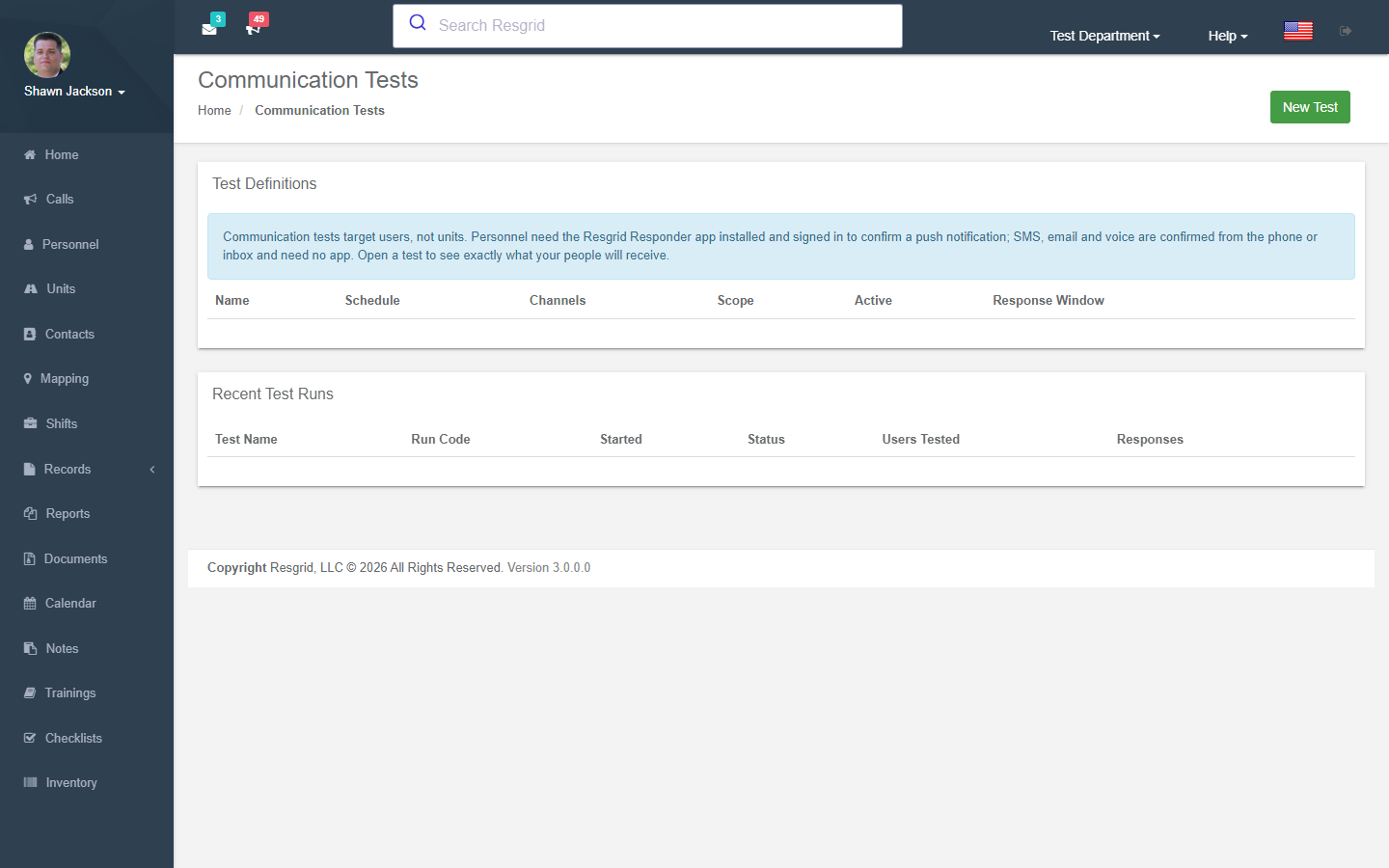
Admins define tests, run them on-demand or on a schedule, and then review per-user, per-channel reports showing who was reachable and who responded.
Authorization: Department Admins only. Access is controlled via ClaimsAuthorizationHelper.IsUserDepartmentAdmin().
Navigation: Department Menu → Communication Tests
Overview
A Communication Test consists of three components:
- Test Definition — A reusable configuration specifying which channels to test, a schedule, and a response window.
- Test Run — A single execution of a test definition, identified by a unique run code (e.g.,
CT-A3K7). - Test Results — Per-user, per-channel records showing whether each message was sent and whether the user responded.
Communication Tests List
The main page displays a table of all test definitions configured for your department, showing:
- Name and description
- Schedule type (On-Demand, Weekly, or Monthly)
- Channels being tested (SMS, Email, Voice, Push)
- Active status
- Response window (in minutes)
- Edit, Delete, and Run Now action buttons
Below the test definitions, the 20 most recent test runs are listed with:
- Run code (e.g.,
CT-A3K7) - Status (Pending, Running, Awaiting Responses, Completed, Failed)
- Number of users tested
- Number of responses received
- A View Report link for completed runs
Creating a Communication Test
Navigate to Department → Communication Tests and click New Test.
Test Fields
| Field | Required | Description |
|---|---|---|
| Name | Yes | A human-readable label for the test (max 500 characters) |
| Description | No | Optional notes about the test's purpose (max 4000 characters) |
| Schedule Type | Yes | How the test is triggered: On-Demand, Weekly, or Monthly |
| Day(s) of Week | Conditional | Required for Weekly schedule — select one or more days |
| Day of Month | Conditional | Required for Monthly schedule — a value from 1 to 28 |
| Time | Conditional | Time of day for scheduled runs (e.g., 09:00 AM) |
| Test SMS | No | Include SMS as a tested channel |
| Test Email | No | Include Email as a tested channel |
| Test Voice | No | Include Voice calls as a tested channel |
| Test Push | No | Include Push Notifications as a tested channel |
| Response Window (minutes) | Yes | How long users have to respond before the run auto-closes (default: 60) |
| Active | Yes | Whether this test is enabled for scheduled execution (default: enabled) |
Schedule Type Constraints
| Schedule Type | Limit per Department |
|---|---|
| On-Demand | Unlimited |
| Weekly | One |
| Monthly | One |
A newly created scheduled test will not run until at least one full period after its creation date — 7 days for Weekly tests and 28 days for Monthly tests. This prevents a test from triggering immediately upon creation.
Running a Test On-Demand
From the Communication Tests list, click Run Now next to any test definition.
On-demand tests can only be started once every 48 hours per test definition. If a run was started less than 48 hours ago, the Run Now button will be unavailable.
When a run is started, Resgrid will:
- Generate a unique Run Code in the format
CT-XXXX(e.g.,CT-A3K7). - Iterate over all department members and create per-user, per-channel result records.
- Attempt to send a test message on each enabled channel to each member.
- Set the run status to Awaiting Responses and wait for replies within the response window.
How Members Respond
Each channel uses a different response mechanism:
SMS
- The test SMS message includes the run code (e.g.,
CT-A3K7). - The member replies by texting back a message starting with that code.
- The incoming reply is matched to the run and the member's result is marked as responded.
Email
- The test email contains a confirmation link.
- The member clicks the link to confirm receipt.
- The link is valid for the duration of the response window; clicking it after the window has closed will show a "not found" message.
Voice
- A test voice call plays an automated message and prompts the member to press 1 to confirm receipt.
- Pressing 1 records the response automatically.
Push Notification
- A push notification is sent to the member's mobile device.
- The notification payload includes a token that the Resgrid mobile app uses to record the response automatically when the notification is opened and confirmed.
All response recording is idempotent — responding more than once on the same channel for the same run will not create duplicate records.
Viewing a Run Report
Click View Report next to any completed run to open the detailed report page.
Report Summary
The report header shows:
- Test name
- Run code
- Current status
- Start time and completion time
- Total users tested
- Total responses received
Four summary cards display the responded / sent ratio and percentage for each channel (SMS, Email, Voice, Push).
Per-User Results Table
The table lists every department member included in the run with a column for each enabled channel:
| Column | Description |
|---|---|
| Member | The department member's name |
| SMS | Send result and response status for SMS |
| Send result and response status for Email | |
| Voice | Send result and response status for Voice |
| Push | Send result and response status for Push |
Each channel cell is color-coded:
| Color | Meaning |
|---|---|
| Green | Message was sent and the member responded |
| Red | Message was sent but the member did not respond |
| Gray | Message was not sent (contact unverified, missing, or channel not enabled for this member) |
The cell also shows:
- The contact value used (phone number or email address)
- Mobile carrier name (SMS only)
- Verification status of the contact method
Scheduled Test Execution
Weekly and Monthly tests are processed automatically by a background worker that runs periodically. The worker:
- Checks all active Weekly tests to see if today matches one of their configured days.
- Checks all active Monthly tests to see if today matches their configured day of the month.
- Starts a run for any eligible test.
- Scans all runs in Pending, Running, or Awaiting Responses status whose response window has elapsed and marks them Completed.
Audit Logging
All administrative actions are captured in the department audit log:
| Event | Description |
|---|---|
CommunicationTestCreated | A new test definition was created |
CommunicationTestUpdated | An existing test definition was modified |
CommunicationTestDeleted | A test definition was deleted |
CommunicationTestRunStarted | A test run was initiated |
Each audit event records the before/after state of the record, the acting user, IP address, user agent, and server name.
API Access
The Communication Tests feature is also available via the Resgrid API v4.
CommunicationTests Endpoints (/api/v4/CommunicationTests/)
| Method | Endpoint | Required Permission | Description |
|---|---|---|---|
| GET | GetAll | CommunicationTest_View | List all test definitions for the department |
| GET | Get?id={id} | CommunicationTest_View | Get a single test definition by ID |
| POST | Save | CommunicationTest_Create (+ CommunicationTest_Update for edits) | Create or update a test definition |
| DELETE | Delete?id={id} | CommunicationTest_Delete | Delete a test definition |
| POST | StartRun?testId={id} | CommunicationTest_Create | Start an on-demand run (subject to 48-hour rate limit) |
| GET | GetRuns?testId={id} | CommunicationTest_View | Get all runs for a test definition |
| GET | GetReport?runId={id} | CommunicationTest_View | Get per-user results for a specific run |
| POST | RecordPushResponse | Authenticated | Record a push notification response from a mobile device |
CommunicationTestResponse Endpoints (/api/v4/CommunicationTestResponse/)
| Method | Endpoint | Auth | Description |
|---|---|---|---|
| GET | EmailConfirm?token={token} | Anonymous | Email confirmation link handler |
| POST | VoiceWebhook?token={token}&Digits={d} | Anonymous | Voice DTMF callback from telephony provider |
The EmailConfirm and VoiceWebhook endpoints are publicly accessible (no authentication required) since they are called by end-users clicking email links or by telephony providers delivering DTMF responses.
Setup examples
| Department type | How to set it up |
|---|---|
| Volunteer fire | Monthly all-call test on the first Monday at 18:30 (push + SMS + email), 15-minute response window; review non-responders and fix their contact verification. |
| EMS / career | Quarterly test of voice alerting only. |
| CERT / SAR | Before each season: full-channel test to every member; follow up unreachable members. |