Voice & Audio
The Voice module manages VoIP voice channels and audio streams for department communication.
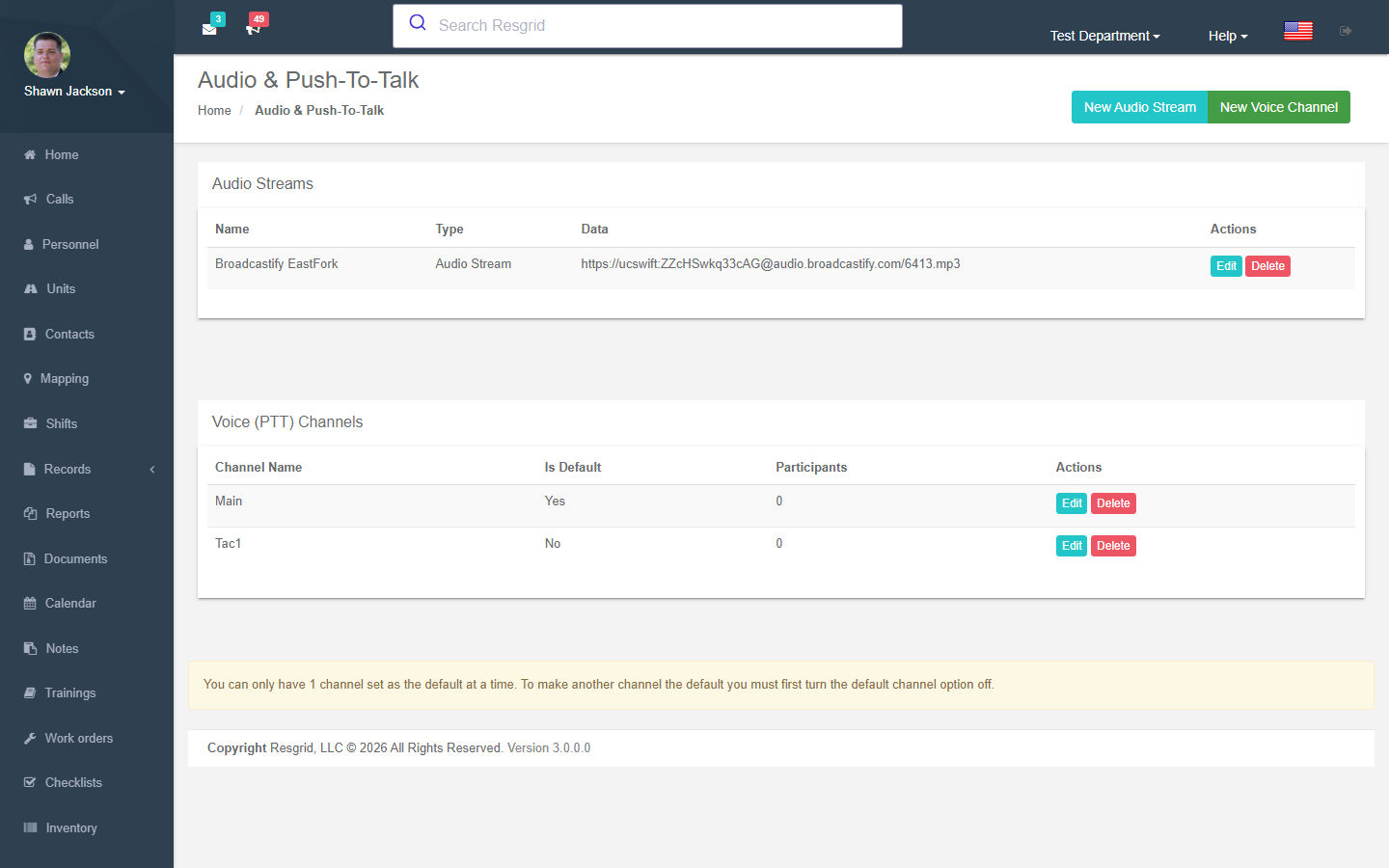
Voice capability is checked at every action via CanDepartmentUseVoiceAsync. This feature requires an appropriate subscription plan or PTT addon.
Voice Channels
Channel List
Authorization: Voice_View policy
Displays all voice channels for the department. Also shows audio streams.
Creating Channels
Authorization: Voice_Create policy
| Field | Required | Description |
|---|---|---|
| Channel Name | Yes | Display name |
| Is Default | No | Whether this is the default channel |
Creation Process:
- Gets or creates the department voice record
- Saves channel to the external VoIP provider
- Channel becomes available for use
Editing Channels
Authorization: Voice_Create policy
Modify channel name and default flag. Validates department ownership.
Deleting Channels
Authorization: Voice_Delete policy
Removes a voice channel. Validates department ownership.
Resync Users
Authorization: Voice_Create policy
The Resync action re-initializes all department users with the VoIP provider. Useful for:
- Fixing sync issues
- After bulk personnel changes
- After provider configuration changes
Audio Streams
Audio streams provide listen-only audio feeds (scanner feeds, dispatch audio, etc.).
Creating Audio Streams
Authorization: Voice_Create policy
| Field | Required | Description |
|---|---|---|
| Stream Name | Yes | Display name |
| Stream URL | Yes | Audio stream URL |
Stored as DepartmentAudio with type 1 (audio stream).
Editing Audio Streams
Authorization: Voice_Create policy
Modify stream name and URL. Validates department ownership.
Deleting Audio Streams
Authorization: Voice_Delete policy
Removes an audio stream. Validates department ownership.
Setup examples
| Department type | How to set it up |
|---|---|
| Fire | PTT channels: Dispatch, Fireground 1/2, Command; audio streams: the county dispatch scanner feed. |
| SAR | Channels per team plus Base; use PTT where radio coverage is poor. |
| Security | Channels per site; supervisors channel. |
| Events | Temporary channels per event. |
Technical reference
Interactions with Other Modules
| Module | Interaction |
|---|---|
| Subscription | PTT addon enables voice features |
| Personnel | Users synced with VoIP provider |
| Dashboard | Voice channels accessible from main interface |
| Contact Verification | Voice call dispatches are gated by home/mobile number verification status |