Invoicing
Invoicing bills the people and organizations you serve: a business for a hazmat clean-up, a facility for standby coverage, a municipality for contracted fire protection, an event organizer for medical cover, a client site for security hours. You keep a billing profile per customer, a rate card of what you charge, create invoices whose lines can be generated from the calls you ran, send them as PDF, record payments (or let the customer pay online) and watch the accounts-receivable aging.
Needs the Business Ops add-on, the Business Operations module switch and the Invoicing.CustomerInvoicing flag — see the overview. Menu: Workforce & Business Ops → Invoicing.
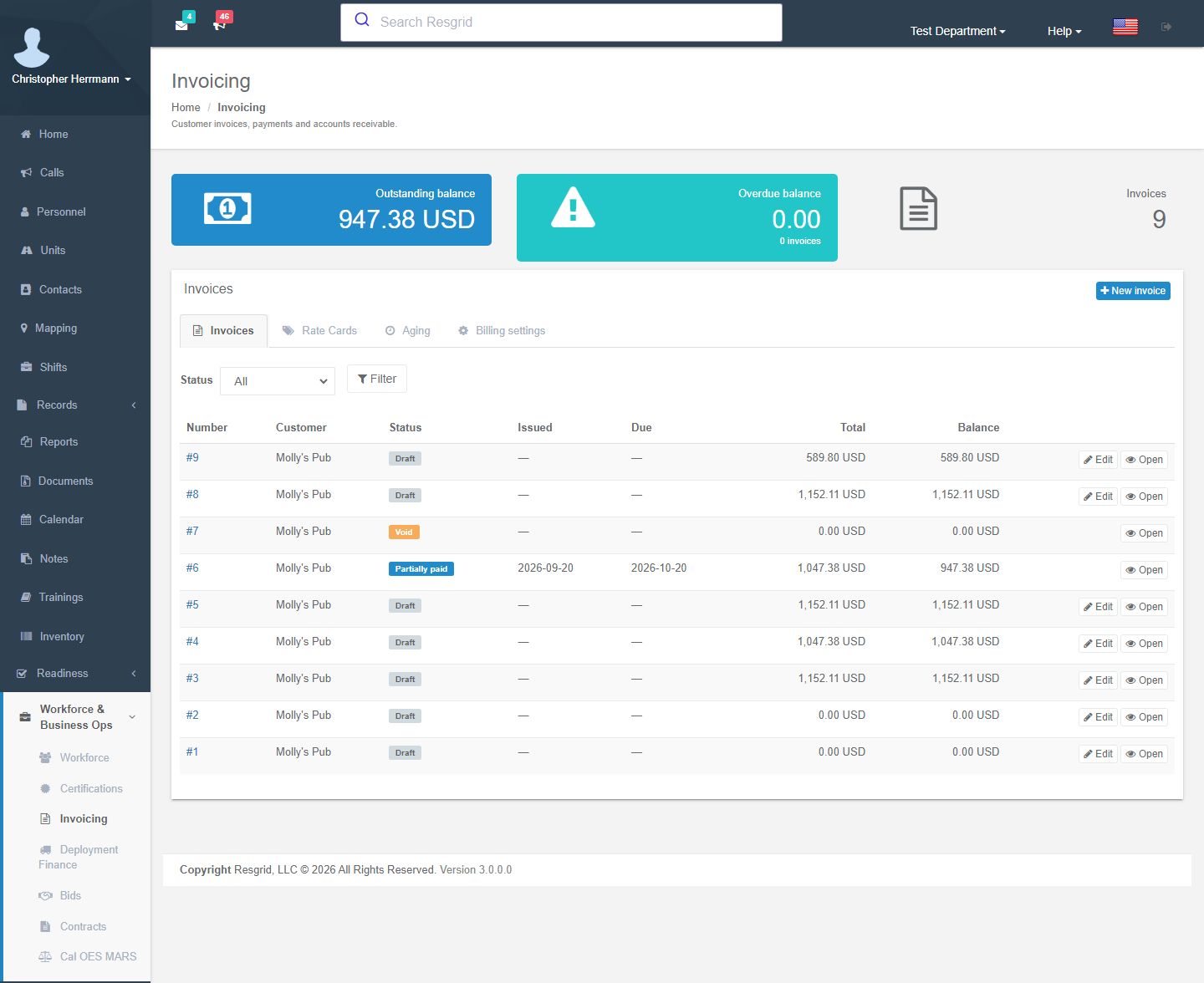
The pages
| Tab | What it is for |
|---|---|
| Invoices | Outstanding and overdue balances, the invoice list with number and status filters, New invoice. The number filter finds part of an invoice number in the department's own format, however it is typed. |
| Rate Cards | What you charge per call: hourly unit or personnel time, flat fees, mileage, materials. |
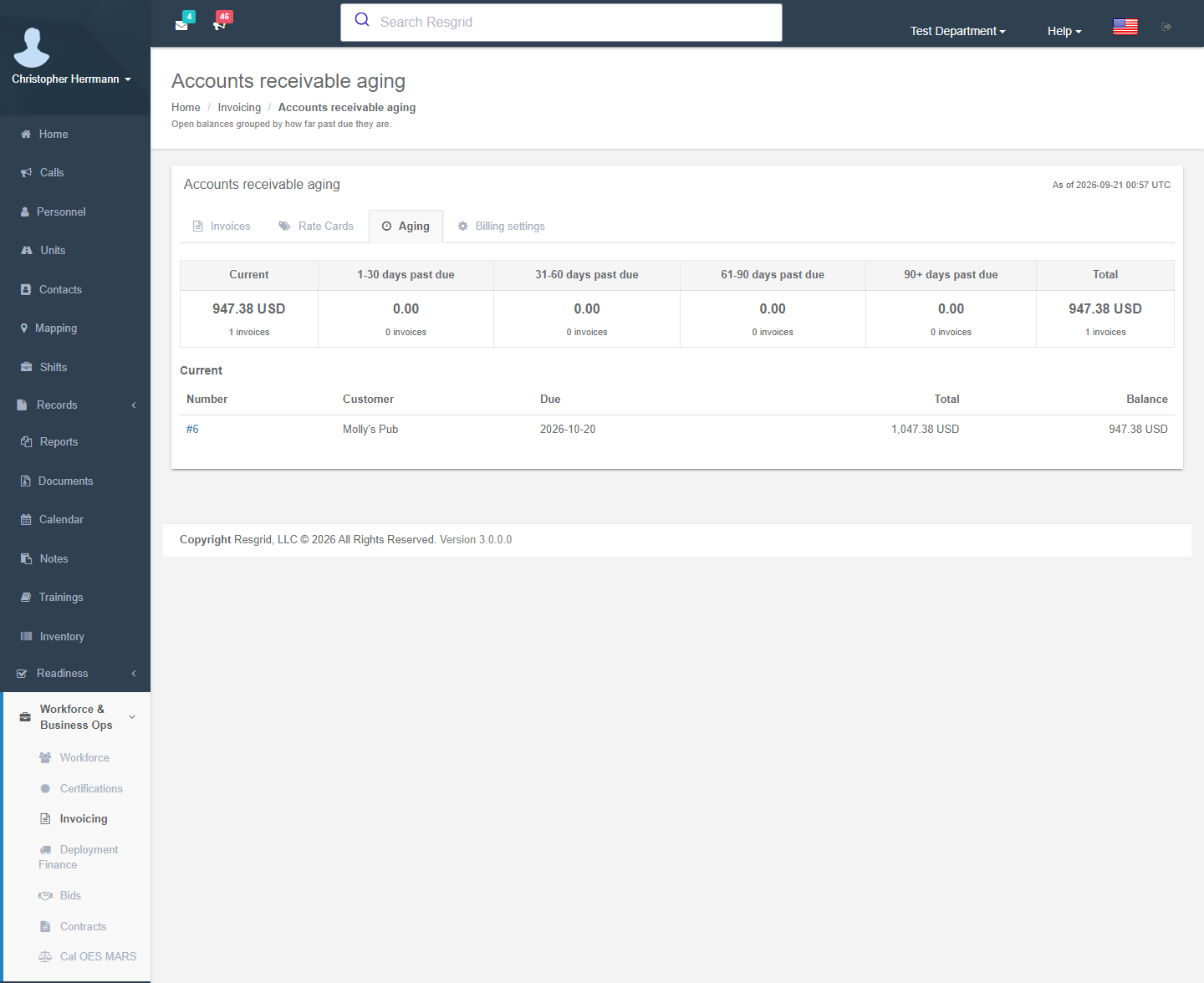
| Aging | Open balances grouped by how far past due they are. |
| Billing settings | Your legal name, remit-to address, registrations, invoice footer and the Online payments tab. |
Setting up
1. Billing settings (once)
Invoicing → Billing settings. Everything here is printed on every invoice and PDF.
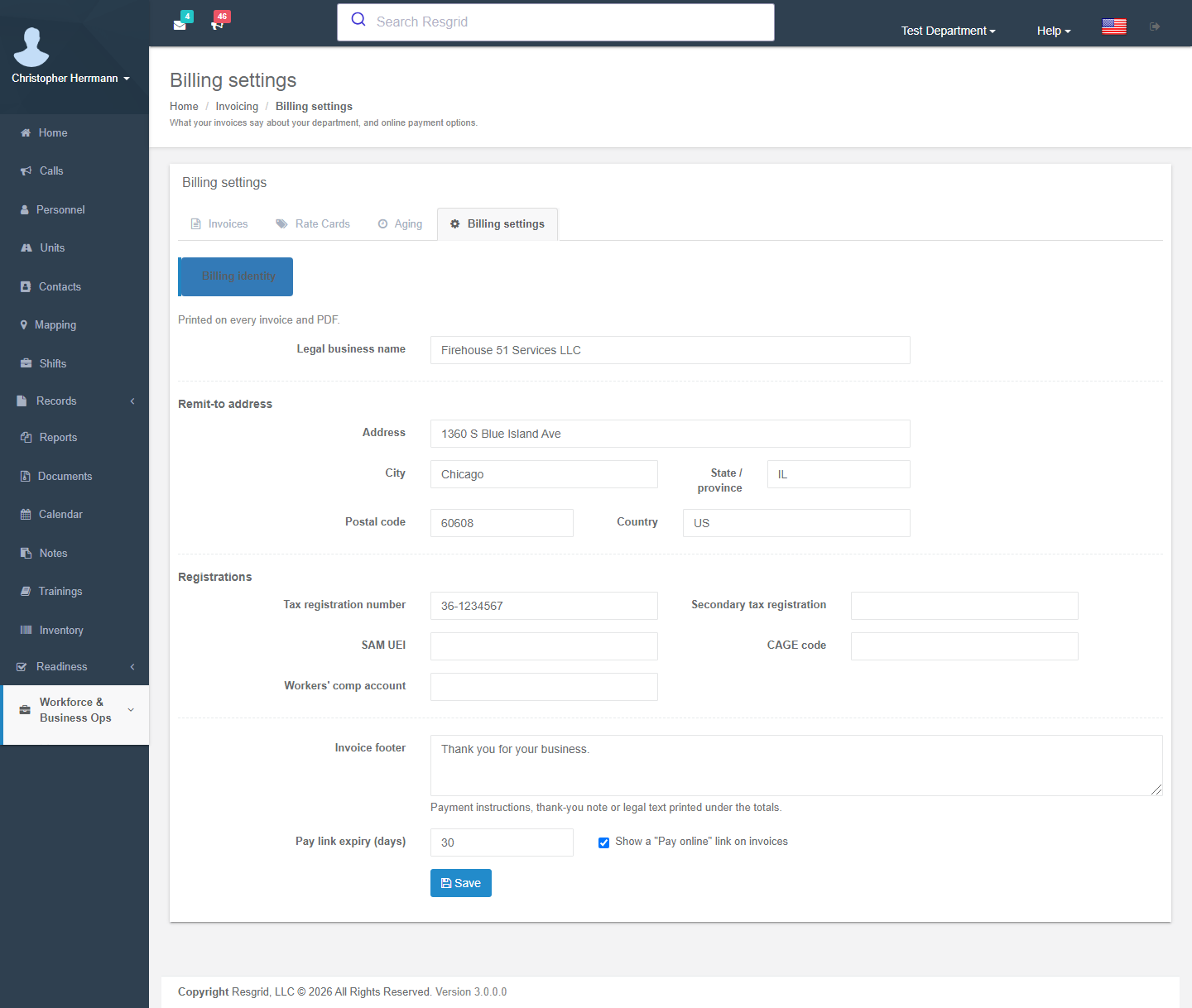
| Field | Use |
|---|---|
| Legal business name, Remit-to address | The header and the remit to block of the PDF. |
| Tax registration number, Secondary tax registration | Sales-tax / VAT / GST and PST numbers; a second registration prints beside the first (Canada). |
| SAM UEI, CAGE code, Workers' comp account | Federal-contract identifiers many agencies require on the invoice itself. |
| Invoice footer | Payment instructions, thank-you note or legal text printed under the totals. |
| Pay link expiry (days), Show a "Pay online" link on invoices | Online-payment options (see Online Payments). |
2. Rate cards
Invoicing → Rate Cards → New rate card. A rate card lists what you charge; mark one card as the department default and pin a different one on a customer's billing profile when that customer has negotiated rates.
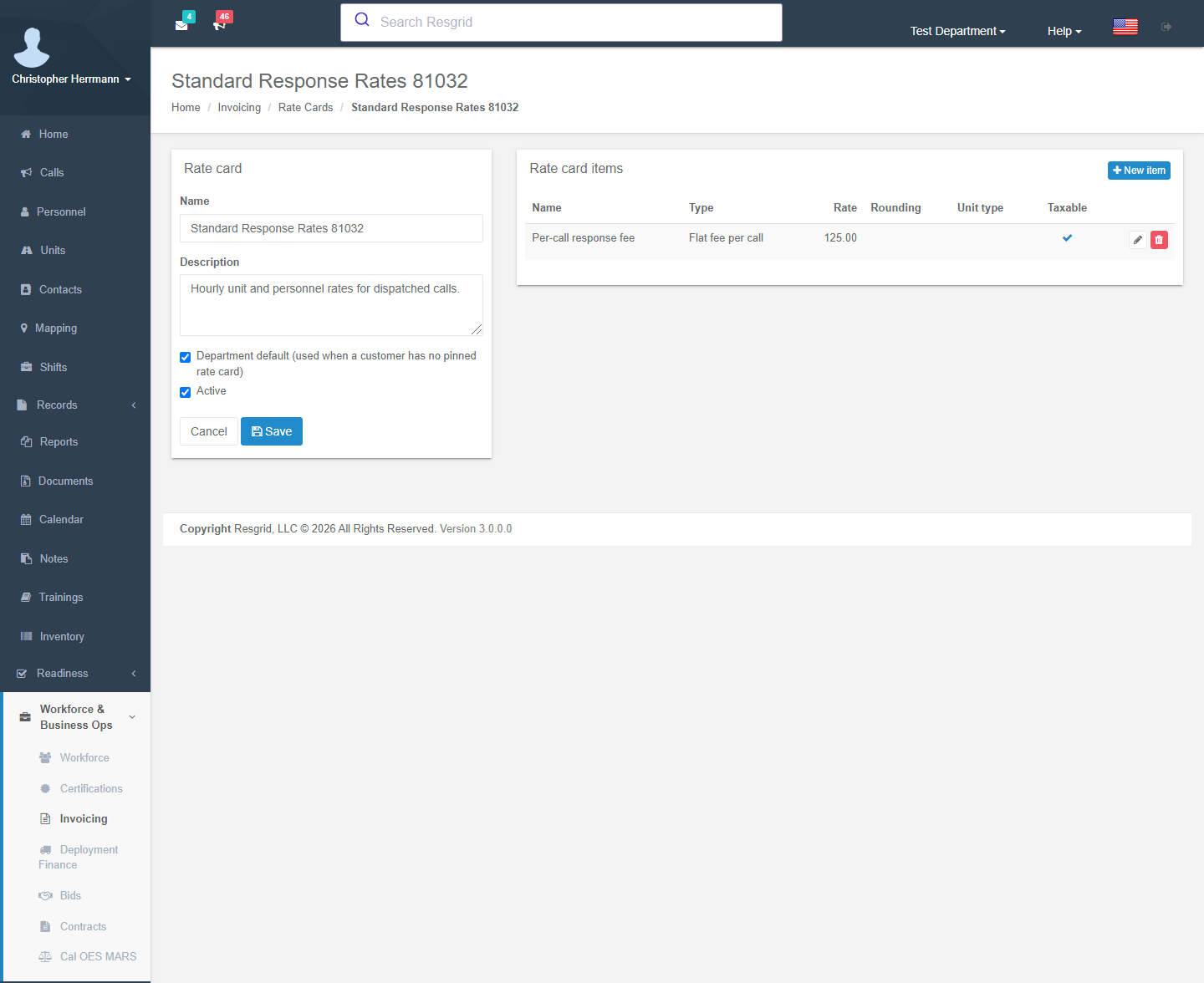
Save the card, then add items:
| Item type | How the line is generated when you add a call |
|---|---|
| Hourly unit | One line per unit that was on the call: hours from the unit's first On scene status to its next status (or the whole call window if the unit never reported on scene). Optional Unit type filter (only engines, only ambulances …). |
| Hourly personnel | A line with the rate pre-filled and quantity 0 — personnel hours on scene are not tracked per call, so the clerk types them. |
| Flat per call | Quantity 1 × rate. |
| Fixed fee | Quantity 1 × rate (administrative fee, report fee). |
| Mileage, Material | Rate pre-filled, quantity 0 for the clerk to enter. |
Per item: Rate, Unit label (hour, mile, each), Minimum charge, Minimum minutes and Round up to (minutes) for hourly items (a 47-minute call with a 60-minute minimum and 30-minute rounding bills 1 h; 75 minutes bills 1.5 h), Taxable, Sort order, and a description printed on the invoice line.
3. Billing profiles
Open the customer's contact → Billing tab → Set up billing profile (or Invoicing → New invoice → Set up billing profile). Without a profile a contact cannot be invoiced.
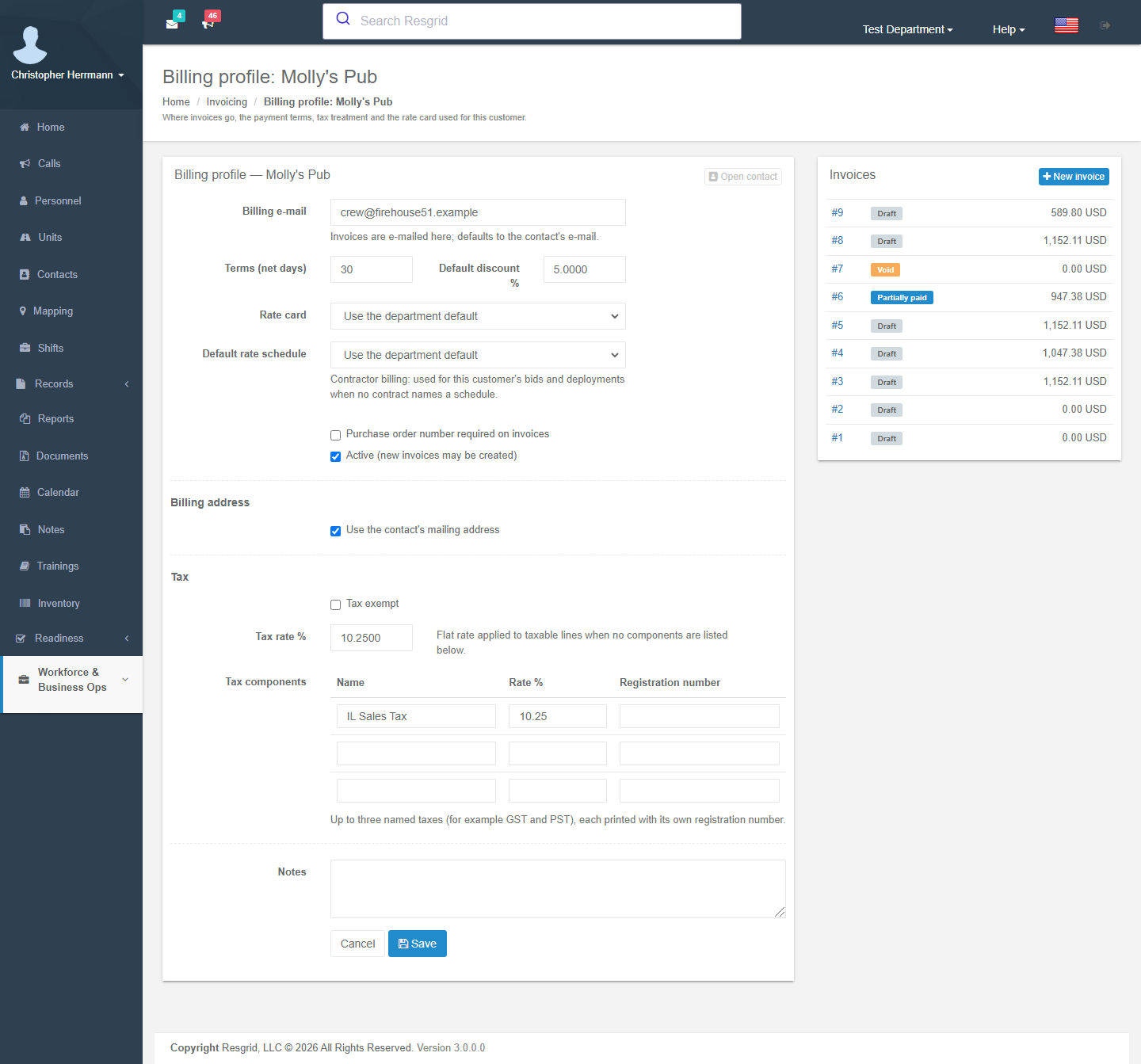
| Field | Use |
|---|---|
| Billing e-mail | Where invoices are e-mailed; defaults to the contact's e-mail. |
| Terms (net days) | Due date = issue date + net days (30 if empty). A contract's terms override it for contract invoices. |
| Default discount % | Applied to every invoice for this customer (bids and deployment invoices inherit it when no contract sets one). |
| Rate card | Pin a card, or Use the department default. |
| Default rate schedule | Contractor billing only: the rate schedule used for this customer's bids and deployments when no contract names one. |
| Purchase order number required on invoices | A reminder for billing staff that this customer expects a PO number — put it in the invoice notes; it is not enforced when sending. |
| Active | Untick to stop new invoices without deleting history. |
| Billing address | Printed on the invoice; tick Use the contact's mailing address to reuse it. |
| Tax | Tax exempt, a flat Tax rate %, or up to three named tax components (e.g. GST 5 % + PST 7 %) each with its own registration number printed on the invoice. |
The profile page also lists the customer's invoices.
Creating and sending an invoice
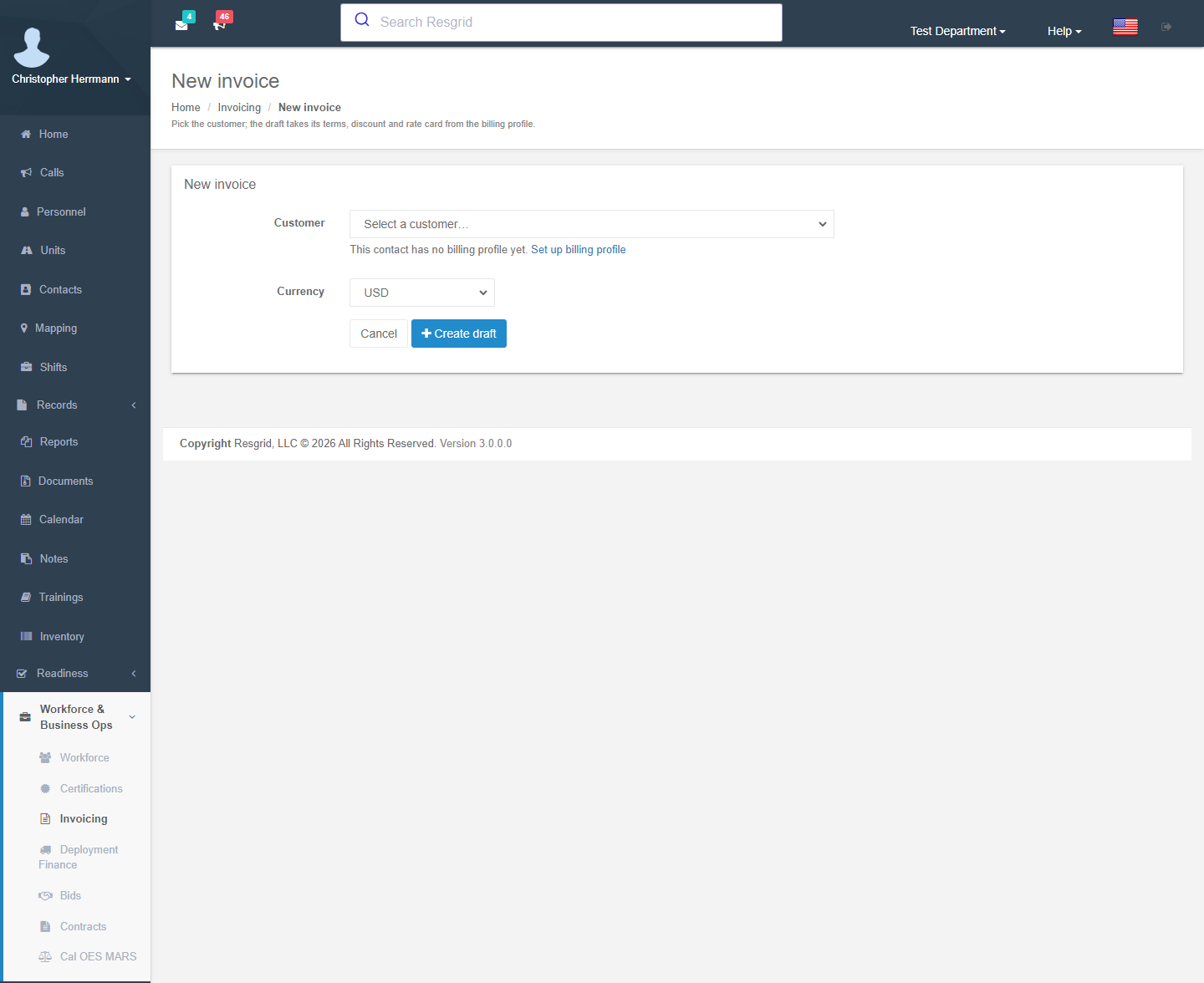
Invoicing → New invoice: pick the customer (contacts with a billing profile are listed first) and the currency. Create draft allocates the next invoice number for the department.
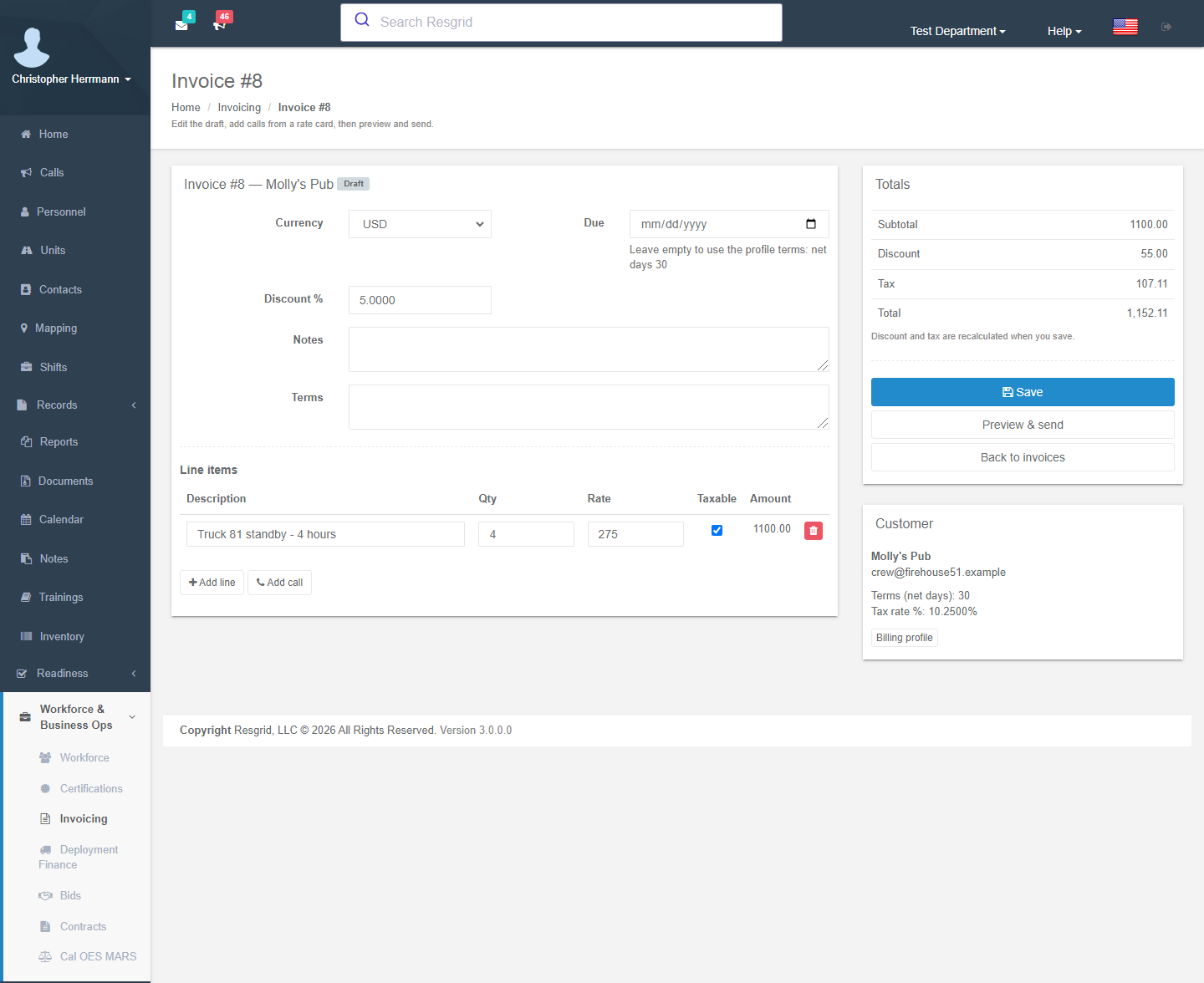
Edit the draft: currency, due date (leave empty to use the profile terms), discount %, notes and terms text; line items with description, quantity, rate and taxable flag. Totals — subtotal, discount, tax, total — are recalculated when you save.
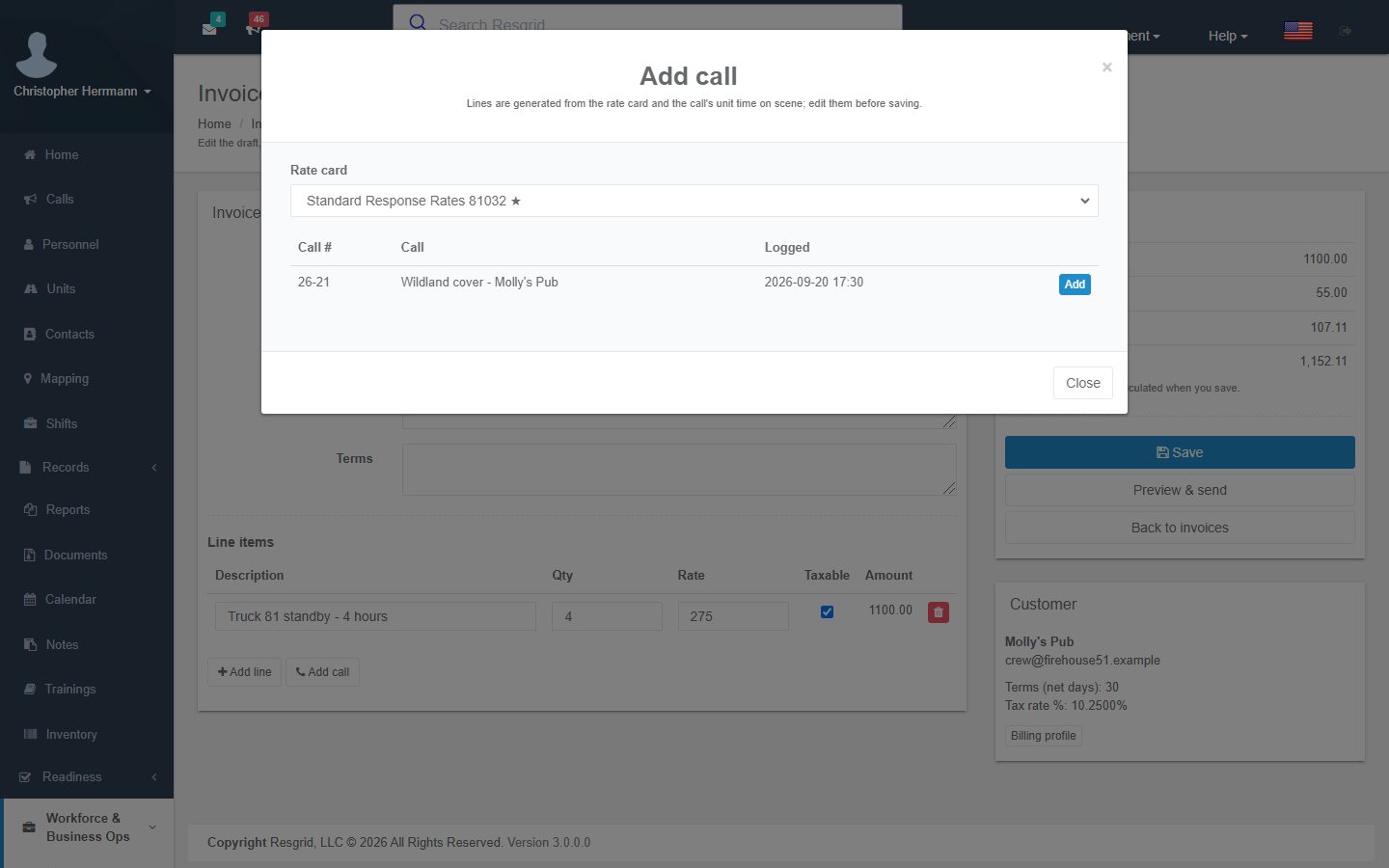
Add call opens the picker with every call linked to this customer (the call's contact). Choose a rate card; lines are generated as described above and added to the draft for you to correct before saving. A call already on this invoice is marked On this invoice.
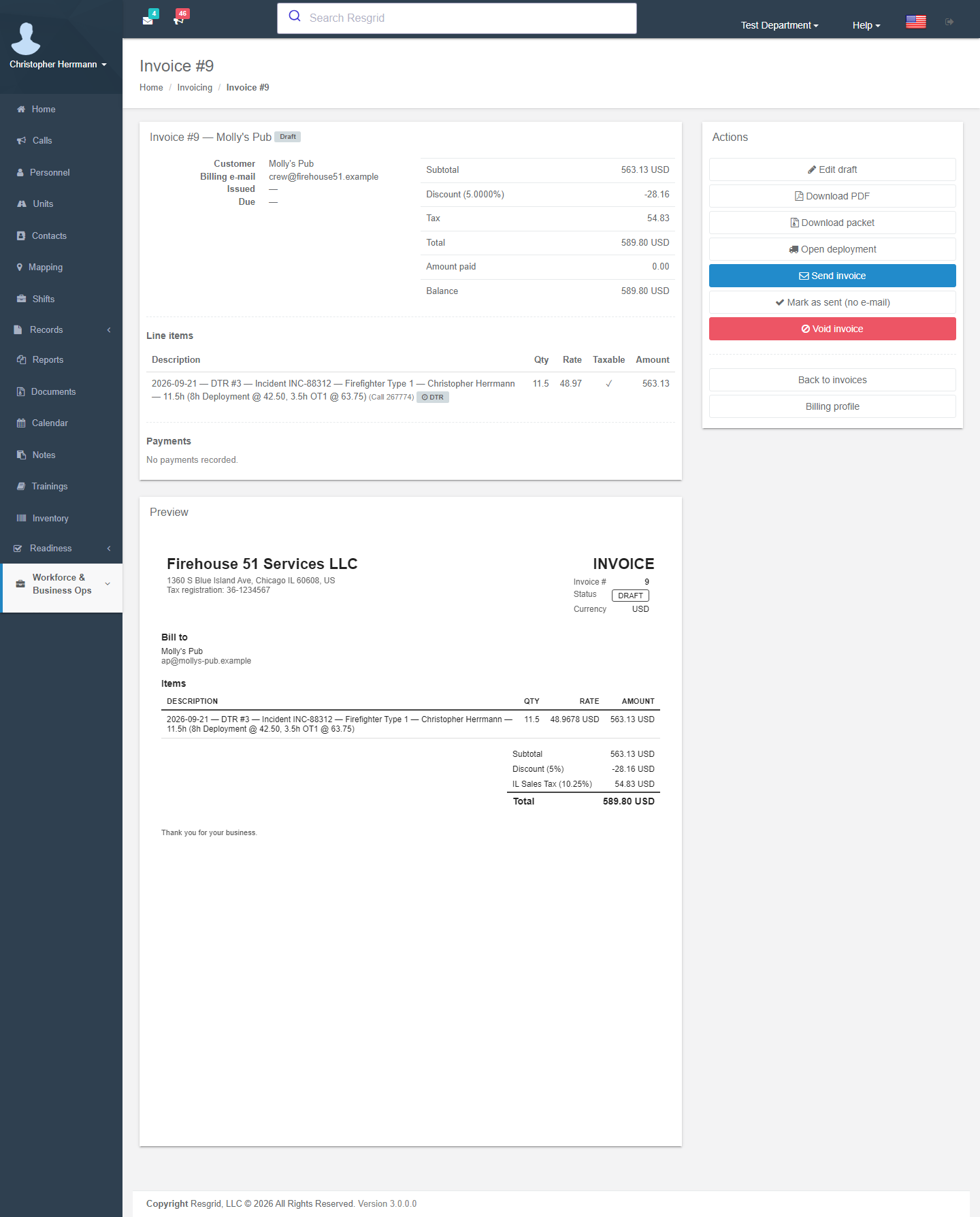
Preview & send opens the invoice page. Download PDF to check it, then Send invoice e-mails the PDF to the billing e-mail (you can change the address) and moves the invoice from Draft to Sent. Mark as sent (no e-mail) does the same without e-mailing — for invoices you post or upload to a customer portal. Send with packet (deployment invoices) attaches the daily time report PDFs, receipts and the compliance documents the contract requires as one zip.
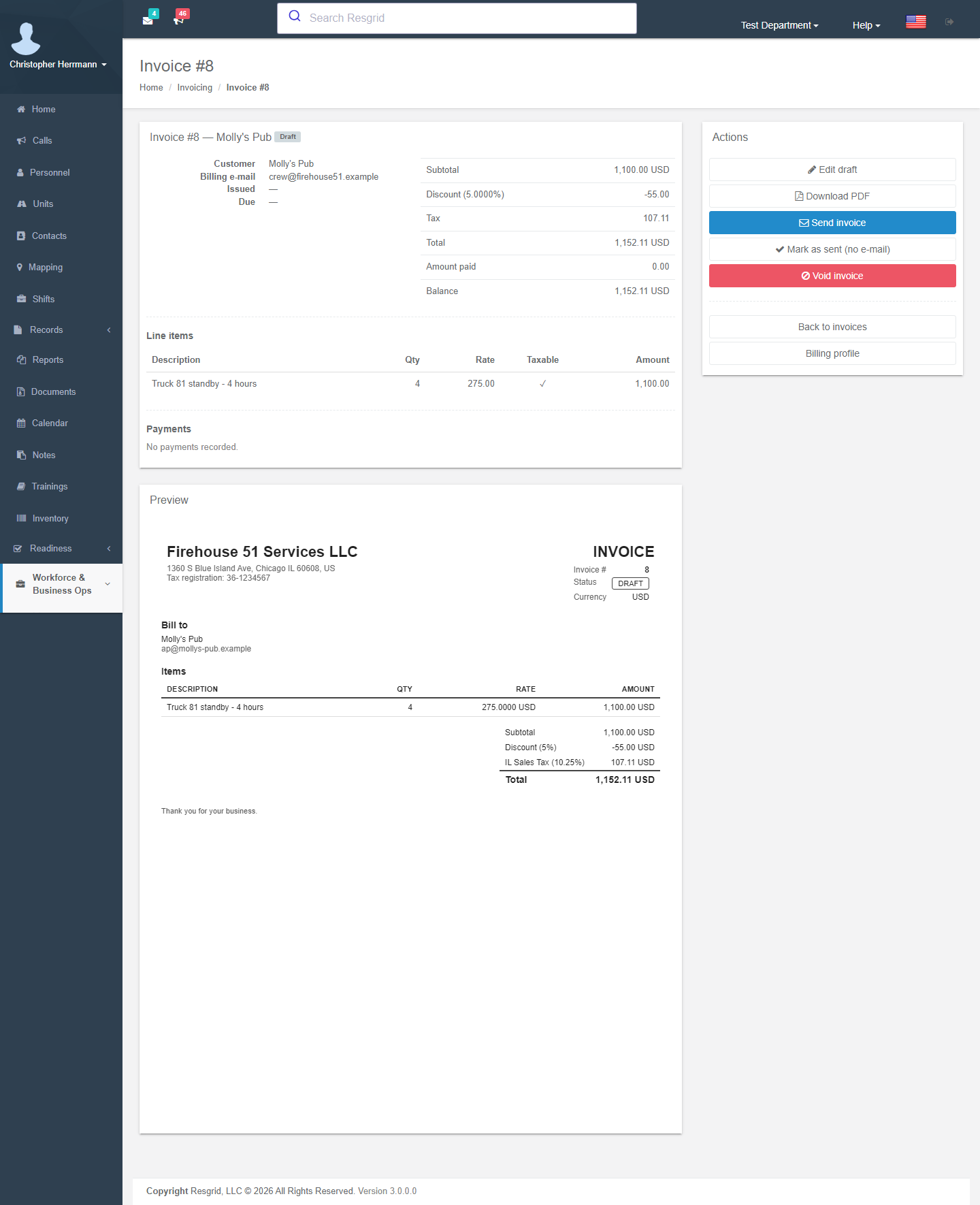
A sent invoice can no longer be edited. Re-send invoice sends it again.
Payments
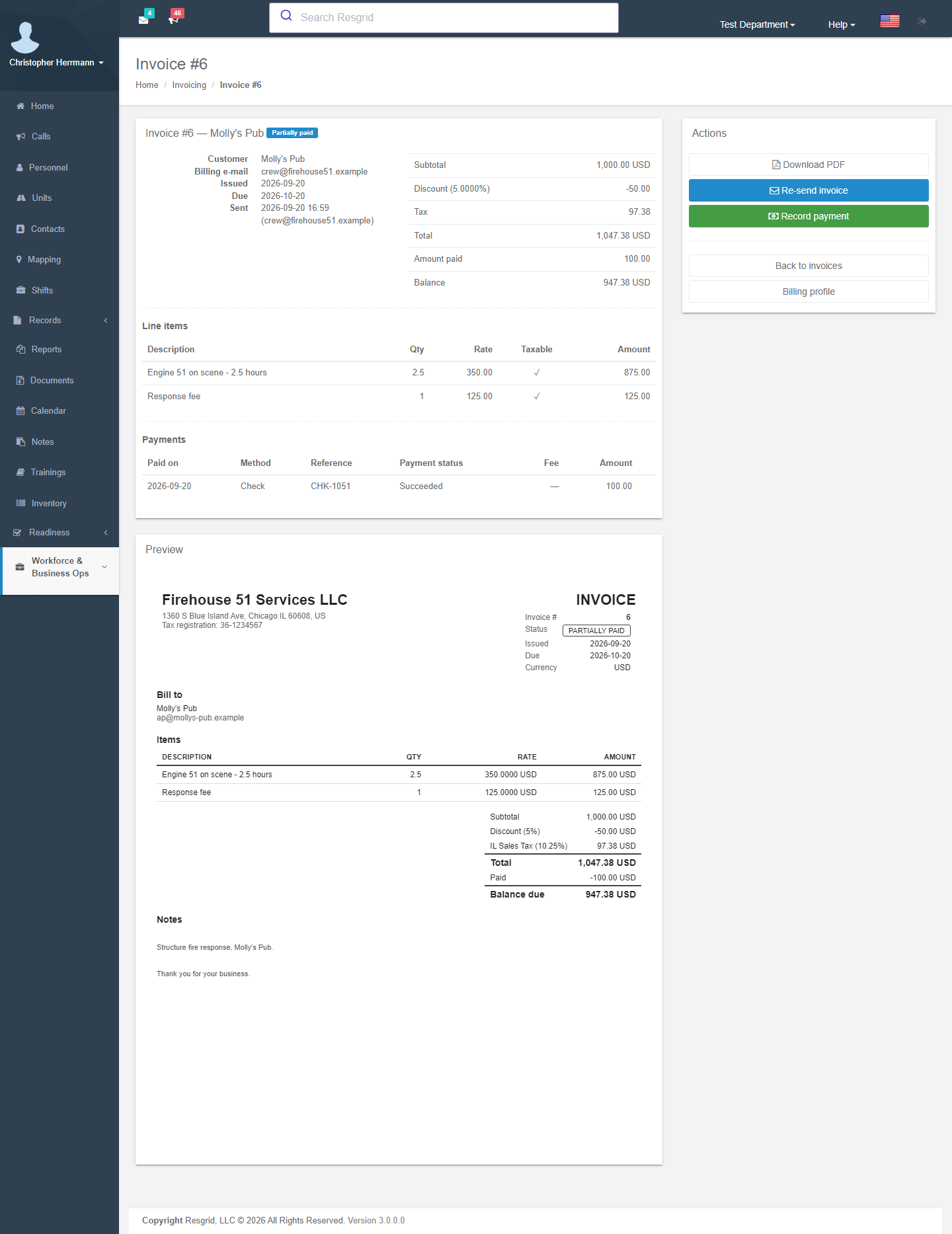
Record payment (manual payments only — online payments record themselves): amount, paid-on date, method (Check, Cash, ACH, Card (external), Other), reference and notes. The status follows the balance:
| Status | Meaning |
|---|---|
| Draft | Editable; not yet issued. |
| Sent | Issued and awaiting payment. |
| Partially paid | Some payment recorded, balance open. |
| Paid | Balance settled (paid-on date = last payment). |
| Overdue | Sent or partially paid and past the due date — set automatically every 15 minutes by the invoice maintenance worker. |
| Void | Cancelled with a reason. Keeps its number; cannot be edited or paid. Void is hidden once a payment exists. |
Online payments that are refunded or disputed reduce the effective amount paid and reopen the balance; see Online Payments.
Accounts-receivable aging
Invoicing → Aging: every open invoice in buckets Current, 1–30, 31–60, 61–90 and 90+ days past due, with totals per currency (balances in different currencies are never added together). Click a number to open the invoice.
Invoices from deployments
Contract work is billed through Contractor Billing: the engine drafts the invoice from approved daily time reports, and the invoice page shows which report each line came from (Billed from this daily time report), Open deployment and Download packet.
Notifications and workflows
Workflows can fire on Invoice Created, Sent, Payment Recorded, Paid, Overdue, Voided, Payment Refunded and Payment Disputed — for example, post an overdue invoice to a finance channel or push a paid invoice to your accounting system with the API call action.
Setup examples
| Organization | Rate card | Profiles |
|---|---|---|
| Municipal fire — cost recovery | Hazmat response (hourly unit, hazmat units only, 2-hour minimum, 30-minute rounding), False alarm fee (flat per call), Report copy (fixed fee), Absorbent / foam (material). | Businesses and property managers; tax exempt off; net 30. |
| Private ambulance | BLS transport and ALS transport (flat per call), Loaded mileage (mileage), Standby — event (hourly unit). | Facilities and event organizers; net 30; PO required for the hospital group. |
| Fire protection company | Engine standby (hourly unit, 4-hour minimum), Firefighter hour (hourly personnel), Admin fee (fixed fee). | One profile per municipality with the negotiated rate card pinned. |
| Security company | Officer hour (hourly personnel), Supervisor hour, Vehicle patrol (hourly unit), Alarm response (flat per call). | One profile per client site; online payments on; GST/PST components for Canadian clients. |
| Industrial / plant brigade | Confined-space standby (hourly unit), Fire watch (hourly personnel). | Internal cost centres as company contacts; discount 100 % for internal reporting. |
Technical reference
| Item | Value |
|---|---|
| Routes | /User/Invoicing/{Index,New,Edit,View,RateCards,EditRateCard,Aging,Settings,BillingProfile}; POST Save, Send, MarkSent, Void, RecordPayment, Pdf, Packet, SendPacket, CallsForInvoice, PreviewCallLines, SaveRateCard(Item), DeleteRateCard(Item) |
| Model | Invoice (status enum Draft/Sent/PartiallyPaid/Paid/Overdue/Void), InvoiceLineItem, InvoicePayment, RateCard, RateCardItem, CustomerBillingProfile, DepartmentBillingIdentity, InvoiceNumberSequence |
| Permissions | Manage invoicing (40), View invoicing (41) — default department administrators |
| Gates | Flag Invoicing.CustomerInvoicing (child of Business.Operations), module switch, active add-on (every POST answers 402 AddonRequired when lapsed) |
| Worker | 29 InvoiceMaintenanceLogic every 15 minutes: overdue transitions, payment-request reconciliation, connection re-verification, webhook purge |
Postmark template InvoiceDelivery via IEmailService.SendInvoiceAsync (PDF attachment; optional packet zip) | |
| API | api/v4/Invoices/* |
| Data protection | Invoices, line items, payments, billing profiles and billing identity are not ADP-protected (customers read them without a login); the contact row itself may be. |