Documents
Documents is a simple, shared file library: SOPs and SOGs, bylaws, maps, forms, manuals, MSDS sheets — organised by category, visible to the whole department or to a group, and downloadable in the apps.
Left menu → Documents. Categories come from Department → Types → Document categories.
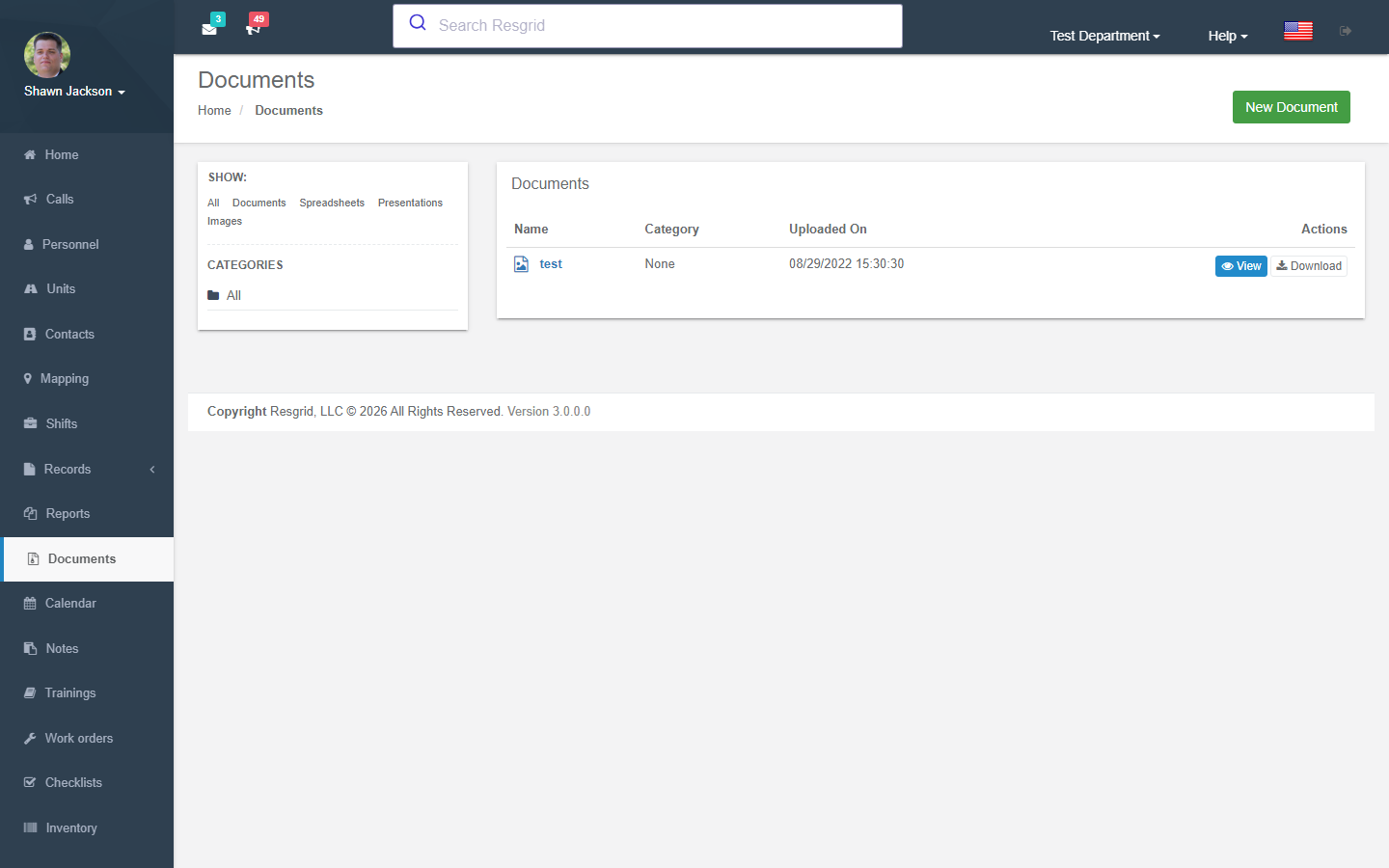
Document List
Authorization: Documents_View policy
Displays all department documents with:
- Category-based filtering
- Type-based filtering
- Document metadata
Creating Documents
Authorization: Documents_Create policy + CanCreateDocument() runtime check
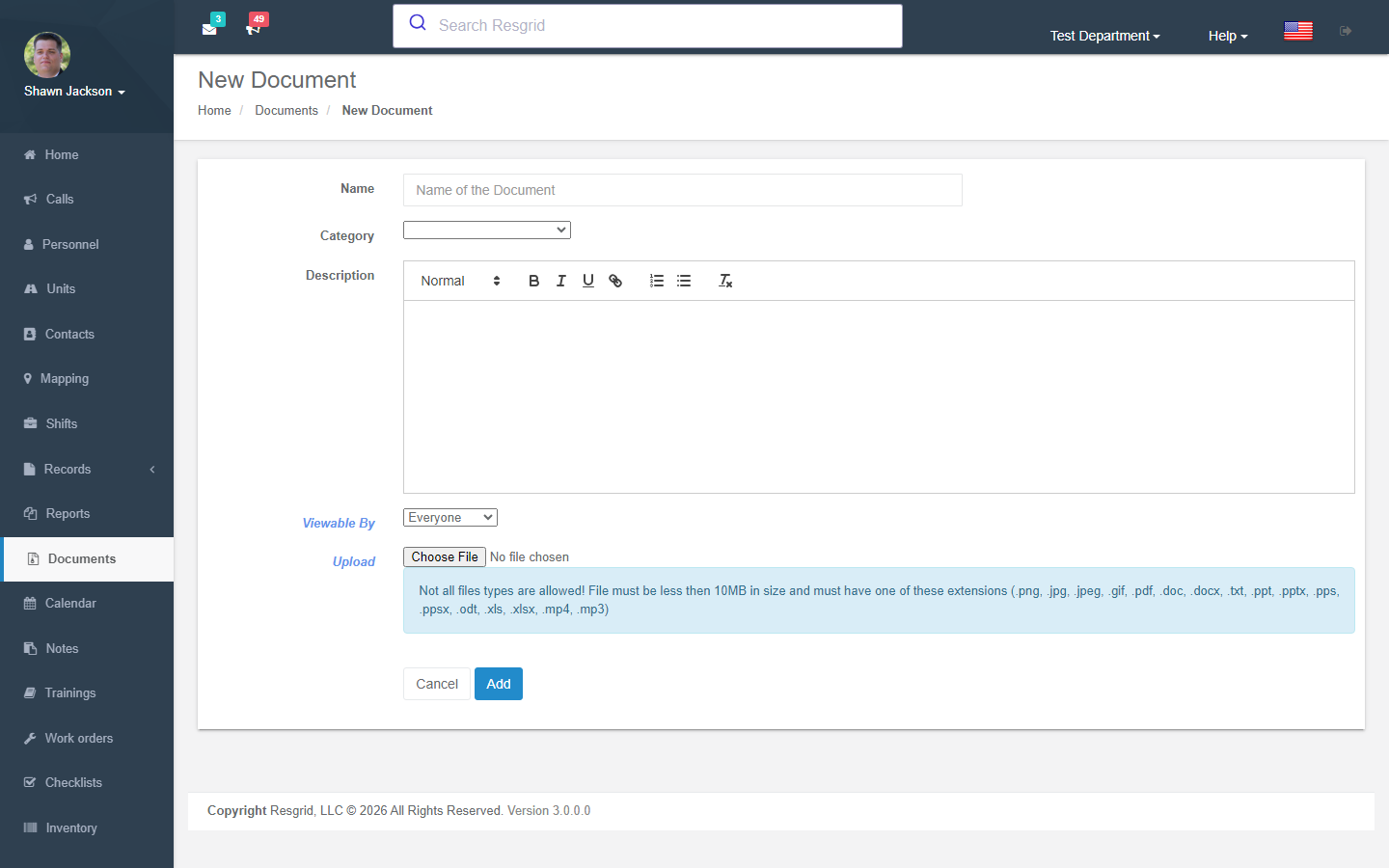
Document Fields
| Field | Required | Description |
|---|---|---|
| Name | Yes | Document display name |
| Description | No | Document description |
| Category | No | Classification category |
| Admin Only | No | Restrict to admins (admin-only setting) |
| File | Yes | File upload |
File Upload Constraints
| Constraint | Value |
|---|---|
| Maximum file size | 10 MB |
| Allowed file types | jpg, jpeg, png, gif, pdf, doc, docx, ppt, pptx, pps, ppsx, odt, xls, xlsx, mp3, m4a, ogg, wav, mp4, m4v, mov, wmv, avi, mpg, txt |
Audit Trail
Creates AuditEvent (DocumentAdded) and fires DocumentAddedEvent.
Editing Documents
Authorization: Documents_Update policy
Modify document metadata and optionally replace the file. Same file validation constraints apply.
Creates AuditEvent (DocumentEdited).
Downloading Documents
Authorization: Documents_View policy
Downloads the file with the original filename and content type. Validates:
- Document belongs to the department
- Admin-only access check
Deleting Documents
Authorization: Documents_Delete policy
Validates that the user is either:
- A department administrator, OR
- The document's original creator
Creates AuditEvent (DocumentRemoved).
Document Categories
Categories are managed through the Types & Configuration module:
- The
GetDepartmentDocumentCategoriesendpoint returns distinct categories for filtering
Setup examples
| Department type | How to set it up |
|---|---|
| Fire | Categories: SOG/SOP, Pre-plans (until moved to Records occupancies), Apparatus manuals, Bylaws, Training handouts. |
| EMS | Protocols (or use the Protocols module for dispatch-linked ones), Drug references, Forms, Policies. |
| SAR | Field guides, Maps, Equipment lists, Member handbook. |
| Emergency management | EOP and annexes, ESF checklists, Contact rosters, MOUs. |
| Security / business | Post orders per site (restrict to the site group), Emergency procedures, Insurance certificates. |
Technical reference
DocumentsController; routes /User/Documents/{Index,NewDocument,ViewDocument,EditDocument,GetDocument}; permission CreateDocument; event DocumentAddedEvent; module switch DocumentsDisabled; files are scanned before download is allowed.
Interactions with Other Modules
| Module | Interaction |
|---|---|
| Types | Document categories managed in Types controller |
| Security | Admin-only flag restricts access |
| Department Settings | Module can be enabled/disabled |