Shifts
Shifts schedule who is on duty. Resgrid supports assigned shifts (you put people on the roster), signup shifts (members sign up for open slots, with per-group quotas), recurring shift patterns, trades between members and attendance tracking — and shifts can drive dispatch (dispatch shift instead of group) and checklist scheduling.
Left menu → Shifts. Your Shifts shows the signed-in member's upcoming duty; Shift Staffing shows who is on for each shift today; administrators create shifts and set the days, groups and quotas. Settings: Department Settings → Shifts.
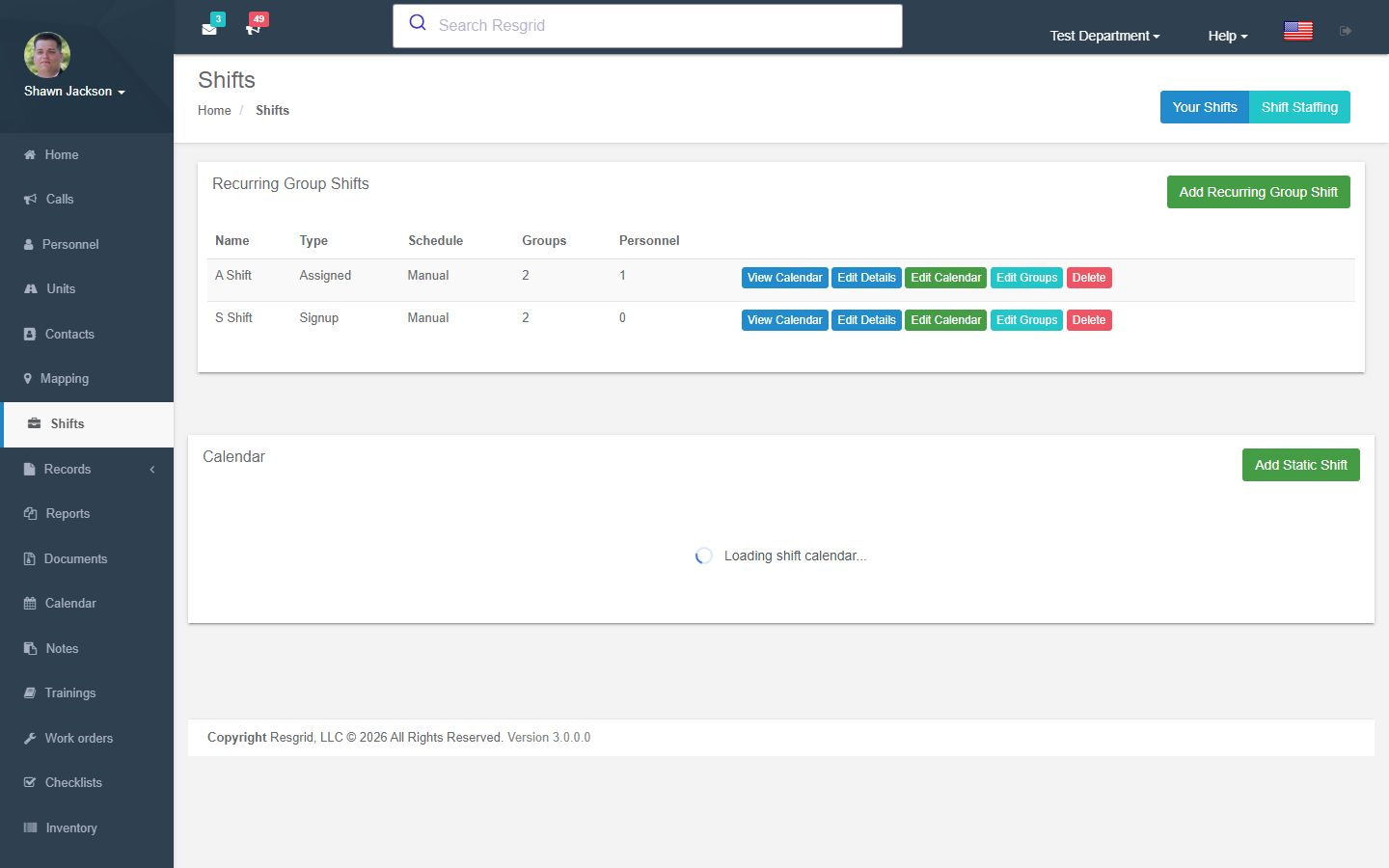
Shift Lifecycle
Create Shift → Assign Groups/Roles → Set Days → Personnel Signup → Trades → Process
Shift List
Authorization: Shift_View policy
Displays all shifts with visibility based on whether the user is a department admin or group admin.
Creating Shifts
Authorization: Shift_Create policy
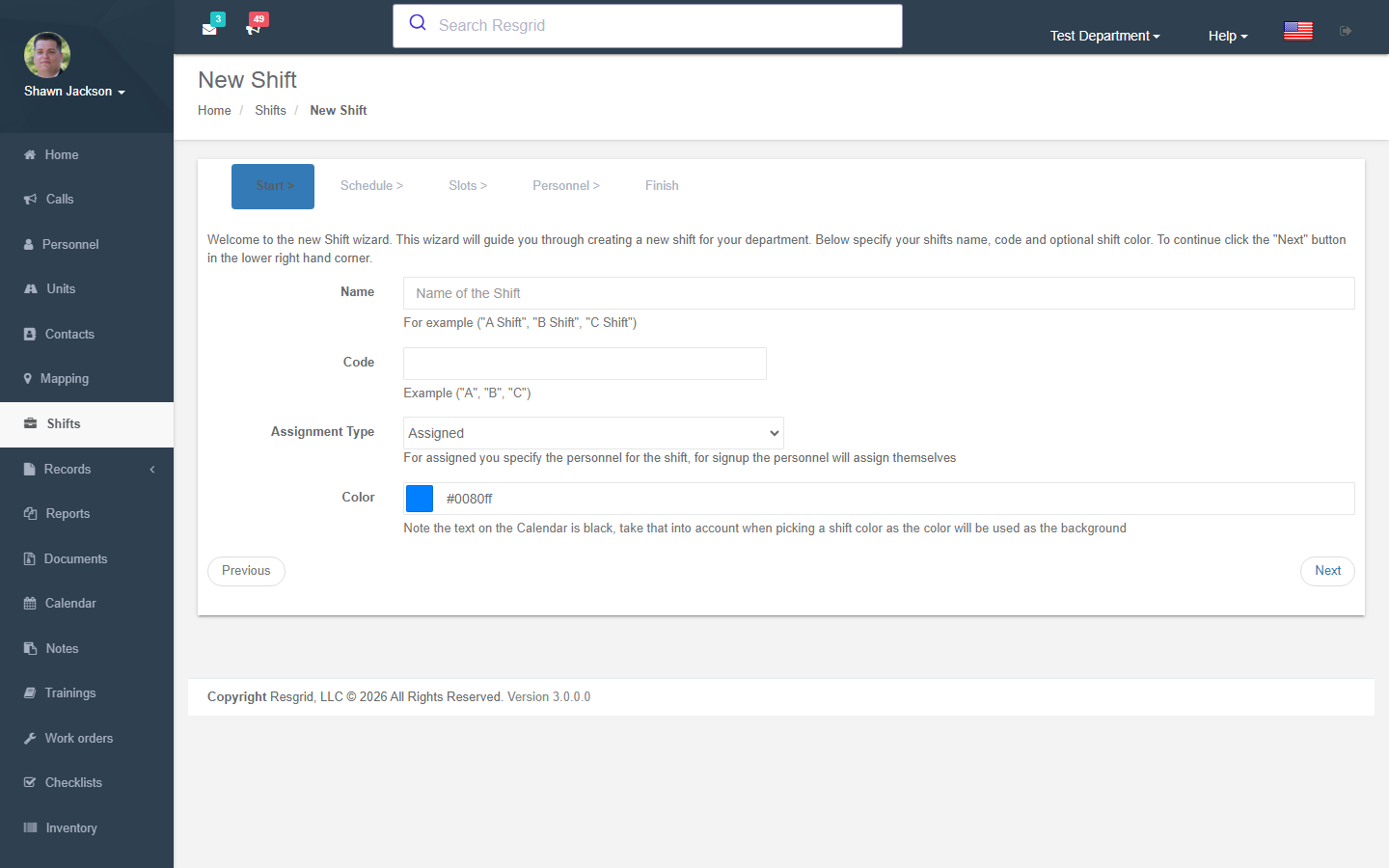
Shift Configuration
| Field | Description |
|---|---|
| Shift Name | Display name |
| Shift Code | Short code identifier |
| Color | Color for calendar display |
| Start Time | Shift start time |
| End Time | Shift end time |
| Assignment Type | How personnel are assigned (e.g., "Assigned") |
Group Assignments
Shifts are associated with specific station groups. Each group-shift assignment includes:
- Role requirements — Specify which personnel roles are needed and how many
- Personnel assignments — Pre-assign specific people to groups
Date Selection
Shift days specify the actual dates the shift is active.
Events
Fires ShiftCreatedEvent on creation.
Editing Shifts
Authorization: Shift_Update policy
Editing is split into three separate views:
Edit Shift Details
- Name, code, color, start/end time
- Personnel assignments
- Fires
ShiftUpdatedEvent
Edit Shift Days
- Add or modify shift dates
- Fires
ShiftDaysAddedEvent
Edit Shift Groups
- Modify group assignments and role requirements
Deleting Shifts
Authorization: Shift_Delete policy
Validates department ownership before deletion.
Shift Signup
Authorization: Shift_View policy
Personnel can sign up for shift days:
Signup Process
- View available shift day with group needs
- Check if already signed up (respects multi-group signup setting)
- Sign up for a specific group within the shift day
- Receive signup confirmation
Multi-Group Signup
When enabled in department settings, personnel can sign up for shift days under groups other than their own.
Viewing a Shift Day
Authorization: Shift_View policy
The shift day view shows:
- All signups per group
- Role requirement fulfillment
- Open needs (unfilled roles)
Your Shifts
Authorization: Shift_View policy
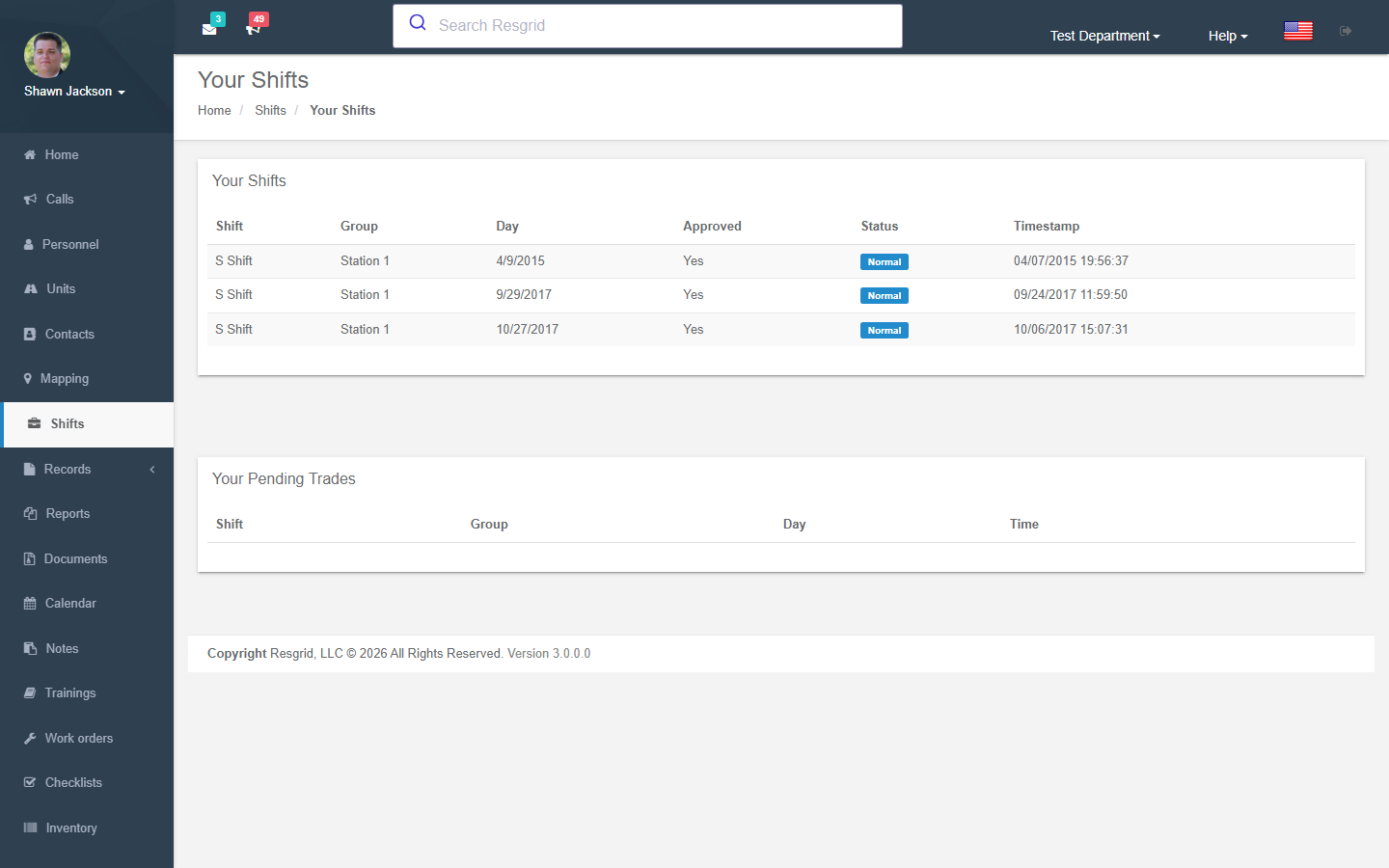
Shows the current user's:
- Upcoming shift signups
- Open trade requests directed at them
Shift Trades
The trade system enables personnel to swap shifts:
Trade Workflow
1. Request Trade → 2. Other User Processes → 3. Propose Days → 4. Accept/Reject → 5. Complete
1. Request Trade
Action: RequestTrade
- Select a shift signup to trade
- Choose target personnel
- Fires
ShiftTradeRequestedEvent
2. Process Trade
Action: ProcessTrade
- View trade request details
- Propose alternate shift days
- Fires
ShiftTradeProposedEvent
3. Reject Trade
Action: RejectTrade
- Provide a rejection reason
- Fires
ShiftTradeRejectedEvent
4. Finish Trade
Action: FinishTrade
- Complete the trade by selecting a user or target signup
- Fires
ShiftTradeFilledEvent
Shift Staffing
Authorization: Shift_View policy
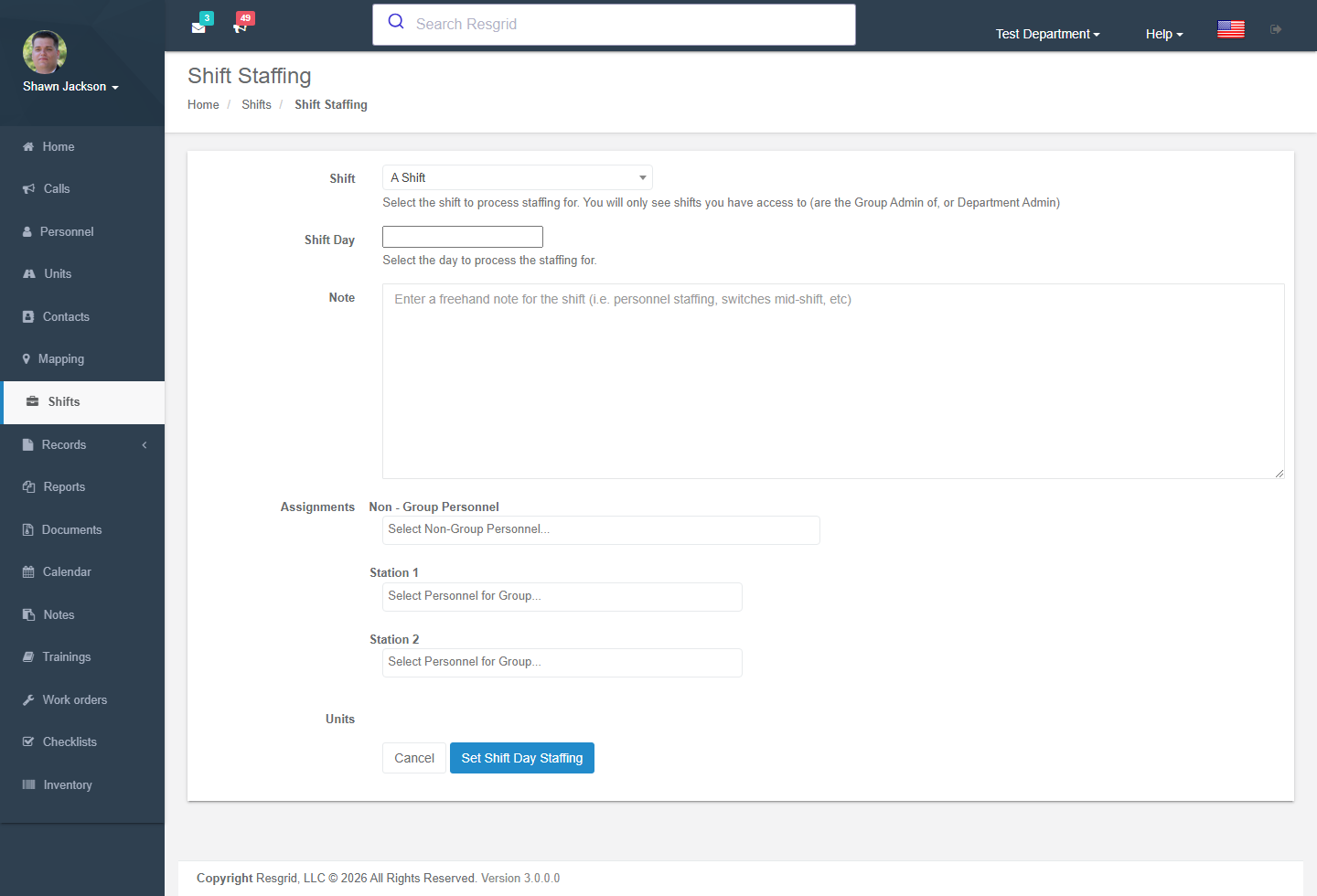
The staffing view allows assigning specific personnel to shifts:
- Admin users see all shifts
- Non-admin users see only their group's shifts
- Supports per-day, per-group personnel assignments
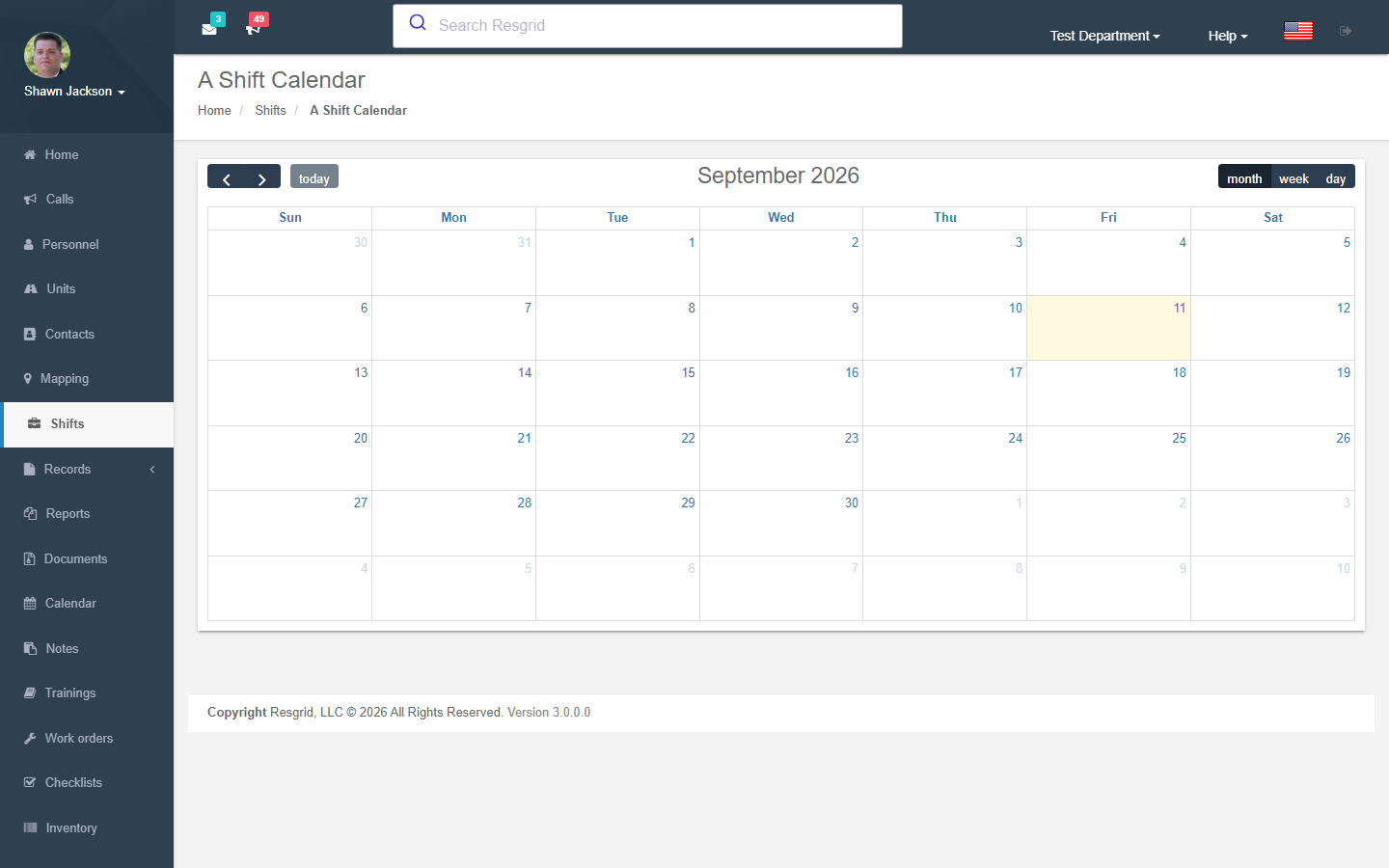
Shift Calendar
Authorization: Shift_View policy
Calendar Views
- All Shifts Calendar — Shows all shift days across all shifts
- Single Shift Calendar — Calendar view for a specific shift
Calendar Data
Calendar items include:
- Fill status (fully staffed vs. needs)
- User signup status
- Group requirement details
- Color-coded by shift
- Links to signup/view pages
Workshift Integration: Workshift days are also displayed on the shift calendar alongside traditional shifts.
Setup examples
| Department type | How to set it up |
|---|---|
| Volunteer fire | Signup shifts per station (e.g. Night duty crew 18:00–06:00) with a quota of 4 and a required Driver role; allow multi-group signup for neighbouring stations; turn on Dispatch shift instead of group only once signups are reliable. |
| Career fire / EMS | Assigned shifts on a 24/48 or 48/96 pattern, one shift group per station, personnel assigned by platoon; trades require officer approval. |
| SAR | Signup on-call weeks rather than shifts; use the Calendar for trainings. |
| Emergency management / EOC | Assigned 12-hour EOC shifts during activations; roles per section; signup for volunteer positions. |
| Security | Assigned shifts per client site, rotating patterns, trades allowed within the same site group. |
| Industrial ERT | Assigned shifts matching plant crews; minimum quota per qualification (confined space, hazmat). |
Technical reference
ShiftsController; routes /User/Shifts/{Index,NewShift,EditShiftDetails,EditShiftDays,EditShiftGroups,ShiftCalendar,YourShifts,ShiftStaffing,ViewShift,Signup,RequestTrade,ProcessTrade}; permission CreateShift; events ShiftCreatedEvent, ShiftTradeRequestedEvent, ShiftTradeFilledEvent; module switch ShiftsDisabled.
Data Endpoints
| Endpoint | Purpose |
|---|---|
GetShiftCalendarItems | Calendar items for all shifts + workshifts |
GetShiftCalendarItemsForShift | Calendar items for one shift |
GetShiftCalendarItemTypes | Shift types with colors for calendar legend |
GetPersonnelForShift | Personnel assigned to a shift (optionally by group) |
GetShiftGroups | Groups assigned to a shift |
GetShiftDays | Shift days with processed status |
GetShiftJson | Full shift object |
GetShiftsForDepartmentJson | All shifts (id, name) |
GetPersonnelNotOnShiftDay | Personnel matching role requirements but not signed up |
GetShiftDaysUserIsOn | Shift days the current user is on |
Interactions with Other Modules
| Module | Interaction |
|---|---|
| Dispatch | Shift-based dispatch replaces group dispatch with shift personnel |
| Groups | Shifts reference groups for assignments |
| Personnel Roles | Role requirements define shift needs |
| Dashboard | Staffing levels affected by shift assignments |
| Calendar | Shift days displayed on shift calendar |
| Workshifts | Workshift days integrated into shift calendar |
| Department | Multi-group signup and dispatch settings |
| Reports | Shift readiness report analyzes fulfillment |