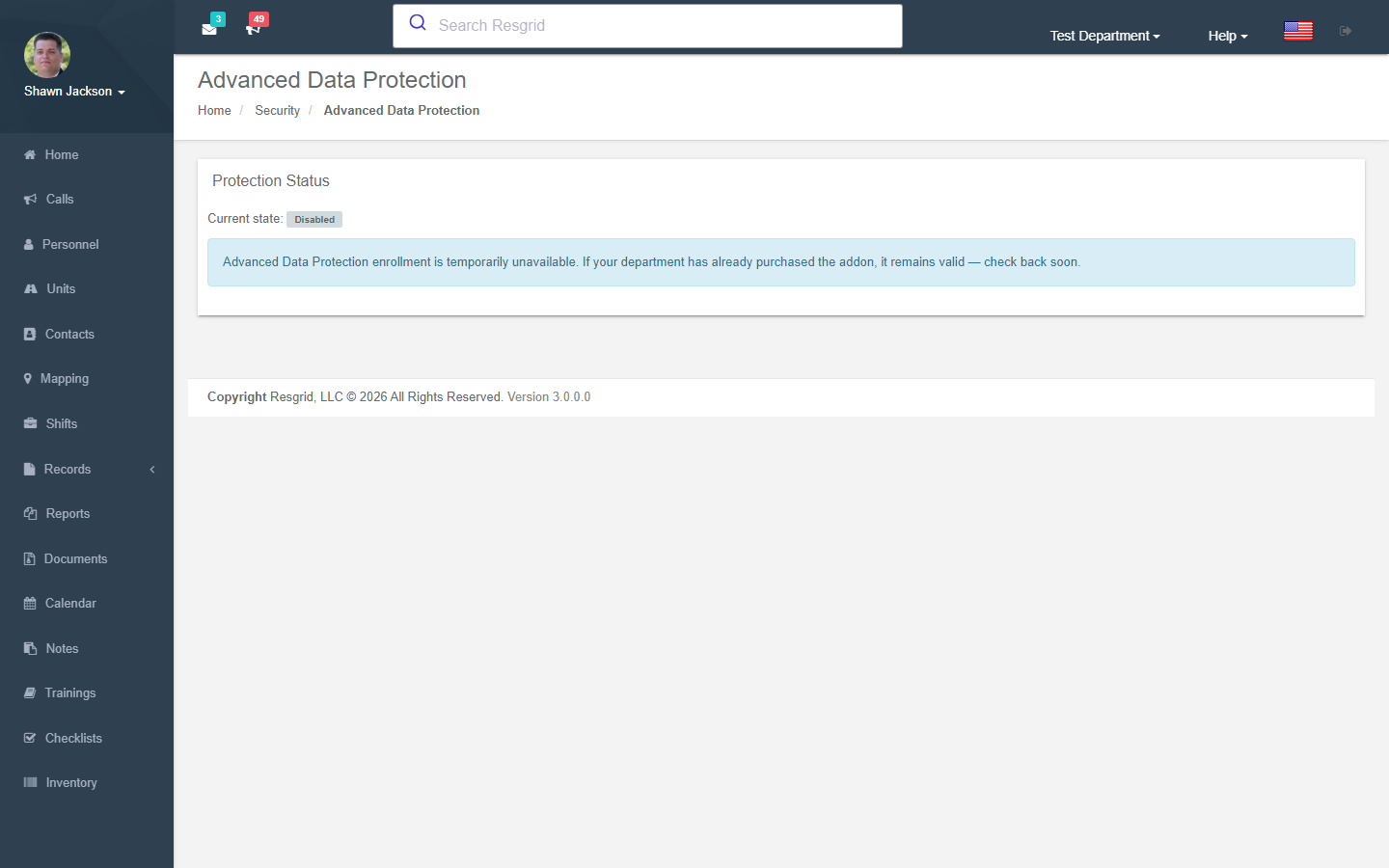
Advanced Data Protection (ADP)
Advanced Data Protection encrypts the sensitive content of your department's data — call names, natures, notes and addresses; call notes and attachments; contact details; member sensitive data; and the protected fields of Records, Checklists, Work Orders and Inventory — with keys owned by your department and held in a hardened key service. Once enrolled, protected values stay hidden until a signed-in member confirms who they are with a second factor, and they remain encrypted in exports, notifications and reports.
ADP is one control inside a HIPAA / privacy / ePCR compliance program that your agency still owns. It does not, on its own, make you compliant.
Department dropdown → Security & Permissions → Data Protection (/User/DataProtection).
What is protected — and what is not
| Protected (encrypted) | Stays plaintext |
|---|---|
| Call names, natures, notes, addresses; call notes and attachments; contact details and notes; member sensitive data (personal info, emergency contacts); Records narratives, participants and restricted fields; checklist answers and evidence; work-order text and files; inventory holders and notes. | System identifiers, call numbers, priorities, statuses, timestamps, unit names and department structure — the platform needs these to route and display work. |
While protected
- Search, reporting, exports, integrations and offline access cannot see protected content (Records narrative search is withdrawn; export columns are written as
REDACTEDunless an egress acknowledgement is recorded). - Big Board shows a reduced protected incident shell instead of call details.
- Workflows receive redacted payloads by default. Administrators can approve a specific Protected Workflow to send selected fields to one pinned HTTPS destination; every such disclosure is recorded in a hash-chained audit log.
- Text, email, push and voice notifications send generic content by default ("A protected dispatch is available — sign in to Resgrid"). Relaxing a channel is a separate, acknowledged policy change.
- Resgrid support cannot read protected values without an explicit, audited, department-approved support grant. Key loss is recoverable only through the documented recovery process.
How members see protected data
When a page contains protected content it shows a Protected banner and a Verify and open button. The member enters a code from their authenticator app (see Account security); the data is revealed for a window your department configures (default 15 minutes; values over 60 require a recorded reason). Every protected read is audited — the audit holds no values itself.
Under Verification prompt the managing member can switch the prompt off per application (web site, Dispatch console, Responder, Unit, Incident Command, API integrations). Leave it on wherever you can; switching it off on a dispatch console during an incident may be acceptable, on a phone that can be lost much less so.
Enrolling
Prerequisites: a paid plan, the ADP add-on (yearly; purchased by the managing member from Subscription & Billing → Advanced Data Protection), the platform enrollment gate open, and the managing member enrolled in an authenticator.
The Enrollment Wizard has six steps:
- What ADP covers — read the scope and limitations.
- Acknowledgements — eleven statements the managing member must tick (scope, plaintext metadata, server-side processing, step-up window, Big Board reduction, workflow redaction, notification defaults, search/report limits, migration and disable behaviour, key-loss recovery, not-HIPAA-compliance). Acknowledgements are recorded with a version stamp.
- Preflight checks — managing member, paid plan, active add-on, gate open, department state, protection service reachable, managing member MFA.
- Migration size estimate — a read-only sizing scan counts rows and estimates how many overnight windows the migration needs.
- Overnight migration window — choose the quiet hours (local time zone) during which migration runs. While a window is running no new calls, status changes, staffing changes or scheduled tasks run; viewing continues; you can abort an active window at any time. Consent to the pause is required.
- Confirm and queue — requirements are re-verified server-side and the department joins the migration queue (departments migrate one at a time). You receive an email when each night's window opens and closes.
The page then shows migration progress (rows processed, current table, anomalies needing attention) and finally Advanced Data Protection is active.
Turning it off
Cancel the add-on on the subscription page. Protection stays active until the end of the current billing period, then an overnight migration decrypts the data back to standard storage (offboarding). Until that date the managing member can revoke offboarding. Re-enabling later requires purchasing the add-on again and a new enrollment.
Protected Workflows
The Protected Workflows section of this page turns on the one deliberate exception to workflow redaction. It needs a versioned warning acknowledgement, a fresh verification, and the Configure Protected Data Delivery permission. You can also require a second administrator to approve each protected workflow. See Protected Workflows for setup, the approval rules and a Dataverse example.
Emergency contacts
The Data Protection page also hosts the member's emergency contacts for this department (name, relationship, phone, alternate phone, email, notes, primary flag), stored under the department's protection settings.
Setup examples
| Department | Recommendation |
|---|---|
| EMS / fire-based EMS | Enrol. Keep the verification prompt on everywhere except the dispatch console. Default notification egress (generic content). |
| Fire (no PHI) | Optional; useful where call notes contain personal information from callers. |
| Security / private | Enrol if incident reports name individuals; pair with restricted record fields. |
| Emergency management | Usually unnecessary unless shelter registrations or vulnerable-population data are stored. |
Technical reference
| Item | Value |
|---|---|
| Routes | /User/DataProtection/{Index,SizingScan,MigrationProgress}, /User/Subscription/{BuyAdpAddon,ManageAdpAddon} |
| Flag | Security.DepartmentProtectedDataEnrollment — operator-managed global admission gate for new enrollments only |
| Permissions | ManageDepartmentDataProtection (31), ViewProtectedCallData (32), EditProtectedCallData (33), ViewProtectedPersonnelData (34), ViewProtectedContactData (35), ViewProtectedOperationalData (36), ExportProtectedData (37), ConfigureProtectedDataEgress (38), BreakGlassProtectedData (39) |
| State | DepartmentDataProtectionPolicies.State (durable); migration and offboarding run by workers in the department's window |
| Grant | IProtectedGrantContext / __ResgridProtectedGrant form field carries the step-up grant on writes |
| Protected Workflows | Toggle and two-person rule on DepartmentProtectedDataEgressPolicies; releases and the disclosure chain in WorkflowProtectedReleases / ProtectedWorkflowDisclosures; broker workload purpose protected-workflow |
| Design | int-Coordination/docs/architecture/department-protected-data-implementation-plan.md |