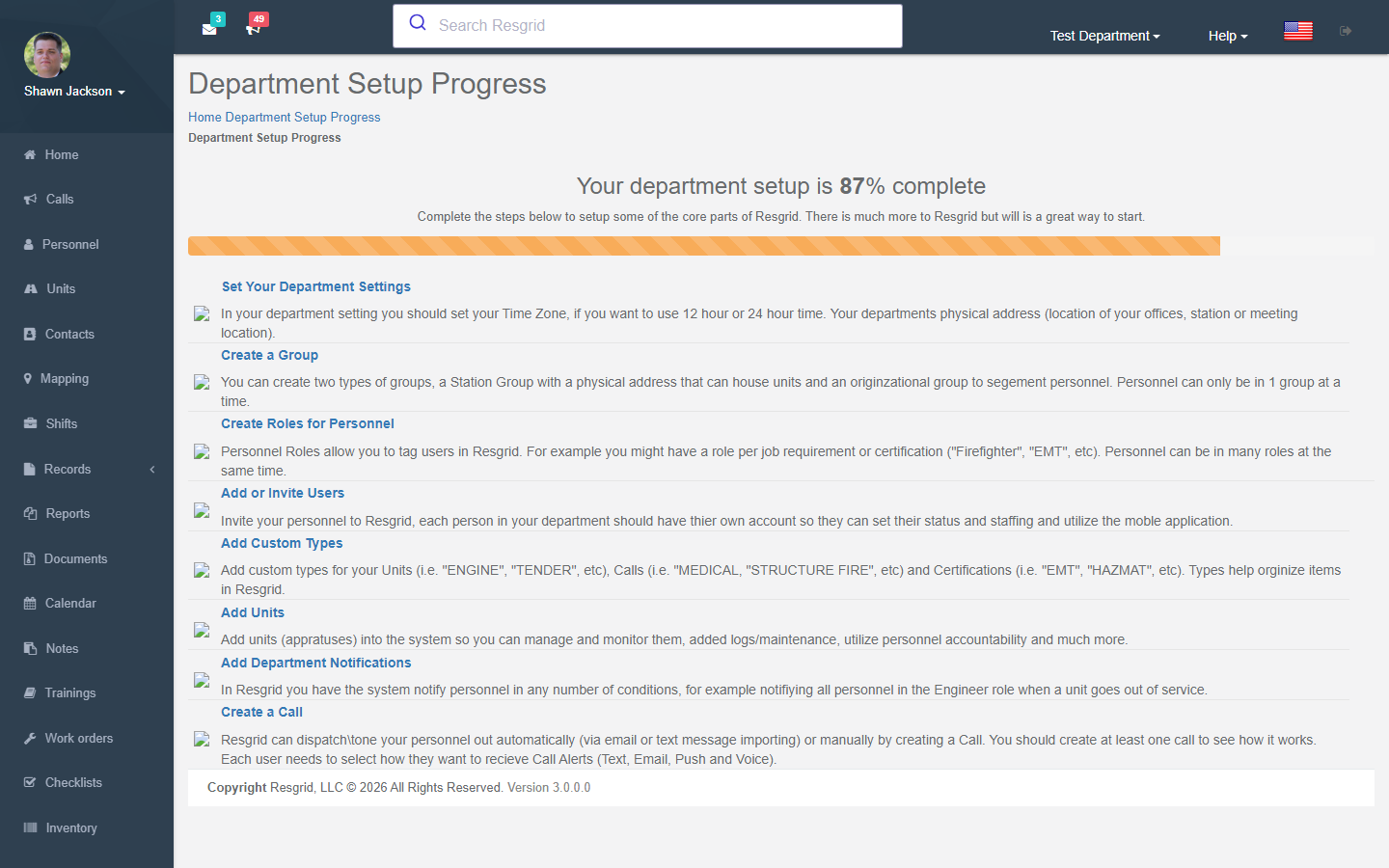
Finding Your Way Around
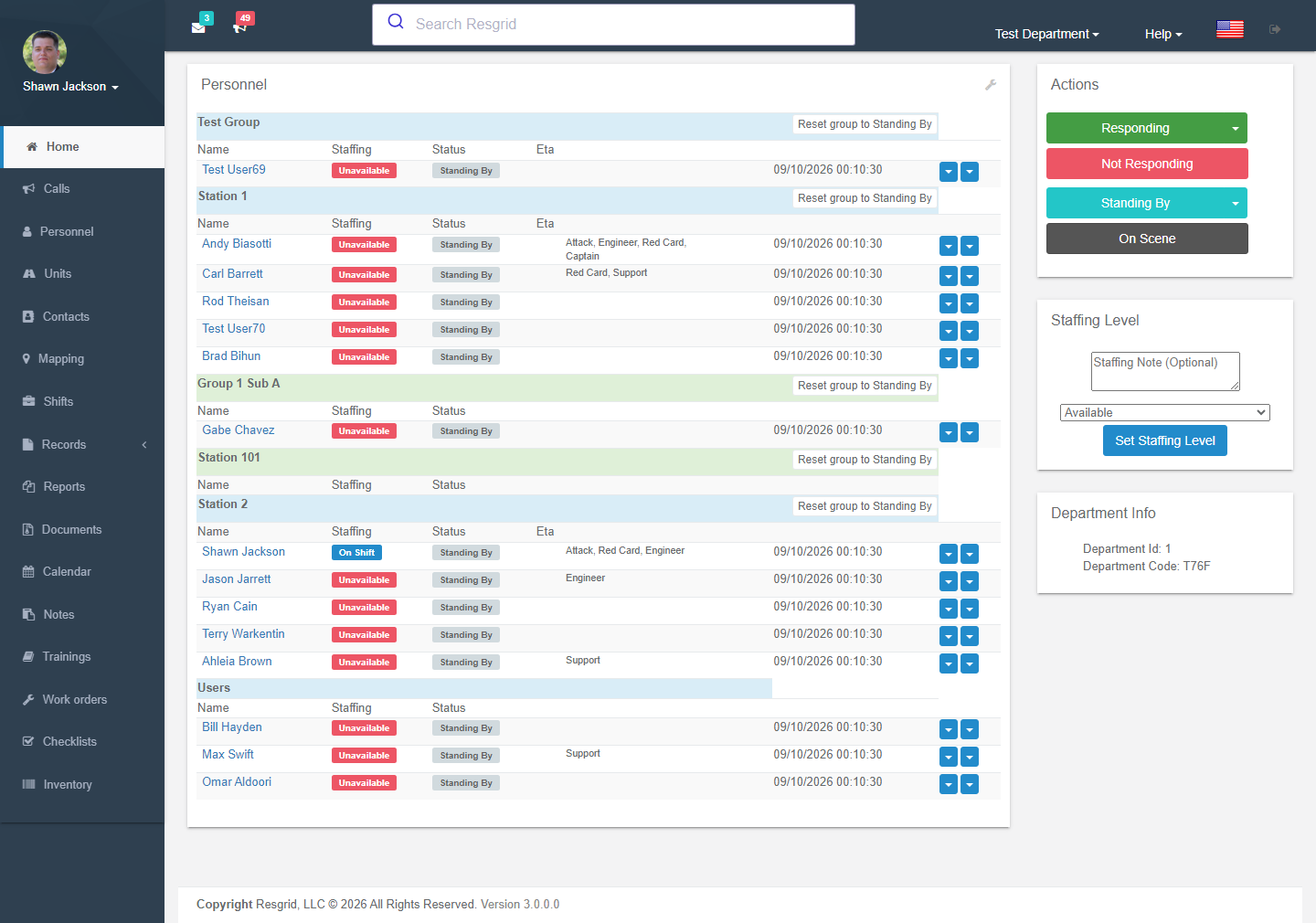
The screen
| Region | What is there |
|---|---|
| Left sidebar | The modules: Home, Calls, Personnel, Units, Contacts, Mapping, Shifts, Records (a collapsible group, or Logs), Reports, Documents, Calendar, Notes, Trainings, Inventory, Readiness (Work Orders, Checklists) and Workforce & Business Ops (Workforce, Certifications, Invoicing, Deployment Finance, Bids, Contracts, Cal OES MARS). Groups expand in place; modules that are switched off or that you lack permission for are hidden. Collapse the sidebar with the hamburger icon on small screens. |
| Your name (top-left) | Profile menu: Profile (edit your details, contact methods, notification preferences), Mailbox, Chat, Your Departments (switch between departments you belong to), Two-Factor Authentication, Logout. |
| Top bar | Unread messages and active calls icons, the search box, the Department menu, Help, language flag and logout. |
| Department menu (department name, top-right) | Everything an administrator configures — see below. |
| Chat / Assistant | The floating buttons at the bottom-right of every page. |
| Footer | Version number. |
The Department menu
Only administrators (and group administrators for a few items) see this menu.
| Item | Page |
|---|---|
| Department Settings | Name, time zone, address, sorting, staffing/status resets, Module Settings, API keys, invites. |
| Department Profile | Public profile, logo, short name (also used on record prints). |
| Stations and Groups | Groups & Stations |
| Call Import Settings | Email / SMS call import — Call settings |
| Custom Statuses | Custom Statuses |
| Text Messaging | Department SMS number and inbound text handling |
| Templates | Call templates and call-note templates |
| Protocols | Dispatch protocols |
| Types | Unit, call, priority, certification, document, note types |
| Distribution Lists | Distribution Lists |
| Workflows | Workflows |
| User Defined Fields | User Defined Fields |
| Security and Permissions | Security & Permissions (permissions, audit log, SSO, security policy, data protection) |
| Chat Moderation | Chat moderation |
| Subscription and Billing | Subscription & Billing — plan, PTT, Advanced Data Protection, Readiness Pro and Business Ops add-ons |
| Connect | Connect |
| Audio / Push-to-Talk | Voice & Audio |
| Orders | Resource Orders |
| Links | Department Links |
| Notifications | Notifications |
| Weather Alerts | Weather Alerts |
| Commands | Command Definitions |
| Big Board / Dispatch | Open the web versions of the Big Board and Dispatch apps |
Search
The search box finds calls, personnel, units, contacts, notes, documents, records, invoices, bids, contracts, deployments and pages by name or number. Type at least two characters; results open in place. Records narrative search is included when your department's search index allows it.

Switching departments
Members of more than one department switch with Profile → Your Departments. Everything on screen — roster, calls, settings — belongs to the current department.
Language
The flag in the top bar switches the interface language (English, Spanish, French, German, Italian, Polish, Swedish, Ukrainian, Greek, Arabic). Personal notification messages use the language chosen in your profile.
Help
Help links to the support portal, video tutorials, the blog, the status page and contact form. Help → Setup report (administrators) shows what is still missing from your department configuration, and the dashboard tutorial walks through the home page.