Hardware GPS Tracking (Unit Tracking)
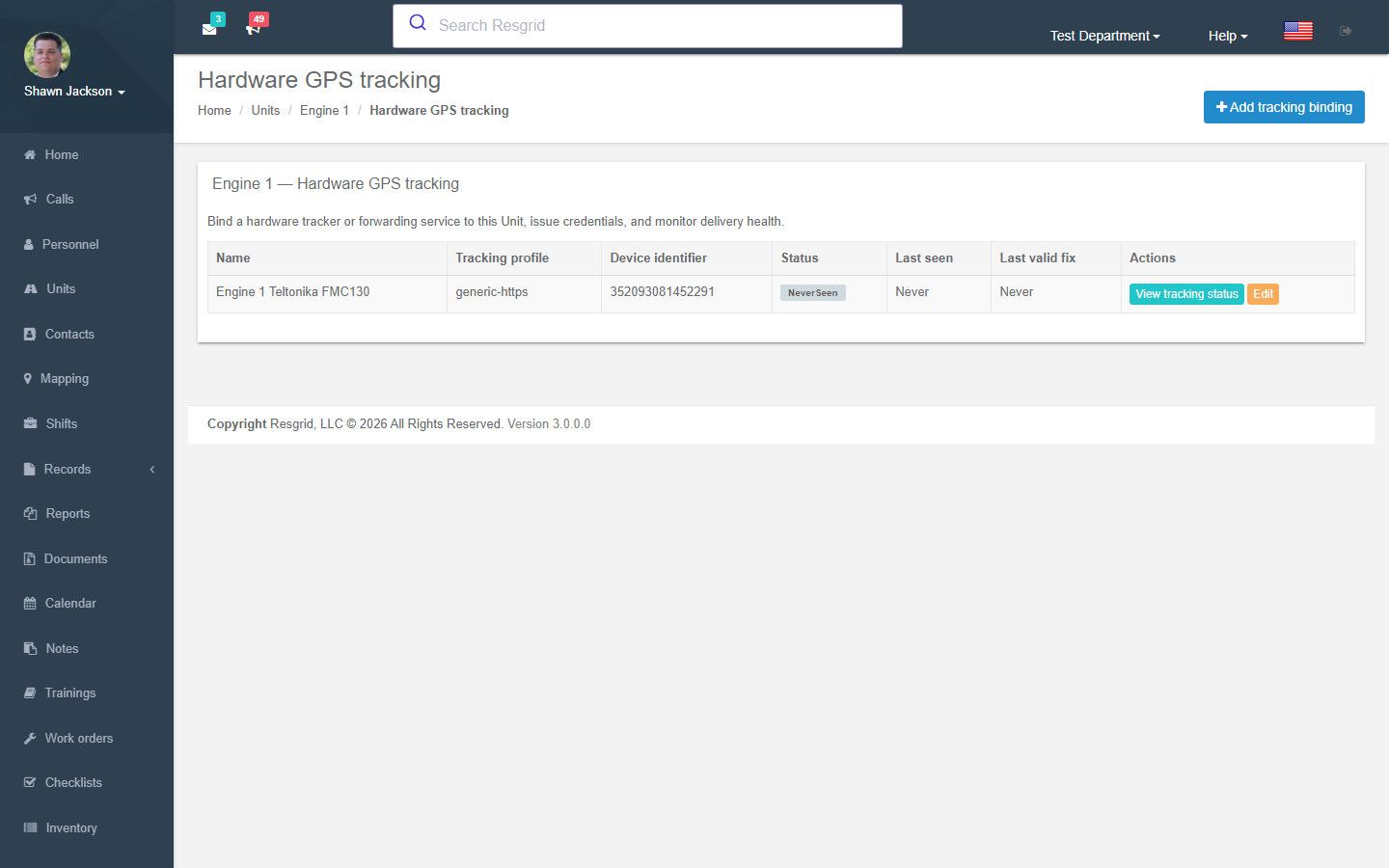
Units normally report their position from the Unit app on a phone or tablet. Hardware GPS tracking lets a dedicated tracker — a Teltonika or Digital Matter device wired into the apparatus, or a forwarding service such as Traccar — send positions for a unit directly, so the unit is on the map even when no crew phone is running the app.
Units → (unit row) → Tracking, or /User/UnitTracking/Index?unitId=….
Concepts
| Term | Meaning |
|---|---|
| Tracking binding | The link between one unit and one device or forwarding service: profile, device identifier, credentials and source restrictions. One unit can have several bindings (e.g. a hardware tracker plus a Traccar forward) with a source priority that decides which wins when both report. |
| Tracking profile | The device or service model and its protocol/transport: Generic Resgrid JSON over HTTPS, Traccar forwarding, Teltonika Codec 8 (TCP/UDP), Digital Matter managed JSON … Each profile has a certification status — Certified profiles are selectable; Candidate profiles are visible but not yet usable until Resgrid has tested them with real device evidence. |
| Credential | A token (bearer, basic or custom header) issued per binding for HTTPS profiles. Shown once; rotate or revoke at any time. |
| Allowed source networks | Optional CIDR ranges that may send positions for this tracker. |
Adding a binding
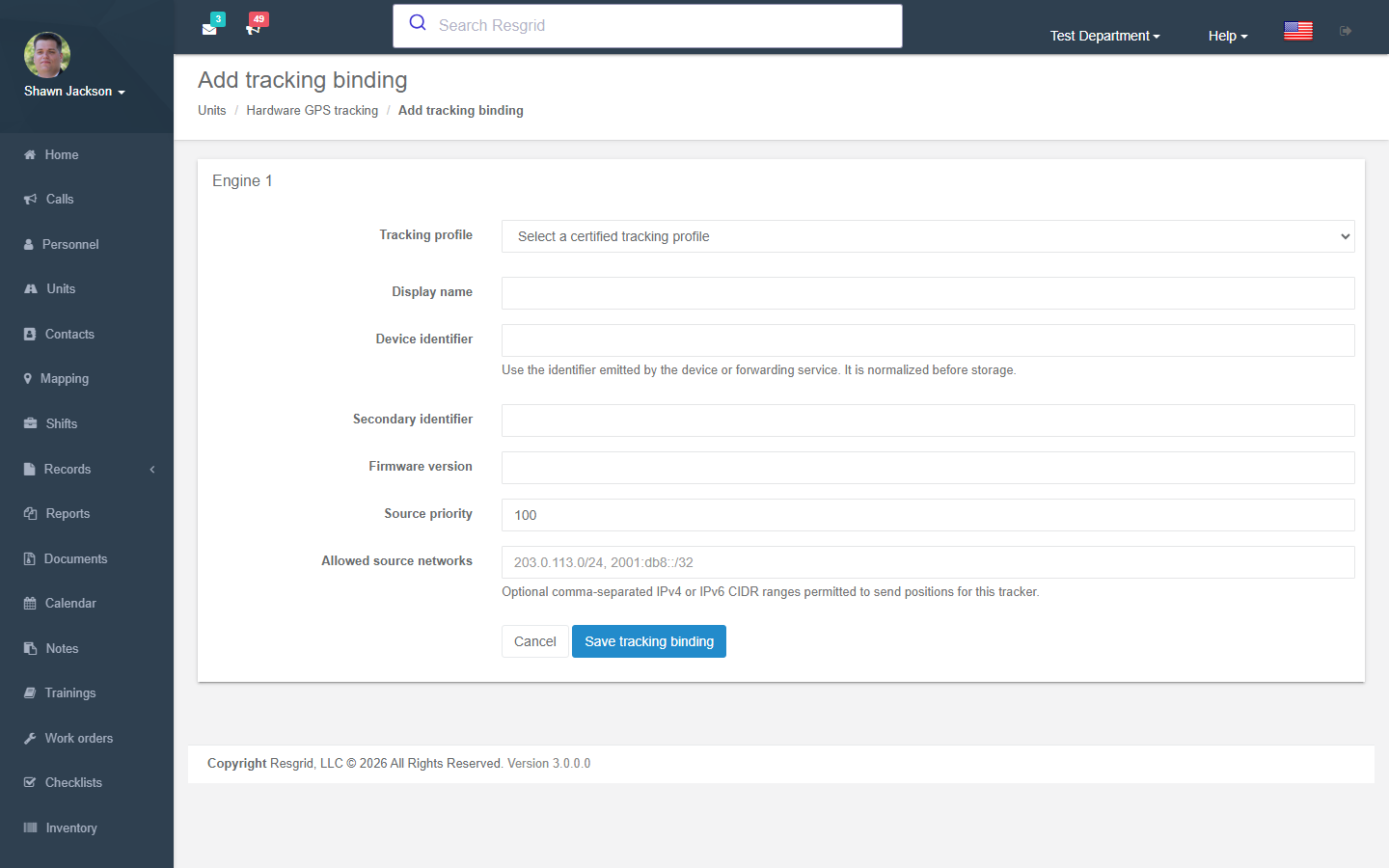
Add tracking binding:
| Field | Notes |
|---|---|
| Tracking profile | Pick the device / service. |
| Display name | e.g. Engine 1 Teltonika FMC130. |
| Device identifier | The identifier the device emits (IMEI for Teltonika, unique id for Traccar, serial for Digital Matter). It is normalized before storage. |
| Secondary identifier / Firmware version | Optional, for your records. |
| Source priority | Higher wins when several bindings report for the same unit. |
| Allowed source networks | Comma-separated IPv4/IPv6 CIDRs. |
Then, for HTTPS profiles, Create credential (choose the authentication mode — bearer, basic or header — and copy the token: it is shown once). Configure the device or forwarding service with the endpoint shown on the page and the credential.
Monitoring
The binding's Tracking status shows last received, last valid fix, last error code and delivery health. Department administrators (outside production) can Send test JSON to validate a generic payload without authenticating or storing it. Disable tracking revokes every credential for the binding.
Positions from hardware trackers flow through the same pipeline as app positions: the unit appears on the Mapping page, in the Dispatch and Big Board apps, feeds closest-unit run-card selection and can be captured as Unit tracking fixes evidence on a Record.
Setup examples
| Department | Setup |
|---|---|
| Fire / EMS with hard-wired trackers | One Teltonika binding per apparatus (TCP, IMEI), Unit app as secondary source. |
| Fleet already on Traccar | One Traccar forwarding binding per unit pointing the Traccar forward at the Resgrid endpoint. |
| SAR / volunteer | Usually the Unit app only; add a Digital Matter Oyster on trailers and UTVs that have no crew phone. |
| Security / delivery | Vehicle trackers for every patrol / delivery vehicle; source priority above the phone app. |
Technical reference
| Item | Value |
|---|---|
| Routes | /User/UnitTracking/{Index,New,Details,Edit}?unitId= |
| Gateway | Resgrid.TrackerGateway (separate process; TCP/UDP listeners per enabled protocol module) and generic HTTPS ingress on the API |
| Providers | Resgrid.Providers.Tracking — protocol modules (teltonika-codec8, Traccar v6.14.5 adapter pinned, digitalmatter-json-v1 gated) |
| Retention | UnitLocationRetentionRepository (NoSQL) |
| Design | int-Coordination/docs/architecture/hardware-gps-tracking-implementation-design.md |