Occupancies & Pre-plans
An occupancy is a building, site or property your department may respond to: its identity and location, structure, fire-protection systems and utilities, hazards, tactical notes, emergency contacts, and the history of inspections, permits and incidents at that address. It is the "property master" that inspections, permits, hydrants, investigations and CRR activities hang off — and, once you switch ownership, the home of your pre-plans.
Feature flag: Records.Prevention.Occupancy. Menu: Records → Occupancies.
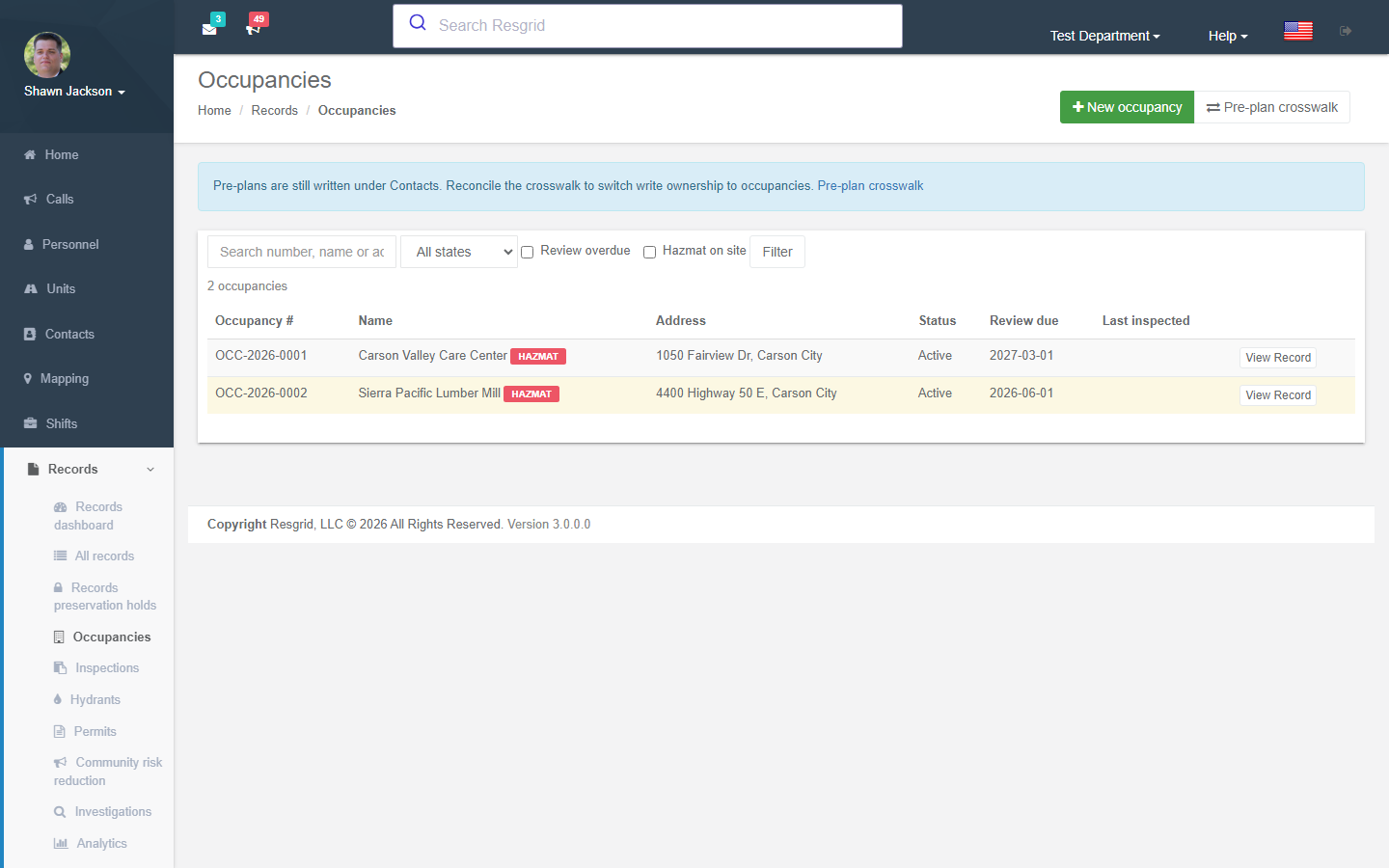
The occupancy list
Search by number, name or address; filter by status, review overdue and hazmat on site. Each row links to the details page. New occupancy opens the editor.
Creating and editing an occupancy
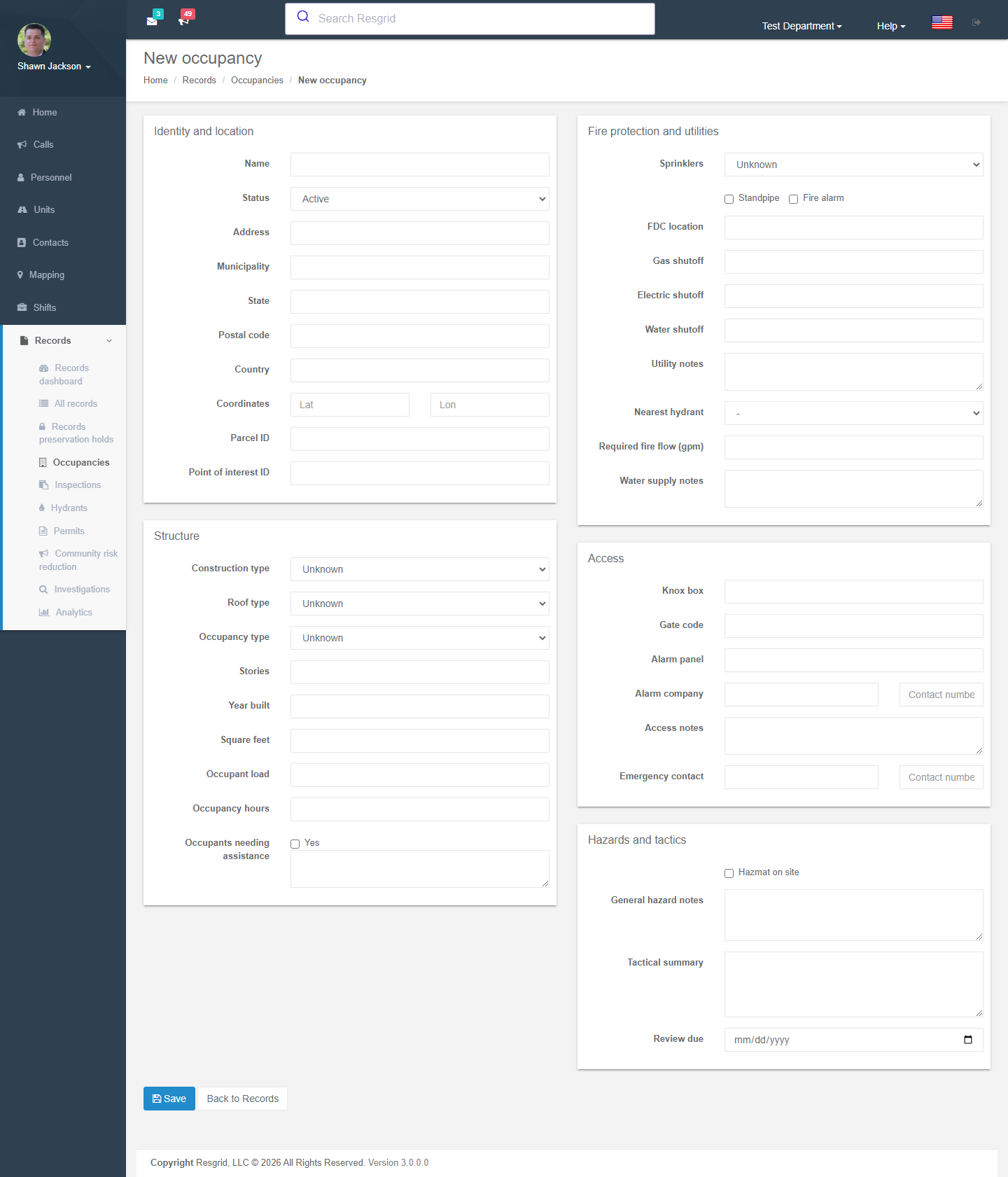
| Section | Fields |
|---|---|
| Identity and location | Name, occupancy type, address (street, municipality, state, postal code, country), coordinates, parcel ID, linked point of interest, occupancy hours, emergency contact and number, review due date. |
| Structure | Construction type, storeys, square feet, year built, roof type, occupant load, occupants needing assistance, required fire flow. |
| Fire protection and utilities | Sprinklers, standpipe, FDC location, fire alarm (panel location, alarm company), Knox box, gate code, water / gas / electric shutoffs, utility notes, nearest hydrant, water supply notes. |
| Access | Access notes. |
| Hazards and tactics | Hazmat on site, general hazard notes, tactical summary. Individual hazards (title, type, severity, Alert crews) are added from the details page. |
Hazards flagged Alert crews are pushed to the apps and the dispatch alert notes for calls at that address.
The occupancy details page
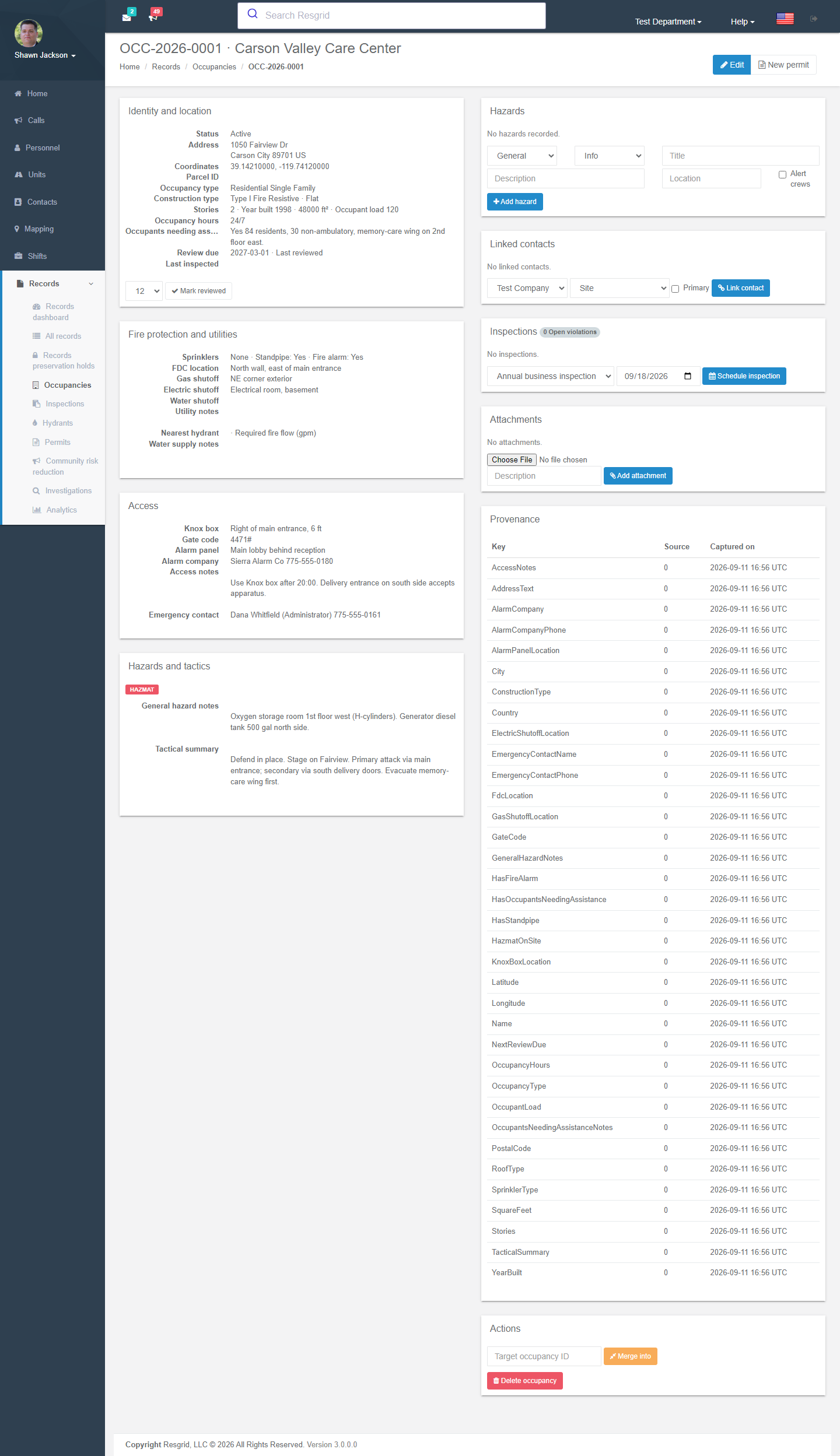
- Hazards — add / remove hazards.
- Inspections — schedule an inspection from a program; list of past inspections with result and open violations.
- Permits — permits issued against the occupancy; New permit.
- Linked contacts — the owner, manager or company from Contacts.
- Mark reviewed — records the pre-plan review date (the list flags occupancies whose review date has passed).
- Merge into — merges a duplicate into a target occupancy; hazards, links and history move and this record becomes a pointer.
- Delete — inspections, permits and hazards keep their history but lose the parent.
The occupancy also feeds the Contacts pre-plan summary and the dispatch projection the apps use.
Pre-plan crosswalk and ownership
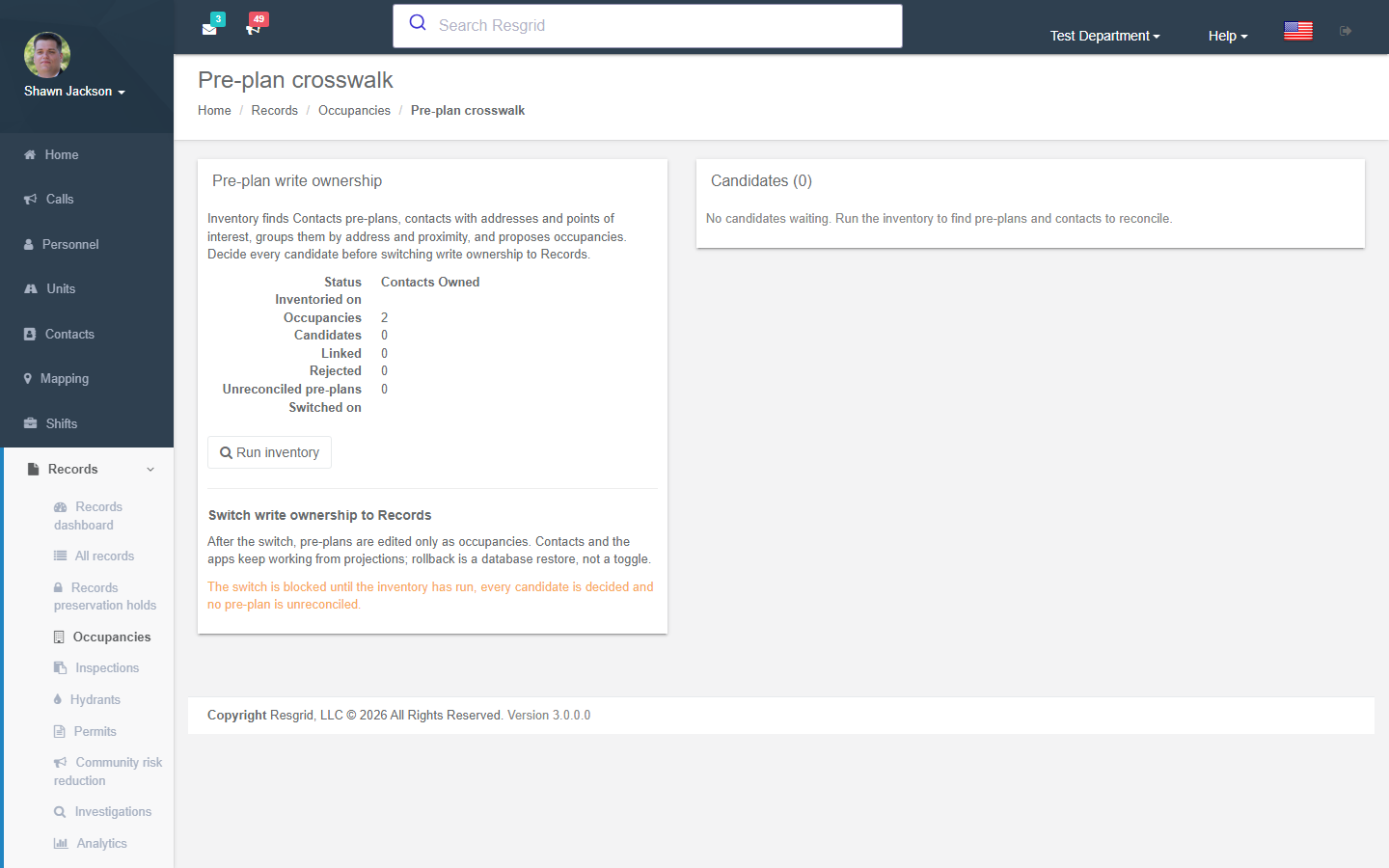
Before Records existed, pre-plan data lived on Contacts (addresses, hazards, attachments) and on map points of interest. Records → Occupancies → Pre-plan crosswalk helps you move it:
- Run inventory scans Contacts pre-plans, contacts with addresses and POIs, groups them by address and proximity, and proposes occupancy candidates with a match confidence.
- Decide every candidate: Link to the suggested occupancy, Create a new occupancy from this source, or Reject.
- When every candidate is decided and no pre-plan is unreconciled, Switch write ownership to Records. From then on pre-plans are edited only as occupancies; Contacts pages and the apps read projections. Rollback is a database restore, not a toggle.
Setup examples
| Department | Approach |
|---|---|
| Fire | Import your target hazards first (schools, care homes, industrial sites, high-rises), then run the crosswalk on existing Contacts pre-plans. Set a review due date 12 months out; the list will flag overdue reviews. |
| Industrial site / campus | One occupancy per building; hazards for each process area with Alert crews; link to indoor maps for floor plans. |
| Security / facilities | Client sites as occupancies with gate codes, alarm company and access notes; inspections for fire-extinguisher or exit-route checks. |
| Emergency management | Shelters, EOC alternates, critical infrastructure with occupant load and utility shutoffs. |
Technical reference
| Item | Value |
|---|---|
| Routes | /User/RecordOccupancies/{Index,Details,Edit,Crosswalk} |
| Model | RmsOccupancy, RmsOccupancyHazard, RmsOccupancyContactLink, OccupancyDispatchProjectionV1 |
| Flag / permission | Records.Prevention.Occupancy; write requires RecordsPreventionAdmin (69), read requires record view |
| Ownership switch | RmsPreplanOwnership — append-only; Contacts pre-plan editing is denied once switched |