Trainings
Trainings is a lightweight learning-management module: write or attach course material (text, files, links to videos), add quiz questions, assign the training to members or roles with a due date, and track who has completed it and their scores. Completed trainings can also feed certification records.
Left menu → Trainings. Members take assigned trainings from the web or the Responder app.
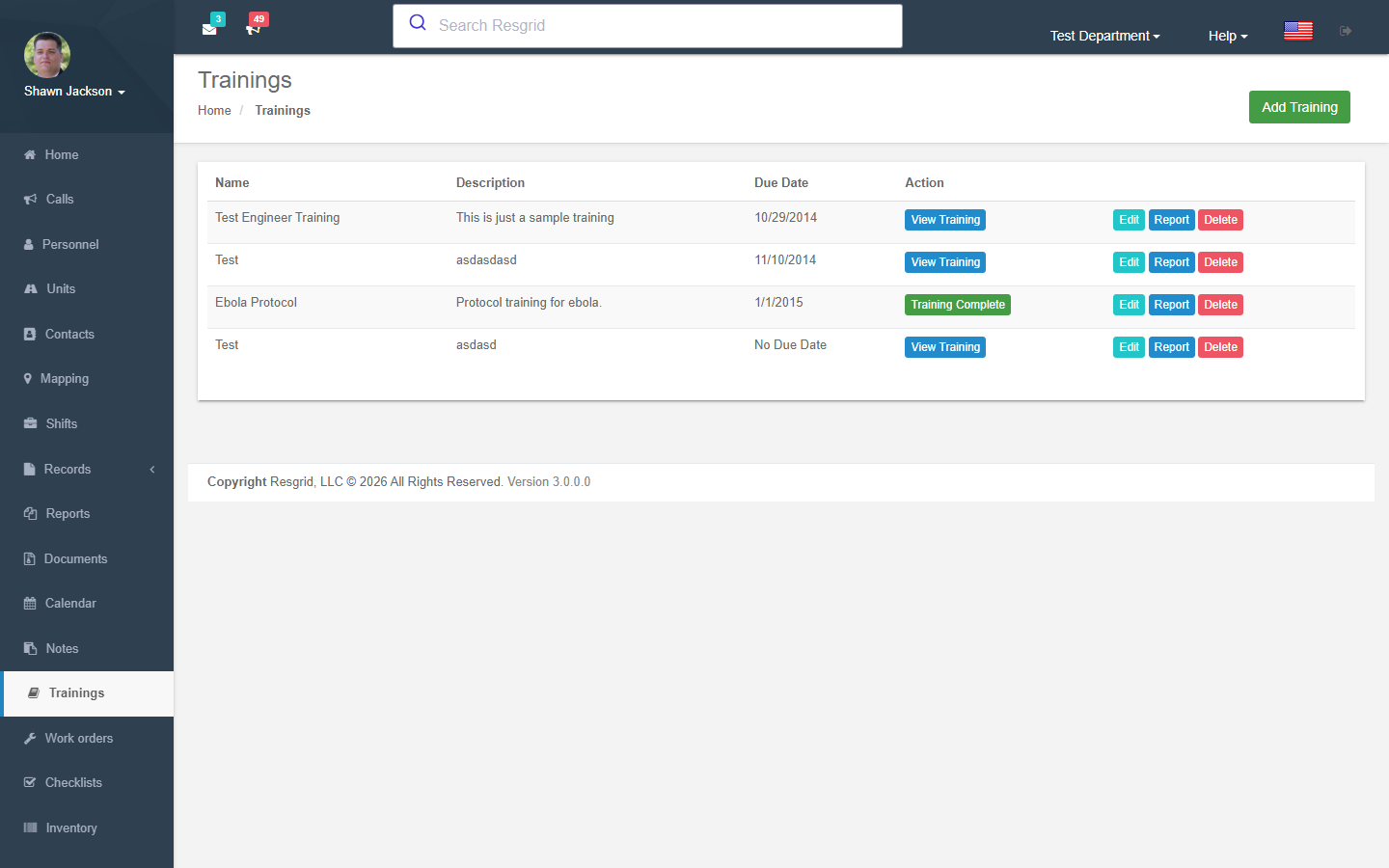
Training List
Displays all trainings for the department.
Creating Trainings
Training Fields
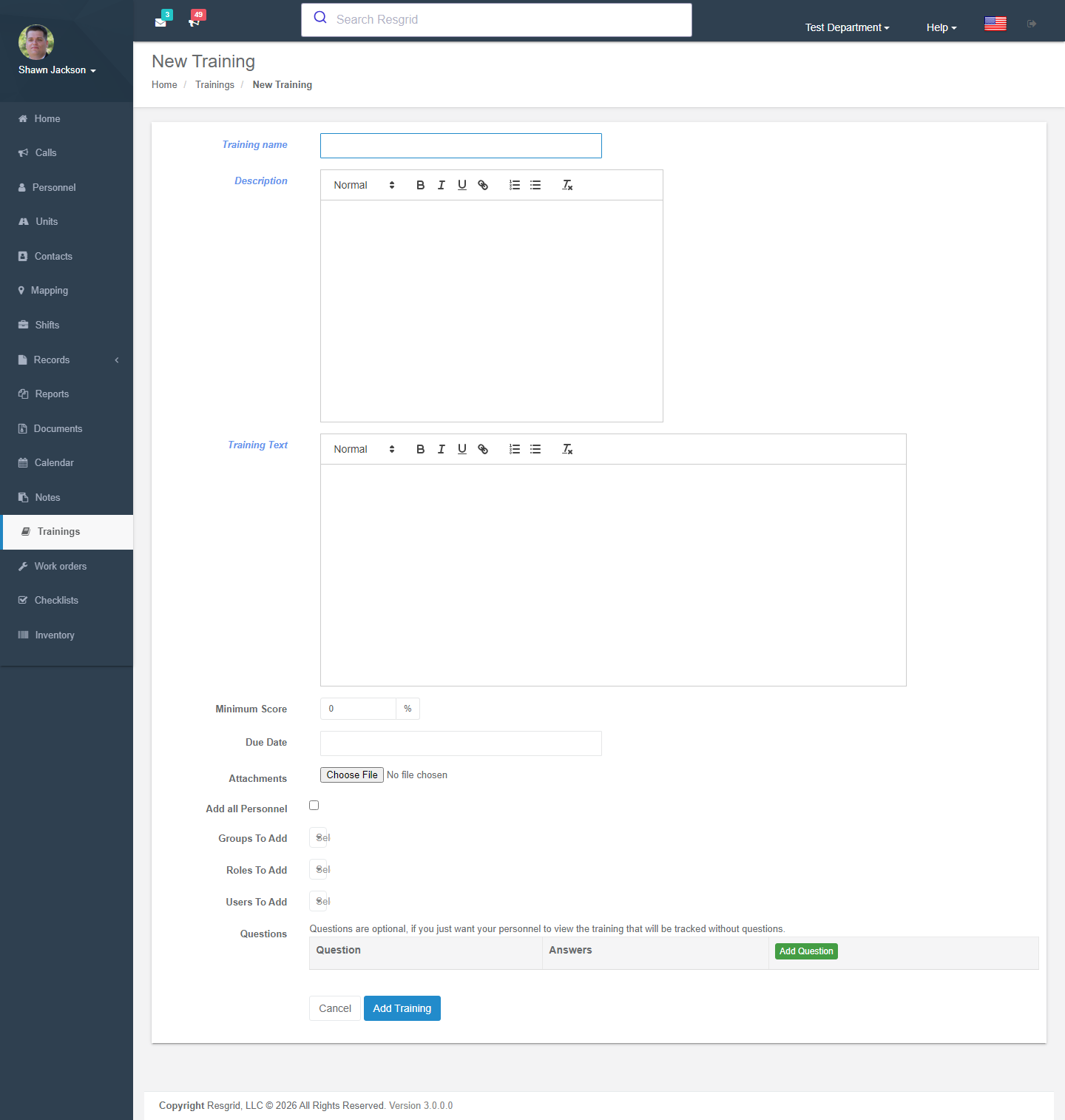
| Field | Required | Description |
|---|---|---|
| Name | Yes | Training title |
| Description | No | HTML-decoded description |
| Training Text | No | HTML-decoded training content |
| Minimum Score | No | Minimum passing score for quizzes (default: 0) |
Target Assignment
Trainings can be assigned to:
- Send to All — All department members (deduplicated)
- Specific Roles — All members with selected roles
- Specific Groups — All members of selected groups
- Individual Users — Specific personnel
File Attachments
| Constraint | Value |
|---|---|
| Maximum file size | 30 MB (larger than most modules) |
| Allowed file types | jpg, jpeg, png, gif, pdf, doc, docx, ppt, pptx, pps, ppsx, odt, xls, xlsx, mp3, m4a, ogg, wav, mp4, m4v, mov, wmv, avi, mpg, txt |
Quiz System
Trainings can include a quiz with:
- Multiple questions (parsed from form keys
question_*) - Multiple-choice answers per question (parsed from
answerForQuestion_{q}_{a}) - One correct answer per question
- Questions and answers built from dynamic form fields
Viewing Trainings
When a user views a training:
- The content is displayed (title, description, text, attachments)
- The training is automatically marked as viewed for the current user
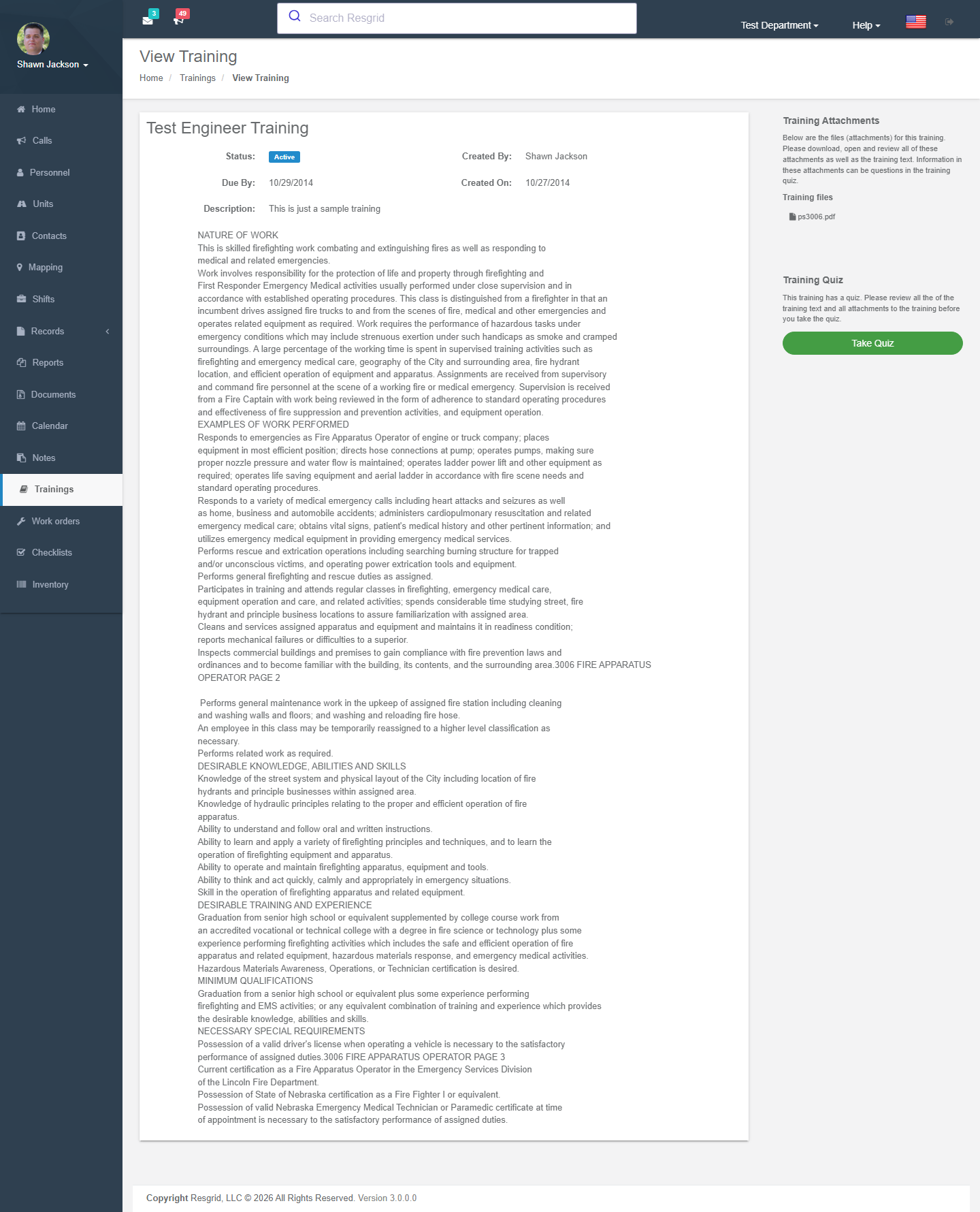
This enables view tracking for compliance and reporting.
Taking Quizzes
Quiz View
Displays all questions with answer options. Marks the training as viewed.
Quiz Grading
When a quiz is submitted:
- Iterates through all submitted answers
- Compares each answer to the correct answer
- Counts correct responses
- Records the score via
RecordTrainingQuizResultAsync - Score is available for reporting
Training Attachments
Attachments can be downloaded individually with validated department ownership.
Deleting Trainings
Validates department ownership before deletion.
Resetting User Training
Administrators can reset a specific user's training progress and quiz results:
- Clears all view and score records for that user on that training
- User will need to re-view and re-take the quiz
Training Reports
The Report action generates a training participation report showing:
- All assigned users
- View status (has the user viewed the training?)
- Quiz results
- Group assignments for each user
Setup examples
| Department type | How to set it up |
|---|---|
| Volunteer fire | Annual refreshers (SCBA, bloodborne pathogens, driver safety) with a 5-question quiz each; assign to the Firefighter role with a 30-day due date; report to the training officer. |
| EMS | Protocol updates as trainings with an acknowledgement quiz; CE tracking through certifications. |
| SAR | Navigation and radio trainings for new members; link to external video courses. |
| CERT | Module refreshers between in-person classes; completion required before deployment eligibility. |
| Security / industrial | Post-order acknowledgements, hazard communication, LOTO awareness — with quiz pass mark 80 %. |
Technical reference
TrainingsController; routes /User/Trainings/{Index,New,View,Edit,Quiz,Report,ResetUserTraining,DeleteTraining}; permission CreateTraining; events TrainingAddedEvent, TrainingUpdatedEvent; module switch TrainingDisabled.
Interactions with Other Modules
| Module | Interaction |
|---|---|
| Personnel | Training assignment targets |
| Groups | Group-based training assignment |
| Personnel Roles | Role-based training assignment |
| Reports | Training data used in activity and hours reports |
| Logs | Training counts in monthly analytics |
| Department Settings | Module can be enabled/disabled |