Workshifts
Workshifts (static shifts) provide a simpler scheduling mechanism compared to the full Shifts module. They are managed by the WorkshiftsController.
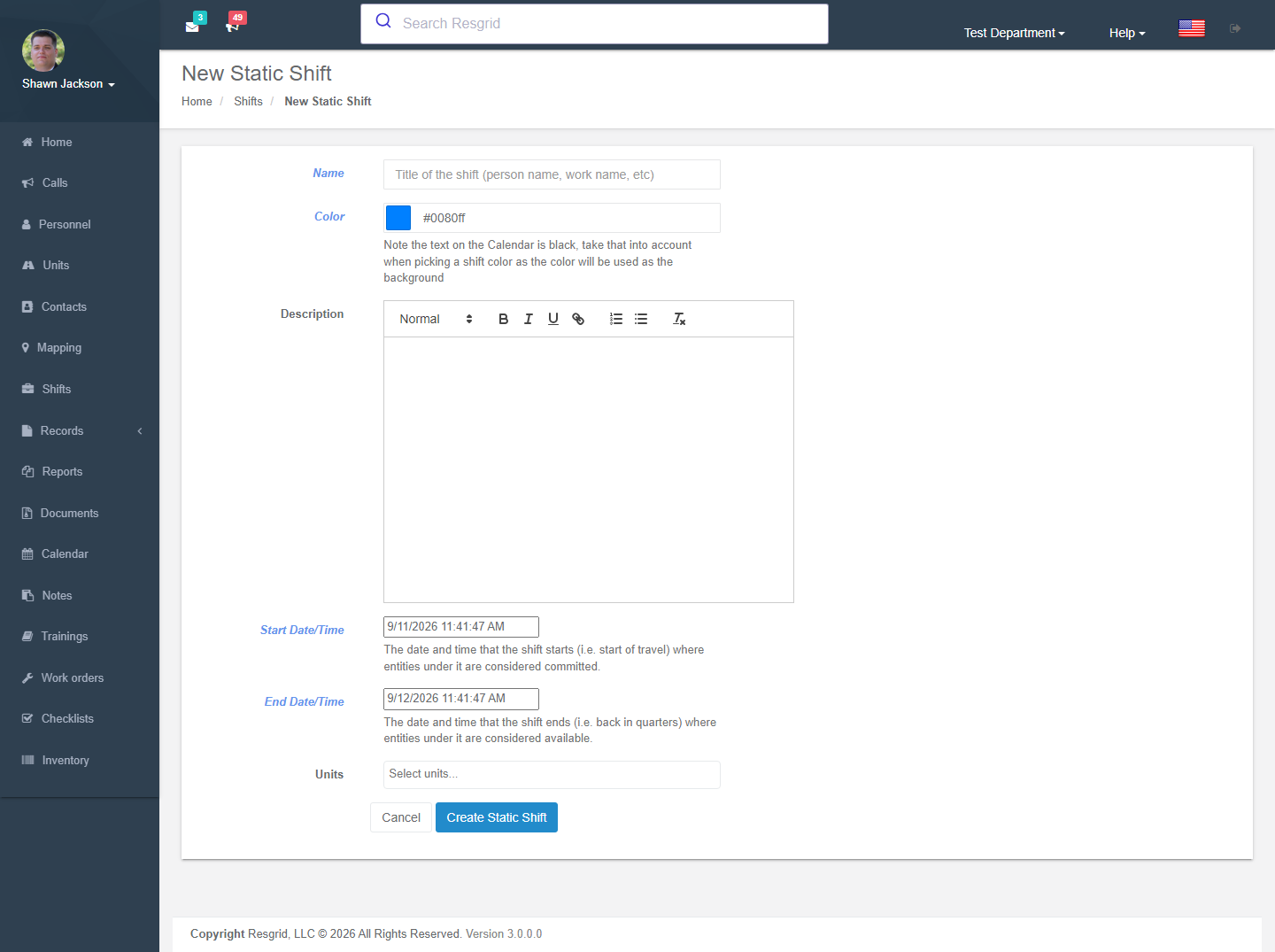
Overview
Workshifts define fixed time blocks with assigned units, differing from the dynamic signup-based Shifts system.
Creating Workshifts
Authorization: Shift_Create policy
| Field | Required | Description |
|---|---|---|
| Name | Yes | Workshift name |
| Start Time | Yes | Shift start (converted to department timezone) |
| End Time | Yes | Shift end (defaults to next day) |
| Units Assigned | No | Units assigned to this workshift |
Unit Assignment
Units are assigned as WorkshiftEntity objects linked to backing unit IDs.
Editing Workshifts
Authorization: Shift_Update policy
Validates department ownership. Updates:
- Workshift details (name, times)
- Unit assignments (re-created on each save)
- Full audit trail with IP and user agent
Viewing Workshift Days
Authorization: Shift_View policy
The day view shows:
- Parent workshift details
- Department units
- Assigned personnel with limits
- Ownership chain validation (day → shift → department)
Deleting Workshifts
Authorization: Shift_Delete policy
Requires confirmation via a dedicated confirmation page. Full audit trail recorded.
Setup examples
| Department type | How to set it up |
|---|---|
| Career fire | A/B/C platoon workshifts used as the each shift anchor for checklist schedules and for shift-based dispatch. |
| EMS | 12-hour day/night workshifts. |
| Security | Site shift patterns per client. |
Technical reference
Interactions with Other Modules
| Module | Interaction |
|---|---|
| Shifts | Workshift days appear on the shift calendar alongside traditional shifts |
| Units | Units are assigned to workshifts |
| Personnel | Personnel loaded for day view |
| Department | Timezone used for time conversion |