Resgrid Web Application — Overview
The Resgrid web application is where your department is set up and where officers, dispatchers, records staff and administrators do most of their day-to-day work: creating and dispatching calls, keeping the roster and units current, scheduling, writing records and reports, tracking equipment, and configuring how the mobile apps behave.
The four mobile apps — Responder, Unit, Dispatch and Incident Command — and the Big Board are described under Apps; everything in this section is about the web site.
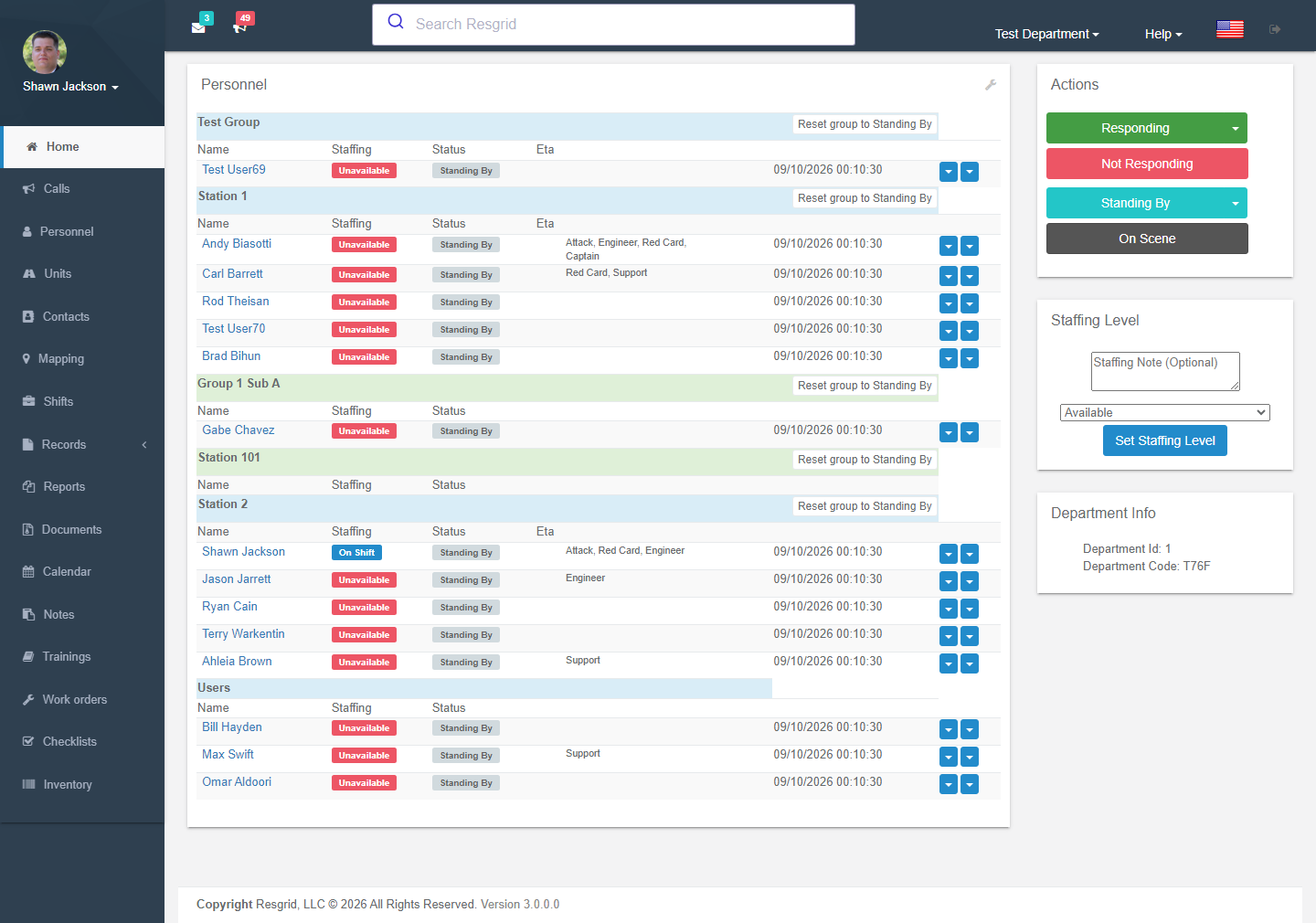
A map of the modules
New to Resgrid? Read Navigation first, then follow the department setup guide for your kind of organization.
Which modules you will see
Not every module appears for every department:
- Module switches — administrators can hide Messaging, Mapping, Shifts, Logs/Records, Reports, Documents, Calendar, Notes, Training, Inventory, Checklists, Maintenance and Business Operations under Department Settings → Module Settings.
- Feature flags — some newer modules (Records, Checklists, Work Orders, Run Cards, Chat, Deployment Finance and the Business Ops modules) are switched on per department by Resgrid (hosted) or by the operator (self-hosted) using the
Resgrid.Console --FeatureFlagscommand. - Plan and add-ons — Work Orders need the Readiness Pro add-on; invoicing, contractor billing, Cal OES MARS, workforce and field costing need the Business Ops add-on; push-to-talk needs the PTT add-on; encryption (and pay data reporting) needs the Advanced Data Protection add-on; SSO/SCIM need the Enterprise tier.
- Permissions — most pages check a permission (view, create, edit, delete) that administrators configure under Security & Permissions; if you cannot see something, that is usually why.
How the pages are organised
Every page in this section follows the same pattern:
- What it is for and where to find it.
- Screenshots and a walkthrough of the pages and forms, with every setting explained.
- Setup examples for different kinds of organization — fire, EMS, search & rescue, emergency management, incident management teams, CERT, private security, industrial emergency response, delivery and transit operators.
- A technical reference (routes, permissions, feature flags, services, events) for administrators, self-hosters and developers.
Technical reference
Architecture
The web site is an ASP.NET Core MVC application (Web/Resgrid.Web). Pages for signed-in members live in the User area; every controller there inherits SecureBaseController, which exposes the current DepartmentId, UserId and claims-based authorization helpers. Newer interactive surfaces (chat, map, assistant, moderation) are React web components in Areas/User/Apps that call the REST API (Web/Resgrid.Web.Services, api/v4) through a same-origin BFF proxy (/api/web-bff/*), and receive realtime updates from the Eventing hub (Web/Resgrid.Web.Eventing, SignalR).
Authorization model
Two layers:
- Policy-based —
[Authorize(Policy = "...")]attributes on actions (Call_View,Personnel_Create,Department_Update…). - Imperative — runtime checks through
IAuthorizationService(CanUserEditCall,CanUserViewUnit,CanUserRemoveUser…) and, for Records,IRecordsAuthorizationService.
Each permission can be set per department to Everyone, Department admins, Department + group admins or Admins + selected roles.
Audit trail and events
Mutating operations raise AuditEvents (before/after JSON, IP, user agent, machine, timestamp, actor) through the IEventAggregator, and domain events (CallAddedEvent, RecordFinalized, ChecklistCompleted, WorkOrderCreated, UnitStatusEvent …) that drive notifications and Workflows. Time-sensitive work (call broadcast, workflow runs, chatbot processing, NERIS submission, migrations) is queued to the worker host.
Data scoping
Every query is scoped to the current DepartmentId; group-scoped permissions and Records group scoping narrow visibility further inside a department. Department links allow controlled sharing between departments.
Key configuration
Configuration is not in appsettings.json — it is static classes under Core/Resgrid.Config populated from ResgridConfig.json or RESGRID__Class__Field environment variables (see Self-hosted and Reference → Docker).