Notes
Notes are the department's bulletin board and knowledge base: short articles with a category, optional expiry, pinned or department-wide, readable on the web and in the apps. Use them for standing orders, gate codes, hydrant out-of-service notices, meeting minutes, or how do I … answers.
Left menu → Notes. Categories come from Department → Types → Note categories.
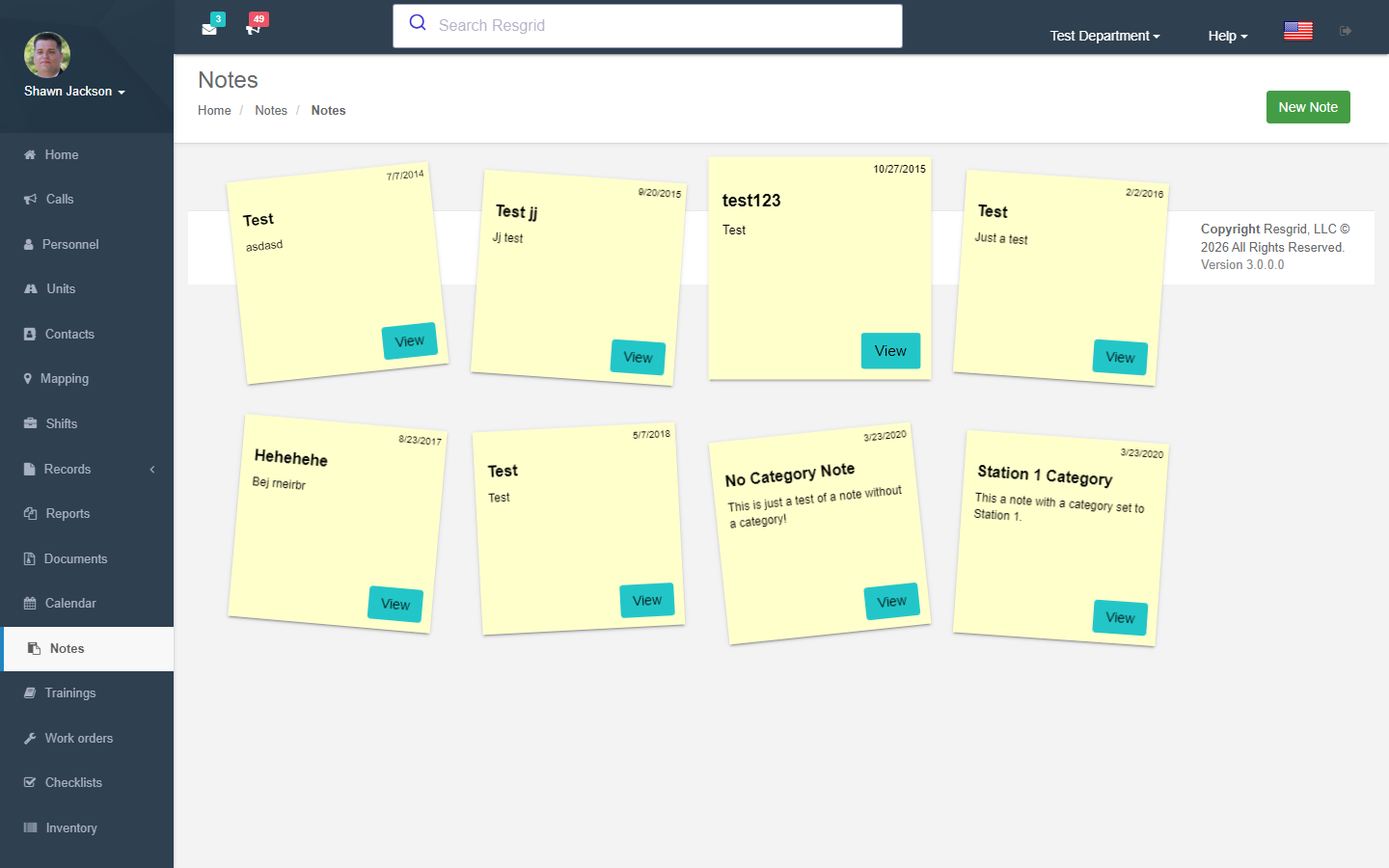
Note List
Displays all notes for the department.
Creating Notes
Authorization: CanUserAddNoteAsync runtime check
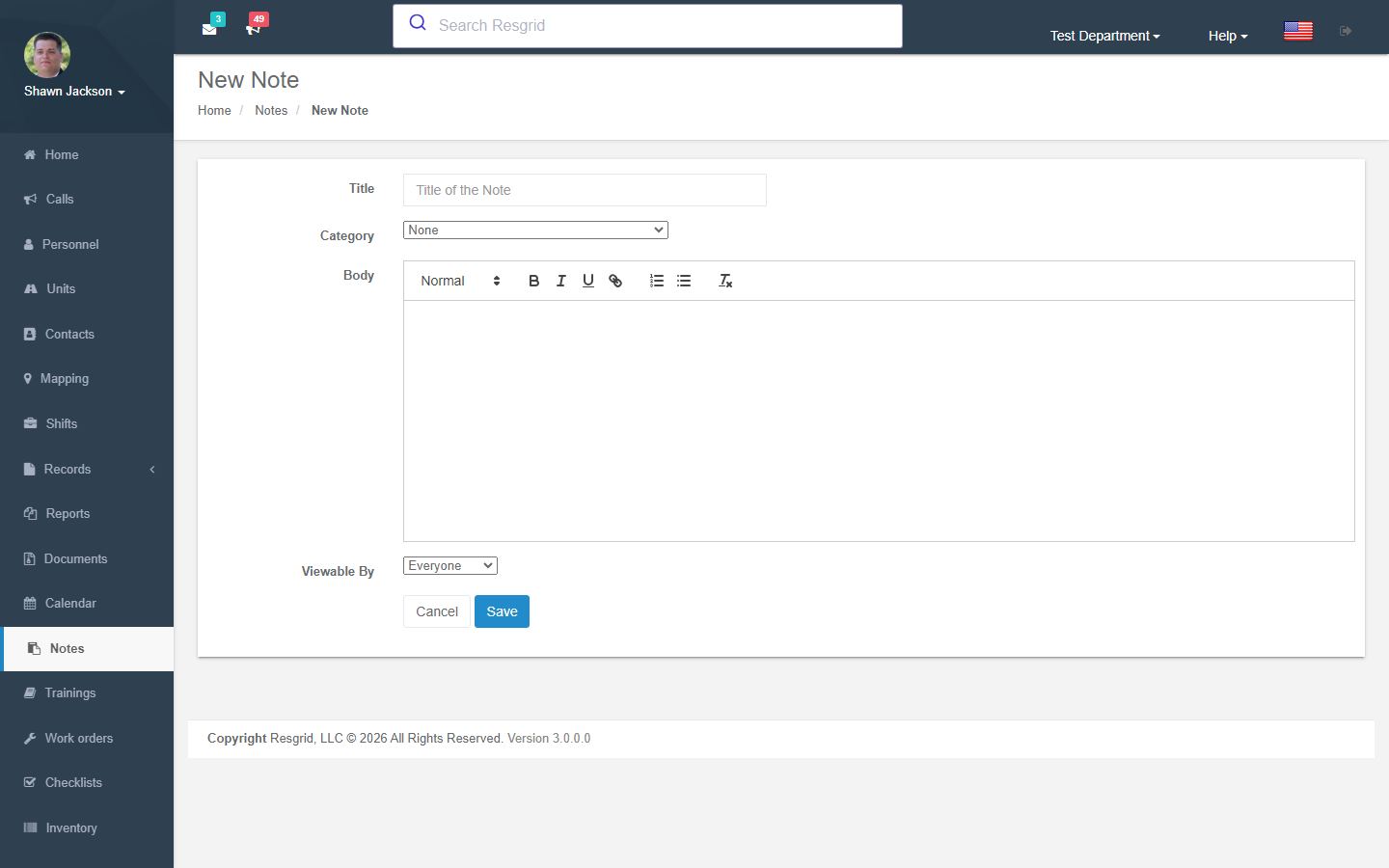
Note Fields
| Field | Required | Description |
|---|---|---|
| Title | Yes | Note title |
| Body | Yes | Note content (HTML-decoded before storage) |
| Category | No | Classification category |
| Admin Only | No | Restrict to admin view (admin-only setting) |
Non-admin users cannot set the admin-only flag (forced to false).
Creates AuditEvent (NoteAdded).
Viewing Notes
Validates department ownership. Displays full note content with department context.
Editing Notes
Authorization: CanUserEditNoteAsync runtime check
Modify note title, body, category, and admin-only flag. Body is HTML-decoded before storage.
Creates AuditEvent (NoteEdited).
Deleting Notes
Authorization: CanUserEditNoteAsync runtime check
Creates AuditEvent (NoteRemoved).
Note Categories
Categories are managed through the Types & Configuration module:
GetDepartmentNotesCategoriesreturns distinct categories for filtering
Setup examples
| Department type | How to set it up |
|---|---|
| Fire | Categories: Standing orders, Road closures (with expiry), Hydrants out of service, Meeting minutes. |
| EMS | Hospital diversion status (expiring notes), Protocol updates, Narcotics count procedure. |
| SAR | Callout procedure, Radio channel plan, Cache combination (restrict who can view via permissions). |
| Emergency management | Situation reports during activations (expire after the event), Contact updates. |
| Security | Site-specific notes per client group, Alarm codes (prefer Records occupancies for gate codes). |
Technical reference
NotesController; routes /User/Notes/{Index,NewNote,View,Edit,Delete}; permission CreateNote; event NoteAddedEvent; module switch NotesDisabled.
Interactions with Other Modules
| Module | Interaction |
|---|---|
| Types | Note categories managed in Types controller |
| Security | Admin-only flag restricts access; imperative auth checks |
| Department Settings | Module can be enabled/disabled |