Workforce & Business Ops — Overview
Workforce & Business Ops is the group of modules that handle the business side of running a department or company: billing customers, keeping certifications current, sending crews and apparatus out under contract or mutual aid and getting paid for it, recovering costs from Cal OES, and knowing what your people and resources actually cost. Fire departments use it for cost recovery and mutual-aid reimbursement, private ambulance and fire-protection companies for invoicing, wildland and security contractors for bids, contracts and daily time reports, and any employer for certification tracking.
The modules
| Module | What it does | Free or add-on |
|---|---|---|
| Certifications | Catalog of certifications, licences, inspections and permits for people and units, expiry dashboard, role requirements with optional enforcement, continuing-education credits, compliance report. | Free |
| Deployments (Deployment Finance) | A deployment wraps the units, personnel and equipment sent to an incident with daily time reports (DTRs), expenses, files and a manifest — for an operational record, a cost-recovery claim or a customer invoice. External resource orders (IROC, EMAC, CIFFC) are recorded and worked here too; each order creates its linked deployment. | Free |
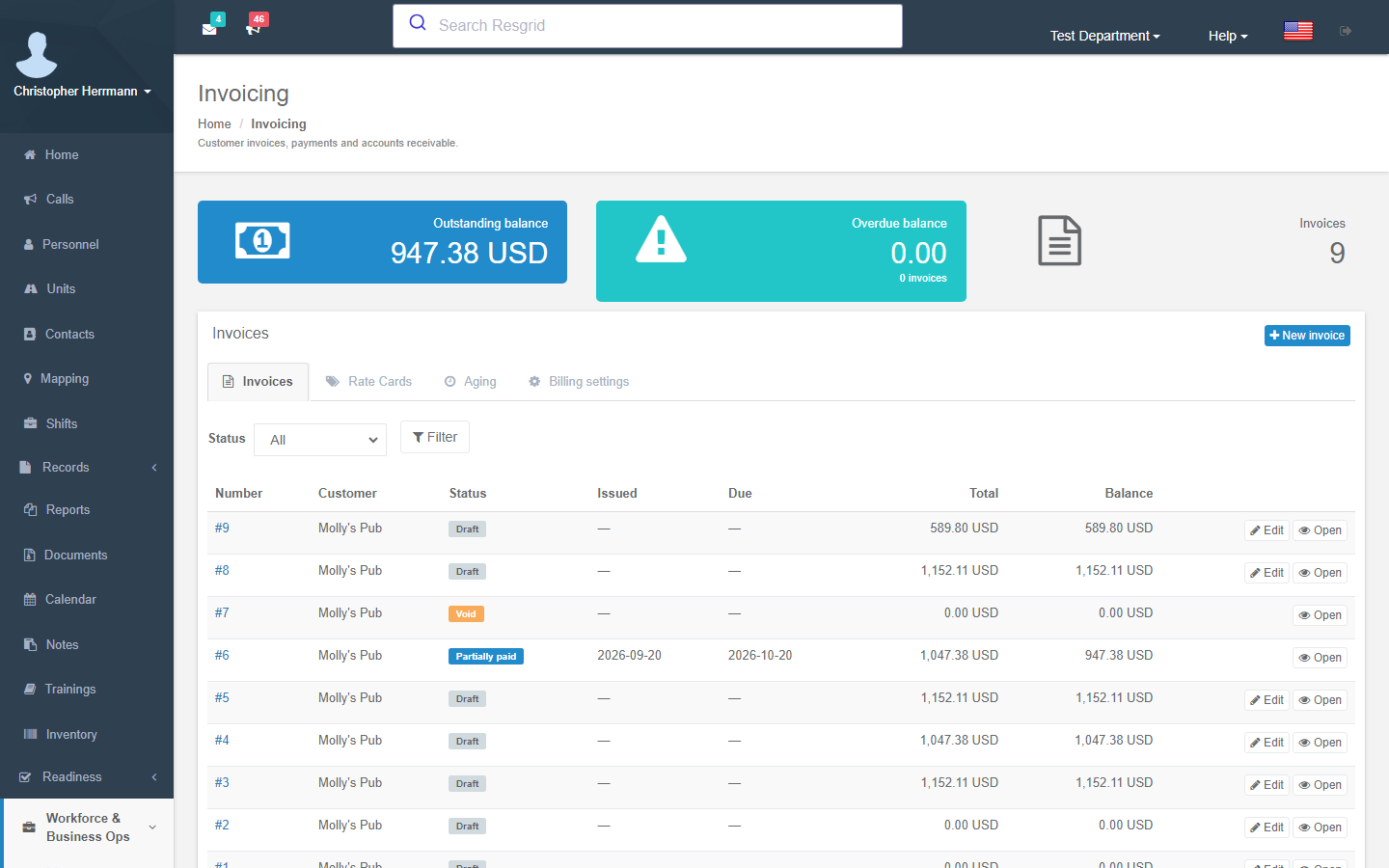
| Invoicing | Customer billing profiles, rate cards, invoices with line items generated from calls, PDF and e-mail delivery, payments, accounts-receivable aging. | Business Ops add-on |
| Online Payments | Customers pay invoices online through the department's own Stripe account; Resgrid never holds the money. | Business Ops add-on |
| Rate Schedules, Contracts & Compliance, Bids & Deployment Wizard, Contractor Billing | Explicit per-band contractor rate tables, service contracts with document requirements, priced bids that become a scheduled deployment call, and the billing engine that turns approved DTRs into an invoice and packet. | Business Ops add-on |
| Cal OES MARS | California mutual-aid reimbursement: agency profile, F-5 resource inventory, annual rate submissions, agreements, F-42 and expense-claim preparation, portal handoff, invoice and payment reconciliation. | Business Ops add-on |
| Workforce | Employer identity, establishments, workers, employment periods, job assignments, compensation profiles, work entries and annual pay facts — all protected data. | Business Ops add-on |
| Field Costing | Resource cost profiles, usage readings and cost runs that give the internal loaded cost and margin of a bid, call or deployment. | Business Ops add-on |
| Pay Data Reporting | The California CRD (Government Code §12999) pay data report wizard and voluntary demographic self-identification. | Business Ops add-on + Advanced Data Protection |
| Contacts | Customers, key-holders and agencies; the billing profile, pre-incident plan and site files hang off the contact. | Free (billing profile needs the add-on) |
Where to find it
The left sidebar has a collapsible Workforce & Business Ops group. Inside it you see only what your department has turned on and what you are allowed to use:
| Menu item | Appears when |
|---|---|
| Workforce | Business Operations module on, Workforce or Pay Data entitlement, and you are an administrator or hold a workforce permission. Members who only need to answer their own demographic questionnaire see My demographic response instead. |
| Certifications | You are an administrator or hold View certifications. |
| Invoicing | View invoicing permission, the Business Operations module switch on and the Invoicing.CustomerInvoicing flag. A lapsed add-on still shows the pages, read-only. |
| Deployments | The Operations.Deployments flag. Members see only deployments they are rostered on. External orders also need Records.System, an activated Records module and Create records. |
| Bids / Contracts | Administrator or Manage bids / Manage contracts, module switch on and an active add-on with the Invoicing.ContractorBilling flag. |
| Cal OES MARS | Module switch on and an active add-on with the CostRecovery.CalOesMars flag. Managers open the readiness dashboard; rostered members open their own action queue. |
Deployments is where deployments and external resource orders are created and run: recording an order (Deployments → External orders → New external order) creates its linked deployment, and the order's fills keep the roster and status up to date. Records → Deployment reports is the read-only side: printable reports, manifests, time reports, documents and CSV/JSON exports, plus older orders that were never linked.
Turning it on
Four different switches gate these pages. Work through them in order when something is missing:
Feature flags (hosted: Resgrid staff; self-hosted:
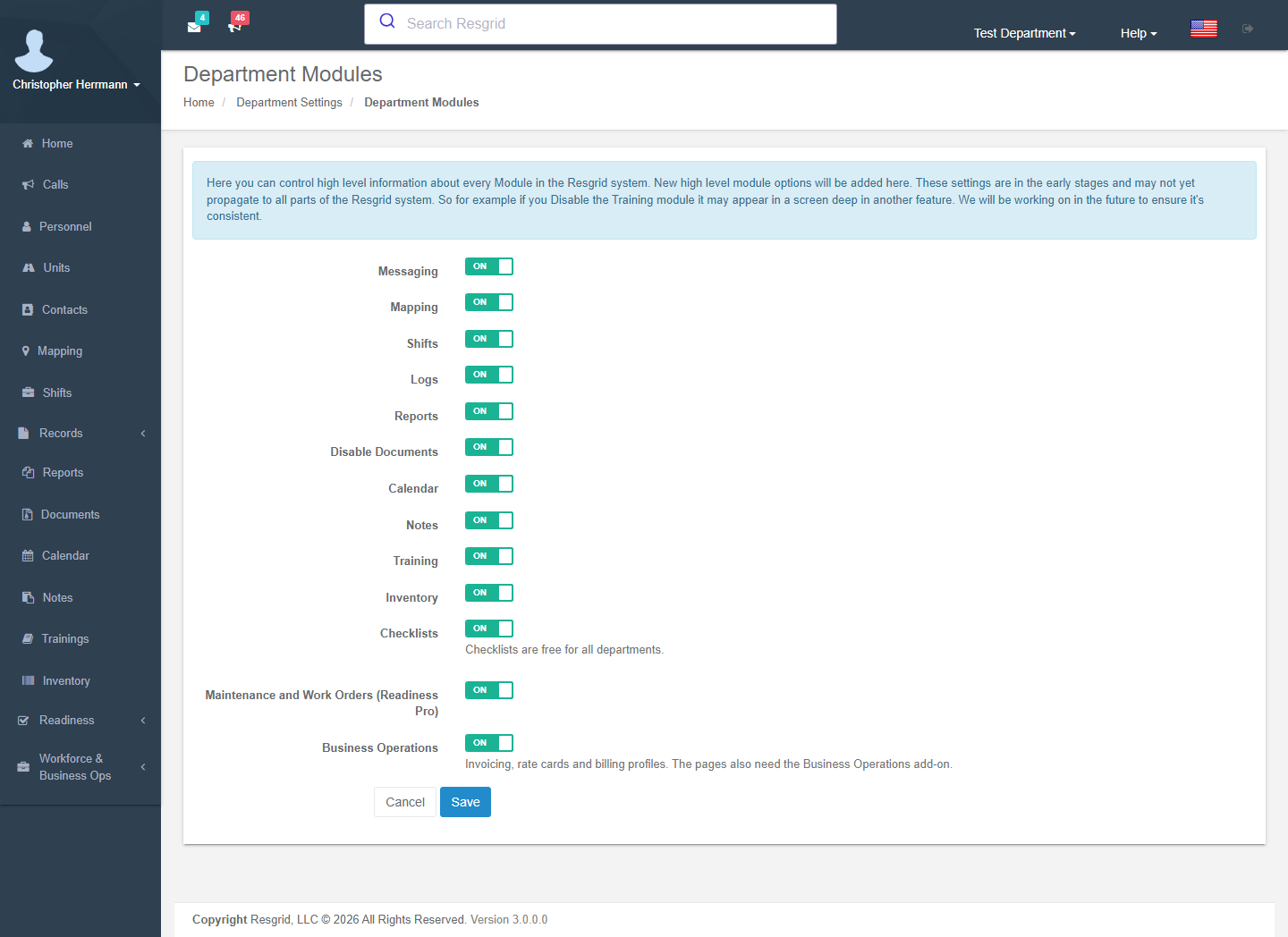
Resgrid.Console --FeatureFlags --Key=<key> --DepartmentId=N --On).Business.Operationsis the master flag for every paid surface;Operations.Deploymentsis free. See Feature flags.Module switch — Department menu → Department Settings → Module Settings → Business Operations. Turn it off to hide invoicing, contractor billing, MARS and workforce for the whole department without cancelling the add-on.
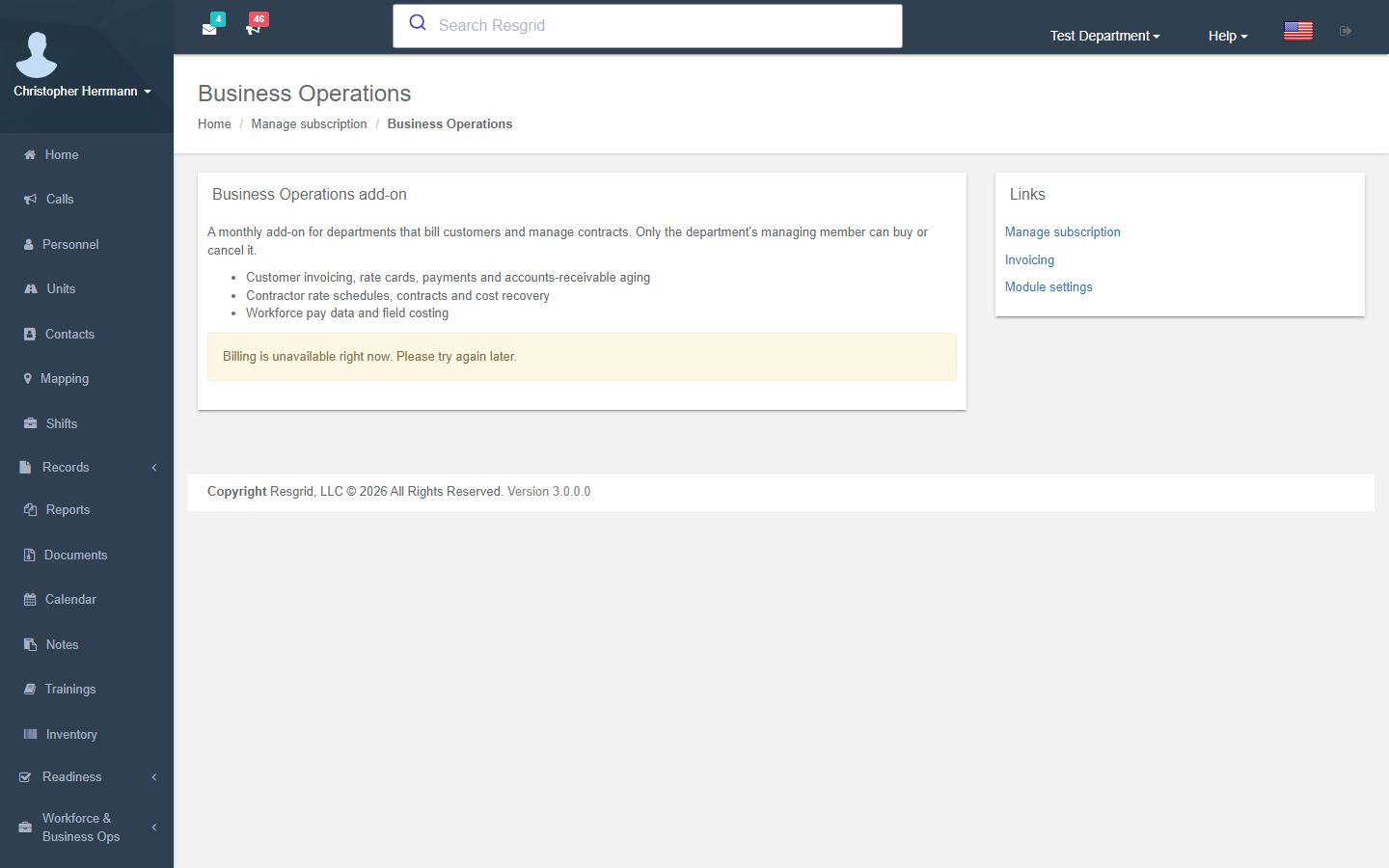
The Business Ops add-on — Department menu → Subscription and Billing → Business Operations. A monthly add-on (USD 250 / EUR 295 per month at the time of writing) that only the department's managing member can buy or cancel. When it lapses every page stays readable, but every create, edit, send or payment is refused with This needs an active Business Operations add-on. See Subscription & Billing.
Permissions — Department menu → Security and Permissions. Every new permission defaults to department administrators only; open it up to the people who bill, approve time or manage certifications. See Security & Permissions.
The add-on entitlement is read from the Billing API. On a self-hosted installation with no Billing API the paid surfaces stay off unless your licence includes them; ask Resgrid for a licence that enables PlanAddonTypes.BusinessOperations.
How the pieces fit together
| From | To | How |
|---|---|---|
| Contact | Billing profile → Invoice | Terms, discount, tax and rate card come from the profile; Add call builds lines from the rate card. |
| Invoice | Payment | Manual payment, or a pay link through your Stripe account. |
| Contact + rate schedule + contract | Bid | The bid snapshots rates from the schedule the contract names. |
| Accepted bid | Deployment + call | The deployment wizard creates both, with the roster seated and priced. |
| Deployment | Daily time reports, expenses | Filed by crews in the apps or on the web, approved by a manager. |
| Approved time reports | Invoice + packet | The contractor billing engine drafts the invoice; reports move to Billed. |
| Cost-recovery deployment | F-42 / expense claim | Cal OES MARS prepares the claim for the portal. |
| Time reports + usage + expenses | Cost run | Field costing prices them against workforce compensation and resource cost profiles. |
- A customer is a contact with a billing profile (terms, discount, tax, rate card, rate schedule).
- Simple per-call billing uses a rate card (hourly unit or personnel time, flat fees, mileage, materials): open an invoice, Add call, send.
- Contract work uses a rate schedule (bands, crews, premiums, policy), a contract (terms, document requirements) and a bid; accepting the bid runs the deployment wizard, which creates the call and the deployment with its roster. Crews file daily time reports in the apps or on the web; once approved the billing engine drafts the invoice and packet.
- Mutual aid in California uses the same deployment in cost recovery mode and prepares the F-42 and expense claim for the MARS portal instead of an invoice.
- Field costing reads the same time reports, usage readings and expenses against workforce compensation and resource cost profiles to show what the job actually cost.
Setup examples
| Organization | Typical set-up |
|---|---|
| Municipal / county fire | Certifications (NFPA, EMS, driver), role requirements Warn only; Deployment Finance for strike teams; Cal OES MARS if in California; invoicing of hazmat clean-ups, false-alarm fees and standby with a rate card. |
| Volunteer / combination fire | Certifications with expiry notifications and a monthly compliance report; Deployment Finance in operational only mode for mutual-aid documentation; Field costing to justify budgets. |
| Private ambulance / EMS | Invoicing with a per-call rate card (transport flat fee, mileage, standby), billing profiles per facility with net-30 terms and tax exemption, online payments; NREMT and state-licence certifications enforced. |
| Wildland / private fire contractor | Rate schedules per season (crew bands, engine and equipment day rates, OT thresholds), contracts per agency with COI / WCB / SAM document requirements, bids → wizard → deployment → DTRs → invoice packet; NWCG certifications on every seat. |
| SAR / CERT / emergency management | Certifications (SARTECH, ICS, first aid), Deployment Finance for EMAC or state deployments in cost recovery mode, F-42s if California. |
| Security company / facilities | Contracts per client site, rate schedules (guard hour bands, supervisor premium), bids for events, invoicing with online pay links, guard-card certifications enforced. |
| Industrial emergency response | Certifications (OSHA, HAZWOPER, confined space, respirator fit) with Enforce, unit inspections; Workforce and Field costing for internal chargebacks; Pay data reporting if a California employer with 100+ employees. |
| Delivery / transit / field service | Driver and vehicle certifications (CDL, DOT medical, annual inspection, registration, insurance) on units and people; invoicing of service jobs from calls. |
Technical reference
| Item | Value |
|---|---|
| Controllers | Invoicing, Certifications, Deployments, DeploymentOrders, DeploymentWizard, RateSchedules, Contracts, Bids, CalOesMars, Workforce, BusinessOperationsBilling (all /User/...); public PayController (/pay/{token}) |
| Entitlement | IBusinessOperationsAccessService.CanUse{Invoicing,ContractorBilling,CostRecovery,Workforce,PayDataReporting}Async — master flag Business.Operations + capability flag + module switch (DepartmentModuleSettings.BusinessOperationsDisabled) + an active PaymentAddons row of type BusinessOperations (4); fails closed, no grace |
| Flags | Business.Operations, Invoicing.CustomerInvoicing, Invoicing.OnlinePayments, Payments.StripeConnect (operator only), Operations.Deployments, Invoicing.ContractorBilling, CostRecovery.CalOesMars, Workforce.InternalCosting, Compliance.CaliforniaPayDataReporting |
| Permissions | 40–41 invoicing, 42–44 certifications, 74–78 workforce, 79 Cal OES MARS, 116–119 deployments / bids / contracts / time reports |
| Workers | 29 invoice maintenance (every 15 min), 31 bid expiration, 32 deployment-finance + MARS reminders, 33 compliance expiry (all daily, early morning), 34 certification expiry (hourly tick, one sweep per department-local day), 49 pay-data readiness (daily) |
| Workflow triggers | Invoices 52–57 and 94–95, contractor 74–86, certifications 23 and 87–93, 180–187 |
| API | api/v4/Invoices, Certifications, Deployments, DeploymentOrders (external-order commands), TimeReports, RateSchedules, ServiceContracts, Bids, CalOesMars, FieldCost |
| Search | Invoices, rate cards, bids, contracts, deployments and certification types are indexed in unified search; MARS, workforce and time-report data are not |