Groups & Stations
Groups are how you organise people and units. A Station group is a physical place with an address — a fire station, an ambulance base, an EOC, a client site, a depot — that personnel and units respond to and that owns a response area (geofence). An Organisational group is a container without a location — a battalion, a division, a district, a team, a client account — used to nest stations and to scope permissions.
Where to find it
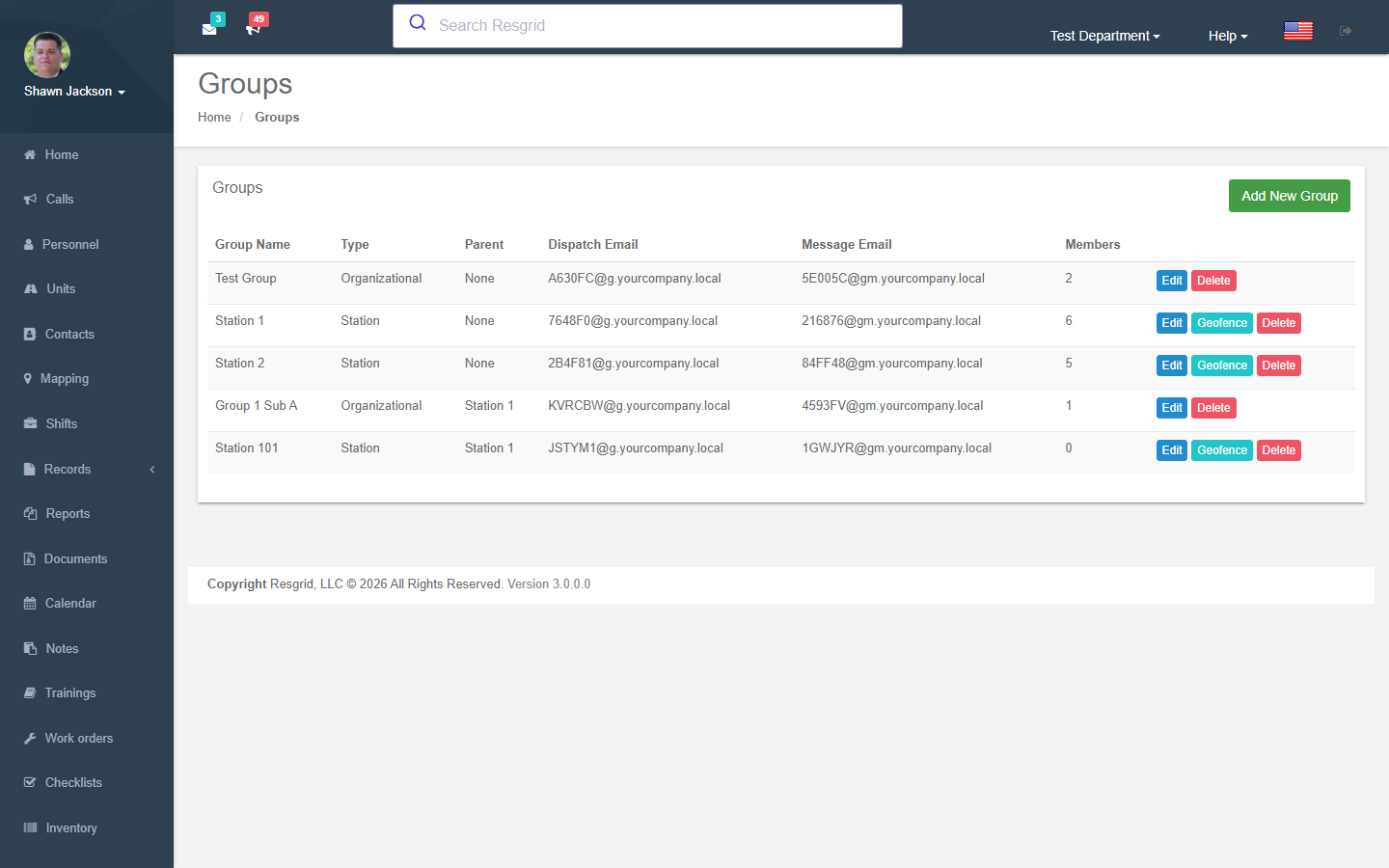
Department dropdown → Stations and Groups (/User/Groups). The list shows every group with type, parent, members and Edit / Geofence / Delete buttons.
Creating a group
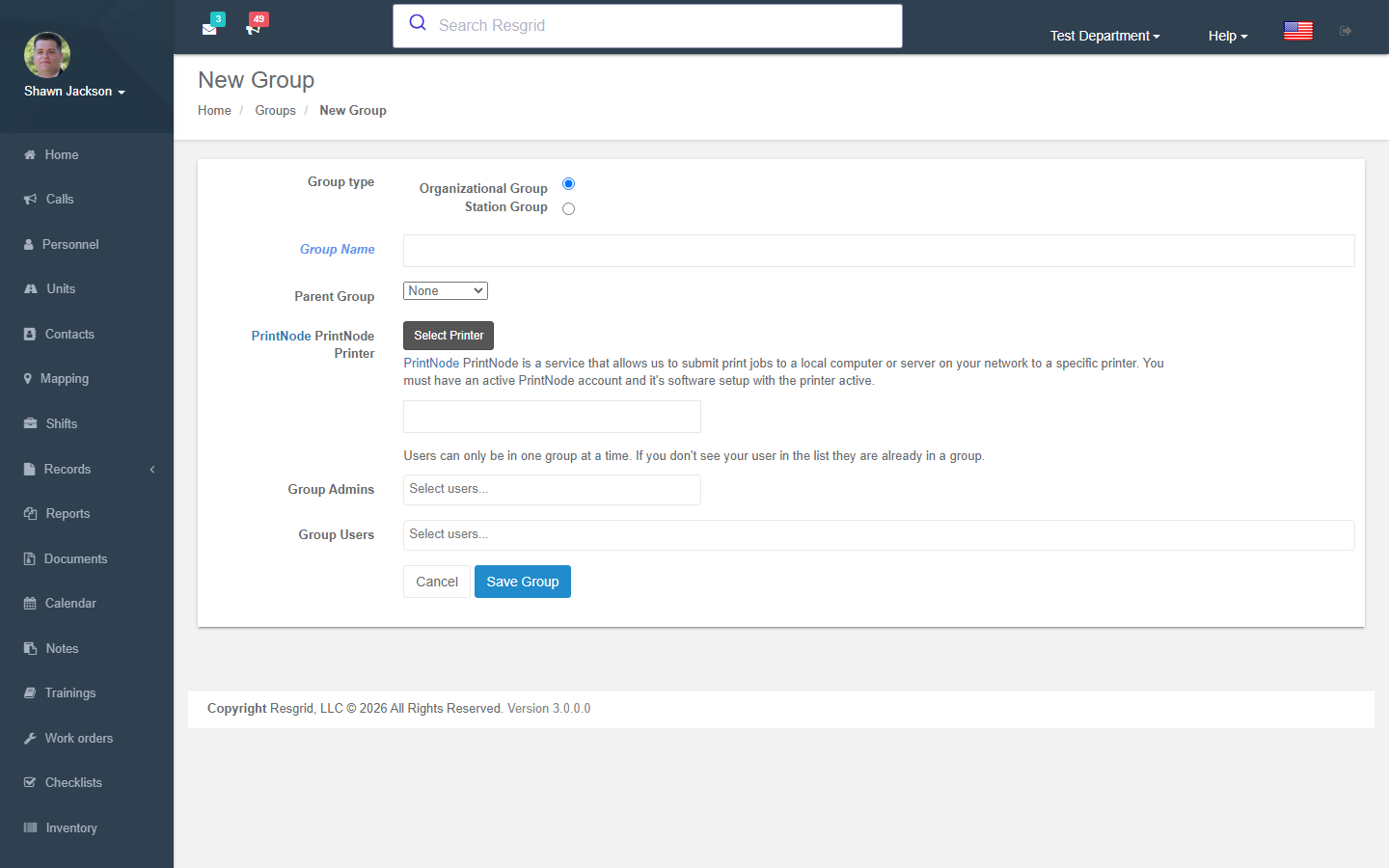
| Field | Notes |
|---|---|
| Group name | Station 1, Battalion 2, North District, Client: Acme HQ. |
| Group type | Station (requires a location) or Organisational. |
| Parent group | Nest groups to build a hierarchy (Department → Battalion → Station). |
| Station address | Street address, or GPS coordinates (decimal), or a what3words address. Used for the map, Responding to station, ETA and closest-unit selection. |
| Dispatch email / Message email | Optional addresses: mail sent to the dispatch address creates a call dispatched to this group; the message address delivers a message to the group. |
| PrintNode printer / Print calls to printer | With a PrintNode account, calls dispatched to this group's members or units are printed on the station printer. |
| Group admins / Group users | Assign members. A person can be in one group only. |
Geofence (response area)
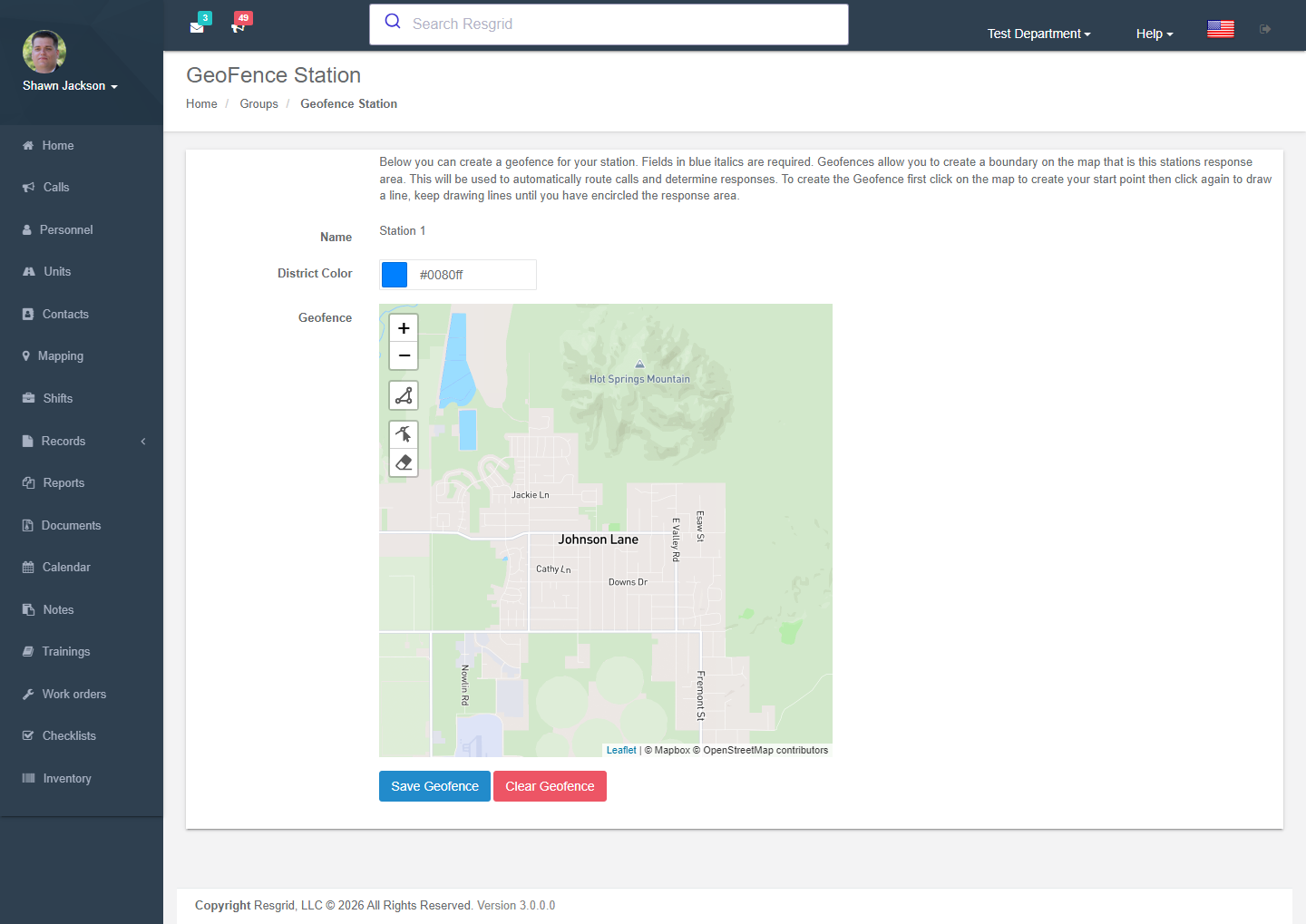
Geofence on a station opens a map; click to draw the boundary of the station's first-due area and pick a district colour. Geofences are used by:
- Run cards in station-based mode — the station whose area contains the call is selected first, cascading to the next nearest on shortfall;
- Move-up recommendations and station coverage minimums;
- Map display and the Big Board.
Deleting a group
A group cannot be deleted while it has active members, child groups, units or shift groups — move or delete those first. Deleting removes group data, personnel and unit memberships, group inventory and shift data permanently.
How groups are used elsewhere
| Module | Use |
|---|---|
| Dispatch | Dispatch to a whole group; Dispatch shift instead of group. |
| Personnel / Units | Grouping on lists and the dashboard; group admins manage their own group. |
| Security | Department + group admins permission level; group-scoped visibility. |
| Shifts | Shift groups per station. |
| Records | Group anchor for numbering and group-scoped visibility. |
| Checklists / Work orders | Target type Group / station; assignment routing. |
| Inventory | A station is a stock location. |
| Notifications | Low-availability alerts per group. |
Setup examples
| Department | Structure |
|---|---|
| Single-station volunteer fire | One station group. Everyone in it. |
| Multi-station fire | Organisational Battalion 1/2 → Stations 1–6 with geofences; officers as group admins. |
| County EMS | Stations per base; organisational North / South division. |
| SAR | Organisational Ground / Technical / K9 / Support teams; one station for the cache / meeting point. |
| Emergency management | Station: EOC, Alternate EOC; organisational groups per section (Operations, Planning, Logistics, Finance) and per ESF. |
| Security company | Organisational group per client, station groups per site (with address and geofence for alarm response); site supervisors as group admins. |
| Delivery / transit | Station per depot; organisational groups per route region. |
| Industrial | Station: Main plant, Tank farm, Warehouse; organisational Day / Night ERT. |
Technical reference
| Item | Value |
|---|---|
| Controller | GroupsController |
| Routes | /User/Groups/{Index,NewGroup,EditGroup,DeleteGroup,Geofence}?departmentGroupId= |
| Policies | Group_View/Create/Update/Delete |
| Data endpoints | GetAllGroups, GetMembersForGroup?groupId=, GetGroupsForCallGrid, SaveGeofence |
| Model | DepartmentGroup (Type 1 = Station, 2 = Organisational), DepartmentGroupMember, Address, Geofence (polygon + colour) |
| Events | GroupAddedEvent, GroupUpdatedEvent, UserAssignedToGroupEvent |