Messages
Messages is Resgrid's internal mail: send a message to individuals, groups, roles or the whole department with optional responses (Yes / No / Maybe or custom), delivered by push, SMS and email according to each recipient's preferences. Use it for announcements, polls (Can you cover Saturday?) and anything that needs a record — real-time back-and-forth belongs in Chat.
Profile dropdown → Mailbox or the envelope icon in the top bar. Compose, Inbox and Outbox are tabs on the page.
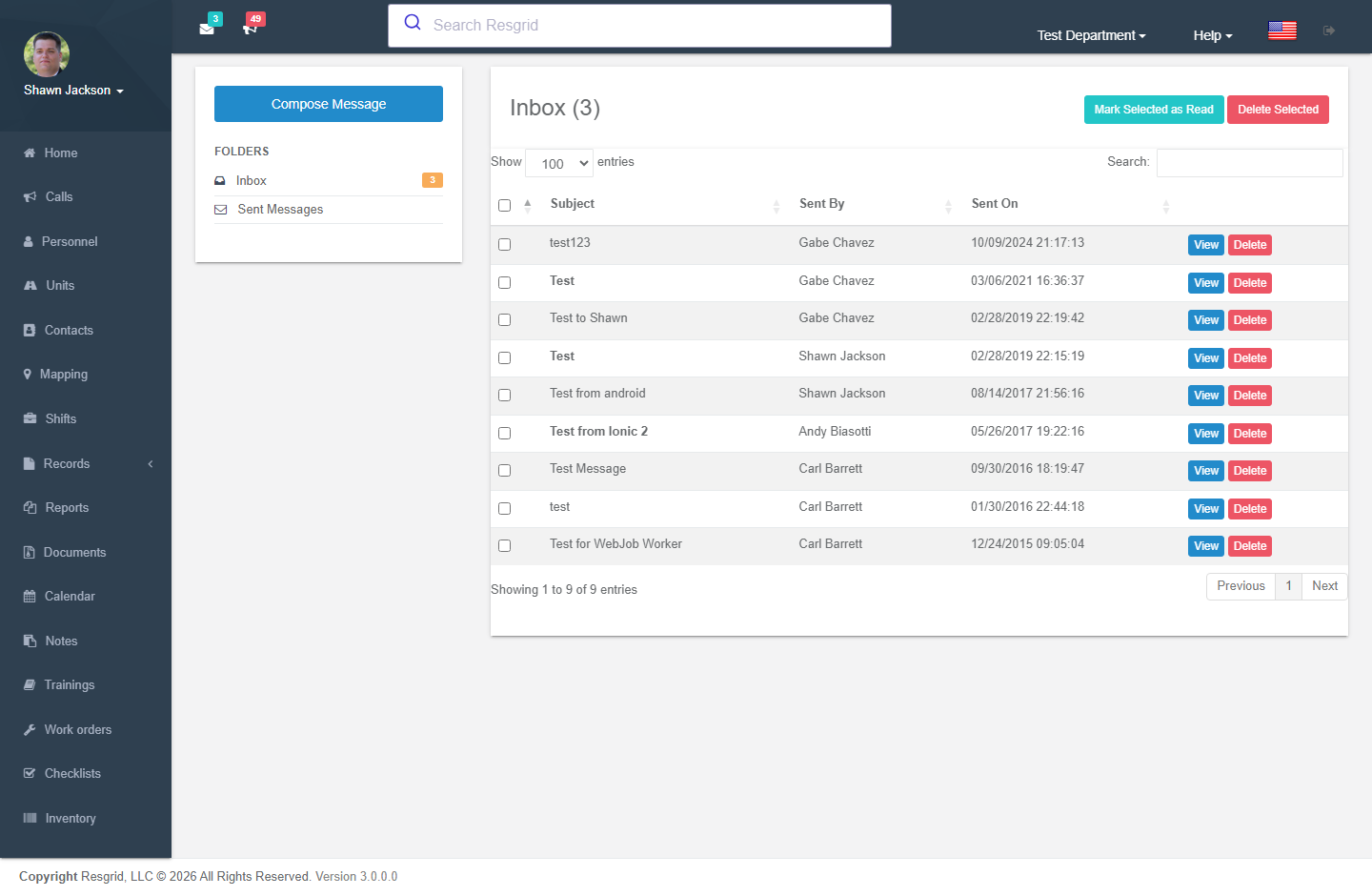
Inbox
Authorization: Messages_View policy
Displays incoming messages with:
- Sender name
- Subject line
- Read/unread status
- Timestamp
Unread Messages
The GetTopUnreadMessages endpoint powers the top navigation unread message indicator.
Outbox
Authorization: Messages_View policy
Displays sent messages.
Composing Messages
Authorization: Messages_Create policy
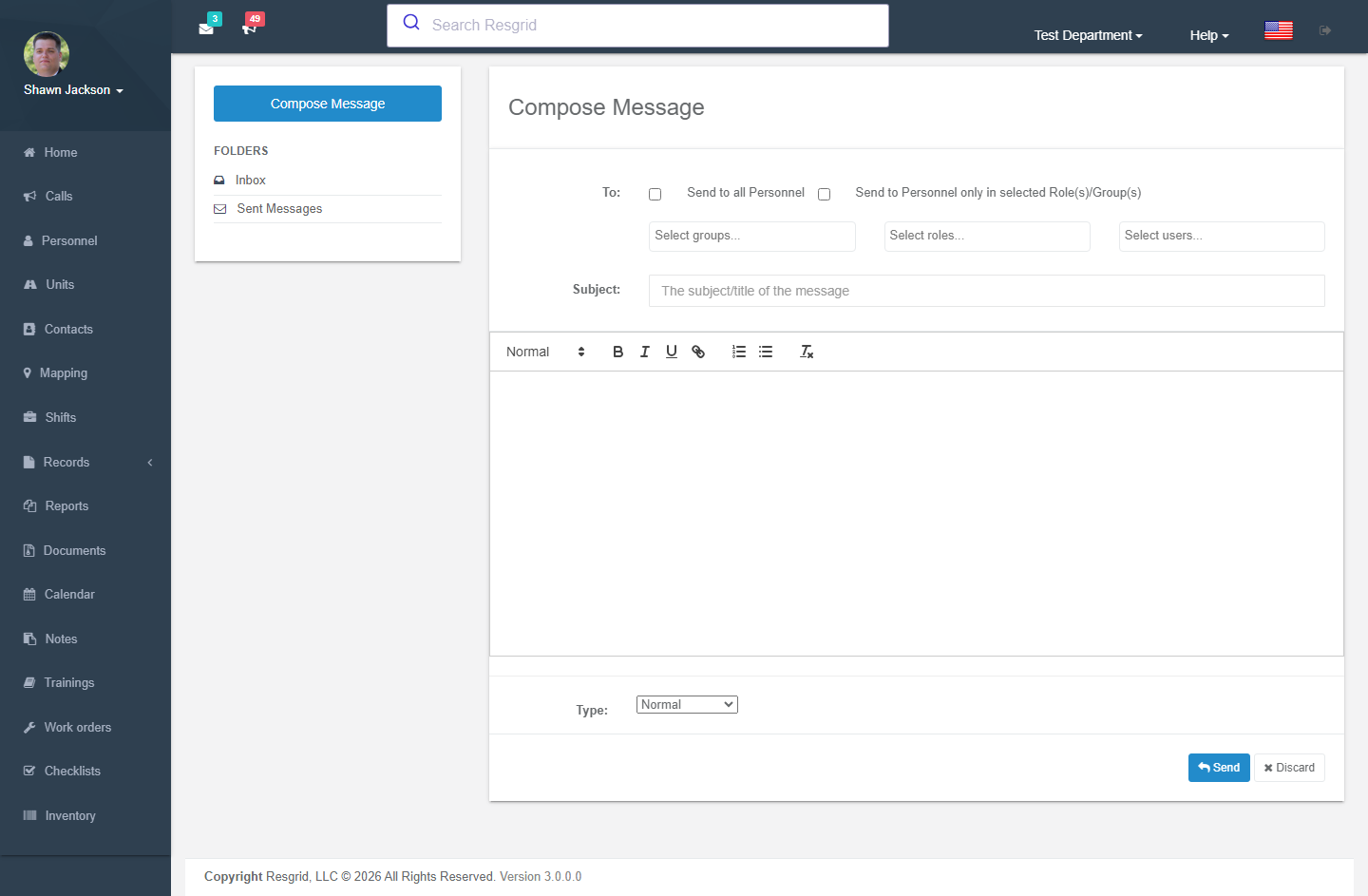
Send Modes
Messages support three sending modes:
1. Send to All
Sends the message to every member of the department.
2. Send to Match Only
Sends to users who are in both specified roles AND specified groups (intersection). This is useful for targeting specific combinations like "All EMTs at Station 1."
3. Specific Recipients
Send to a combination of:
- Individual users
- Groups (all members of selected groups)
- Roles (all users with selected roles)
Shift Exclusion
When composing, you can exclude personnel on specific shifts from receiving the message. This prevents disturbing off-duty personnel.
Message Content
| Field | Description |
|---|---|
| Subject | Message subject line |
| Body | HTML-decoded message body |
| Recipients | Target selection (mode-dependent) |
| Message Type | Categorization type |
Viewing Messages
Authorization: Messages_View policy + CanUserViewMessage runtime check
When viewing a message:
- The message is automatically marked as read
- Full message content is displayed
- Response options are available
Message Responses
Recipients can respond to messages with:
- A coded response (e.g., Yes, No, Maybe)
- An optional note with the response
Message Management
Single Operations
| Action | Authorization | Description |
|---|---|---|
| Delete Inbox Message | Messages_Delete | Marks message as deleted in inbox |
| Delete Outbox Message | Messages_Delete | Marks message as deleted in outbox |
Batch Operations
| Action | HTTP Method | Description |
|---|---|---|
| Delete Multiple Inbox | DELETE | Comma-separated message IDs |
| Delete Multiple Outbox | DELETE | Comma-separated message IDs |
| Mark Messages as Read | PUT | Comma-separated message IDs |
Setup examples
| Department type | How to set it up |
|---|---|
| Volunteer fire | Weekly training this Tuesday message with Yes/No responses to headcount attendance; send to the Firefighter role. |
| EMS | Shift-coverage requests with responses; department-wide policy notices with read tracking. |
| SAR / CERT | Deployment availability polls (Available for a 48 h deployment starting tomorrow?) to the whole department. |
| Emergency management | Activation notices to ESF leads with acknowledgement responses. |
| Security / business | Post orders changes to a site group; use distribution lists for client contacts. |
Technical reference
MessagesController; routes /User/Messages/{Inbox,Outbox,Compose,ViewMessage,MessageResponse}; permission CreateMessage; event MessageSentEvent; module switch MessagingDisabled; delivery honours contact verification and ADP generic-content rules.
Data Endpoints
| Endpoint | Purpose |
|---|---|
GetInboxMessageList | Inbox messages with read status and sender name |
GetOutboxMessageList | Sent messages |
GetTopUnreadMessages | Unread messages for top navigation widget |
Interactions with Other Modules
| Module | Interaction |
|---|---|
| Groups | Messages can target entire groups |
| Personnel Roles | Messages can target role holders |
| Shifts | Shift personnel can be excluded from messages |
| Dashboard | Unread count displayed in top icons |
| Department | Module can be enabled/disabled |
| Contact Verification | SMS message delivery is gated by mobile number verification status. Users with Pending mobile verification will not receive SMS messages. |