Reports
Reports are the printable, exportable views of what happened: personnel and staffing, certifications, calls, shifts, department activity, action logs, event attendance, checklist compliance and more. Most take a date range or filter; all can be printed, exported and — from Profile → Report delivery — scheduled to be emailed on a recurring basis.
Left menu → Reports. The Records module adds its own saved reports, analytics and exports; Inventory, Work Orders and Checklists have report pages of their own.
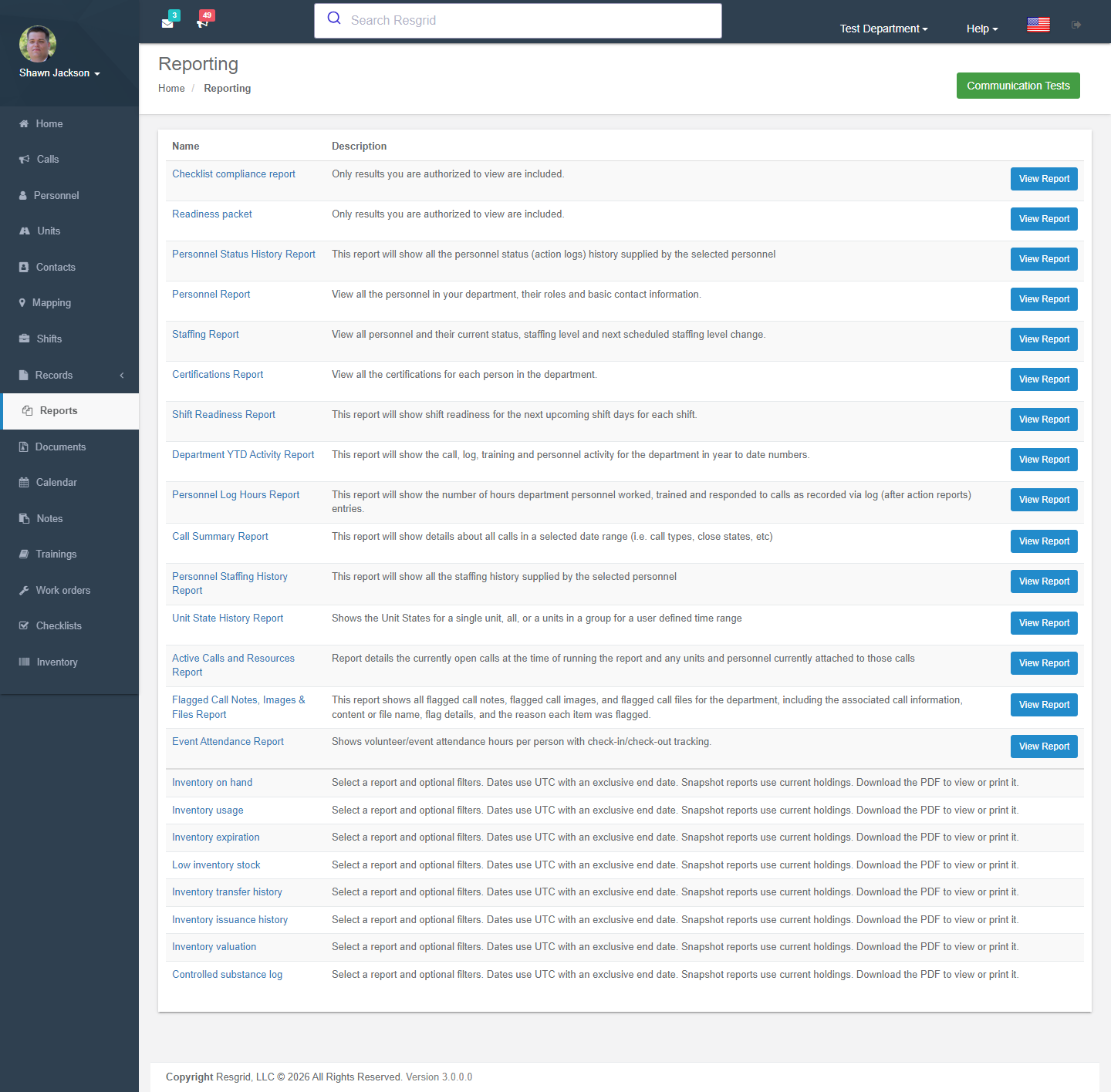
Report Dashboard
Authorization: Reports_View policy
The report index page provides access to all available report types.
Available Reports
Personnel Status History Report
Parameters: Group selection, user selection, date range
Displays all action log entries (status changes) for selected personnel within a date range.
Custom Status Resolution: For status IDs > 25, the report resolves custom state names from the department's custom status configuration.
Personnel Roster Report
Comprehensive personnel listing including:
- Full name
- Group/station assignment
- Personnel roles
- Email address
- Username and ID
- Phone number
- Mailing address
Privacy: Respects the visibility matrix — users only see personnel they have permission to view.
Staffing Report
Current staffing levels for all personnel:
- Per-person staffing status
- Group breakdowns
- Next scheduled staffing changes
- Supports custom staffing levels
Certifications Report
Lists all certifications across the department:
- User name
- Certification name, number, and type
- Issuer
- Expiry date
- Area of certification
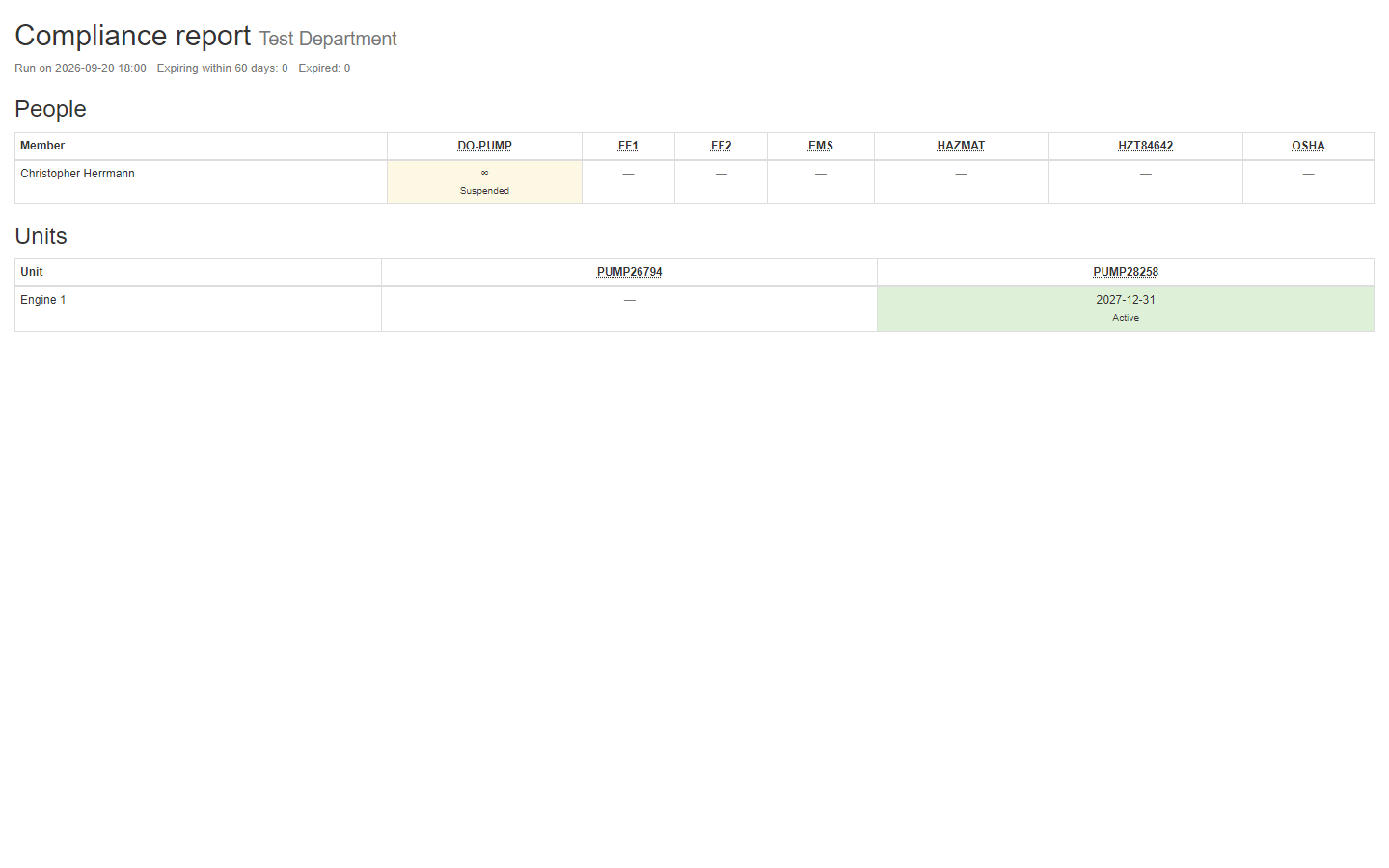
Certification Compliance Report
The typed-catalog counterpart of the certifications report, built from the Certifications dashboard: one grid for people and one for units, a column per certification type, cells coloured valid / expiring within the notification window / expired, with the run on date for auditors and accreditation files. Respects the personnel visibility matrix; can be scheduled like any other report.
Log Report
Parameters: Log ID
Detailed report for a single work log:
- Full log details
- User data
- Station attendance calculation
Authorization: CanUserViewAndEditWorkLogAsync check required.
Upcoming Shift Readiness Report
Analyzes upcoming shifts for operational readiness:
- Role requirements per group
- Current signups vs. requirements
- Delta (surplus/deficit)
- Readiness status
Department Activity Report
Annual activity overview:
- Call counts by type
- Training counts by month
- Per-person response statistics
- Per-person training participation
- Action log analysis
Personnel Hours Report
Parameters: Date range
Calculates hours worked per person:
- Call hours — Time from call logged to closed
- Work hours — Time from work log start to end
- Training hours — Training participation time
- Total hours — Combined total
Hours calculation uses multiple data sources:
- Log start/end times
- Unit dispatch/in-quarters timestamps
- Call logged/closed timestamps
Personnel Hours Detail Report
Parameters: User ID, date range
Individual breakdown of hours:
- Per-call detail
- Per-work-log detail
- Per-training detail
Personnel Staffing History Report
Parameters: Group selection, user selection, date range
All staffing level changes within a date range with custom state resolution.
Call Summary Report
Parameters: Date range
Comprehensive call analysis:
- Counts by call type
- Counts by close state
- Per-call details (personnel count, unit count, first on-scene time)
Unit State History Report
Parameters: Group selection or unit selection, date range
All unit state changes within a date range:
- By group or individual unit
- State name resolution (including custom states)
Active Calls Resource Report
Real-time snapshot of active calls and assigned resources:
- Currently open calls
- Dispatched personnel with names, roles, and groups
- Dispatched units with active role holders
Report Parameters
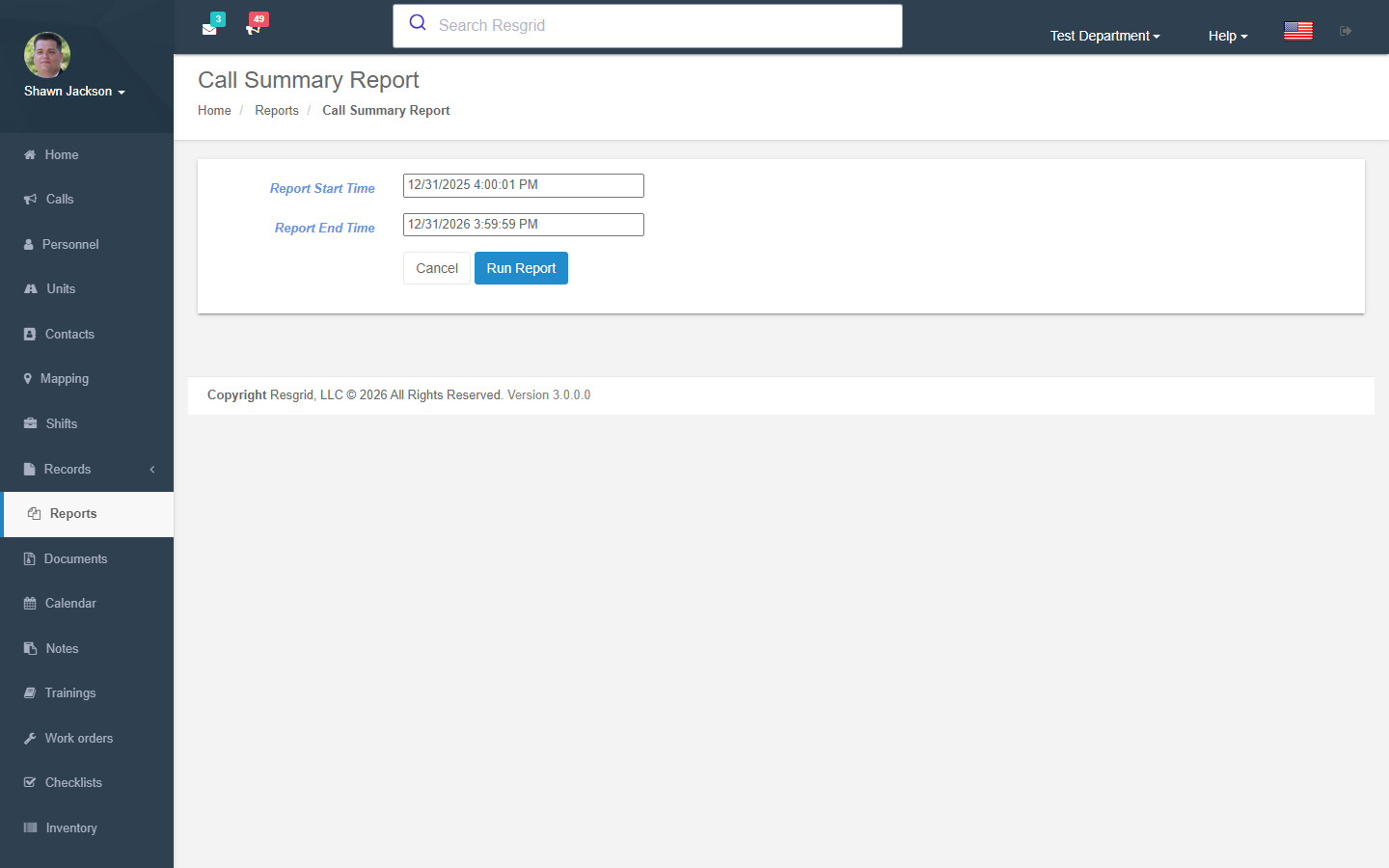
Several reports have parameter selection pages that allow filtering:
| Report | Parameters |
|---|---|
| Personnel Hours | Date range, specific user (optional) |
| Staffing History | Group, user, date range |
| Unit State History | Group, unit, date range |
| Action Logs | Group, user, date range |
| Call Summary | Date range |
All parameter pages respect the visibility matrix — only showing personnel/groups the user has permission to view.
Setup examples
| Department type | How to set it up |
|---|---|
| Volunteer fire | Schedule the Personnel hours and Call summary reports monthly to the chief and treasurer (LOSAP points, run reimbursements); Certification compliance quarterly to the training officer. |
| Career fire | Unit state history and Personnel staffing history for payroll reconciliation; Upcoming shift readiness each morning. |
| EMS | Call summary by type for the medical director; Event attendance for CE credit. |
| SAR | Personnel hours per mission for volunteer-hour grants; Department activity YTD for the board. |
| Emergency management | Action logs during activations for the after-action report; Event attendance for exercises. |
| Security / business | Active calls and resources live view for the operations centre; Flagged call notes for supervisor review. |
Technical reference
ReportsController (+ ChecklistReportsController); routes /User/Reports/{Index,PersonnelReport,StaffingReport,CertificationsReport,CertificationComplianceReport,UpcomingShiftReadinessReport,DepartmentActivityReport,PersonnelHoursReportParams,PersonnelStaffingHistoryReportParams,UnitStateHistoryReportParams,ActionLogsParams,CallSummaryReportParams,ActiveCallsResourcesReport,FlaggedCallNotesReportParams,EventAttendanceReportParams,ChecklistComplianceReport,LogReport}; scheduled delivery via ProfileController.Reporting and the worker; module switch ReportsDisabled.
Internal Report Generation
The InternalRunReport endpoint is an anonymous access endpoint intended for system-internal use (e.g., scheduled report delivery). It supports generating:
- Staffing Report
- Personnel Report
- Certifications Report
- Shift Readiness Report
InternalRunReport uses [AllowAnonymous] and should be network-restricted in production to prevent unauthorized access.
Interactions with Other Modules
| Module | Interaction |
|---|---|
| Calls | Call data for summary and activity reports |
| Personnel | Personnel data for roster and hours reports |
| Units | Unit state data for history reports |
| Shifts | Shift data for readiness report |
| Logs | Work log data for hours and activity reports |
| Trainings | Training data for activity and hours reports |
| Custom Statuses | Status name resolution throughout |
| Groups | Group filtering on parameter pages |
| Certifications | Certification data for report |
| Profile | Scheduled report delivery via ProfileController |
| Security | Visibility matrix filtering |
| Department Settings | Module can be enabled/disabled |