Legal Holds & Public-Records Requests
Two compliance workflows that most departments meet sooner or later: preserving records for litigation, an investigation or a records request, and producing records in response to a public-records (FOIA / state sunshine law) request with the right redactions and a statutory clock.
Preservation (legal) holds
Records → Legal holds (requires Manage legal holds). A hold prevents retention purge and voiding for its scope. A hold on a record also protects its incident analysis and evidence; releasing a disclosure does not release the hold.
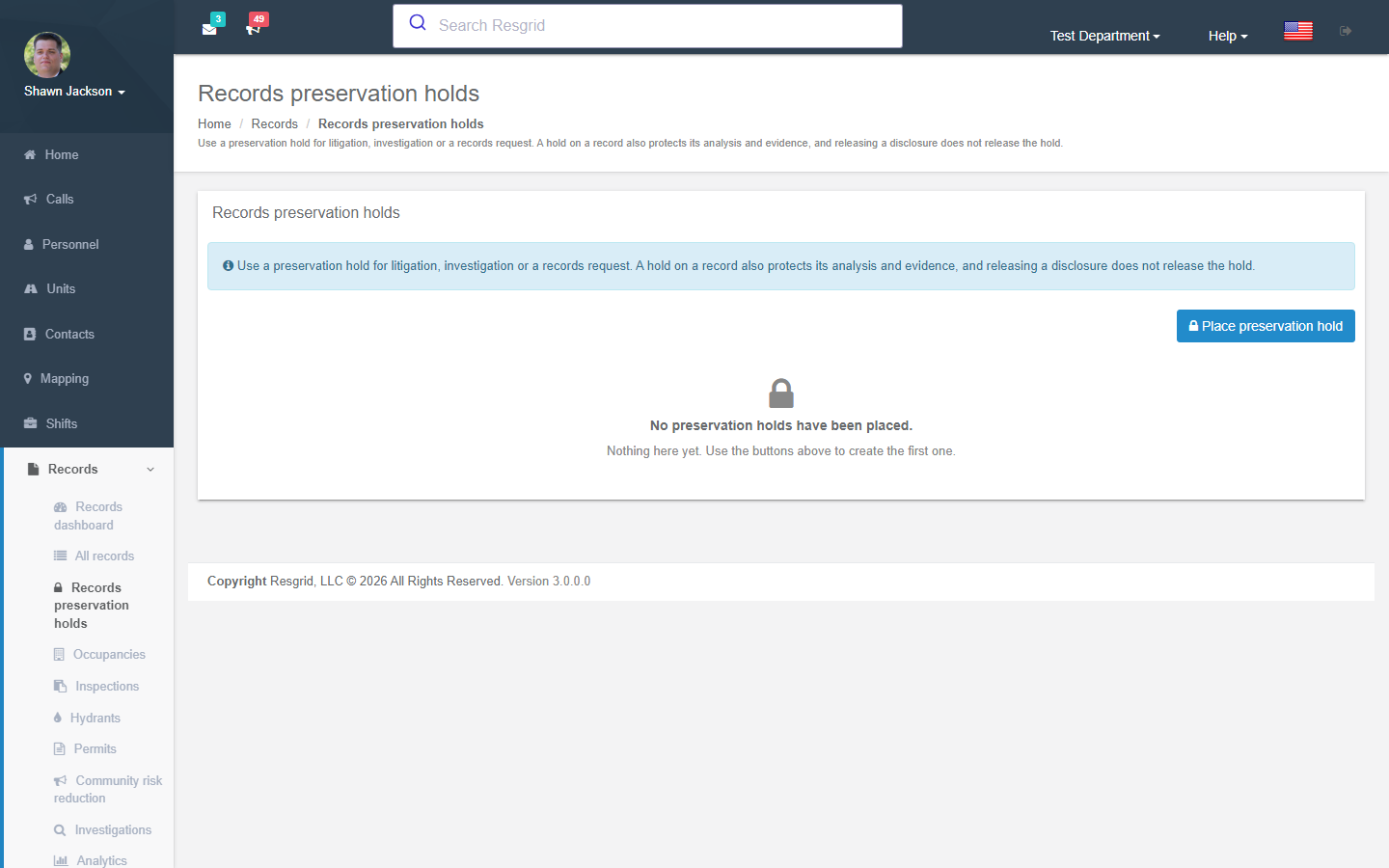
Place preservation hold:
| Field | Notes |
|---|---|
| Scope | A specific record identifier, or a definition scope with an optional preserved period (UTC; leave both dates blank for every date), optionally including the NERIS incident and analysis. |
| Basis for the hold | Litigation, Investigation, Public records request, Other. |
| Authority or case reference / Preservation instructions | Recorded with the hold. |
Holds list who placed and released them; Release hold requires the authority and reason for release.
Records requests (disclosures)
Records → Manage → Records requests (requires Manage record disclosures). A request carries a statutory clock, so it is tracked here rather than answered ad hoc.
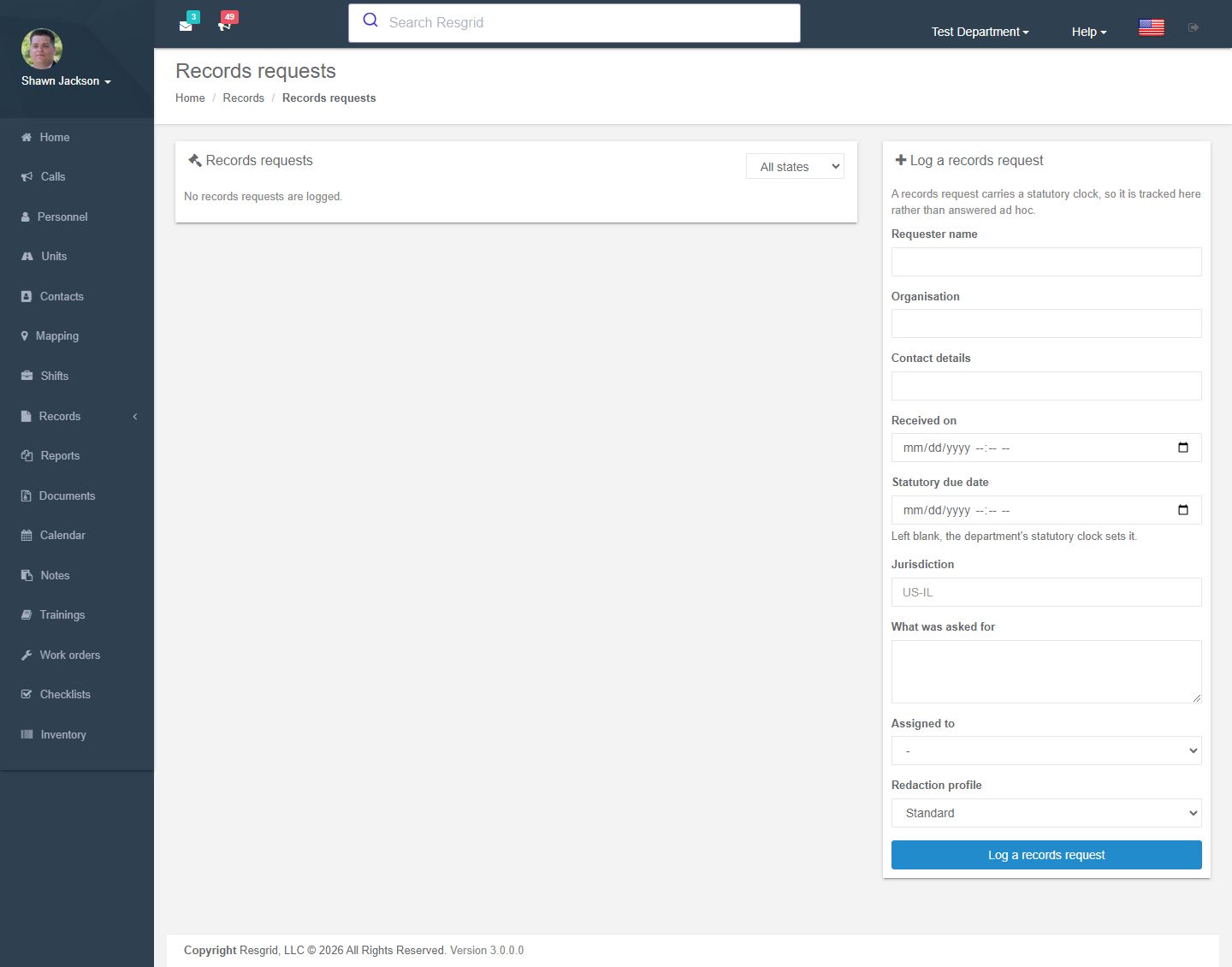
Workflow
- Log a records request — reference, requester name / organisation / contact details, received on, statutory due date (blank uses the department's clock), what was asked for (scope narrative).
- Save the scope — the records the request resolves to (a preview lists them). The scope freezes once anything has been produced against it.
- Review the records with a redaction profile: Standard (withhold restricted content), No personal identifiers (also withhold participant identities) or Full disclosure. Attachments can be reviewed with the same profile.
- Produce — creates an immutable, checksummed production artifact (zip or PDF). A later amendment cannot change what was produced; Verify the checksum confirms a stored production is intact.
- Release — the release approver (department setting) releases the production to the requester and the release is recorded.
- Close the request with a reason.
The dashboard counts open and overdue requests. Requester identity can be restricted so that only the disclosure officer sees it.
Disclosure defaults
In Records settings: statutory response clock (days), default redaction profile and release approver (a member, or any department administrator).
Setup examples
| Department | Notes |
|---|---|
| US municipal fire / EMS | Clock per state law (e.g. 10 business days); default profile No personal identifiers for EMS; city attorney as release approver. |
| Canadian department | Clock per provincial FOI act (30 days); Standard profile. |
| Private company | Use the workflow for subpoenas and insurer requests; Full disclosure reserved for counsel. |
Technical reference
| Item | Value |
|---|---|
| Routes | /User/RecordLegalHolds/Index?recordId=, /User/Disclosures/{Index,Details,Review,ReviewAttachment,Download} |
| Model | RmsLegalHold, RmsDisclosure, RmsDisclosureProduction |
| Permissions | ManageRecordLegalHold (66), ManageRecordDisclosures (65), ShareRecordsExternally (58) for release |
| Retention | Retention purge skips any record under an active hold. |