Logs
Logs is the original run-log and work-log module — narrative records of calls, trainings, work details and meetings with participants, units and attachments. Departments that enable the Records module keep Logs in read-only mode for history; new entries are written as Records instead.
Left menu → Logs (appears only while Records is not enabled).
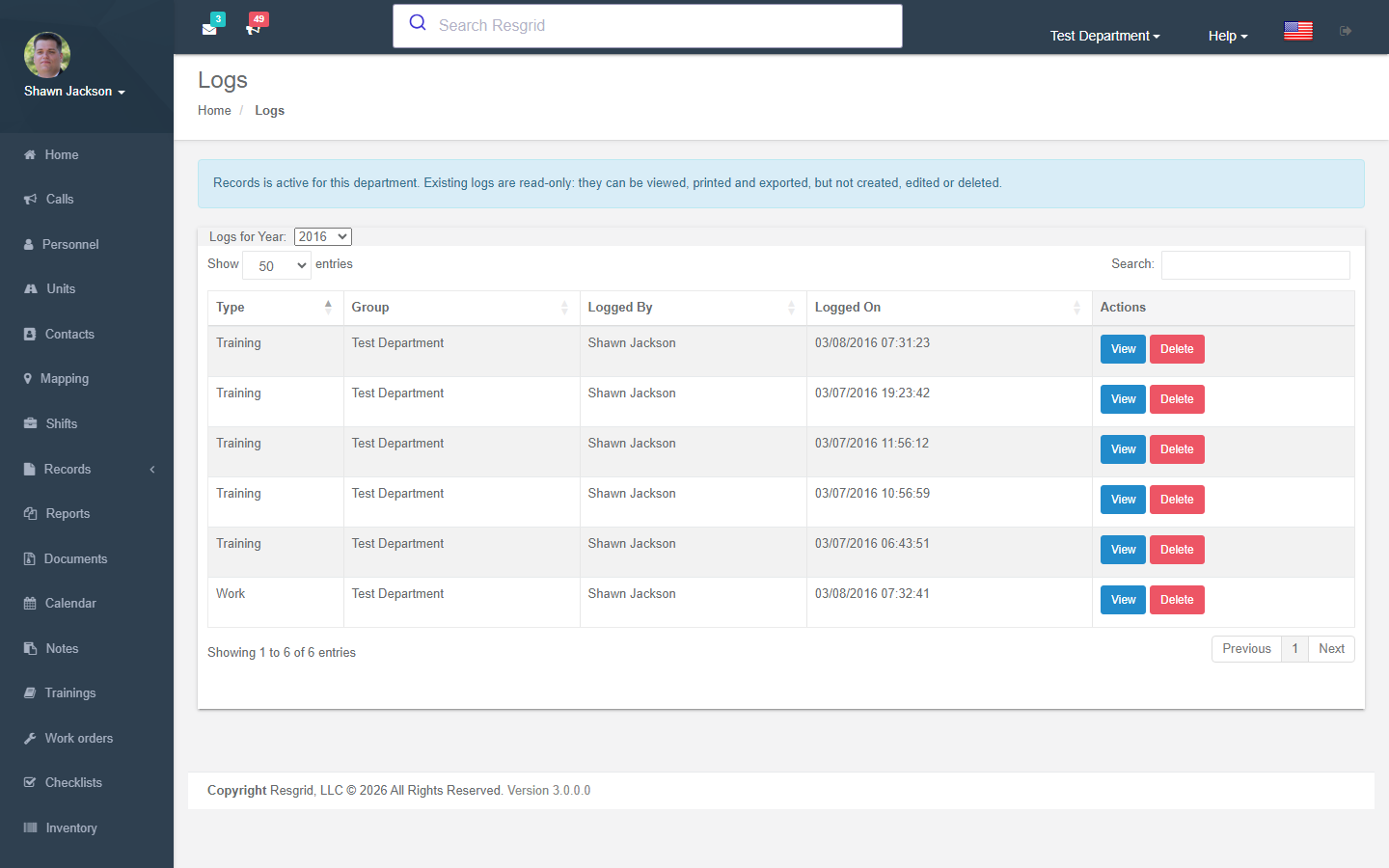
Log List
Authorization: Log_View policy
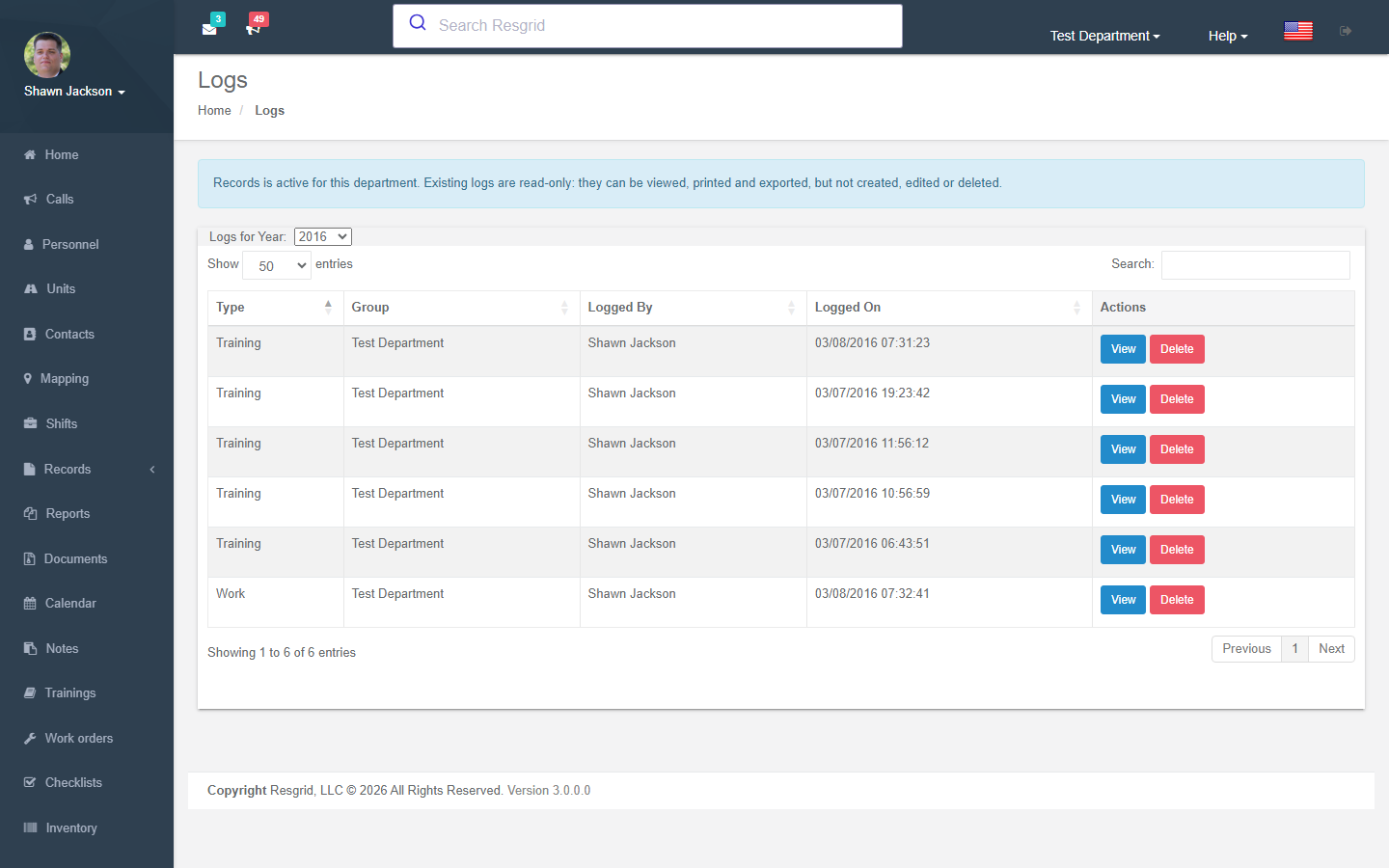
Displays all call logs and work logs with year-based filtering.
Creating Logs
Authorization: Log_Create policy
Log Types
The system supports five log types, each with different field requirements:
1. Run Log
Associates with a call (creates a new call or references an existing one):
- Call reference
- Call priority and type
- Unit time tracking blocks
2. Work Log
General work activity tracking:
- Requires at least one person assigned
- Start and end times
3. Meeting Log
Meeting records:
- Start and end times
- Attendees
4. Coroner Log
Specialized for coroner operations:
- Case number
- Instructors
- Destination
- Other personnel
5. Callback Log
Tracks callbacks:
- Links to a specific call
Unit Time Blocks
Logs support per-unit time tracking with timestamps for:
- Dispatch — When the unit was dispatched
- Enroute — When the unit began responding
- On Scene — When the unit arrived
- Released — When the unit was released
- In Quarters — When the unit returned to station
File Attachments
Logs support multiple file attachments:
| Constraint | Value |
|---|---|
| Maximum file size | 10 MB per file |
| Supported types | jpg, jpeg, png, gif, pdf, doc, docx, ppt, pptx, pps, ppsx, odt, xls, xlsx, mp3, m4a, ogg, wav, mp4, m4v, mov, wmv, avi, mpg, txt |
Log Creation Process
- Set log type and type-specific fields
- Assign personnel
- Add unit time blocks (optional)
- Attach files (optional)
- Fires
LogAddedEventon save
Viewing Logs
Authorization: Log_View policy
Log data is returned as JSON with:
- Log ID, type, and title
- Narrative text
- Timestamp
- Station assignment
- Delete permission flag
Deleting Logs
Authorization: Log_Delete policy + CanUserDeleteWorkLog runtime check
Log Attachments
Attachments can be downloaded individually. The system validates that the attachment belongs to the requested log.
Unit Log Blocks
The CreateUnitHtmlBlock endpoint dynamically generates HTML form blocks for adding unit time tracking to a log.
Training Analytics
The TrainingPerMonth endpoint returns training log data grouped by month and course for the current year, useful for dashboard charts.
Setup examples
| Department type | How to set it up |
|---|---|
| Any department not yet on Records | Use Run logs for every call (link the call, add participants and units), Training logs for drills, Work logs for station duty. Move to Records when you need review workflows, NERIS or immutable history. |
Technical reference
LogsController; routes /User/Logs/{Index,NewLog,View,LogExport,DeleteWorkLog}?logId=; permissions CreateLog, DeleteLog, ViewLegacyRecords (after activation); event LogAddedEvent; writes are denied after RmsDepartmentCutover activation.
Data Endpoints
| Endpoint | Purpose |
|---|---|
GetLogsList | All logs with year filtering and permissions |
TrainingPerMonth | Training logs by month/course for charts |
GetNonUnitPersonnelForLog | Non-unit personnel for a log (stub) |
GetAttachment | Download log attachment |
CreateUnitHtmlBlock | Dynamic unit time block HTML |
Interactions with Other Modules
| Module | Interaction |
|---|---|
| Calls | Run logs create/reference calls |
| Units | Unit time tracking per log |
| Groups | Station reference for logs |
| Personnel | Personnel assigned to work/meeting/coroner logs |
| Reports | Log data used in activity and hours reports |
| Department Settings | Module can be enabled/disabled |