Records Dashboard & Work Queue
Records dashboard
Records → Records dashboard is the "what needs doing" page for officers and records staff.
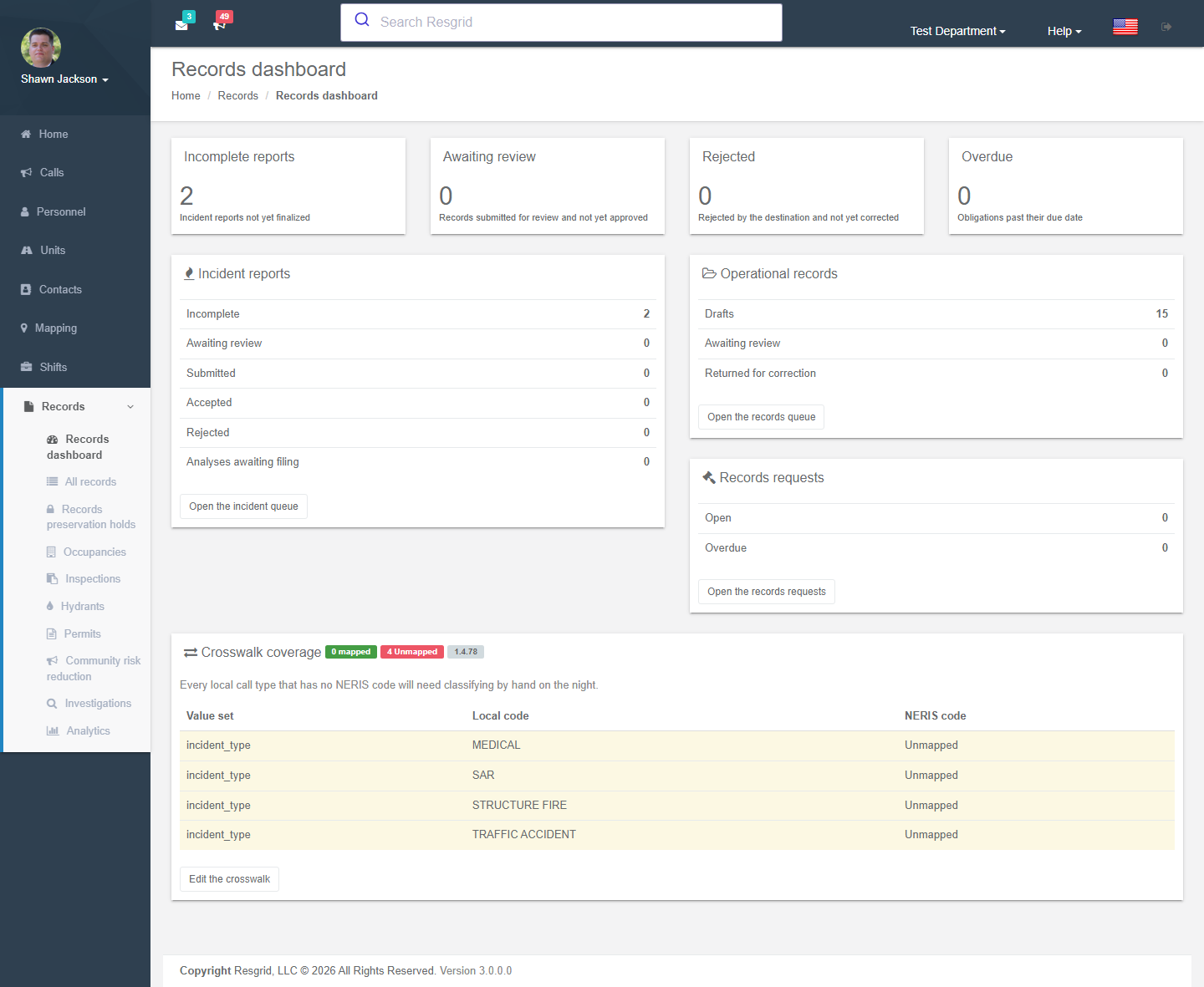
| Tile | Shows |
|---|---|
| Incomplete reports | NERIS incident reports started but not finalized. |
| Awaiting review | Records submitted for review and not yet approved. |
| Rejected | Reports rejected by NERIS and not yet corrected. |
| Overdue | Obligations past their due date (reviews, approvals, records requests). |
| Incident reports | Counts by state: incomplete, awaiting review, submitted, accepted, rejected, analyses awaiting filing. |
| Operational records | Drafts, awaiting review, returned for correction. |
| Records requests | Open and overdue public-records requests. |
| Crosswalk coverage | How many local call types map to a NERIS incident type; unmapped types must be classified by hand on every report. |
Each tile links to the filtered queue. If a source is unavailable the dashboard shows Some counts could not be produced rather than failing.
All records (the work queue)
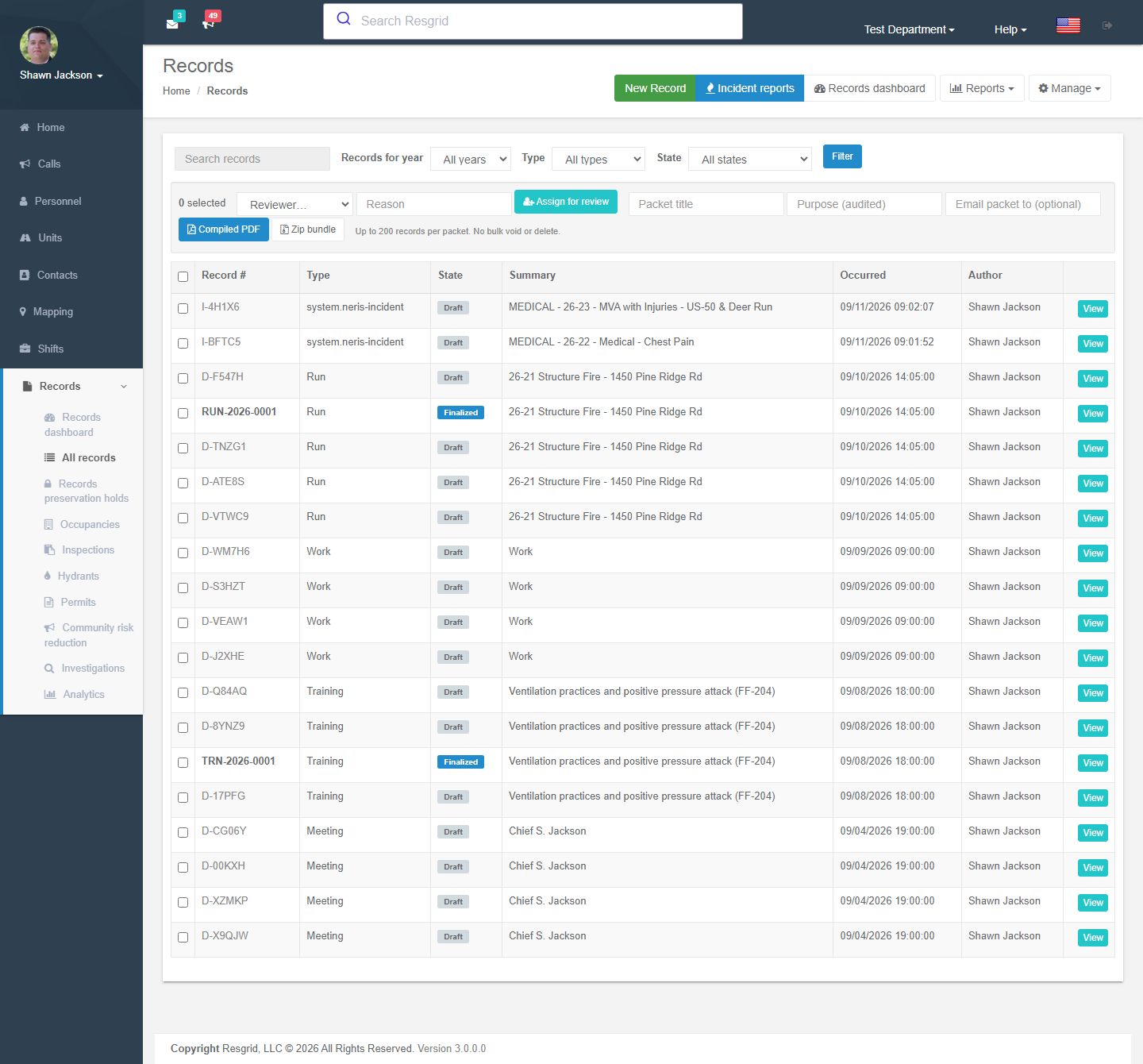
Records → All records lists every record you are allowed to see.
Filtering and search
| Control | Notes |
|---|---|
| Search records | Record numbers, summaries and other safe fields. Narrative text is included when the department's search index allows it (it is withdrawn under Advanced Data Protection). |
| Records for year | Defaults to the current year; All years is available. |
| Type | A definition (Run, Training, NERIS incident, your own definitions …). |
| State | Draft, Ready for review, Returned, Approved, Finalized, Amended, Voided, Cancelled, Submitted, Accepted, Rejected. |
| Owner / Group | Who owes the record; which station/group it is anchored to. |
Row actions
Each row shows record number, type, state, summary, occurred date and author, with View (details), Edit (drafts and returned records you own or may edit) and the revision history.
Bulk actions
Select rows (or Select all on this page) to:
- Assign for review — pick a reviewer and a reason; each record moves to Ready for review.
- Compile a packet — a compiled PDF or zip bundle of the selected finalized records, with a title and an audited purpose, optionally emailed to an address. Packets stay downloadable for 30 days. There is no bulk void or delete.
Exporting the list
Reports → Export this list → CSV / JSON exports the current filter (capped at a maximum row count; narrow the filter to export more). Every export is audited and respects restricted-field rules.
Accountability
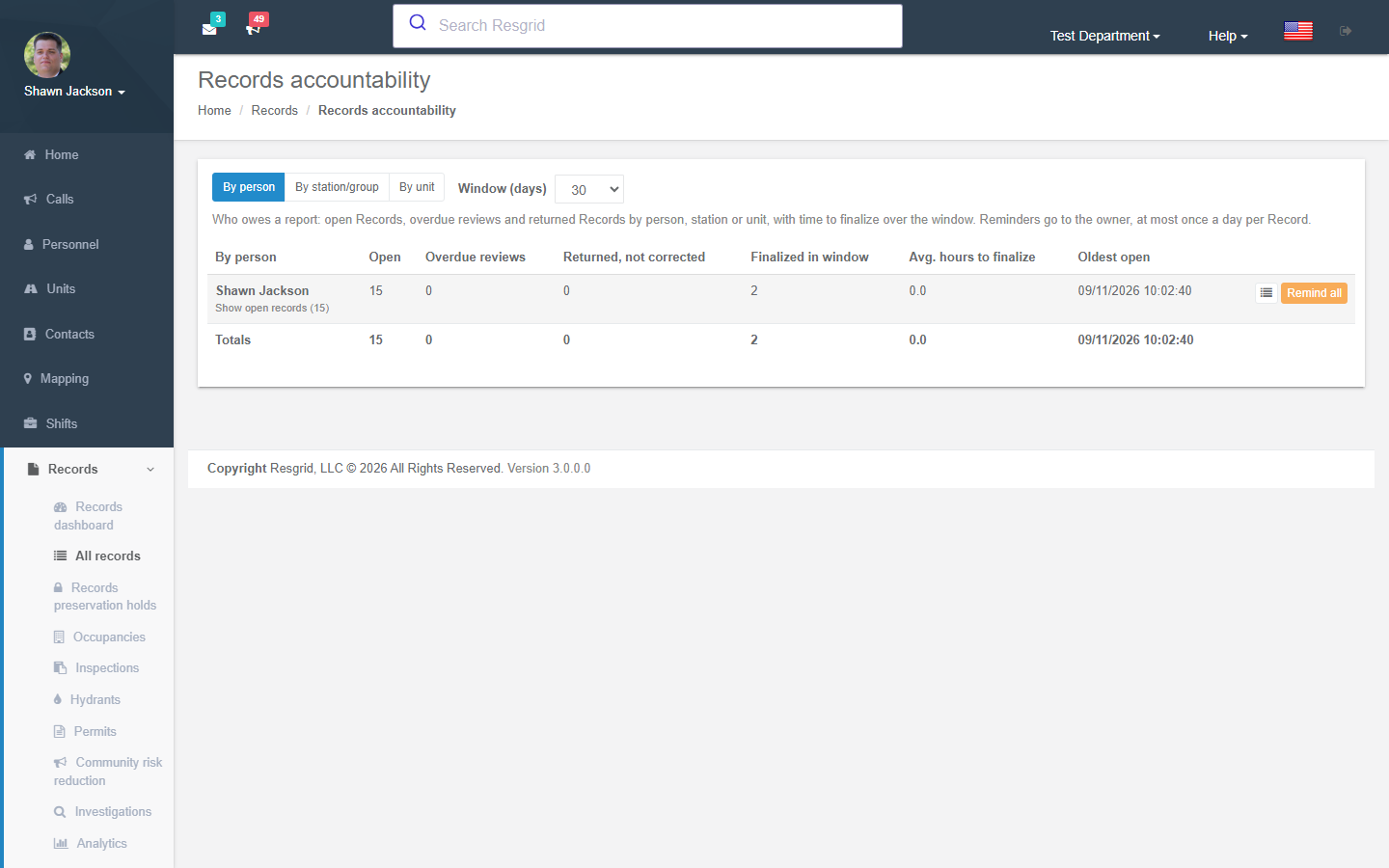
Reports → Accountability answers who owes a report: open records, overdue reviews and returned-but-not-corrected records pivoted by person, by station/group or by unit over a window (default 30 days), with average hours to finalize and the oldest open record. Remind sends the owner a reminder (at most once a day per record); Remind all does it for everyone in the view.
Field Records rollout
Manage → Field Records rollout (administrators) shows how each operational app — Responder, Unit, Incident Command, Dispatch — is doing with Records: whether the flag is on, who is on a usable version, records started/finalized/abandoned in the app, catalog refusals, sync conflicts and attachment failures. Counts only; it never shows record content.
Release health
Manage → Release health is an operations page for the first weeks after activation: legacy write attempts blocked, event-outbox lag, workflow runs, attachment scan state and prevention counters.
Technical reference
| Item | Value |
|---|---|
| Routes | /User/Records/Dashboard, /User/Records/Index?year=&definitionKey=&state=&q=&owner=&group=&page=, `/User/Records/ExportList?format=csv |
| Services | IRecordsService, IRecordsSearchService, IRecordsBulkPacketService, IRecordsAccountabilityService |