Run Cards & Automatic Dispatch
A run card is a pre-planned response package: "for a high-priority structure fire in District 1 send two engines, a truck, a rescue and a chief; on the second alarm add a tender and a brush unit." Resgrid matches every new call against your run cards by priority and call type, works out which specific units and people should go — by station response area or by closest available unit — and either dispatches them automatically or pre-populates the New Call page for the dispatcher to confirm. Optional move-up / backfill recommendations keep station coverage intact.
Feature flag: Dispatch.RunCards. Menu: Department dropdown → Dispatch Settings → Run Cards, or /User/RunCards.
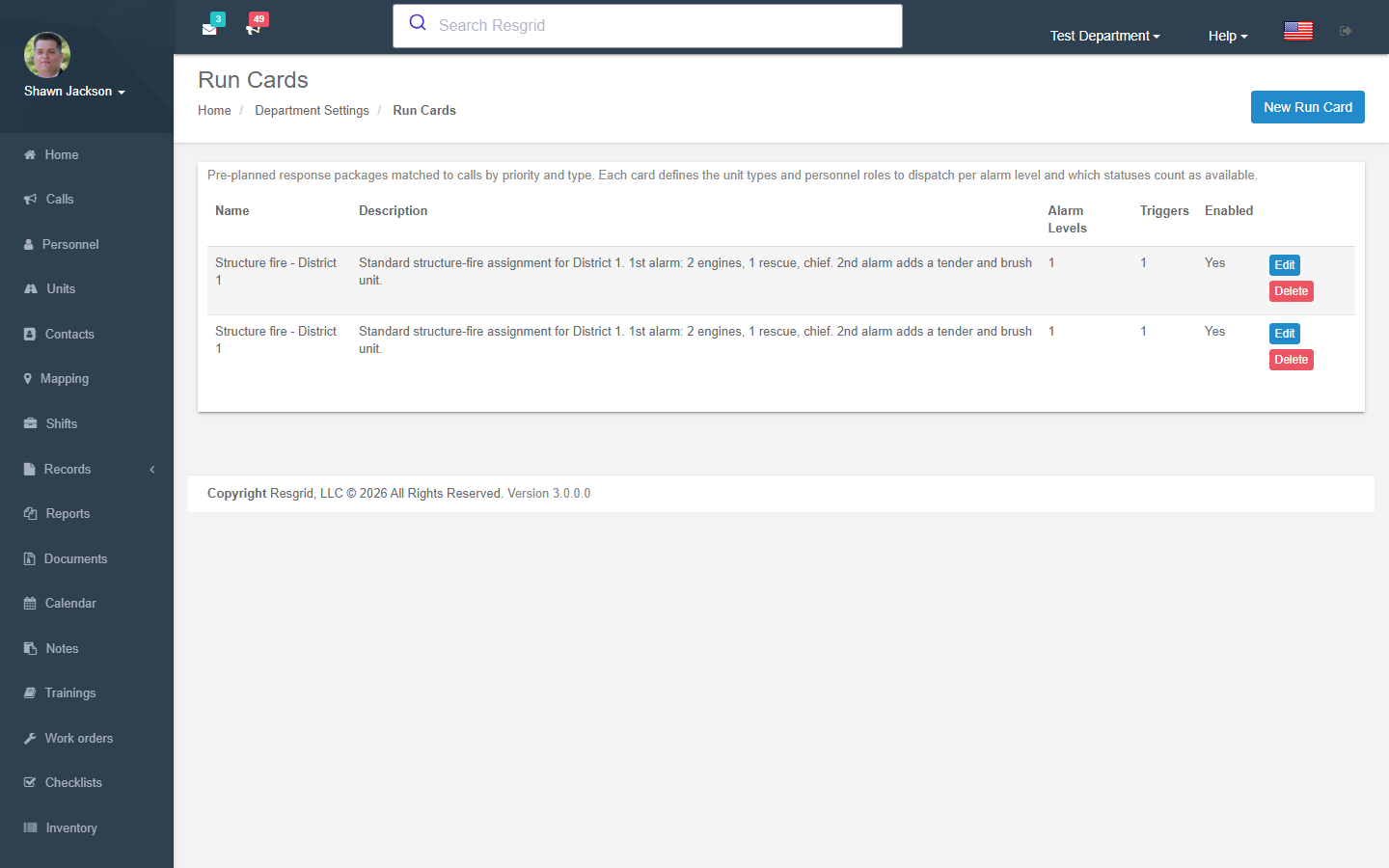
Department-wide dispatch settings
Department → Dispatch Settings → Run Cards & Automatic Dispatch sets the defaults every card inherits:
| Setting | Options / meaning |
|---|---|
| Automatic resource selection mode | Manual only (cards define requirements but nothing is selected automatically), Station based (units from the station whose response area contains the call, cascading to the next nearest station on shortfall), Closest unit (nearest available resources by GPS / station location). |
| Automatically dispatch recommended resources | On: matched cards dispatch immediately when the call is created (including calls from email/SMS import and the API). Off: recommendations pre-populate the New Call page for dispatcher review. |
| Minimum unit staffing to dispatch | Units staffed below this level (Partially staffed, Degraded …) are not selected even if their status matches. Units without defined roles always pass. |
| Enable move-up / backfill recommendations | After selection, check station coverage minimums and recommend relocating resources to depleted stations. |
| Closest unit response tuning | Radius and scoring for closest-unit mode. |
| Station coverage minimums | Per station: minimum number of each unit type or personnel role that should remain available, a radius for closest-unit mode, enabled flag. |
Station response areas come from the geofences you draw on Groups & Stations.
Building a run card
New Run Card opens an editor with five tabs.
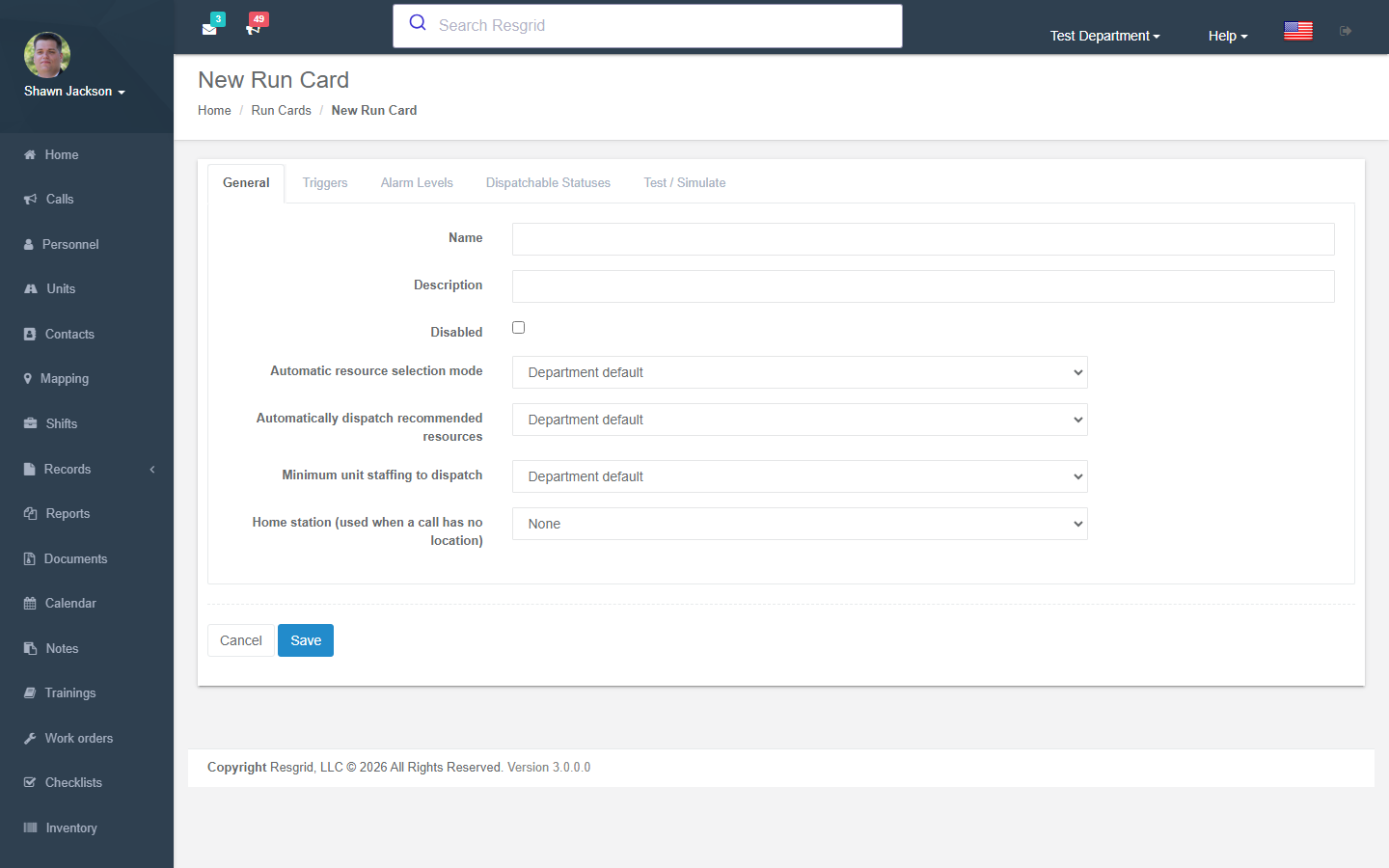
| Tab | What to set |
|---|---|
| General | Name, description, Disabled, per-card overrides of the department defaults (selection mode, auto-dispatch, minimum staffing) and a home station used when a call has no location. |
| Triggers | One or more triggers by call priority, call type, or priority and type. A card matches a call when any trigger matches; the most specific match wins (priority + type beats type, which beats priority). |
| Alarm levels | Level 1, 2, 3 … each with unit type requirements (e.g. Engine × 2, Ladder × 1) and personnel role requirements (e.g. Chief × 1, Paramedic × 2). Levels are additive: escalating to level 2 dispatches level 2's resources on top of what is already assigned. Name levels (Working fire) if you like. |
| Dispatchable statuses | Which unit statuses, personnel statuses and staffing levels count as available for this card. Leave empty to use the standard availability rules. |
| Test / Simulate | Pick a priority, type, location and alarm level and see what would be dispatched right now — nothing is actually dispatched. |
How it plays out on a call
- A call is created (web, app, email/SMS import, API).
- The best-matching run card is found. Its alarm-level-1 requirements are filled from available resources using the selection mode.
- If auto-dispatch is on, those resources are dispatched immediately; otherwise the New Call page shows the recommendation for the dispatcher to accept or edit.
- Escalating the call's alarm level (from the call page or the apps) fills the next level's requirements.
- If move-up is on and a station drops below its coverage minimum, a recommendation to relocate a unit appears.
- The decision is recorded and can be captured as evidence on a Record.
Setup examples
| Department | Run cards |
|---|---|
| Volunteer fire, 2 stations | Structure fire (priority High + type Fire): L1 Engine×2, Tender×1, Chief role×1; L2 adds Engine×1 from the neighbouring station. Medical: Rescue×1, EMT role×2. Station-based mode, auto-dispatch off (officer reviews). |
| Career fire, 5 stations | Cards per type with closest-unit mode, auto-dispatch on, coverage minimums (1 engine per station), move-ups enabled. |
| EMS | ALS emergency: Ambulance×1 + Paramedic role×1; BLS: Ambulance×1. Minimum staffing Fully staffed. |
| SAR | Missing person: Team leader role×1, Searcher role×6, K9 role×1 — manual selection (people, not apparatus). |
| Security | Alarm response: Patrol unit×1 closest-unit, auto-dispatch on; Medical on site: adds First-aid role×1. |
| Industrial ERT | Hazmat release: Hazmat team×1 + Safety officer role×1 + Fire brigade×1; coverage minimum keeps one crew in the plant. |
Technical reference
| Item | Value |
|---|---|
| Routes | /User/RunCards/{Index,New,Edit,Preview}, /User/Dispatch/GetDispatchRecommendation?priority=&type=&latitude=&longitude=&alarmLevel= |
| Settings | Department settings 58–60 (dispatch mode, auto-dispatch, staffing gate); station coverage rows per group |
| Model | RunCard, RunCardTrigger, RunCardAlarmLevel, RunCardUnitRequirement, RunCardRoleRequirement, RunCardStatusSelection, StationCoverageMinimum |
| Feature flag | Dispatch.RunCards (seeded by M0116) |
| Workflow events | Run-card activation, escalation and move-up events (48–51) are available as triggers |
| Design | int-Coordination/docs/architecture/run-cards-dispatch-design.md |