Activation and command
An activation says "this department is running the back office for this incident". Everything else in the module hangs off it.
Opening an incident
Go to Incident Back Office → Incidents → Open an incident (permission Manage incident activation).
| Field | Notes |
|---|---|
| Kind | Incident, Complex (a group of incidents managed together), Planned event or EOC activation. |
| Name and short code | The short code (2–32 letters, digits, - or _) is printed on badges, request numbers and notices, and must be unique among open incidents. |
| Complexity type | Type 1–5, optional. |
| Exercise | Marks the activation as an exercise everywhere. |
| Dispatch call | Links a call so the back office can read its dispatched people and units and its command board. Links are read-only: the back office never changes the call. |
| Complex | Puts the incident into an open complex. A complex's desks roll up all of its incidents. |
| Time zone, currency, units | Every time on this incident's desks shows in its own time zone — a meal cutoff is local to the incident, not to headquarters. Currency and measurement system default from your settings or your department's country. |
| Authority profile | Which system is the system of record for resource ordering, qualifications, inventory and cache, procurement and finance, mutual aid and the IAP. A snapshot of the profile is kept with the incident. |
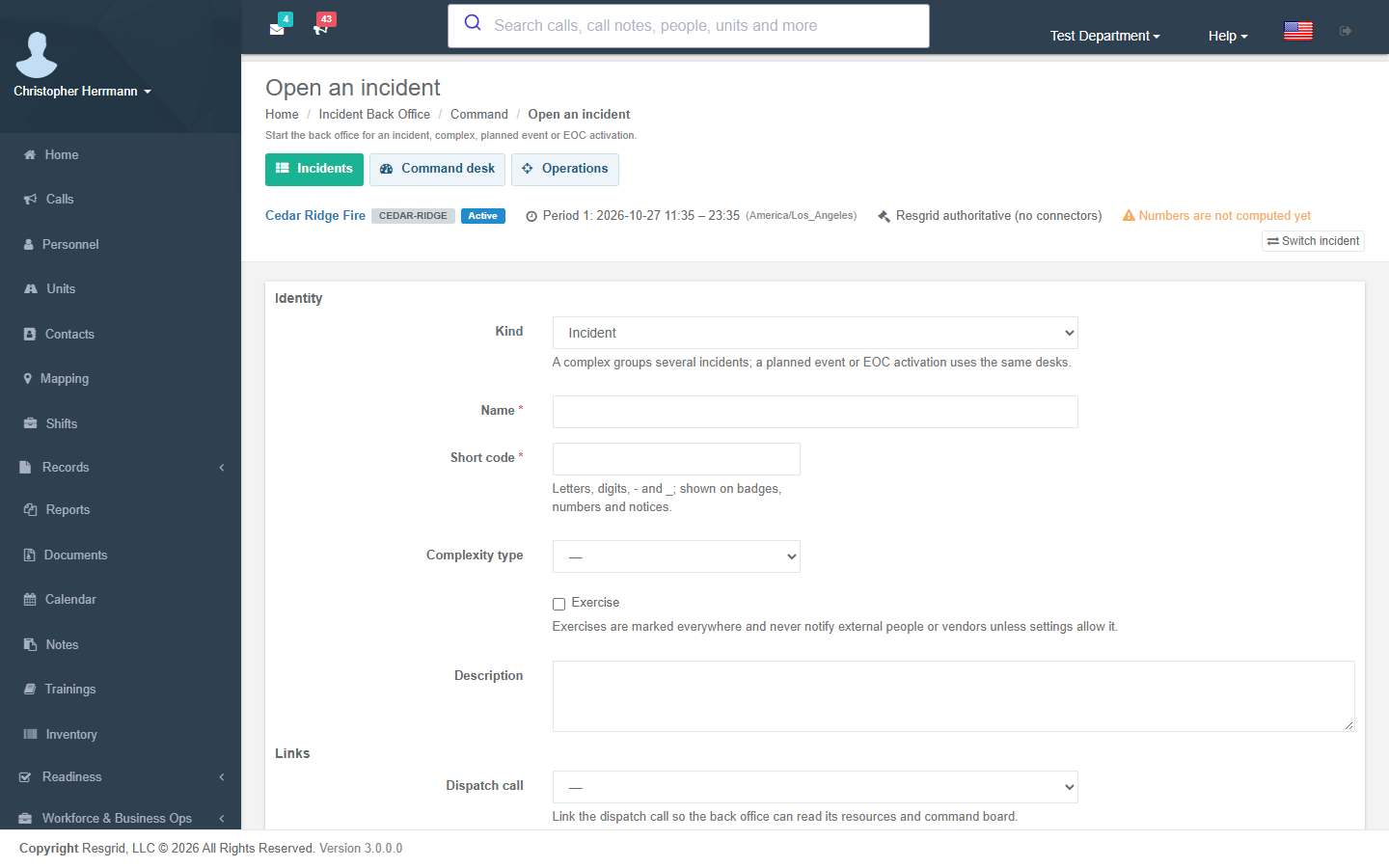
When you open an incident, Resgrid seeds the NIMS core position catalog if your department has none yet, creates the first operational period (length from your settings) and raises the Incident activation changed trigger.
The activation record
Activation record shows who opened, closed, sealed or reopened the incident and when, its links and complex members. From there you can change the linked call or complex, and move the incident through its lifecycle (permission Close incident activation):
Preparing → Active → Demobilizing → Closed → Sealed
- Closed needs every blocking closeout item to be complete or waived.
- Sealed freezes the incident: no record of it can change any more.
- Reopening a closed or sealed incident needs a reason, which is kept on the record.
Command desk
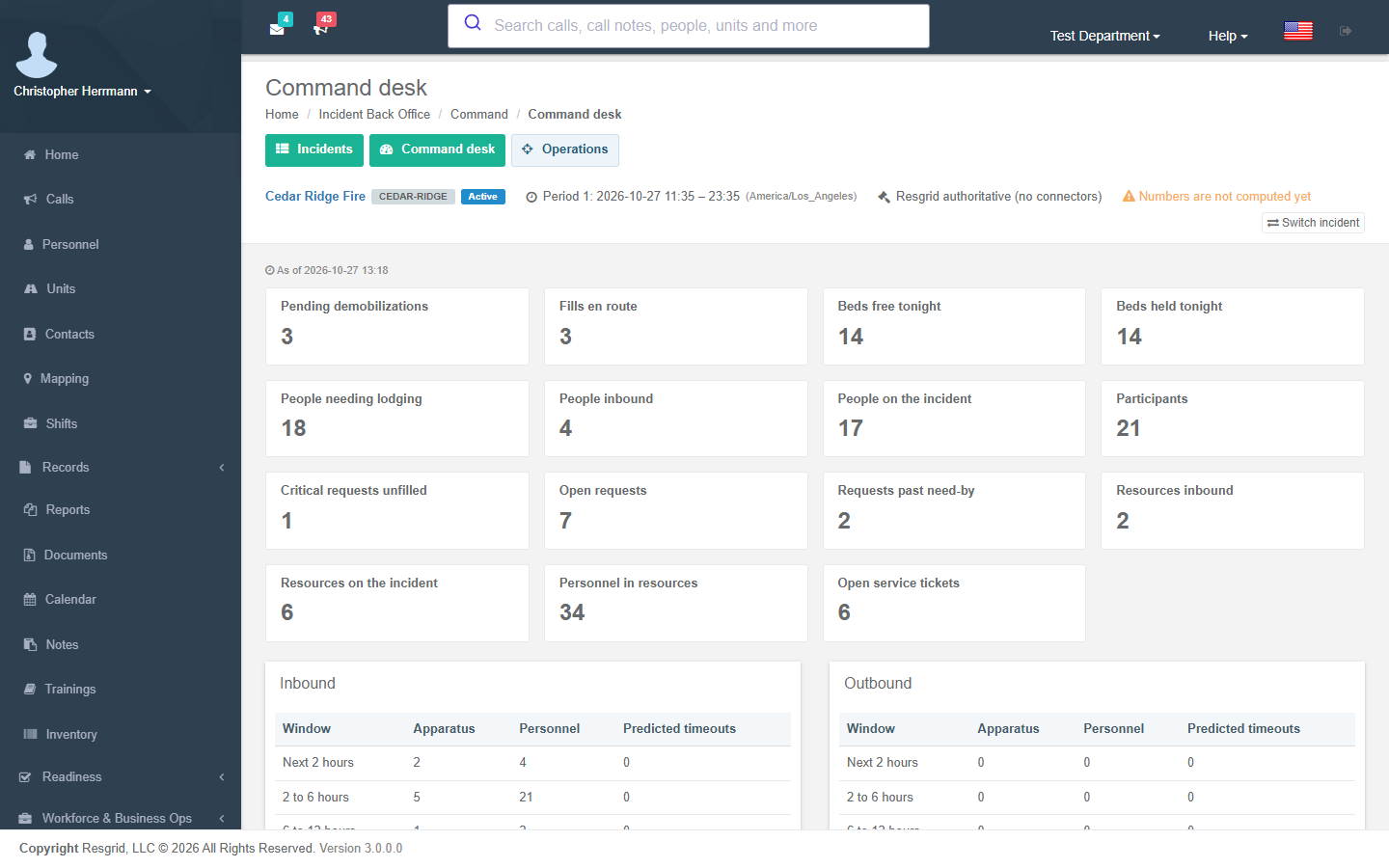
The command desk opens on the incident's numbers — people and resources on the incident and inbound, open and overdue requests, fills en route, beds held and free tonight, open service tickets and pending demobilizations — each with its as of time, plus inbound arrivals and outbound departures by window (next 2, 6, 12 and 24 hours) and who holds which position right now.
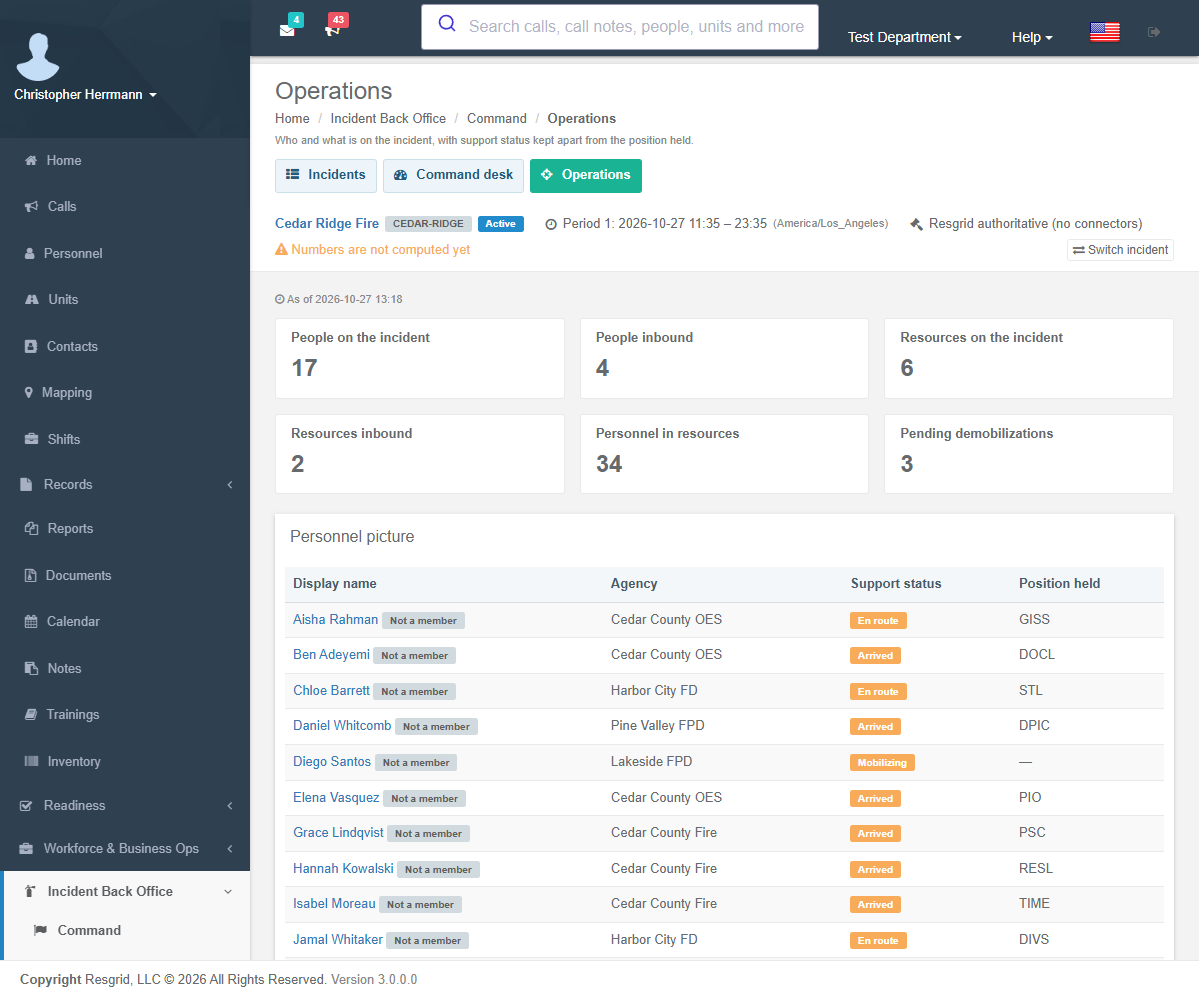
The Operations desk shows the personnel picture: each participant's support status (owned by the back office) next to the position they hold. Operational status stays with dispatch and is never inferred from support status.
Freshness
A background worker takes an incremental snapshot of every open incident's numbers every minute and a full rebuild every 30 minutes. When the snapshot falls behind your staleness setting, the context bar says the numbers may be out of date and the Incident snapshot stale trigger fires (and fires again, resolved, when it catches up).