Settings Reference
Every Relay setting, with its path in the settings files, its environment variable, its default and what it does. The desktop app's Configuration screen edits most of them; the rest are set in a settings file or with environment variables.
Where settings come from
Relay reads three layers. Each one overrides the one before it:
appsettings.jsonnext to the program. The console host and Docker image ship one; the desktop app doesn't.relay.user.json, per Windows user:%APPDATA%\Resgrid\Relay\relay.user.json. The desktop app's Configuration screen writes it, and the console host reads it too, so a relay set up in the desktop app runs unchanged from the console on the same account. The desktop app saves only the values that differ fromappsettings.jsonand the built-in defaults. (Where the user's application-data folder doesn't exist, the file is looked for next to the program.)- Environment variables starting with
RESGRID__RELAY__. They win over both files, which makes them the right place for containers and systemd. The desktop app never writes them into its file, and shows a banner when they are set.
To turn a JSON path into an environment variable, add the prefix and write each : as __ (two underscores): Smtp:Port becomes RESGRID__RELAY__Smtp__Port. List items are numbered from 0: Smtp:DepartmentAddressDomains is RESGRID__RELAY__Smtp__DepartmentAddressDomains__0, __1 and so on. Names aren't case-sensitive; true/false values are true and false; choices such as GrantType take the names shown below.
A value Relay can't read (an empty port, a misspelled grant type), a missing required setting or an unknown mode stops it with a Configuration error naming the setting, instead of running with a guess. The console host then exits with code 78 (see Exit codes). help on the console host prints the common settings.
When you press Save in the desktop app, it writes to relay.user.json only the settings whose values differ from appsettings.json and the built-in defaults. Those settings then win over appsettings.json; every other setting still comes from appsettings.json, so edits there keep reaching a console host on the same account. A setting you changed in the app stays the app's: change it in the app (or in relay.user.json), or remove it from relay.user.json to fall back to appsettings.json. When no token cache path is set, Save also writes the desktop app's own (%LOCALAPPDATA%\Resgrid\Relay\resgrid-token.json), so the console host shares its rotated token.
In the tables, Desktop names the field on the Configuration screen; file only means there is no field and you set it in a settings file or the environment.
General
| JSON path | Environment variable | Default | Meaning | Desktop |
|---|---|---|---|---|
Mode | RESGRID__RELAY__Mode | smtp | What the console host runs: smtp, audio, radio, record or dispatch. In the desktop app, what Start runs when no mode has Auto-start. | General › Default mode |
AudioConfigPath | RESGRID__RELAY__AudioConfigPath | settings.json | The tone detect watcher file. A relative path is relative to the program's folder. | Audio tone-detect › Watcher file |
Resgrid
See Connect to Resgrid.
| JSON path | Environment variable | Default | Meaning | Desktop |
|---|---|---|---|---|
Resgrid:BaseUrl | RESGRID__RELAY__Resgrid__BaseUrl | https://api.resgrid.com | The Resgrid API address. | Base URL |
Resgrid:ApiVersion | RESGRID__RELAY__Resgrid__ApiVersion | 4 | The API version, 4 or v4. | file only |
Resgrid:ClientId | RESGRID__RELAY__Resgrid__ClientId | (none) | The OpenID Connect client id. Required. | Client Id |
Resgrid:ClientSecret | RESGRID__RELAY__Resgrid__ClientSecret | (none) | The client secret. Required. | Client secret |
Resgrid:GrantType | RESGRID__RELAY__Resgrid__GrantType | RefreshToken | RefreshToken, ClientCredentials or SystemApiKey. The voice modes need RefreshToken. | Grant type |
Resgrid:RefreshToken | RESGRID__RELAY__Resgrid__RefreshToken | (none) | The Relay member's refresh token (RefreshToken grant). Not needed once the token cache holds a token. | Refresh token |
Resgrid:TokenCachePath | RESGRID__RELAY__Resgrid__TokenCachePath | Desktop: %LOCALAPPDATA%\Resgrid\Relay\resgrid-token.json (saved to relay.user.json on Save). Console: ./data/resgrid-token.json. systemd: /var/lib/resgrid-relay/resgrid-token.json | Where the rotated refresh token is kept. Must be writable and survive restarts. A relative path is relative to the program's folder. | file only |
Resgrid:Scope | RESGRID__RELAY__Resgrid__Scope | openid profile email offline_access mobile | The scopes Relay asks for. | file only |
Resgrid:SystemApiKey | RESGRID__RELAY__Resgrid__SystemApiKey | (none) | The installation's system API key (SystemApiKey grant). | System API key |
Resgrid:DepartmentId | RESGRID__RELAY__Resgrid__DepartmentId | (none) | The department a system caller acts for when the address doesn't say. Ignored for a member's token. | Department Id (hosted / system key) |
Resgrid:ServiceAccount | RESGRID__RELAY__Resgrid__ServiceAccount | false | true when ClientCredentials are a system-level service account: Relay then behaves as with the system key. | Client credentials are a system-level service account |
SMTP
See SMTP dispatch.
| JSON path | Environment variable | Default | Meaning | Desktop |
|---|---|---|---|---|
Smtp:ServerName | RESGRID__RELAY__Smtp__ServerName | resgrid-relay | The name the mail server gives in its greeting. | Server name |
Smtp:Port | RESGRID__RELAY__Smtp__Port | 2525 | The port Relay listens on. | Port |
Smtp:DepartmentAddressDomains | RESGRID__RELAY__Smtp__DepartmentAddressDomains__0 | dispatch.resgrid.com | Domains whose addresses page the whole department. A list you set replaces the default; an empty list keeps it. | Department call domains |
Smtp:GroupAddressDomains | RESGRID__RELAY__Smtp__GroupAddressDomains__0 | groups.resgrid.com | Domains whose addresses page one group. | Group call domains |
Smtp:GroupMessageAddressDomains | RESGRID__RELAY__Smtp__GroupMessageAddressDomains__0 | gm.resgrid.com | Domains whose addresses send a message to one group. | Group message domains |
Smtp:ListAddressDomains | RESGRID__RELAY__Smtp__ListAddressDomains__0 | lists.resgrid.com | Distribution list domains. Addresses on them are refused. | Distribution list domains |
Smtp:DefaultCallPriority | RESGRID__RELAY__Smtp__DefaultCallPriority | 1 | The priority of calls Relay creates. | Default call priority |
Smtp:DefaultCallType | RESGRID__RELAY__Smtp__DefaultCallType | (blank) | The call type of calls Relay creates. Kept only if it exactly matches one of your call types (case-sensitive). | Default call type |
Smtp:DuplicateWindowHours | RESGRID__RELAY__Smtp__DuplicateWindowHours | 72 | How long a message id is remembered, so a repeated delivery is ignored. | Duplicate window (hours) |
Smtp:DataDirectory | RESGRID__RELAY__Smtp__DataDirectory | ./data (systemd: /var/lib/resgrid-relay/smtp) | Where the processed-message list and raw messages are kept. | Data directory |
Smtp:SaveRawMessages | RESGRID__RELAY__Smtp__SaveRawMessages | true | Keep a copy of each message in messages in the data directory, deleted after the longer of the duplicate window and 7 days. | Save raw messages |
Smtp:MaxAttachmentBytes | RESGRID__RELAY__Smtp__MaxAttachmentBytes | 10485760 (10 MB) | Larger attachments are skipped (and noted on the call). | file only |
Smtp:MaxMessageBytes | RESGRID__RELAY__Smtp__MaxMessageBytes | 26214400 (25 MB) | Larger messages are refused. | file only |
Smtp:ValidateDepartmentCodes | RESGRID__RELAY__Smtp__ValidateDepartmentCodes | true | Check a department address's code with Resgrid before paging the department. Turn off only for a self-hosted Resgrid too old to support the check. | Require a valid department dispatch code |
Smtp:ResolveDispatchCodes | RESGRID__RELAY__Smtp__ResolveDispatchCodes | true | Look group codes up to their Resgrid ids. Leave on. | Resolve dispatch codes to Resgrid ids |
Smtp:HostedMode | RESGRID__RELAY__Smtp__HostedMode | false | Serve many departments: a group address may carry the department id in its domain (code@<departmentId>.<group domain>). | Hosted (multi-department) mode |
Smtp:DepartmentDomainSeparator | RESGRID__RELAY__Smtp__DepartmentDomainSeparator | . | In hosted mode, what separates the department id from the domain. | file only |
Smtp:DefaultDepartmentId | RESGRID__RELAY__Smtp__DefaultDepartmentId | (none) | Dispatch only this department; refuse recipients of any other. | Default department Id |
Smtp:DepartmentDispatchPrefix | RESGRID__RELAY__Smtp__DepartmentDispatchPrefix | G | Legacy: the prefix for codes of other types in the dispatch list. Leave as it is. | file only |
Smtp:RedisCache:Enabled | RESGRID__RELAY__Smtp__RedisCache__Enabled | false | Cache dispatch-code lookups in Redis. | Enable Redis cache |
Smtp:RedisCache:ConnectionString | RESGRID__RELAY__Smtp__RedisCache__ConnectionString | (blank) | For example redis:6379,abortConnect=false. Required when the cache is on. | Connection string |
Smtp:RedisCache:TtlMinutes | RESGRID__RELAY__Smtp__RedisCache__TtlMinutes | 60 | How long a cached lookup is used. | TTL (minutes) |
Voice
The PTT channel the radio bridge joins, and settings the voice modes share. See Radio bridge.
| JSON path | Environment variable | Default | Meaning | Desktop |
|---|---|---|---|---|
Voice:Channel | RESGRID__RELAY__Voice__Channel | default | The radio bridge's channel: default, a channel name, or its id. | PTT channel › Channel |
Voice:DepartmentId | RESGRID__RELAY__Voice__DepartmentId | (blank) | The department of the channels (blank: yours). Also the fallback for the recorder and tone-out. | PTT channel › Department Id |
Voice:EnforceSeatLimit | RESGRID__RELAY__Voice__EnforceSeatLimit | true | Don't join when all of the department's PTT seats are in use. Applies to every voice mode. | Respect the department's concurrent voice-seat limit |
Voice:PublishQueueMs | RESGRID__RELAY__Voice__PublishQueueMs | 1000 | How much audio, in milliseconds, may queue up to be sent to the channel. | file only |
Radio
See Radio bridge and LTE donor radios. Windows only.
| JSON path | Environment variable | Default | Meaning | Desktop |
|---|---|---|---|---|
Radio:Profile | RESGRID__RELAY__Radio__Profile | custom | The profile the values came from: custom, analog, rapidradios, digatalkplus or poc. Informational: it drives setup advice and start-up warnings, not the values. | Radio profile |
Radio:InputDevice | RESGRID__RELAY__Radio__InputDevice | 0 | The audio input that receives the radio. | Receive audio from the radio |
Radio:OutputDevice | RESGRID__RELAY__Radio__OutputDevice | -1 | The audio output to the radio; -1 is Windows' default output. | Transmit audio to the radio |
Radio:PttMethod | RESGRID__RELAY__Radio__PttMethod | Vox | Cm108, SerialRts, SerialDtr or Vox. | PTT keying |
Radio:SerialPort | RESGRID__RELAY__Radio__SerialPort | (blank) | The COM port for serial PTT or carrier detect, for example COM3. | Serial port |
Radio:Cm108VendorId | RESGRID__RELAY__Radio__Cm108VendorId | 3468 (0x0D8C, C-Media) | The CM108 interface's USB vendor id. | CM108 interface |
Radio:Cm108ProductId | RESGRID__RELAY__Radio__Cm108ProductId | 0 | The CM108 interface's USB product id; 0 for the first C-Media device found. | CM108 interface |
Radio:Cm108GpioPin | RESGRID__RELAY__Radio__Cm108GpioPin | 3 | The GPIO pin that keys PTT (1 to 8). | CM108 GPIO pin for PTT |
Radio:CarrierDetect | RESGRID__RELAY__Radio__CarrierDetect | None | The COR/COS input for carrier squelch: None, SerialCts or SerialDsr. (Cm108Gpio isn't implemented yet and falls back to the audio squelch.) | Carrier detect |
Radio:CarrierDetectInverted | RESGRID__RELAY__Radio__CarrierDetectInverted | false | The COR line is active-low. | Active-low (inverted) |
Radio:TxLeadMs | RESGRID__RELAY__Radio__TxLeadMs | 0 | Milliseconds between keying and the first channel audio (0 to 3000). About 150 for analog with CTCSS, 500 to 800 for LTE radios. Ignored with Vox. | Key-up lead |
Radio:TxHangMs | RESGRID__RELAY__Radio__TxHangMs | 300 | Keep the radio keyed through pauses this long. | Hang time |
Radio:TxTailMs | RESGRID__RELAY__Radio__TxTailMs | 150 | Keep the radio keyed this long after the last audio played out. | Tail |
Radio:MaxTransmitSeconds | RESGRID__RELAY__Radio__MaxTransmitSeconds | 180 | Transmit time-out: cut off a channel talker this long after they took the floor; 0 for no limit. | Transmit time-out |
Radio:TxGain | RESGRID__RELAY__Radio__TxGain | 1.0 | Level of the audio sent to the radio. | Transmit gain |
Radio:RxGain | RESGRID__RELAY__Radio__RxGain | 1.0 | Level of the radio audio sent to the channel. | Receive gain |
Radio:HighPassCutoffHz | RESGRID__RELAY__Radio__HighPassCutoffHz | 250 | High-pass filter on the radio audio sent to the channel. | High-pass filter |
Radio:CourtesyTone | RESGRID__RELAY__Radio__CourtesyTone | true | Beep on the radio after each channel transmission. | Courtesy beep |
Radio:AntiLoop | RESGRID__RELAY__Radio__AntiLoop | true | Half duplex: never send audio back to where it came from. | Half-duplex anti-loop |
Radio:RecordWhileBridging | RESGRID__RELAY__Radio__RecordWhileBridging | false | Record both directions with the Recorder settings. | Record the channel and the radio side |
Radio:Squelch:Mode | RESGRID__RELAY__Radio__Squelch__Mode | Vox | Vox, Carrier, Ctcss or Off (for a radio with its own hardware squelch: passes audio at or above OpenDbfs, held for HangMs). | Squelch mode |
Radio:Squelch:OpenDbfs | RESGRID__RELAY__Radio__Squelch__OpenDbfs | -38 | Level (dBFS) at which the squelch opens. With Off, the level audio must reach to be passed. | Open (dBFS) |
Radio:Squelch:CloseDbfs | RESGRID__RELAY__Radio__Squelch__CloseDbfs | -45 | Below this level the hang runs out at full speed. At or below Open. | Close (dBFS) |
Radio:Squelch:HangMs | RESGRID__RELAY__Radio__Squelch__HangMs | 600 | How long the squelch stays open after the audio drops (also with Off). | Hang (ms) |
Radio:Squelch:CtcssFrequency | RESGRID__RELAY__Radio__Squelch__CtcssFrequency | 0 | The CTCSS (PL) tone in Hz, for Ctcss squelch. | CTCSS tone (Hz) |
Radio:Squelch:CtcssMinStrength | RESGRID__RELAY__Radio__Squelch__CtcssMinStrength | 0.30 | How strong (0 to 1) the CTCSS tone must be to count. | file only |
Radio:Emergency:DetectTones | RESGRID__RELAY__Radio__Emergency__DetectTones | false | Listen for emergency tones. | Detect emergency tones |
Radio:Emergency:ToneFrequencies | RESGRID__RELAY__Radio__Emergency__ToneFrequencies__0 | (none) | The emergency tone frequencies in Hz. | file only |
Radio:Emergency:DetectMdc1200 | RESGRID__RELAY__Radio__Emergency__DetectMdc1200 | false | Experimental, not reliable: doesn't decode standard MDC-1200 bursts. | Detect MDC-1200 |
Radio:Emergency:CreateCall | RESGRID__RELAY__Radio__Emergency__CreateCall | false | Create a Resgrid call for a detected emergency (otherwise only logged). | Create a Resgrid call |
Radio:Emergency:CallPriority | RESGRID__RELAY__Radio__Emergency__CallPriority | 1 | The emergency call's priority. | Emergency call priority |
Radio:Emergency:DispatchList | RESGRID__RELAY__Radio__Emergency__DispatchList | (blank) | Who the emergency call pages, for example G:42; blank pages everyone. | file only |
Radio:Emergency:CooldownSeconds | RESGRID__RELAY__Radio__Emergency__CooldownSeconds | 120 | Repeats of the same emergency within this window create no further calls. | file only |
Recorder
See Recorder. Also used by Radio:RecordWhileBridging.
| JSON path | Environment variable | Default | Meaning | Desktop |
|---|---|---|---|---|
Recorder:Channel | RESGRID__RELAY__Recorder__Channel | all | all, a channel name, or its id. | Channel |
Recorder:DepartmentId | RESGRID__RELAY__Recorder__DepartmentId | (blank) | The channels' department (blank: Voice:DepartmentId, then yours). | Department Id |
Recorder:Store | RESGRID__RELAY__Recorder__Store | local | local, s3 or both. | Audio storage |
Recorder:LocalPath | RESGRID__RELAY__Recorder__LocalPath | (blank: recordings next to the program; systemd: /var/lib/resgrid-relay/recordings) | The recordings folder. | Local recordings folder |
Recorder:Log | RESGRID__RELAY__Recorder__Log | jsonl | jsonl, sqlite or none. | Metadata log |
Recorder:LogPath | RESGRID__RELAY__Recorder__LogPath | (blank: transmissions.jsonl or transmissions.db in the recordings folder) | The metadata log file. | Metadata log path |
Recorder:S3:Endpoint | RESGRID__RELAY__Recorder__S3__Endpoint | (blank: AWS) | An S3-compatible store's URL. | Endpoint |
Recorder:S3:Bucket | RESGRID__RELAY__Recorder__S3__Bucket | (blank) | The bucket. Required for s3 and both. | Bucket |
Recorder:S3:Region | RESGRID__RELAY__Recorder__S3__Region | (blank) | The bucket's region. | Region |
Recorder:S3:Prefix | RESGRID__RELAY__Recorder__S3__Prefix | relay-recordings | The key prefix. | Key prefix |
Recorder:S3:AccessKey | RESGRID__RELAY__Recorder__S3__AccessKey | (blank) | The access key. | Access key |
Recorder:S3:SecretKey | RESGRID__RELAY__Recorder__S3__SecretKey | (blank) | The secret key. | Secret key |
Recorder:S3:UseSsl | RESGRID__RELAY__Recorder__S3__UseSsl | true | Use HTTPS. | Use HTTPS |
Recorder:S3:ForcePathStyle | RESGRID__RELAY__Recorder__S3__ForcePathStyle | false | Path-style addressing (MinIO and most S3-compatible stores). | Path-style addressing |
Recorder:Segmentation:HangMs | RESGRID__RELAY__Recorder__Segmentation__HangMs | 1500 | End a transmission after this much silence. | file only |
Recorder:Segmentation:MaxSegmentSeconds | RESGRID__RELAY__Recorder__Segmentation__MaxSegmentSeconds | 300 | Continue a longer transmission in a new file. | file only |
Recorder:Segmentation:MinActiveMs | RESGRID__RELAY__Recorder__Segmentation__MinActiveMs | 250 | Drop transmissions with less audio than this. | file only |
Recorder:Segmentation:SilenceFloorDbfs | RESGRID__RELAY__Recorder__Segmentation__SilenceFloorDbfs | -50 | Audio below this level counts as silence. | file only |
Recorder:Segmentation:ScanIntervalMs | RESGRID__RELAY__Recorder__Segmentation__ScanIntervalMs | 500 | How often finished transmissions are looked for. | file only |
Dispatch tone-out
See Dispatch tone-out.
| JSON path | Environment variable | Default | Meaning | Desktop |
|---|---|---|---|---|
DispatchVoice:Channel | RESGRID__RELAY__DispatchVoice__Channel | default | The channel to announce on. | Channel |
DispatchVoice:DepartmentId | RESGRID__RELAY__DispatchVoice__DepartmentId | (blank) | The department (blank: Voice:DepartmentId, then yours). | Department Id |
DispatchVoice:PollSeconds | RESGRID__RELAY__DispatchVoice__PollSeconds | 15 | How often to check for new calls. | Poll interval |
DispatchVoice:GiveUpAfterMinutes | RESGRID__RELAY__DispatchVoice__GiveUpAfterMinutes | 10 | How long a failing tone-out is retried. | Give up after |
DispatchVoice:Hosted | RESGRID__RELAY__DispatchVoice__Hosted | false | Reserved for a future multi-department tone-out; requires DispatchVoice:DepartmentId. Leave off. | file only |
DispatchVoice:Tone:Type | RESGRID__RELAY__DispatchVoice__Tone__Type | TwoToneSequential | TwoToneSequential, HiLo, SingleTone or None. | file only |
DispatchVoice:Tone:ToneAFrequency | RESGRID__RELAY__DispatchVoice__Tone__ToneAFrequency | 1000 | Tone A in Hz (the high tone for HiLo). | file only |
DispatchVoice:Tone:ToneADurationMs | RESGRID__RELAY__DispatchVoice__Tone__ToneADurationMs | 1000 | Tone A's length. | file only |
DispatchVoice:Tone:ToneBFrequency | RESGRID__RELAY__DispatchVoice__Tone__ToneBFrequency | 2000 | Tone B in Hz (the low tone for HiLo). | file only |
DispatchVoice:Tone:ToneBDurationMs | RESGRID__RELAY__DispatchVoice__Tone__ToneBDurationMs | 3000 | Tone B's length. | file only |
DispatchVoice:Tone:Amplitude | RESGRID__RELAY__DispatchVoice__Tone__Amplitude | 0.5 | Tone volume, 0 to 1. | file only |
DispatchVoice:Tone:HiLoCycles | RESGRID__RELAY__DispatchVoice__Tone__HiLoCycles | 6 | High-low pairs for HiLo. | file only |
DispatchVoice:Tone:HiLoSegmentMs | RESGRID__RELAY__DispatchVoice__Tone__HiLoSegmentMs | 250 | Length of each HiLo step. | file only |
DispatchVoice:Tone:PreSpeechSilenceMs | RESGRID__RELAY__DispatchVoice__Tone__PreSpeechSilenceMs | 500 | Pause between the tones and the announcement. | file only |
Text-to-speech
| JSON path | Environment variable | Default | Meaning | Desktop |
|---|---|---|---|---|
Tts:ServiceBaseUrl | RESGRID__RELAY__Tts__ServiceBaseUrl | (blank) | The Resgrid text-to-speech service, for example https://tts.resgrid.com. Required for the tone-out. | Service URL |
Tts:PlaybackBaseUrl | RESGRID__RELAY__Tts__PlaybackBaseUrl | (blank) | A separate address to download the synthesized audio from, if your installation serves it elsewhere. | file only |
Tts:Voice | RESGRID__RELAY__Tts__Voice | (blank: the service's default) | The voice to speak with. | Voice id |
Tts:Speed | RESGRID__RELAY__Tts__Speed | 0 (the service's default) | Words per minute. | Speed |
Tts:RequestTimeoutSeconds | RESGRID__RELAY__Tts__RequestTimeoutSeconds | 20 | How long to wait for the service. | file only |
Resilience
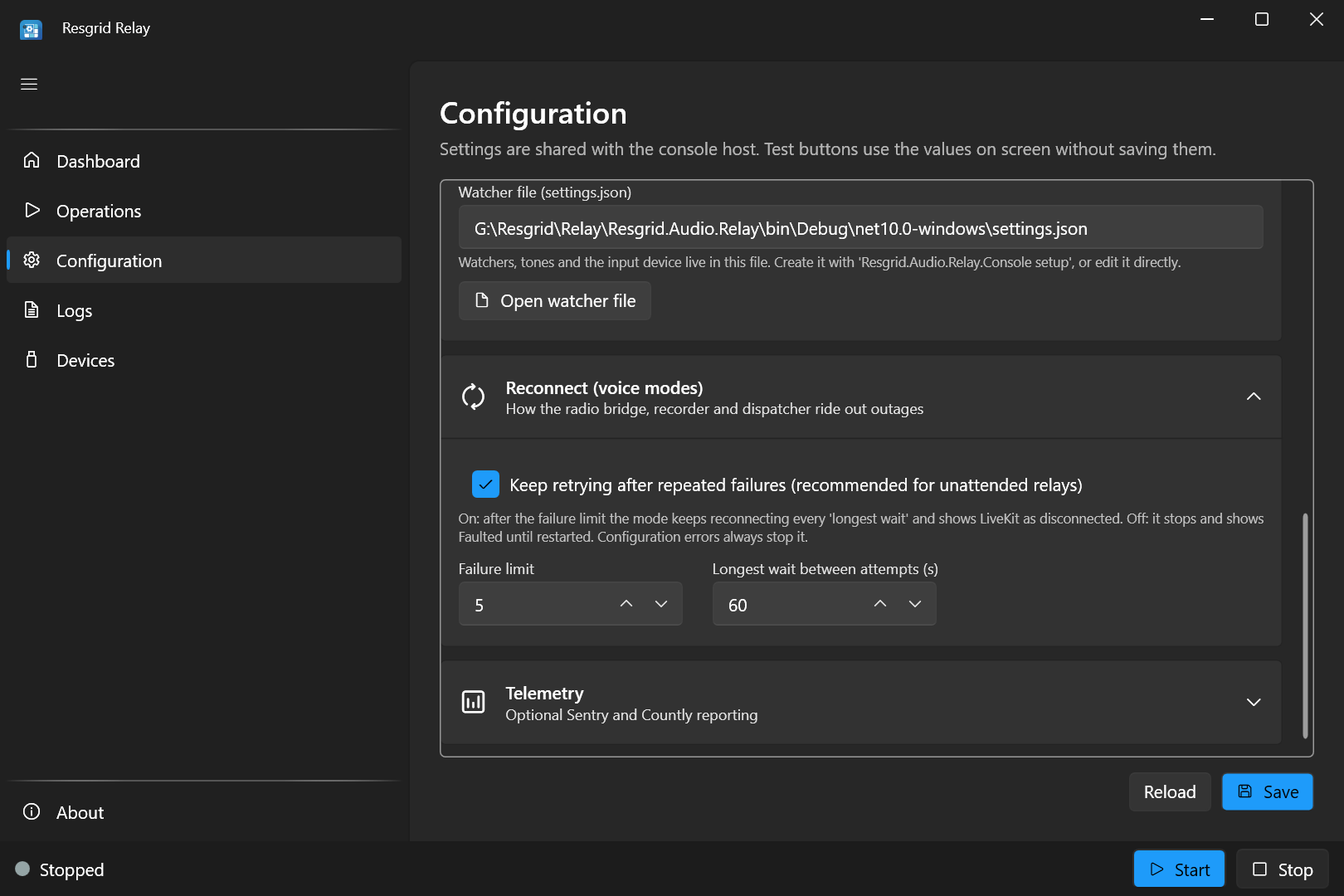
How the voice modes (radio bridge, recorder, tone-out) ride out network and Resgrid outages. A mode that fails is restarted after a wait that doubles each time, from InitialBackoffSeconds up to MaxBackoffSeconds.
| JSON path | Environment variable | Default | Meaning | Desktop |
|---|---|---|---|---|
Resilience:Enabled | RESGRID__RELAY__Resilience__Enabled | true | Restart a failed voice mode automatically. | file only |
Resilience:MaxConsecutiveFailures | RESGRID__RELAY__Resilience__MaxConsecutiveFailures | 5 | Failures in a row, without a healthy run between them, before the failure limit is reached (see KeepRetrying). | Failure limit |
Resilience:InitialBackoffSeconds | RESGRID__RELAY__Resilience__InitialBackoffSeconds | 2 | The first wait. | file only |
Resilience:MaxBackoffSeconds | RESGRID__RELAY__Resilience__MaxBackoffSeconds | 60 | The longest wait. | Longest wait between attempts |
Resilience:HealthyRunSeconds | RESGRID__RELAY__Resilience__HealthyRunSeconds | 30 | A run at least this long resets the failure count. | file only |
Resilience:KeepRetrying | RESGRID__RELAY__Resilience__KeepRetrying | true | After the failure limit, keep trying every MaxBackoffSeconds and show LiveKit as disconnected. false: stop and show Faulted until restarted. Recommended on for unattended relays. | Keep retrying after repeated failures |
A configuration error (a wrong grant type, a missing setting) stops the mode at once, whatever these settings say: retrying can't fix it.
Telemetry
Optional error and usage reporting to your own Sentry or Countly. Off unless you set them.
| JSON path | Environment variable | Default | Meaning | Desktop |
|---|---|---|---|---|
Telemetry:Environment | RESGRID__RELAY__Telemetry__Environment | (blank) | An environment name for the reports, such as production. | Environment |
Telemetry:Sentry:Dsn | RESGRID__RELAY__Telemetry__Sentry__Dsn | (blank: off) | Your Sentry DSN. | Sentry DSN |
Telemetry:Sentry:Release | RESGRID__RELAY__Telemetry__Sentry__Release | (blank) | A release name for Sentry. | file only |
Telemetry:Sentry:SendDefaultPii | RESGRID__RELAY__Telemetry__Sentry__SendDefaultPii | false | Let Sentry collect personal data by default. | file only |
Telemetry:Countly:Url | RESGRID__RELAY__Telemetry__Countly__Url | (blank: off) | Your Countly server. | Countly URL |
Telemetry:Countly:AppKey | RESGRID__RELAY__Telemetry__Countly__AppKey | (blank) | The Countly app key. | Countly app key |
Telemetry:Countly:DeviceId | RESGRID__RELAY__Telemetry__Countly__DeviceId | (blank) | A device id for Countly. | file only |
Telemetry:Countly:RequestTimeoutSeconds | RESGRID__RELAY__Telemetry__Countly__RequestTimeoutSeconds | 5 | How long to wait for Countly. | file only |
SMTP telemetry includes the sender, recipients and subject of each message, never the body.
Environment-only settings
| Variable | Meaning |
|---|---|
LOCLX_ENABLED, LOCLX_TOKEN, LOCLX_RESERVED_ENDPOINT | Start a LocalXpose tunnel to the SMTP port (console host and Docker). See SMTP dispatch. |
TZ | The Docker container's time zone (default Etc/UTC). |
WAIT_HOSTS | Docker only: wait for these host:port addresses before starting. |
The tone detect watcher file
Tone detect's watchers, triggers and input device are in their own file (AudioConfigPath). Its settings are described on Tone detect.