Dispatch Tone-Out
In dispatch mode Relay announces each new Resgrid call on a PTT channel, the way a station tone-out does: alert tones, then the call read out by Resgrid's text-to-speech. Crews listening to the channel in the Responder or Unit app, and radio users when a radio bridge is on the same channel, hear every dispatch as it goes out.
The tone-out runs on every Relay build (desktop app, console on Windows, Linux and macOS, Docker). It is a voice mode, so it needs the RefreshToken grant (Connect to Resgrid) and your department's Push To Talk add-on, and it occupies one PTT voice seat while connected.
What it says
Each announcement is the alert tone, a short pause, then:
New call, Structure fire. Nature, Smoke showing from the second floor. Address, 123 Main St, Springfield. Priority, High.
- New call becomes Second alarm, Third alarm and so on for a call that has been escalated.
- Address reads the call's address without the trailing state, postal code and country; a location that doesn't start with a number is read as Location. A call without one skips it.
- Priority uses your department's own priority names.
The wording is exactly the wording Resgrid uses for its own voice dispatch, so the text-to-speech audio Resgrid already generated for the call is reused from its cache and the announcement goes out without waiting for new speech.
Which calls are announced
Relay checks for new active calls every Poll interval (15 seconds by default) and tones out each one once:
- Calls that were already open when Relay started are not announced; only calls created after that.
- Calls created while Relay was reconnecting are announced once it is back.
- Scheduled calls are announced when they are dispatched, not when they are created.
- Pending calls (saved but not sent) are announced once a dispatcher sends them.
If a tone-out fails (the text-to-speech service or the channel is unreachable), Relay tries again at every poll for Give up after minutes (10 by default), then logs an error for that call and moves on. While the channel is disconnected, it holds the tone-outs until the channel is back; one cut off by a dropped connection is announced again.
With a poll interval of 15 seconds, an announcement goes out up to about 15 seconds after the call is dispatched. A shorter interval announces sooner, at the cost of more requests to Resgrid.
Set it up
In the desktop app
Open Configuration › Dispatch tone-out:
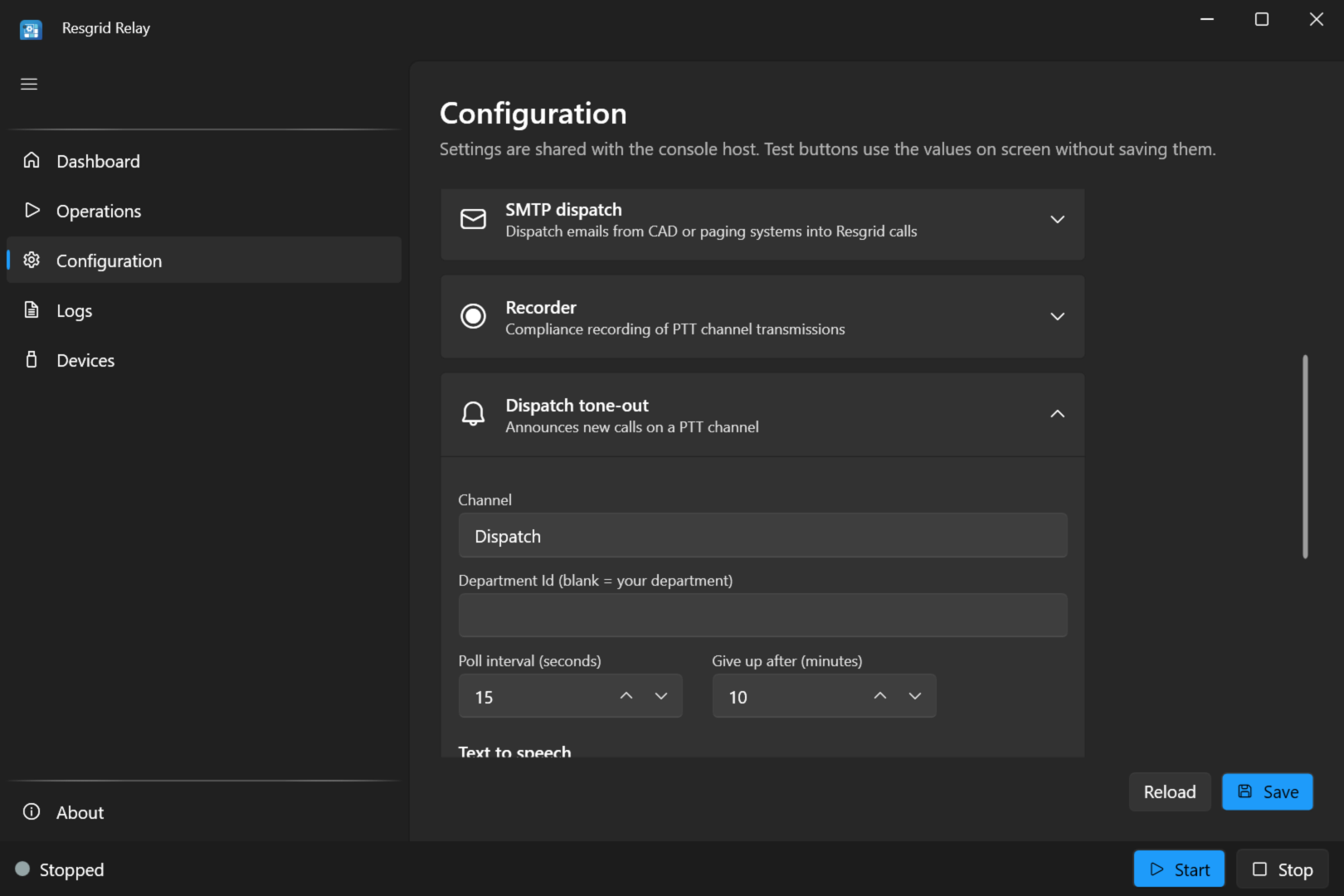
| Setting | Value |
|---|---|
| Channel | default (your department's default voice channel), a channel's name, or its id. |
| Department Id | Leave blank: your department. |
| Poll interval (seconds) | How often Relay checks for new calls: 15 by default, 5 at the least. |
| Give up after (minutes) | How long a failing tone-out is retried: 10 by default. |
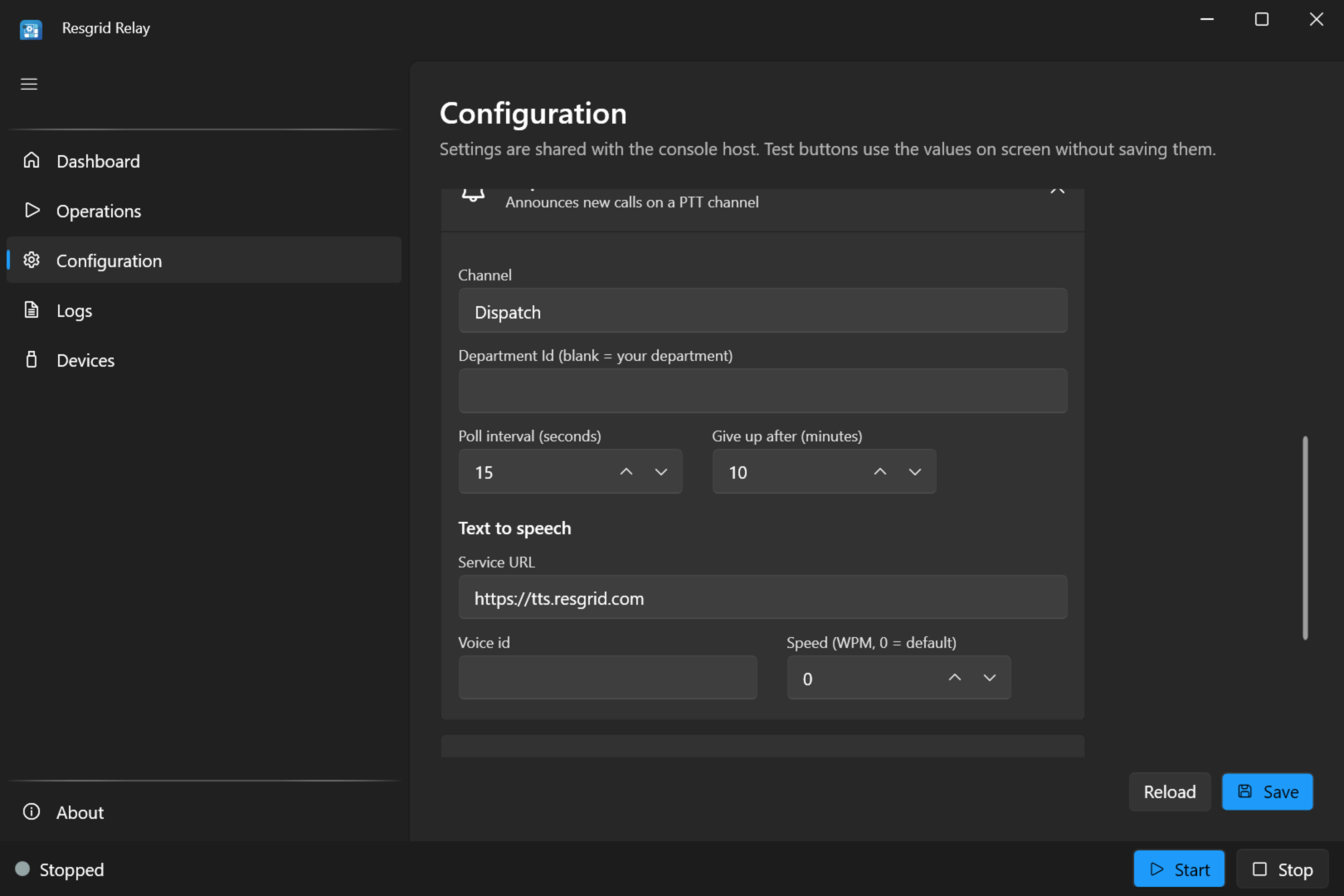
| Setting | Value |
|---|---|
| Service URL | The Resgrid text-to-speech service: https://tts.resgrid.com for Resgrid's hosted service. On a self-hosted installation, your installation's tts service (port 5154 on the Docker Compose install). Required: the pre-flight check won't start the tone-out without it. |
| Voice id | Optional: a voice of the text-to-speech service. Blank uses the service's default voice. |
| Speed (WPM, 0 = default) | Optional: words per minute. 0 uses the service's default. |
Keep Voice id and Speed at their defaults unless you have a reason: a different voice or speed can't reuse the speech Resgrid already generated, so each announcement waits for new speech.
Save, then start Dispatch Tone-Out on the Operations screen and turn on Auto-start.
With environment variables (Linux, Docker)
RESGRID__RELAY__Mode=dispatch
RESGRID__RELAY__Tts__ServiceBaseUrl=https://tts.resgrid.com
RESGRID__RELAY__DispatchVoice__Channel=default
RESGRID__RELAY__DispatchVoice__PollSeconds=15
RESGRID__RELAY__DispatchVoice__GiveUpAfterMinutes=10
plus the Resgrid credentials.
Alert tones
The alert tone plays before every announcement. It has no fields on the screen; set it in relay.user.json (or appsettings.json, or environment variables) under DispatchVoice:Tone:
| Setting | Default | Meaning |
|---|---|---|
Type | TwoToneSequential | TwoToneSequential (tone A, then tone B), HiLo (alternating high and low warble), SingleTone (tone A only) or None (no tones: speak straight away). |
ToneAFrequency | 1000 | Tone A in Hz. For HiLo, the high tone. |
ToneADurationMs | 1000 | Tone A's length, in milliseconds. |
ToneBFrequency | 2000 | Tone B in Hz. For HiLo, the low tone. |
ToneBDurationMs | 3000 | Tone B's length, in milliseconds. |
HiLoCycles | 6 | For HiLo: how many high-low pairs. |
HiLoSegmentMs | 250 | For HiLo: the length of each high or low step. |
Amplitude | 0.5 | Volume of the tones, from 0 to 1. |
PreSpeechSilenceMs | 500 | The pause between the tones and the announcement. |
For example, a hi-lo warble:
{
  "DispatchVoice": {
    "Tone": {
      "Type": "HiLo",
      "ToneAFrequency": 1200,
      "ToneBFrequency": 800,
      "HiLoCycles": 4,
      "HiLoSegmentMs": 250,
      "Amplitude": 0.4
    }
  }
}
With environment variables: RESGRID__RELAY__DispatchVoice__Tone__Type=HiLo, and so on.
Tips
- Use a channel crews monitor. The tone-out speaks on one channel; members hear it in the apps while they are joined to that channel.
- Pair it with a radio bridge to put Resgrid dispatches on the air: run the tone-out and the radio bridge on the same channel, and the bridge transmits the announcement on the radio.
- Don't run two tone-outs on the same channel, or every call is announced twice.
- Going the other way? The tone-out puts Resgrid calls on a channel. To create Resgrid calls from your county's paging tones on the radio, see Tone detect.
Troubleshooting
| Symptom | Check |
|---|---|
| Won't start: needs a TTS service URL | Set Service URL. |
| Won't start: grant type | The tone-out needs the RefreshToken grant. |
| The Dashboard tile shows TTS disconnected, and calls aren't announced | The service URL is right and reachable from the Relay host; the Logs screen shows the error. Calls are retried for Give up after minutes. |
| Calls that were open before Relay started aren't announced | Expected: only calls created after Relay started are announced. |
| Nobody hears announcements | Members are joined to the tone-out's channel; the tile shows LiveKit connected; the right Channel is set. |
| Every call is announced twice | Two tone-outs (two PCs, or the desktop app and a console host) on the same channel. |
See also Troubleshooting.